Home > Help Center

Reachific™ Support

Reachific Help Center

Step by step answers for every part of your Reachific account, with screenshots that show you exactly where to click.

No article on this page matches that yet. Try another word, or submit a ticket.

Newest articles

How do I fix a domain that will not connect?

How do I fix a domain that will not connect?

Sayo Tadashi
Published on: 04/11/2026

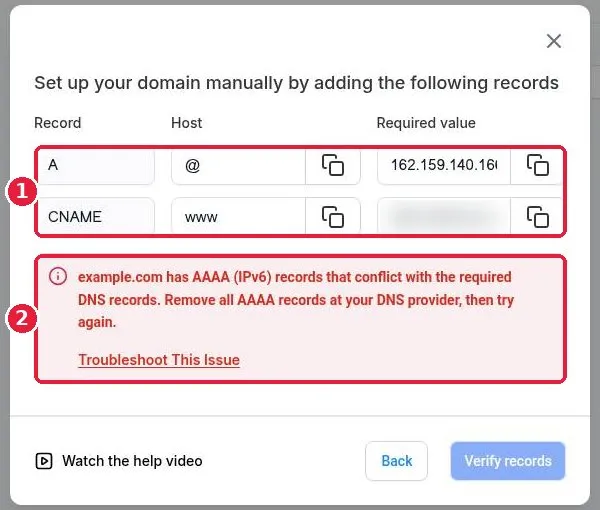
Fix a Reachific domain that will not connect: copy the exact A and CNAME records from Add record manually, delete conflicting AAAA, A or CNAME records at your provider, wait for DNS to update, click Verify records, then finish linking the domain to a product so SSL can issue.

domain not connectingDNS errorSSLAAAA recordhelp center
How do I generate my XML sitemap?

How do I generate my XML sitemap?

Sayo Tadashi
Published on: 04/11/2026

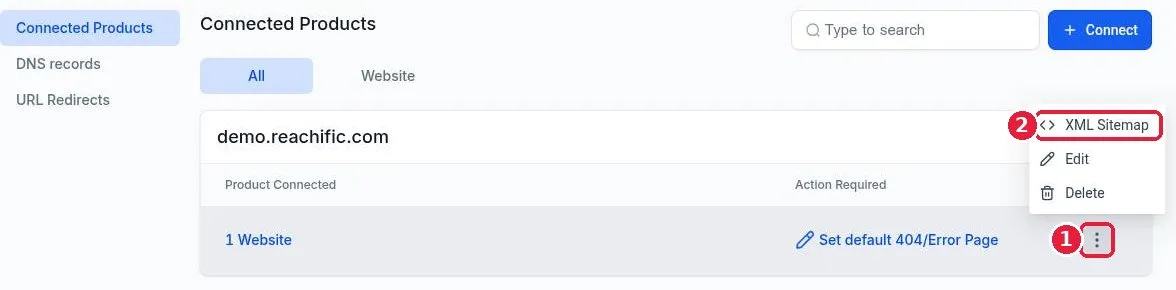
Generate an XML sitemap in Reachific: go to Settings, Domains and URL Redirects, click Manage on your domain, open the three dot menu on the product row, choose XML Sitemap, tick your site or pages, click Proceed, then Generate and Save. Your sitemap lives at yourdomain.com/sitemap.xml.

XML sitemapsitemapGoogle Search ConsoleSEOhelp center
How do I set up URL redirects?

How do I set up URL redirects?

Sayo Tadashi
Published on: 04/11/2026

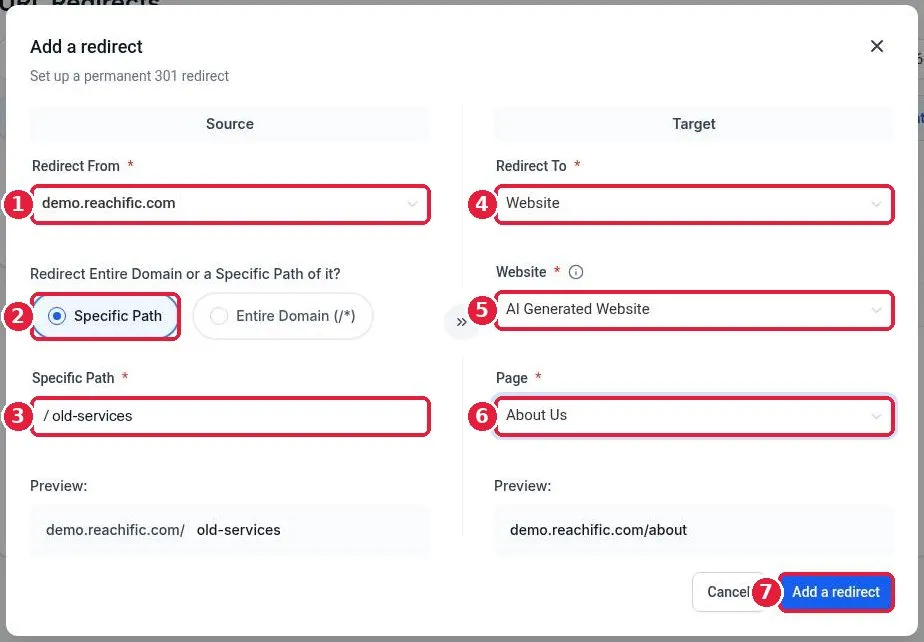
Set up a URL redirect in Reachific: go to Settings, Domains and URL Redirects, open the URL Redirects tab, click Add a redirect, pick your domain and the old path, choose where it should go (a page, funnel or custom URL), and click Add a redirect. Reachific uses a permanent 301 redirect.

URL redirects301 redirectdomainsSEOhelp center
How do I connect a domain I bought at GoDaddy or Namecheap?

How do I connect a domain I bought at GoDaddy or Namecheap?

Sayo Tadashi
Published on: 04/11/2026

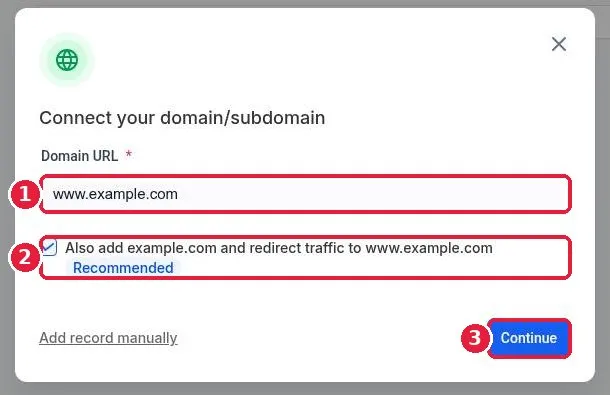
Connect a GoDaddy or Namecheap domain to Reachific: go to Settings, Domains and URL Redirects, click Connect a domain, enter your domain, approve the automatic connect at your provider (or add the A and CNAME records by hand), then link it to your website.

GoDaddyNamecheapDNS recordscustom domainhelp center
How do I import a funnel from a share link?

How do I import a funnel from a share link?

Sayo Tadashi
Published on: 04/11/2026

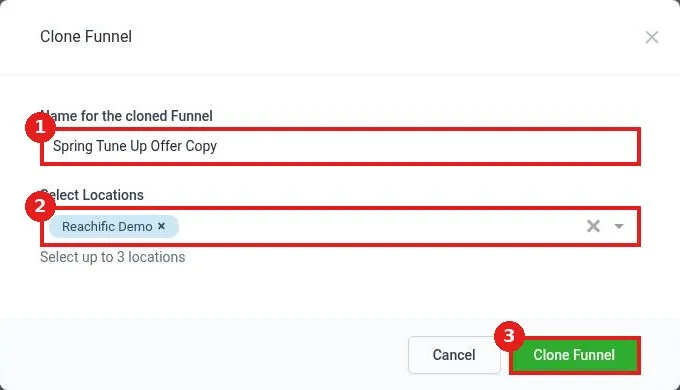
Import a funnel from a share link in Reachific: open the link while signed in, click Add Funnel, name the copy, choose your account under Select Locations, then click Clone Funnel. The copy appears in Sites, Funnels.

import funnelshare linkfunnelshelp center
How do I host a WordPress site on Reachific?

How do I host a WordPress site on Reachific?

Sayo Tadashi
Published on: 04/11/2026

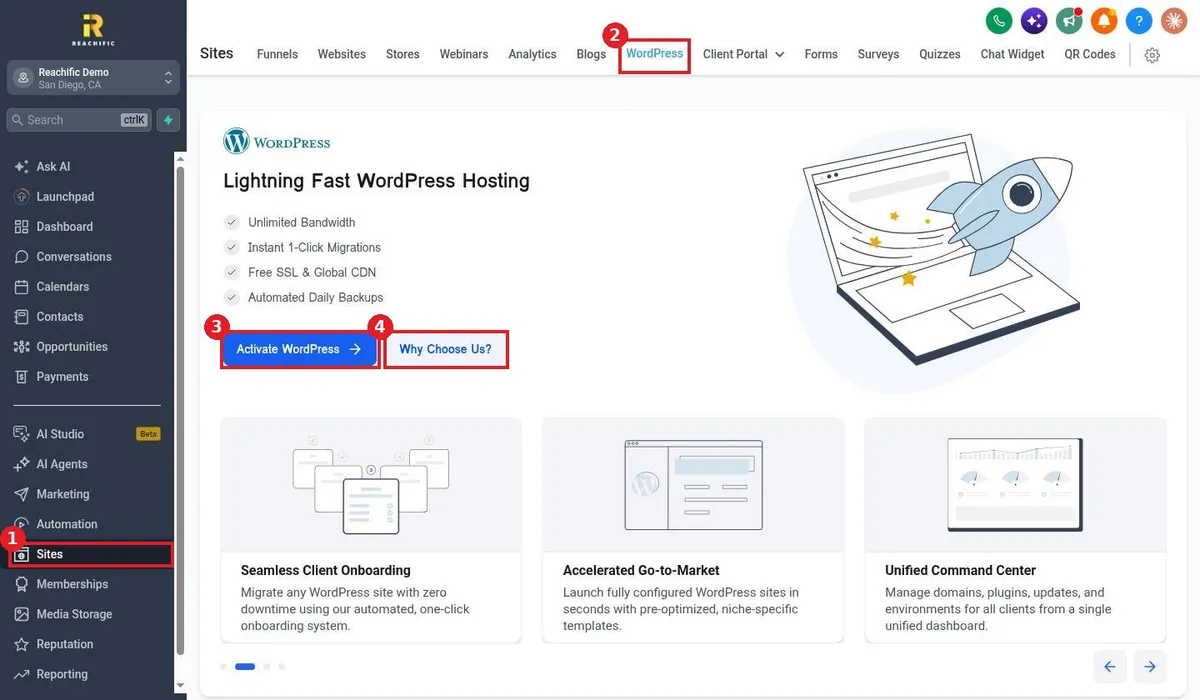
Host a WordPress site on Reachific: go to Sites, WordPress, click Activate WordPress, follow the setup to create a new site or migrate an existing one, then connect your domain. Hosting includes SSL, a global CDN and daily backups.

WordPress hostingWordPressmigrate WordPresshelp center
How do I see site and funnel analytics?

How do I see site and funnel analytics?

Sayo Tadashi
Published on: 04/11/2026

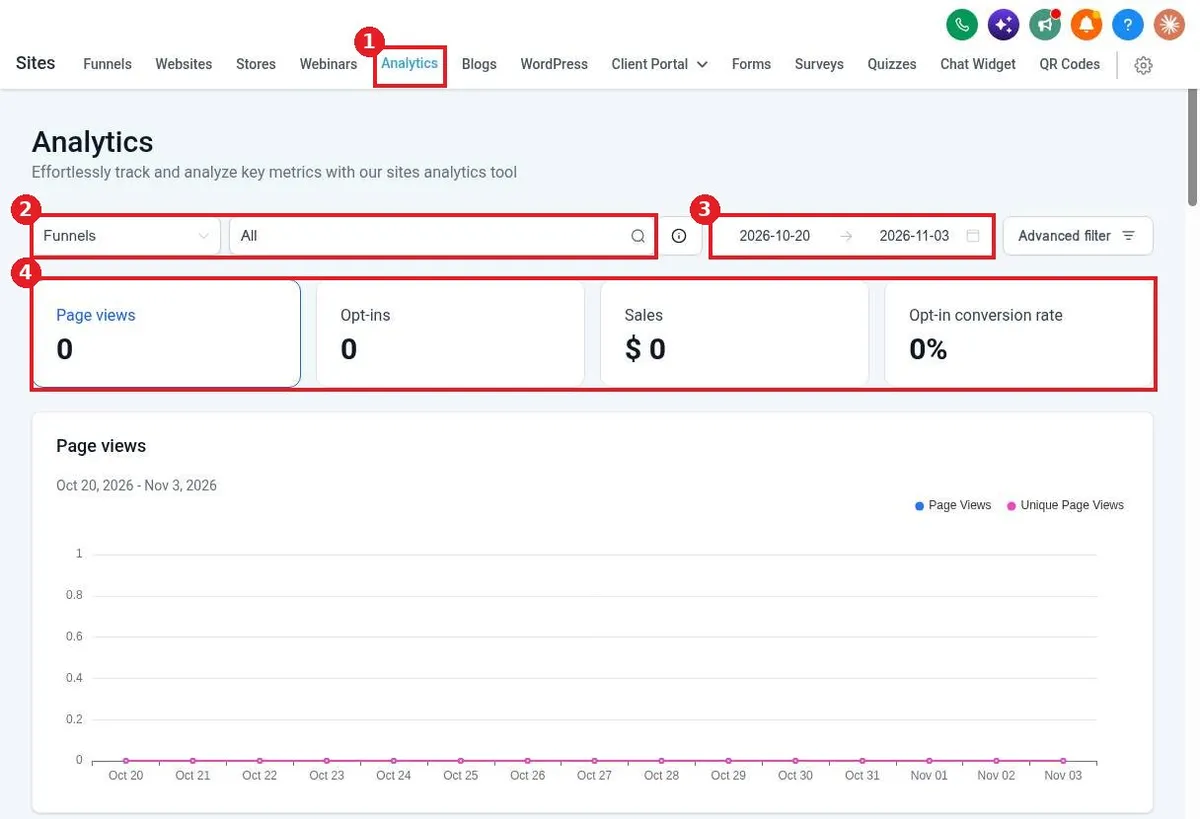
See site and funnel analytics in Reachific: go to Sites, Analytics, choose Funnels or Websites, pick one or all, set the date range, and review page views, opt-ins, sales and opt-in conversion rate.

site analyticspage viewsfunnel statshelp center
How do I create a QR code?

How do I create a QR code?

Sayo Tadashi
Published on: 04/11/2026

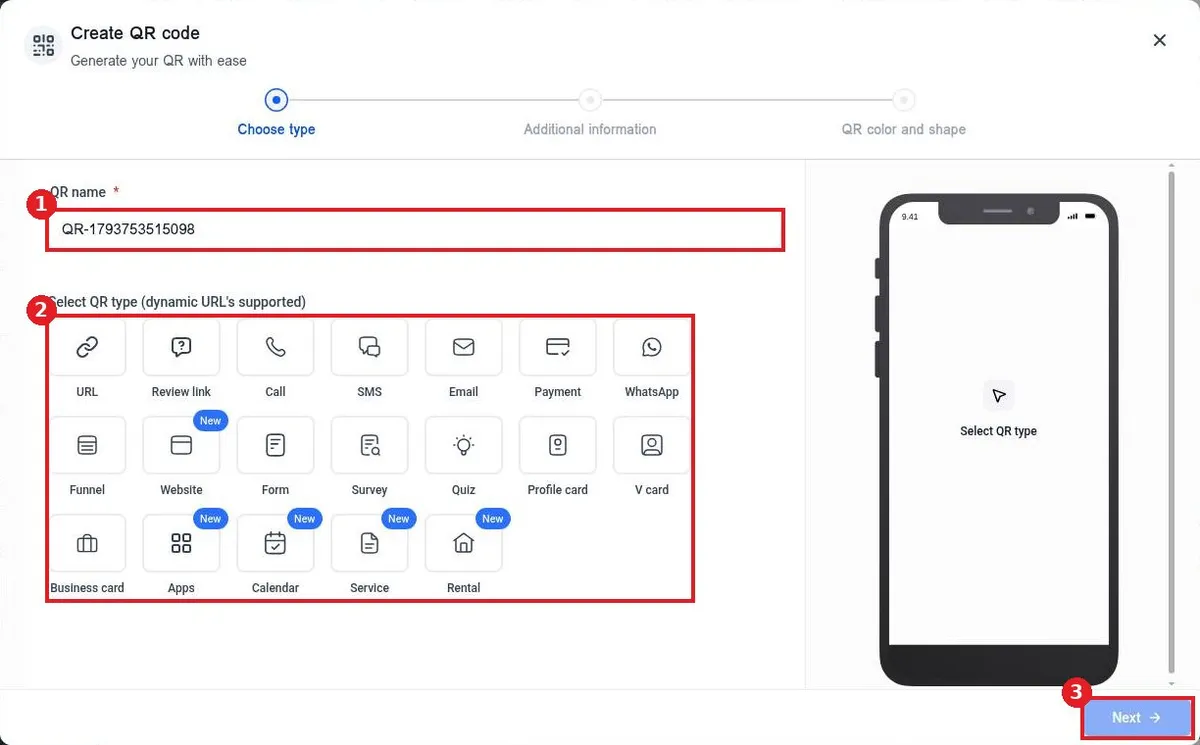
Create a QR code in Reachific: go to Sites, QR Codes, click Create QR code, name it and pick a type such as URL, add the link or details, set colors, shape and logo, then click Save and download it.

QR codedynamic QRprint marketinghelp center
How do I add the chat widget to my website?

How do I add the chat widget to my website?

Sayo Tadashi
Published on: 04/11/2026

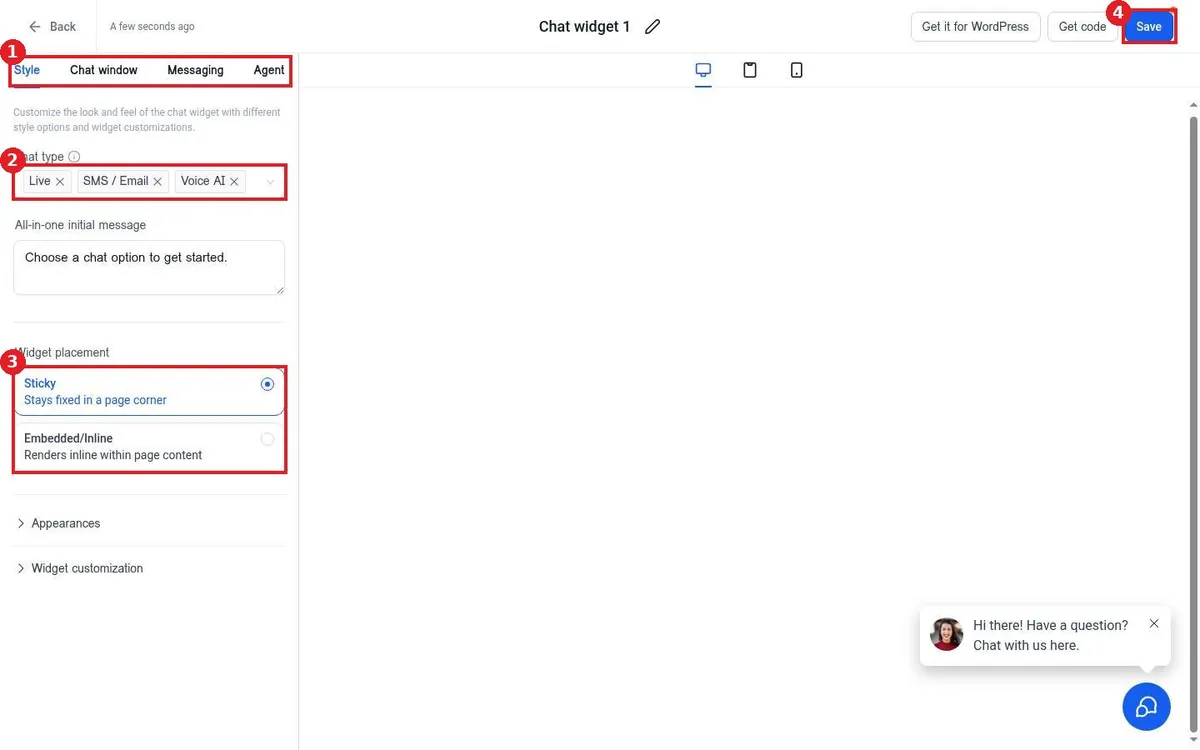
Add the Reachific chat widget to your website: go to Sites, Chat Widget, click New, pick a chat type, style it and click Save. Then click Get code, copy it and paste it before the closing body tag of your site.

chat widgetweb chatlive chathelp center
How do I see form submissions?

How do I see form submissions?

Sayo Tadashi
Published on: 04/11/2026

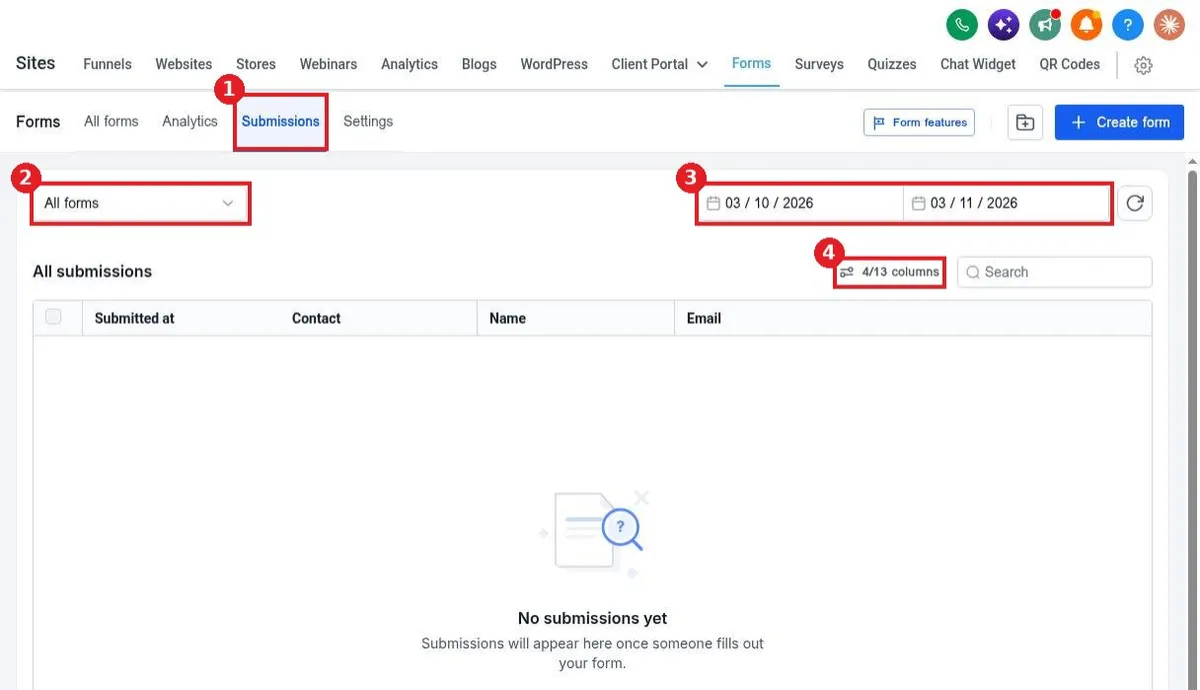
See form submissions in Reachific: go to Sites, Forms, Submissions, pick a form and date range, and search or add columns. Or open a form's three dot menu and click View submission.

submissionsform entriesform responseshelp center
How do I build a quiz?

How do I build a quiz?

Sayo Tadashi
Published on: 04/11/2026

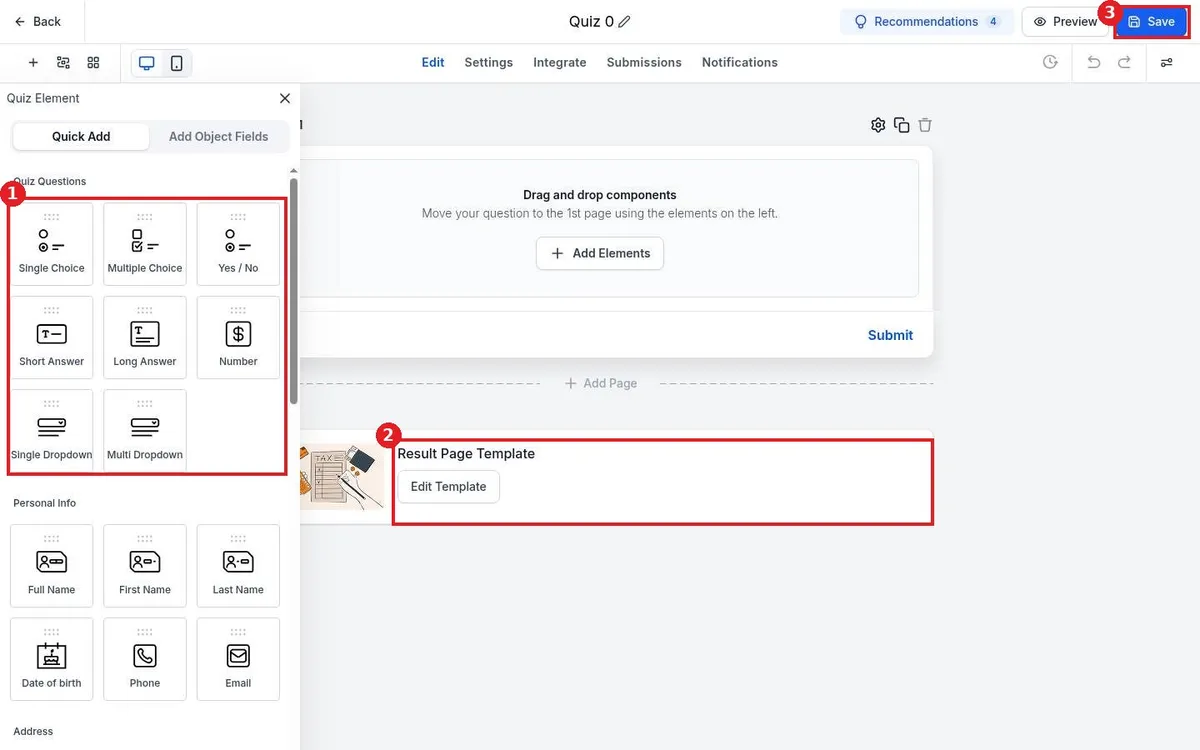
Build a scored quiz in Reachific: go to Sites, Quizzes, click Create quiz, start from scratch or a template, drag in quiz questions, set answer scores, edit the result page template and click Save.

quizscored quizlead quizhelp center
How do I build a multi step survey?

How do I build a multi step survey?

Sayo Tadashi
Published on: 04/11/2026

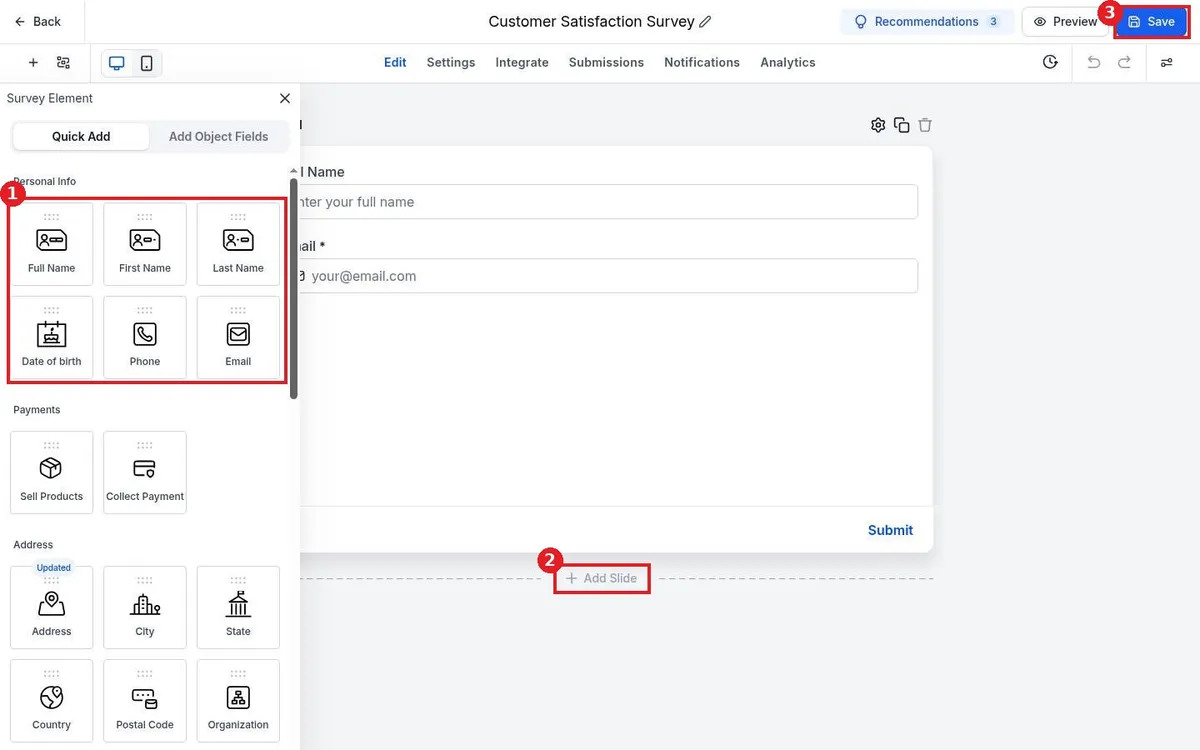
Build a multi step survey in Reachific: go to Sites, Surveys, click Create survey, drag questions onto the first slide, click Add Slide for each new step, set what happens on submit in Settings, and click Save.

surveymulti step formsurvey builderhelp center

We are here to help

Still stuck?

Send our support team a ticket and we will walk you through it, or pick a support plan for hands on help.