Home > Help Center

Reachific™ Support

Reachific Help Center

Step by step answers for every part of your Reachific account, with screenshots that show you exactly where to click.

No article on this page matches that yet. Try another word, or submit a ticket.

Newest articles

How do I sell gift cards?

How do I sell gift cards?

Sayo Tadashi
Published on: 04/11/2026

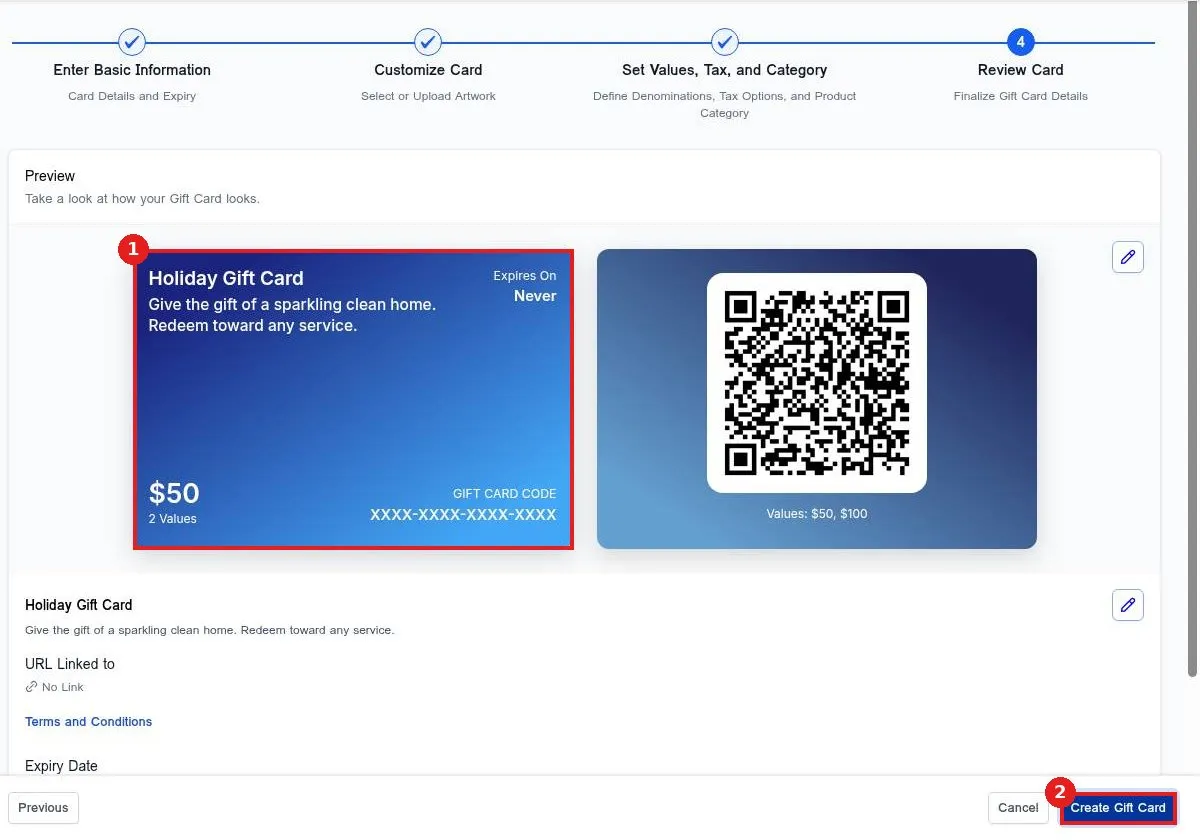
Sell gift cards in Reachific: go to Payments, Gift Cards, click Create Gift Card, add a name, description and terms, pick the card design, choose the amounts, review and create. Then click Sell to copy a checkout link or embed code.

gift cardssell gift cardsdigital gift cardholiday gift cardhelp center
How do I add a product with a price?

How do I add a product with a price?

Sayo Tadashi
Published on: 03/11/2026

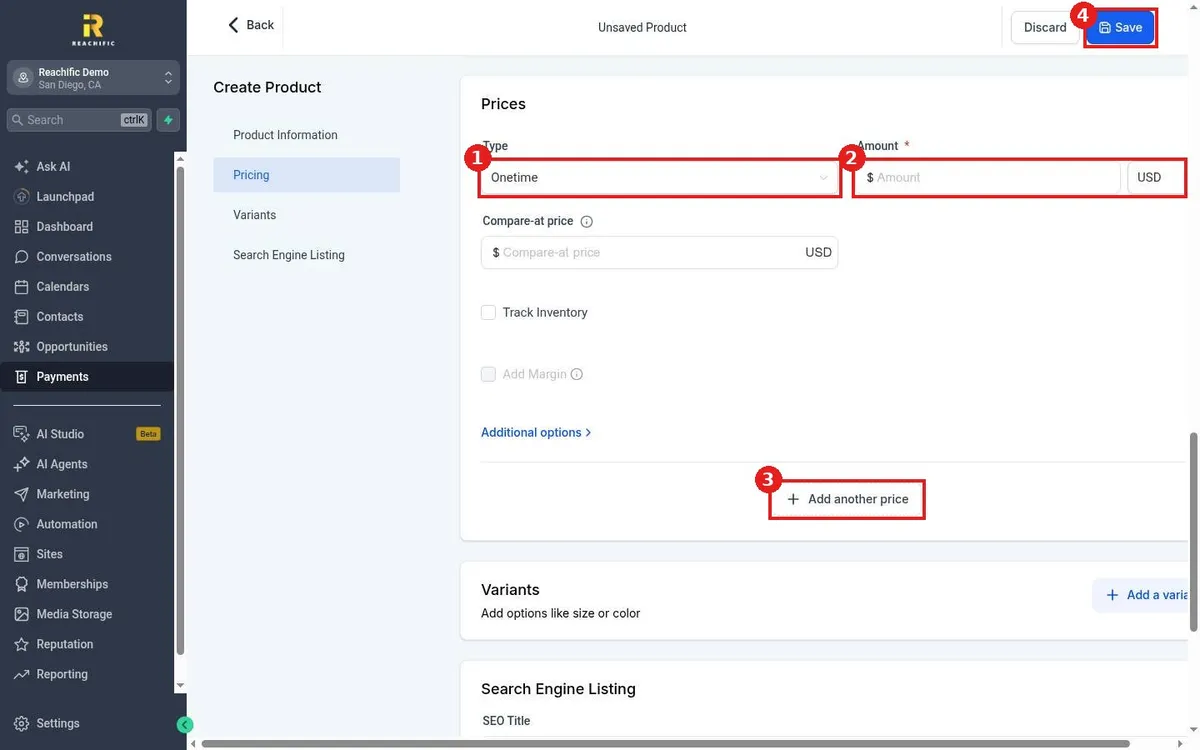
Add a product with a price in Reachific: open Payments, Products, click Create Product, enter a title and description, set a one time or recurring price and click Save.

productspricescataloghelp center
How do I build a reusable proposal template?

How do I build a reusable proposal template?

Sayo Tadashi
Published on: 03/11/2026

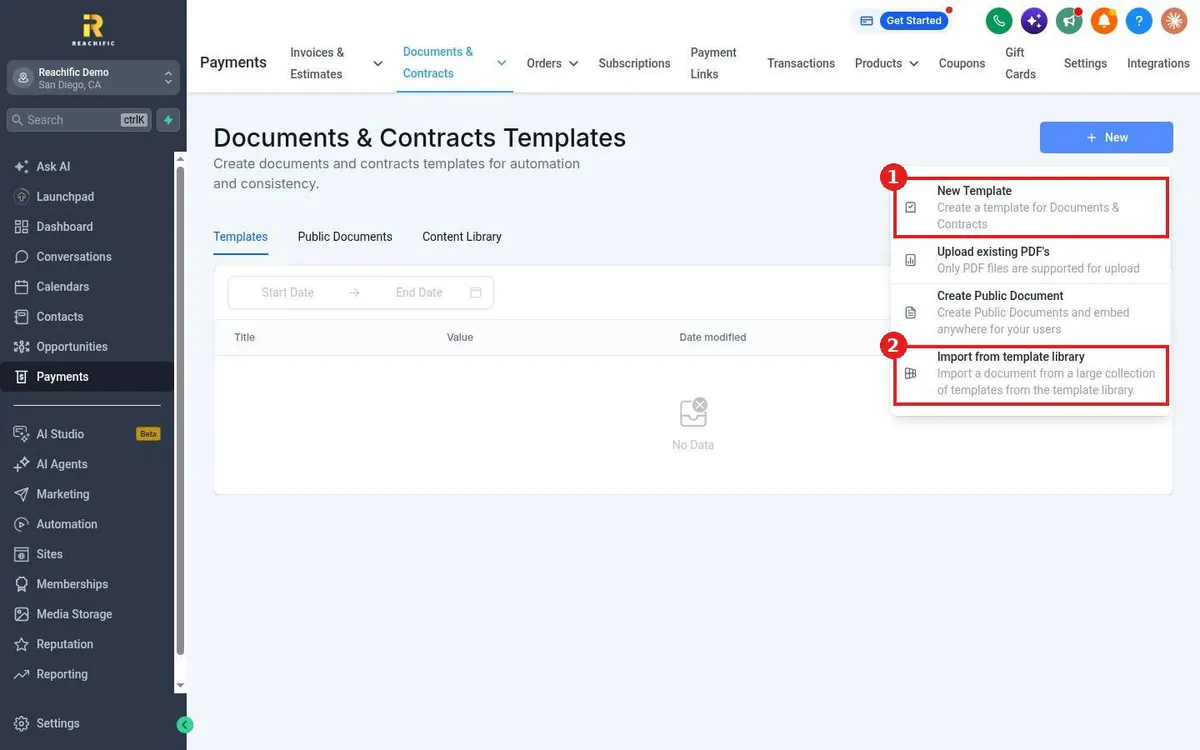
Build a reusable proposal template in Reachific: open Payments, Documents & Contracts, Templates, click New, choose New Template, add your content and fields, then save.

proposal templatedocumentscontractshelp center
How do I send a contract for e-signature?

How do I send a contract for e-signature?

Sayo Tadashi
Published on: 03/11/2026

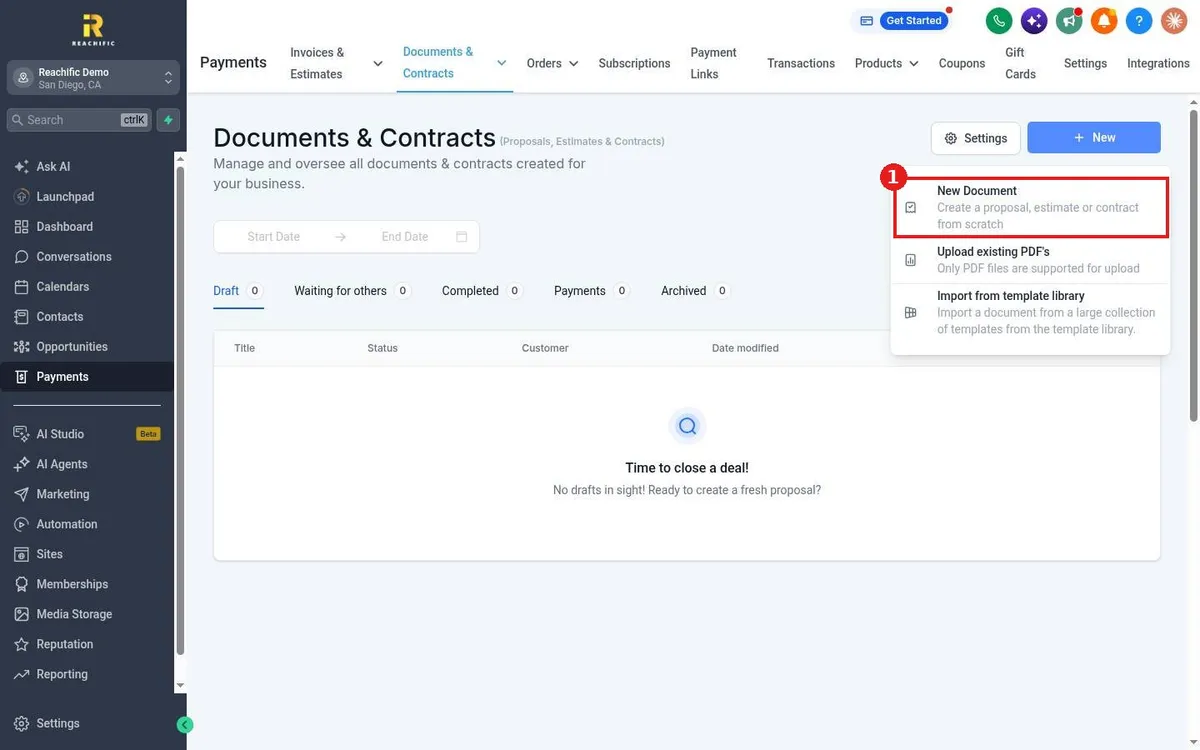
Send a contract for e-signature in Reachific: open Payments, Documents & Contracts, click New, build the document, add a Signature field, choose the client and click Send.

contracte-signsignaturehelp center
How do I create a coupon code?

How do I create a coupon code?

Sayo Tadashi
Published on: 03/11/2026

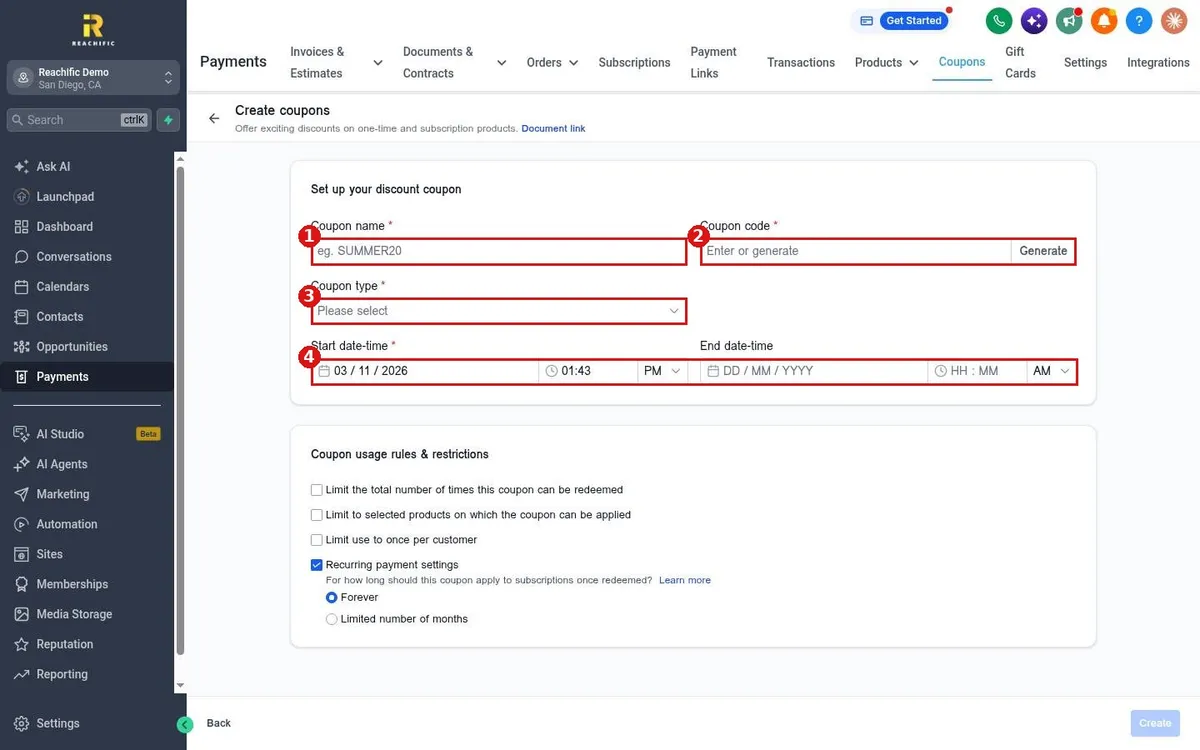
Create a coupon code in Reachific: open Payments, Coupons, click Create Coupon, name it, set a code, choose percentage or fixed, set the dates and click Create.

coupondiscount codepromohelp center
How do I create a payment link?

How do I create a payment link?

Sayo Tadashi
Published on: 03/11/2026

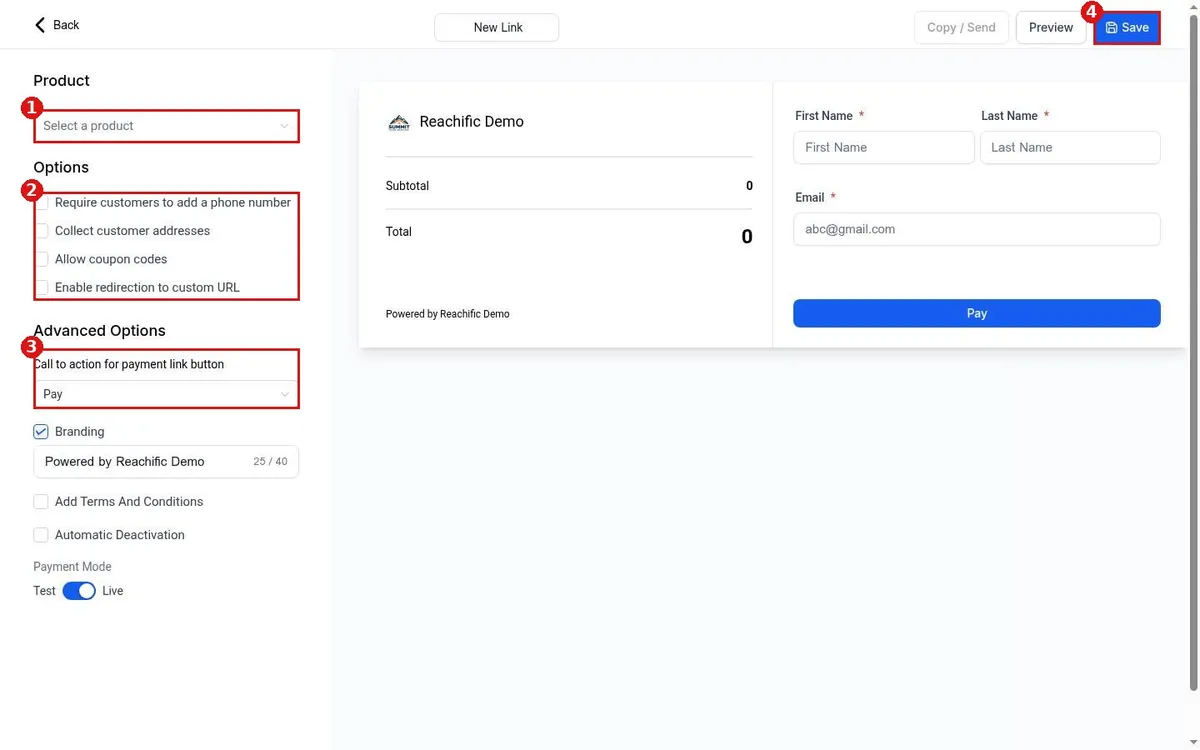
Create a payment link in Reachific: open Payments, Payment Links, click Create Link, choose a product, set your options and click Save, then copy the link to share.

payment linkpay linkhelp center
How do I find a transaction?

How do I find a transaction?

Sayo Tadashi
Published on: 03/11/2026

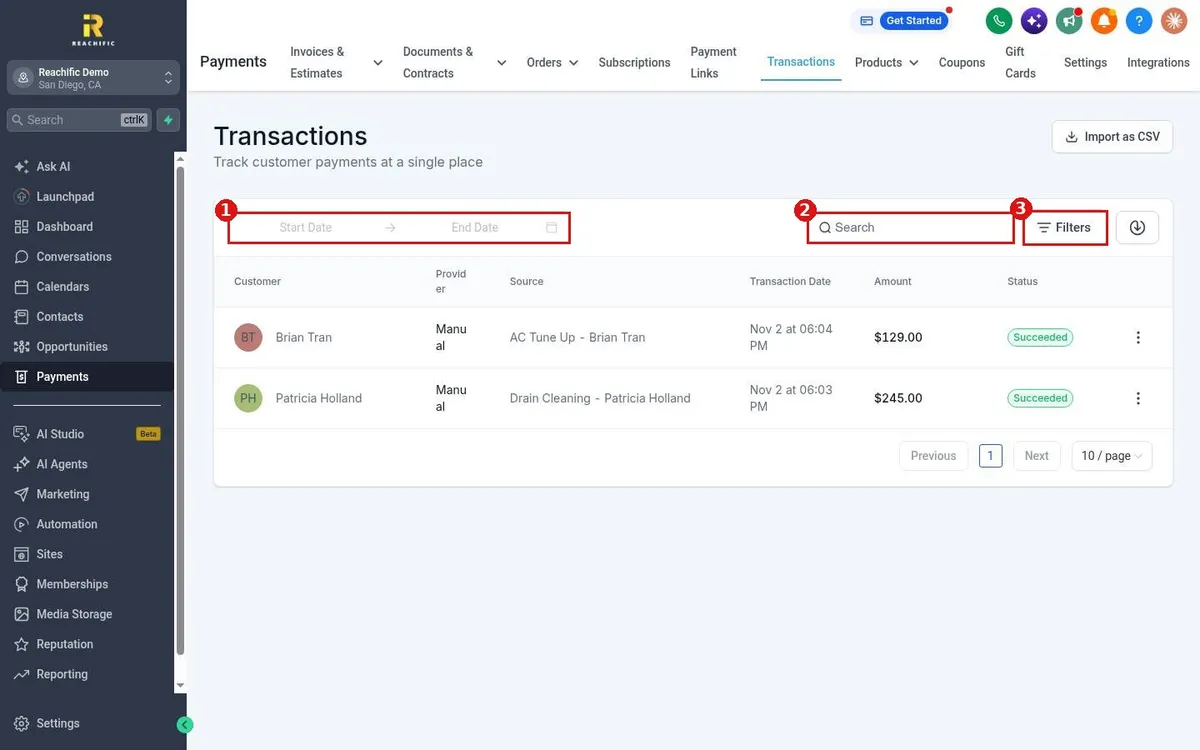
Find a payment in Reachific: open Payments, Transactions, then search by customer, set a date range or use Filters for status, payment mode and source type.

transactionspayment historyhelp center
How do I refund a payment?

How do I refund a payment?

Sayo Tadashi
Published on: 03/11/2026

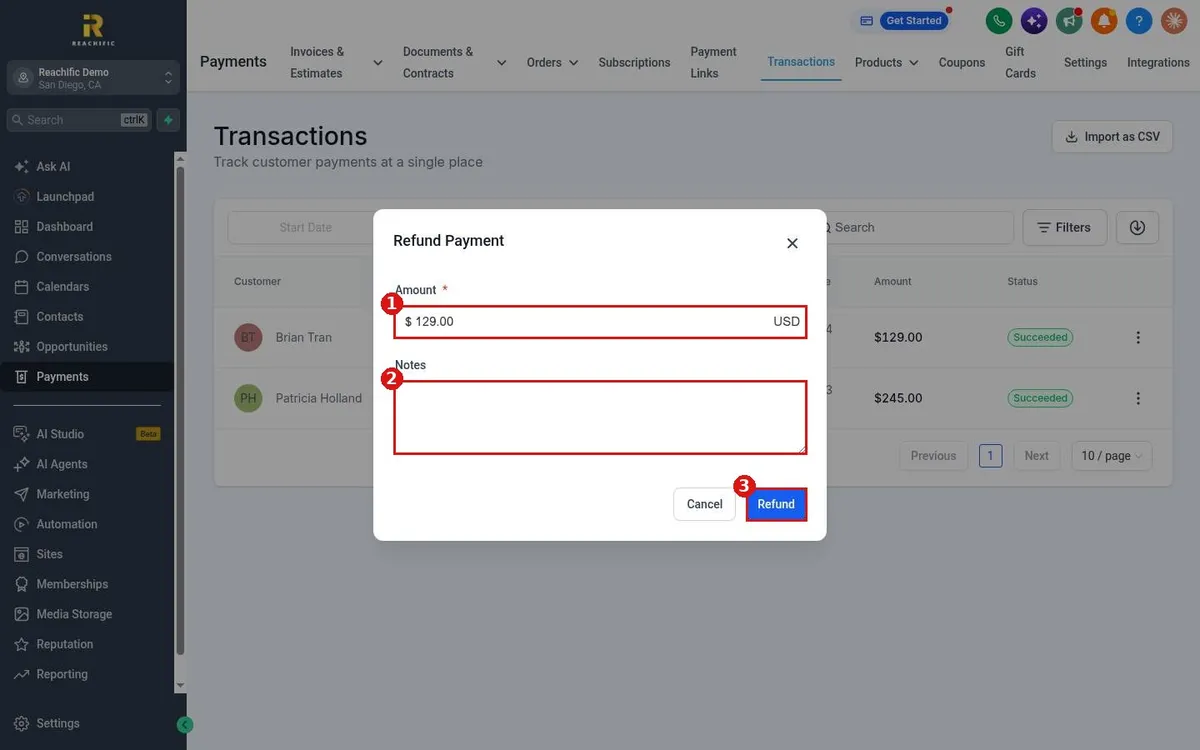
Refund a payment in Reachific: open Payments, Transactions, click the three dots on the payment, choose Refund, check the amount and click Refund.

refundtransactionshelp center
How do I send payment reminders?

How do I send payment reminders?

Sayo Tadashi
Published on: 03/11/2026

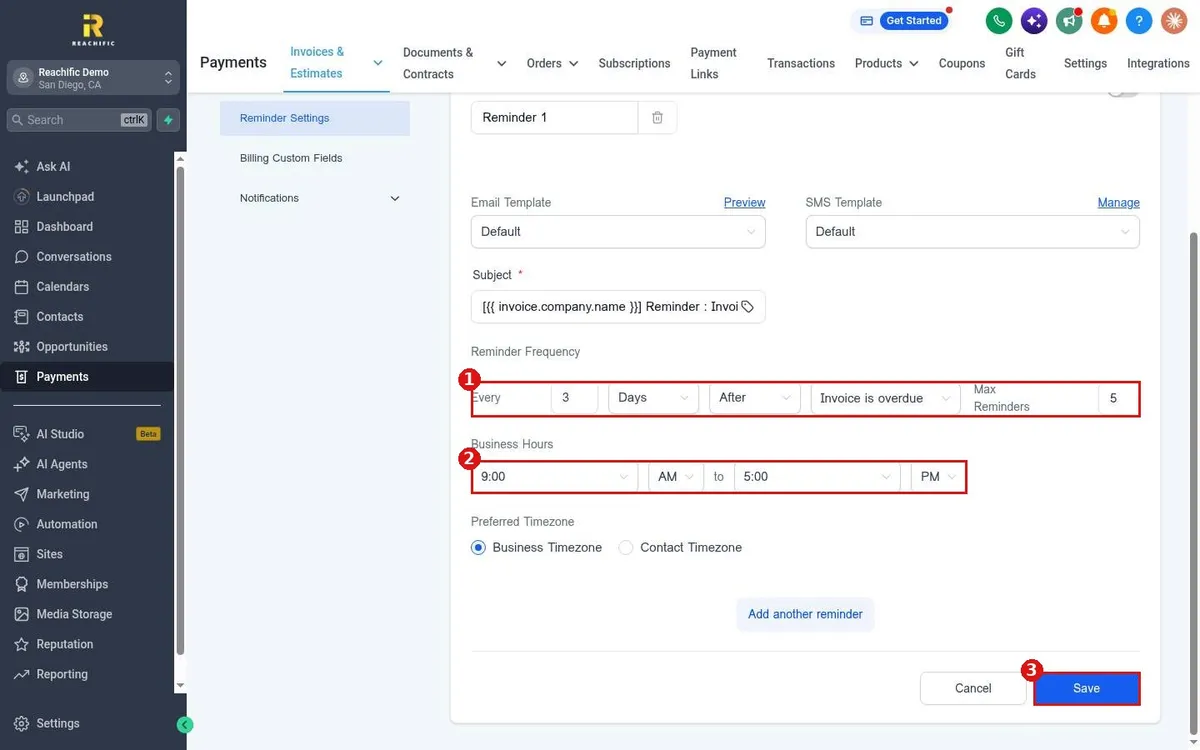
Send automatic invoice payment reminders in Reachific: open Payments, Invoices, Settings, Reminder Settings, turn a reminder on, set how often it repeats and click Save.

invoice reminderoverduepayment reminderhelp center
How do I record a payment made by cash or check?

How do I record a payment made by cash or check?

Sayo Tadashi
Published on: 03/11/2026

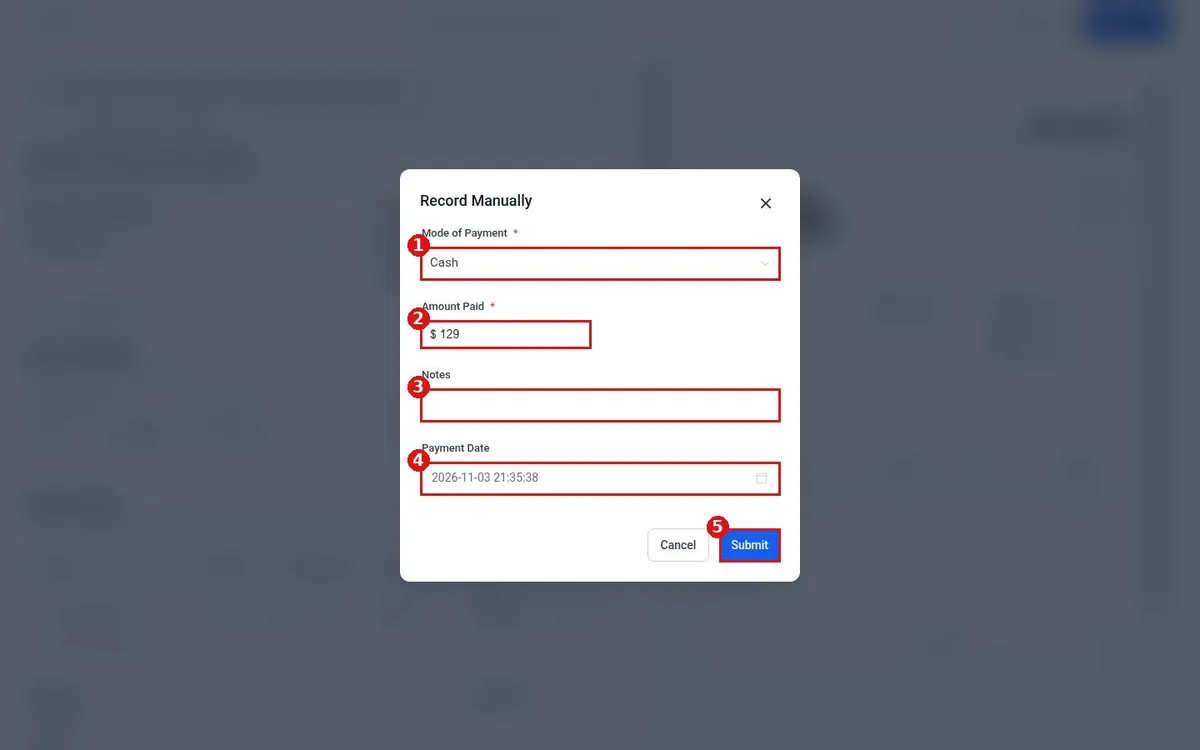
Record a cash or check payment in Reachific: open the invoice, click the three dots, choose Record Payment, then Record Manually, pick the payment mode, confirm the amount and click Submit.

manual paymentrecord paymentcashcheckhelp center
How do I create and send an estimate?

How do I create and send an estimate?

Sayo Tadashi
Published on: 03/11/2026

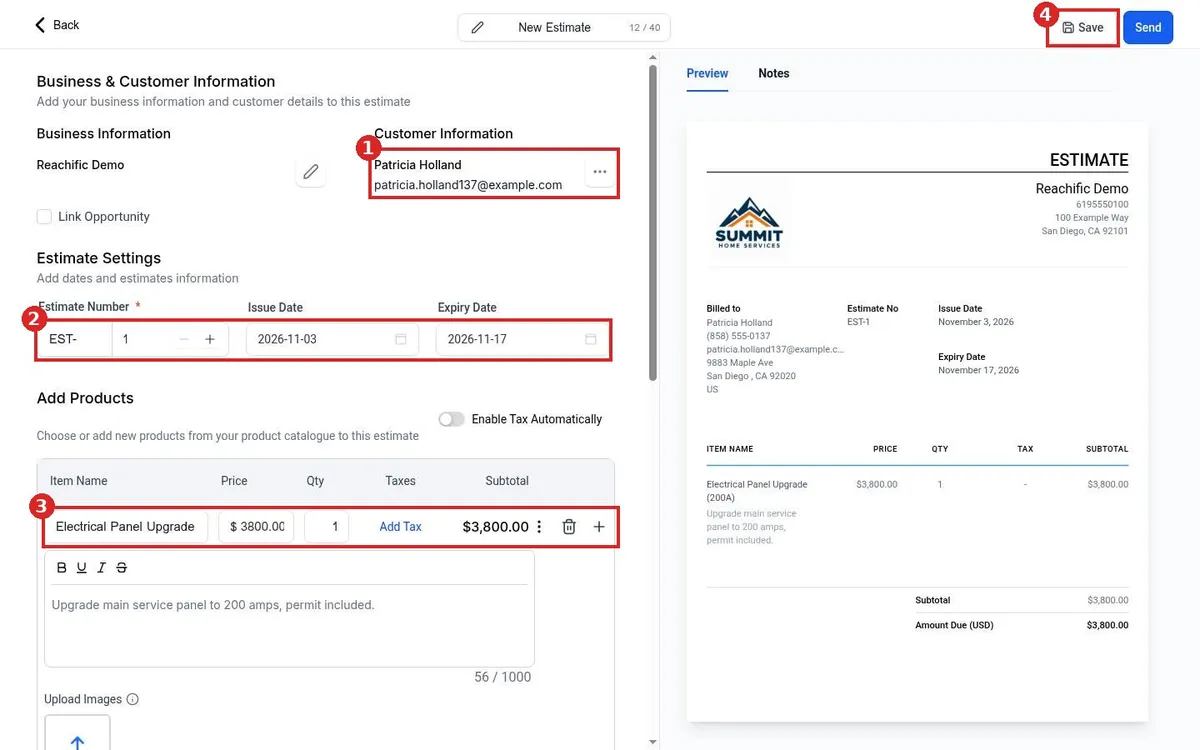
Create and send an estimate in Reachific: open Payments, Invoices and Estimates, Estimates, click New Estimate, add the customer, dates and products, then send it by email, text or both.

estimatequoteproposal pricehelp center
How do I set up a recurring invoice?

How do I set up a recurring invoice?

Sayo Tadashi
Published on: 03/11/2026

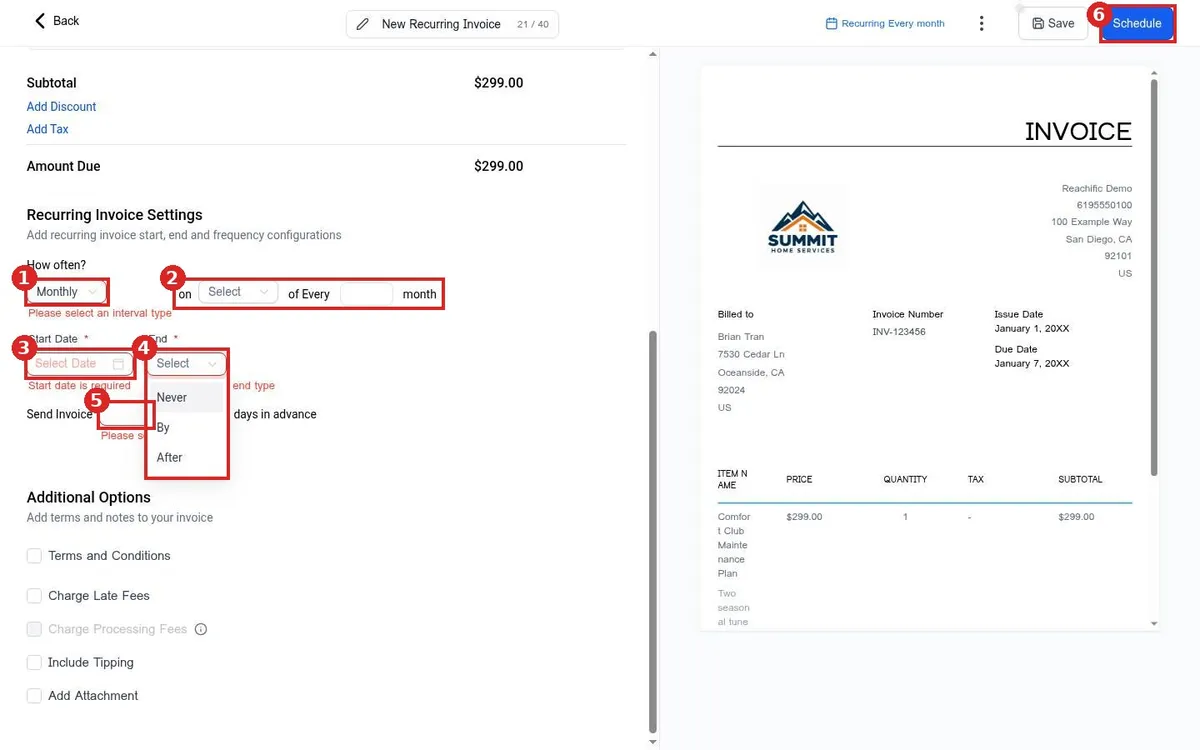
Set up a recurring invoice in Reachific: open Payments, Invoices, click New, New Recurring Invoice, add the customer and products, choose how often it repeats, then click Schedule.

recurring invoicemonthly invoicesubscription billinghelp center

We are here to help

Still stuck?

Send our support team a ticket and we will walk you through it, or pick a support plan for hands on help.