
How do I fix a domain that will not connect?
Quick answer: Most domains fail to connect for one of four reasons: a conflicting old record (often an AAAA IPv6 record), a typo in the record value, DNS that has not updated yet, or a domain that was verified but never linked to a website or funnel. Reachific shows the exact problem in the connect window. Fix it at your domain provider, wait a few minutes, then click Verify records again.
Before you start
- Log in to the provider that runs your DNS (GoDaddy, Namecheap, Cloudflare or another). This may differ from where you bought the domain.
- Keep the Reachific connect window open so you can copy the exact values.
Step 1: Read the error in the connect window
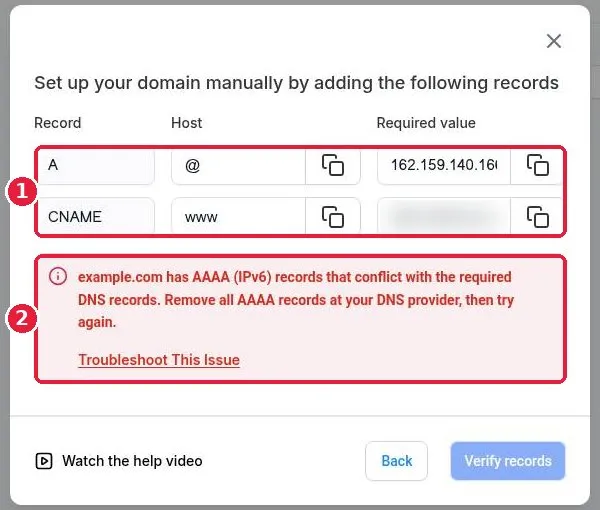
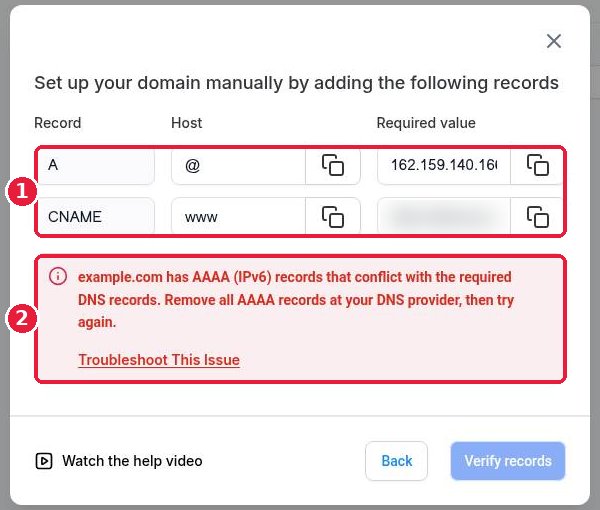
Click Add record manually in the connect window. Reachific lists the records it needs (1) and, if something is wrong, a red message that names the problem (2). In this example the domain still has AAAA records that conflict with the new ones.
Step 2: Clean up your DNS records
- AAAA conflict: delete every AAAA record for the same host (@ or www) at your provider.
- Old A or CNAME records: delete any record for the same host that points somewhere else, such as an old website or parking page. Keep only the records Reachific shows.
- Typos: use the copy buttons. The host is just @ or www, not your full domain, at most providers.
- Cloudflare: set the records to DNS only (grey cloud) while you connect.
- Do not touch MX records. They run your email.
Step 3: Give DNS time, then verify
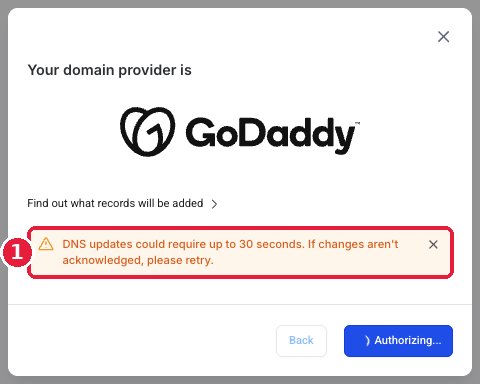
Changes are often live in minutes but can take up to 24 to 48 hours. With the automatic GoDaddy connect, Reachific may ask you to wait about 30 seconds and retry (1).
Step 4: Finish linking the domain to a product
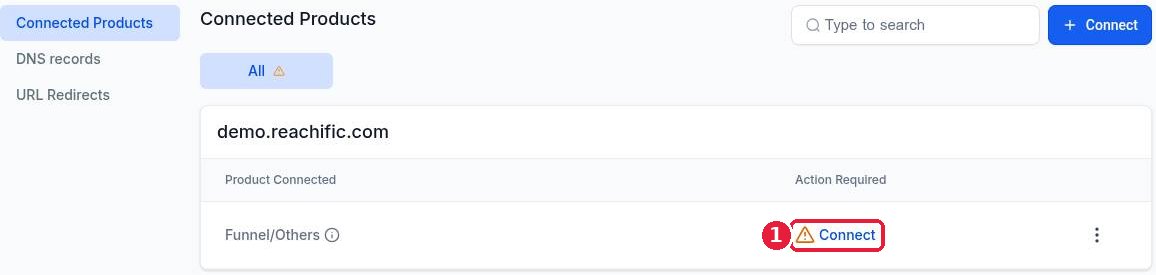
A domain can be verified but still show a warning with Connect (1) under Action Required. That means it is not linked to anything yet, so it will not load and SSL will not issue. Click Connect, choose your website or funnel and its home page, and finish.
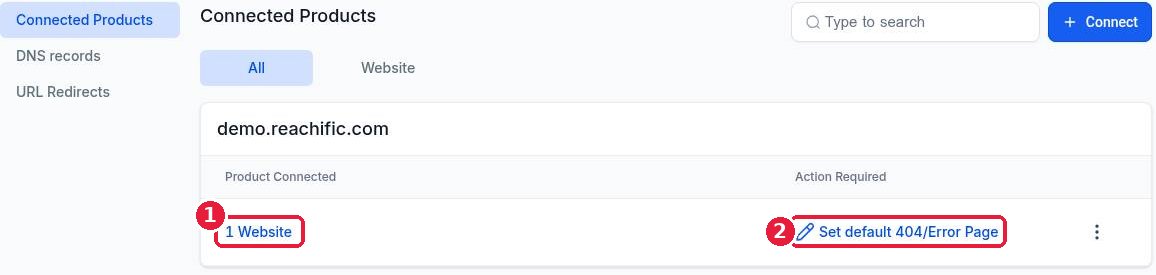
When it is fixed the row shows the linked product (1). An optional next step such as Set default 404/Error Page (2) is fine to leave for later.
FAQ
My site loads but shows Not secure. What now?
SSL is issued automatically once DNS points to Reachific and the domain is linked to a product. It usually appears within an hour. If it still does not after 24 hours, check for leftover AAAA or old A records.
The www version works but the bare domain does not.
You are missing the A record for @. Add it, or connect the www address with the redirect option checked so the bare domain forwards to www.
Can I check my DNS records myself?
Yes. Free DNS lookup sites show what the internet currently sees for your domain. Compare those results with the records Reachific shows.
My domain is at one company but DNS is at another.
Add the records where your nameservers point. If your nameservers point to Cloudflare, add them in Cloudflare, not at the registrar.
Want us to handle it? Our team fixes stubborn DNS and SSL problems and gets your site live on your own domain. Book a free strategy call and get a free quote.
Related articles
- How do I connect a domain I bought at GoDaddy or Namecheap?
- How do I connect my domain to my Reachific website?
- How do I set up URL redirects?
Still stuck? Submit a ticket and our team will help. Need faster answers? See our support plans.
