
How do I generate my XML sitemap?
Quick answer: Go to Settings > Domains & URL Redirects and click Manage on your domain. On the Connected Products tab, open the three dot menu on your website or funnel row and choose XML Sitemap. Tick the site (or only the pages you want), click Proceed, then Generate & Save. Your sitemap is at yourdomain.com/sitemap.xml.
Before you start
- Your domain must be connected and linked to a website or funnel.
- Publish the pages you want search engines to find. Leave out thank you pages, test pages and private offers.
Step 1: Open XML Sitemap for your domain
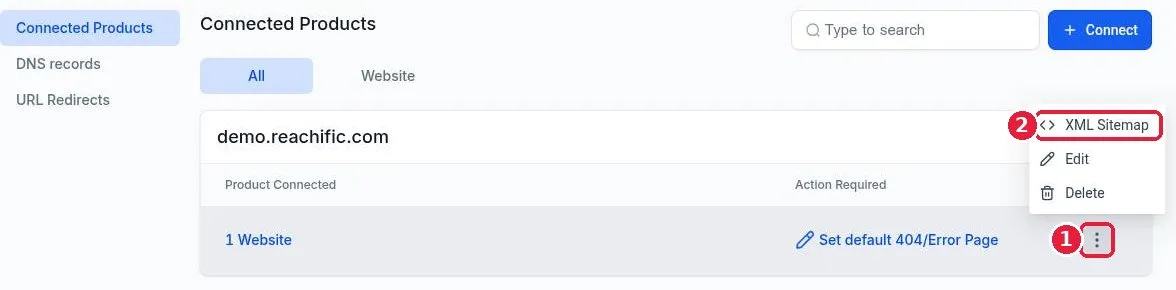
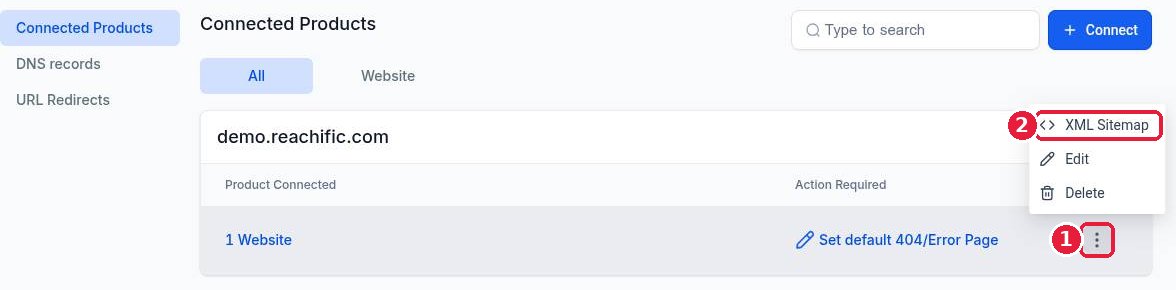
Click Manage on your domain. Click the three dot menu (1) on the product row, then XML Sitemap (2).
Step 2: Choose the pages
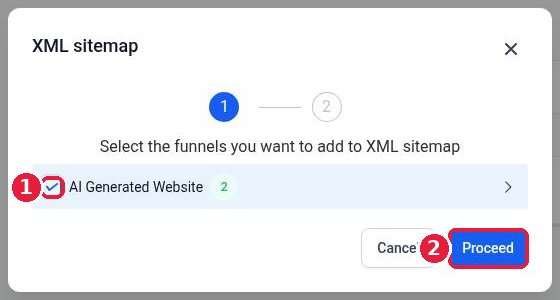
Tick your website or funnel (1) to include all its pages. Click the arrow at the end of the row to tick single pages instead. Click Proceed (2).
Step 3: Generate and save
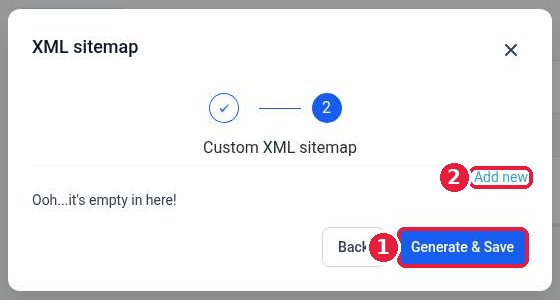
Step 2 lets you add extra custom URLs with Add new (2), such as a blog that lives elsewhere. Click Generate & Save (1).
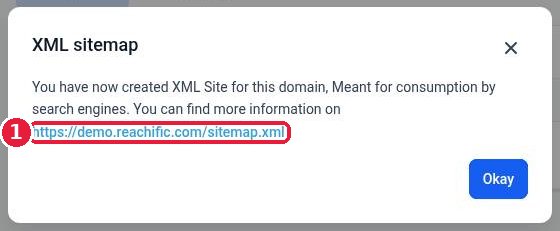
Reachific confirms the sitemap was created and shows its address (1).
Step 4: Check it and submit it to Google
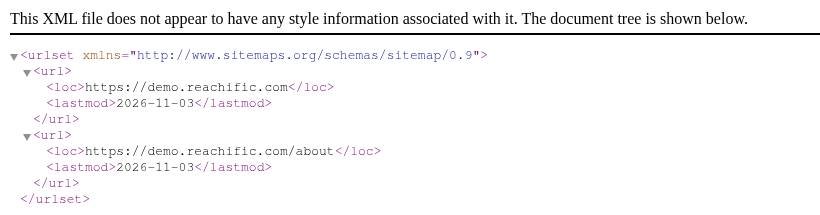
Open yourdomain.com/sitemap.xml in a browser. You see a list of your page addresses with the date each was last updated.
In Google Search Console, open Sitemaps, enter sitemap.xml and click Submit. Do the same in Bing Webmaster Tools if you use it.
FAQ
Does the sitemap update when I add pages?
Generate it again after you publish new pages or remove old ones, so search engines see the current list.
Should every page be in my sitemap?
No. Include pages you want found in search. Leave out thank you pages, duplicate pages and pages you have set to noindex.
Where is my blog's sitemap?
If your blog runs on the same domain, include it here. If it lives on another address, add that address with Add new in step 2.
Want us to handle it? Our SEO team sets up your sitemap, submits it to Google and builds content that brings in local leads every month. Book a free strategy call and get a free quote.
Related articles
- How do I set up URL redirects?
- How do I connect my domain to my Reachific website?
- How do I publish my website changes?
Still stuck? Submit a ticket and our team will help. Need faster answers? See our support plans.
