
How do I build a quiz?
Quick answer: Go to Sites > Quizzes and click Create quiz. Pick Start from Scratch or From templates and click Create. Drag quiz questions onto the page, set the score for each answer, edit the result page and click Save.
Before you start
- Decide what the quiz scores, for example how ready a lead is to buy.
- Plan two or three result tiers, such as low, medium and high.
Step 1: Open Quizzes
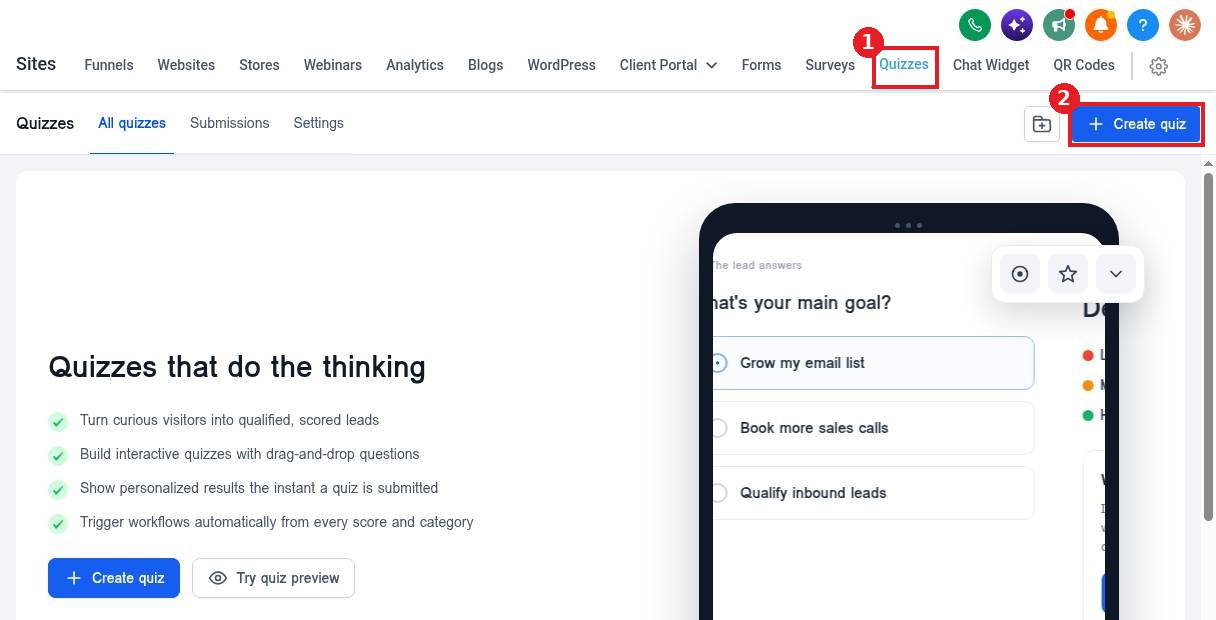
Open the Quizzes tab (1) and click Create quiz (2).
Step 2: Choose how to start
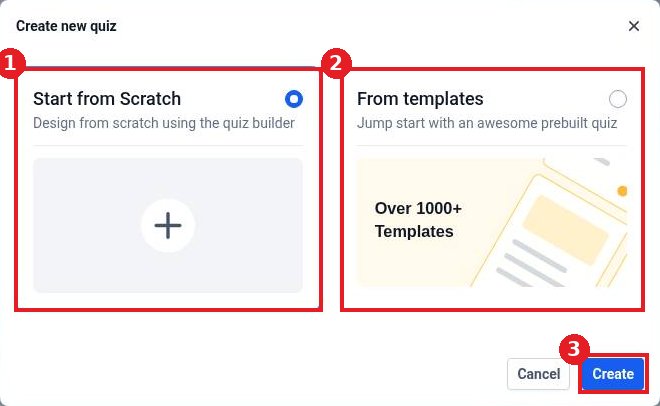
Pick Start from Scratch (1) to build your own or From templates (2) to start from a prebuilt quiz. Click Create (3).
Step 3: Add questions and results
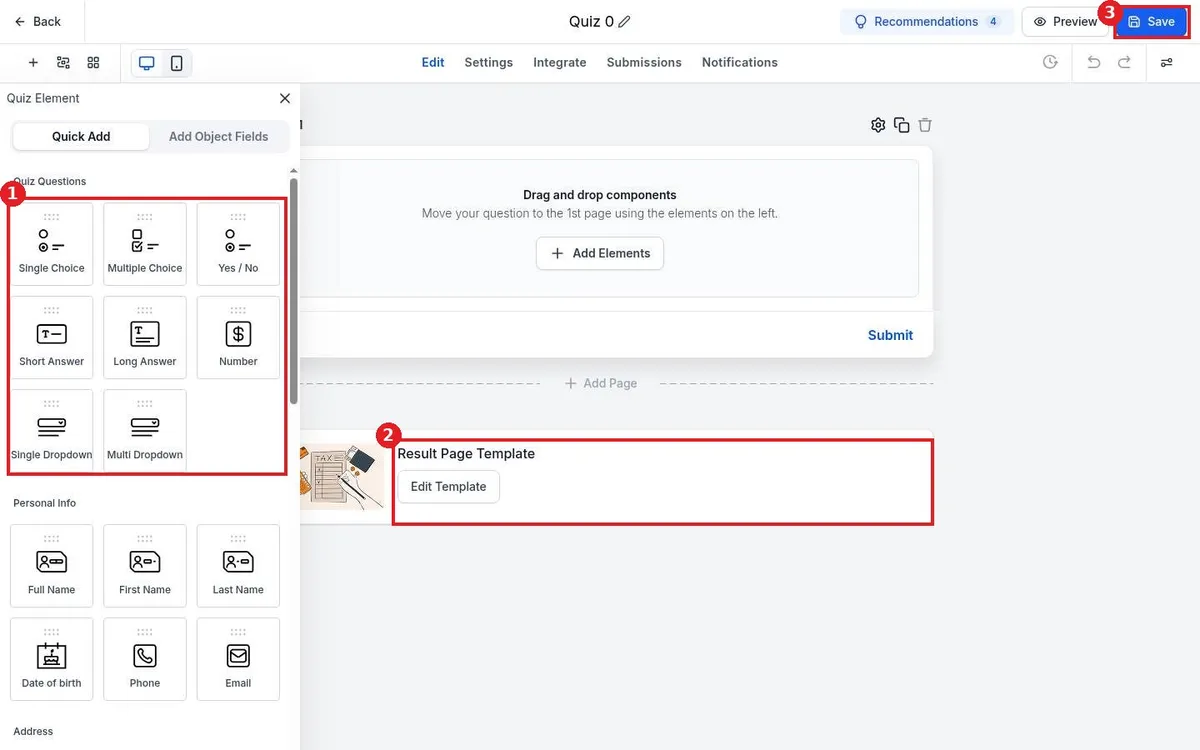
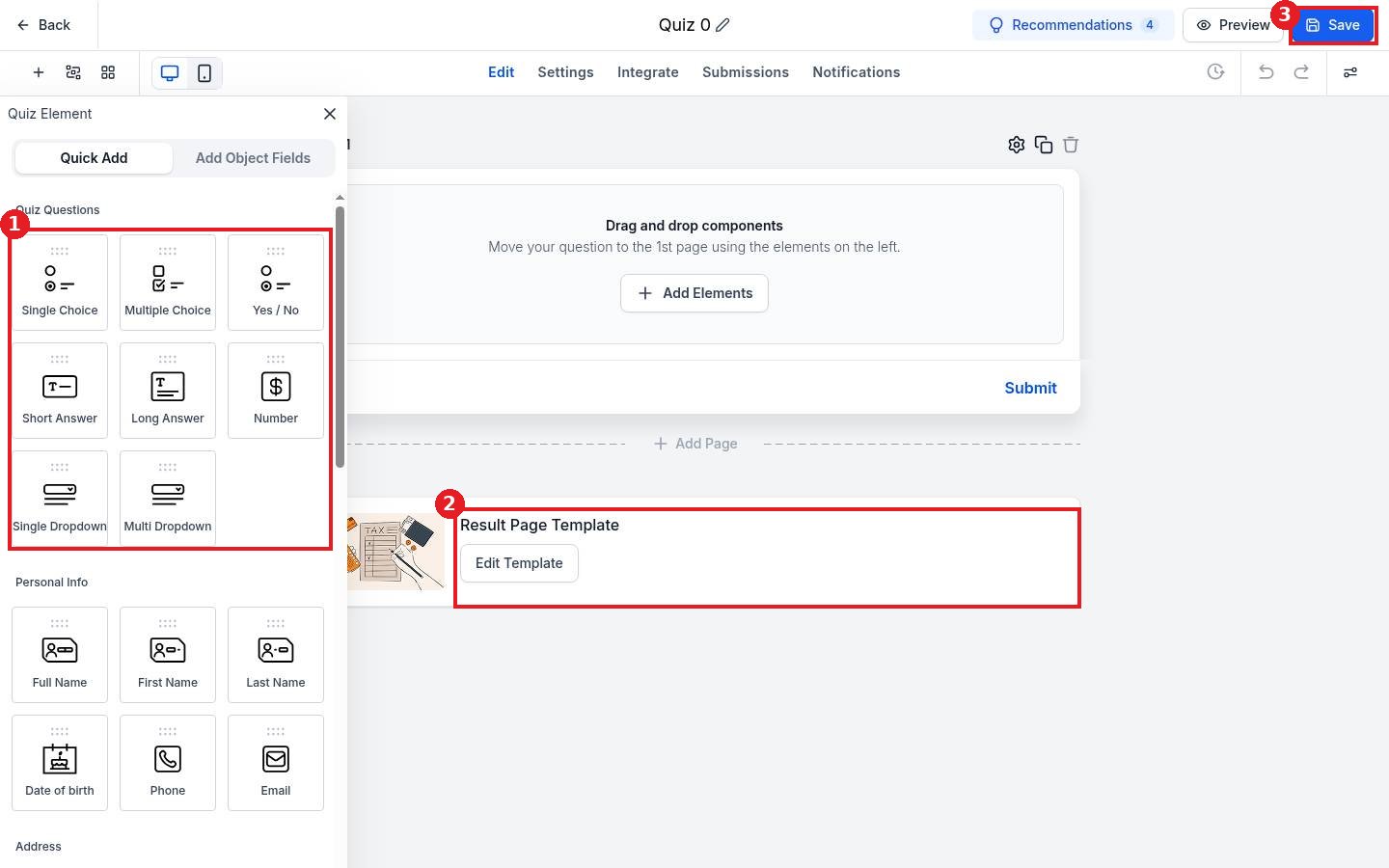
Drag question types such as Single Choice, Multiple Choice or Yes / No from the panel (1) onto the page, then click each question to set answer scores. Click Edit Template on the Result Page Template (2) to design what people see after they submit. Click Save (3).
Step 4: Share the quiz
Open the Integrate tab to copy the link or embed code, then add it to your website or funnel.
FAQ
Can a quiz trigger a workflow?
Yes. Use the quiz submitted trigger in a workflow and branch on the score or result.
Where do I see quiz answers?
Open the Submissions tab in Quizzes, or check the contact record.
Can I add contact fields?
Yes. Drag name, email and phone fields from the Personal Info section so you capture the lead.
Want us to handle it? Our team designs and builds fast, mobile friendly websites that turn visitors into leads, then keeps them updated for you. Book a free strategy call and get a free quote.
Related articles
Still stuck? Submit a ticket and our team will help. Need faster answers? See our support plans.
