Home > Help Center

Reachific™ Support

Reachific Help Center

Step by step answers for every part of your Reachific account, with screenshots that show you exactly where to click.

No article on this page matches that yet. Try another word, or submit a ticket.

Newest articles

How do I set up rooms and equipment for bookings?

How do I set up rooms and equipment for bookings?

Sayo Tadashi
Published on: 03/11/2026

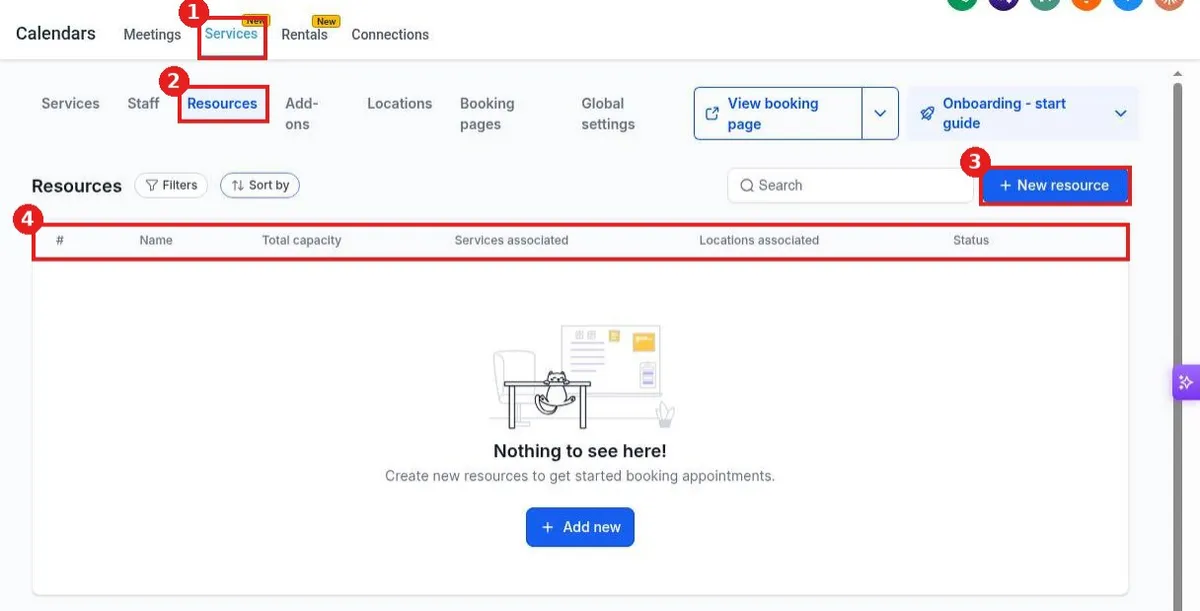
Set up rooms and equipment in Reachific: open Calendar settings, click the Services tab, then Resources, click New resource, enter a name, link the services, pick a location and total capacity, then click Create.

roomsequipmentresourceshelp center
How do I create a class or event calendar?

How do I create a class or event calendar?

Sayo Tadashi
Published on: 03/11/2026

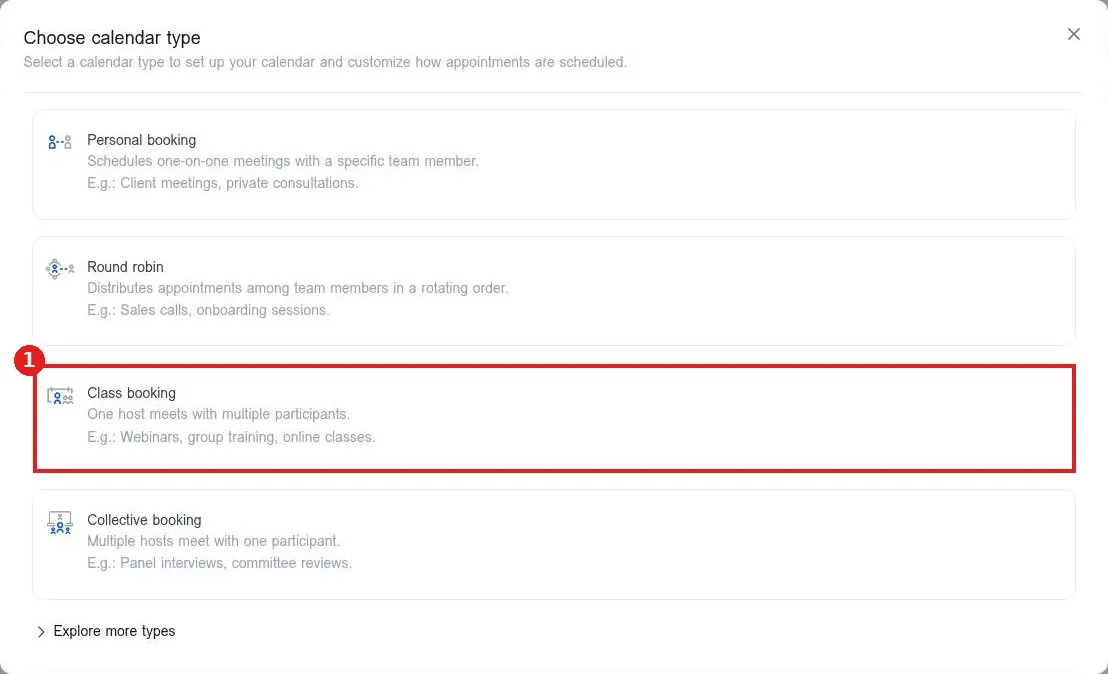
Create a class calendar in Reachific: open Calendar settings, click New calendar, choose Class booking, name it, pick the host, set the duration, seats per class and location, then click Confirm.

class bookingevent calendargroup bookinghelp center
How do I customize the booking form questions?

How do I customize the booking form questions?

Sayo Tadashi
Published on: 03/11/2026

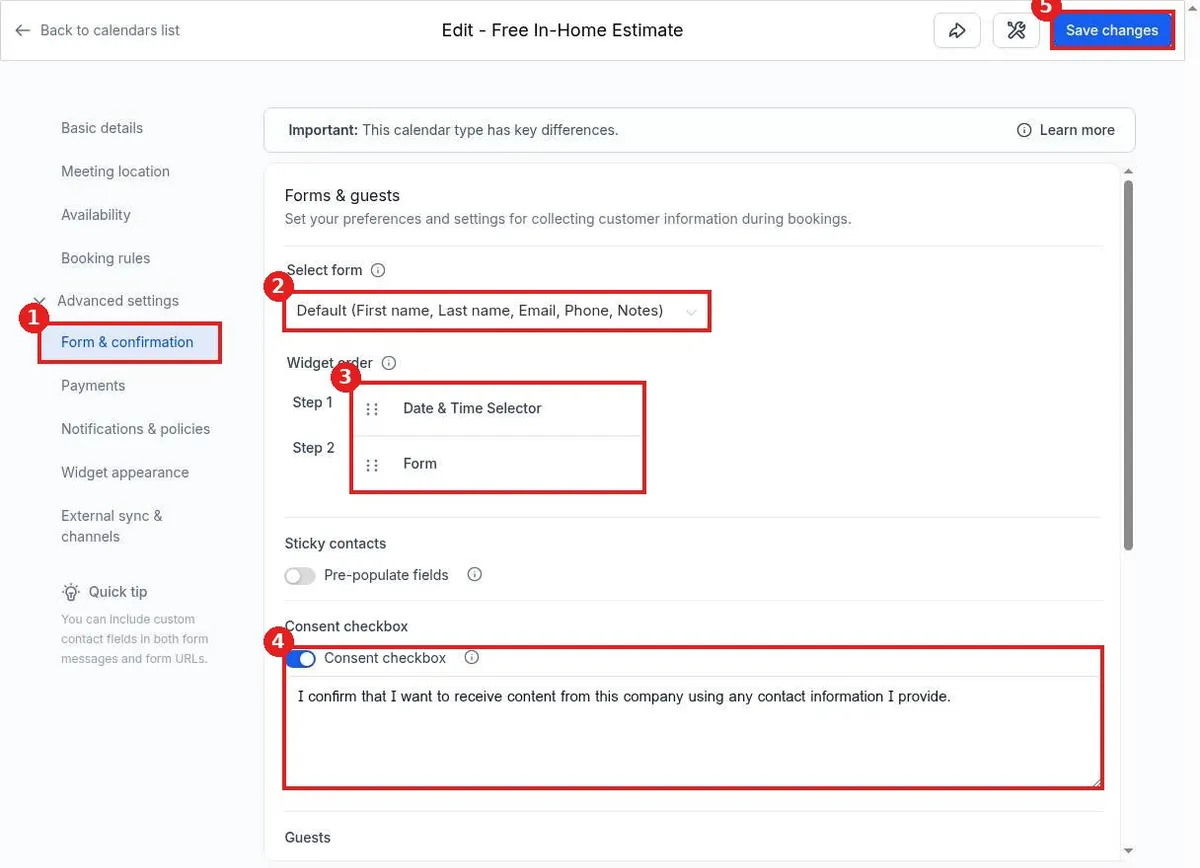
Customize booking questions in Reachific: open Calendar settings, click the pencil on a calendar, open Advanced settings, Form & confirmation, choose a form in Select form, set the widget order and consent text, then Save changes.

booking formcalendar formcalendarshelp center
How do I set up a round robin calendar for my team?

How do I set up a round robin calendar for my team?

Sayo Tadashi
Published on: 03/11/2026

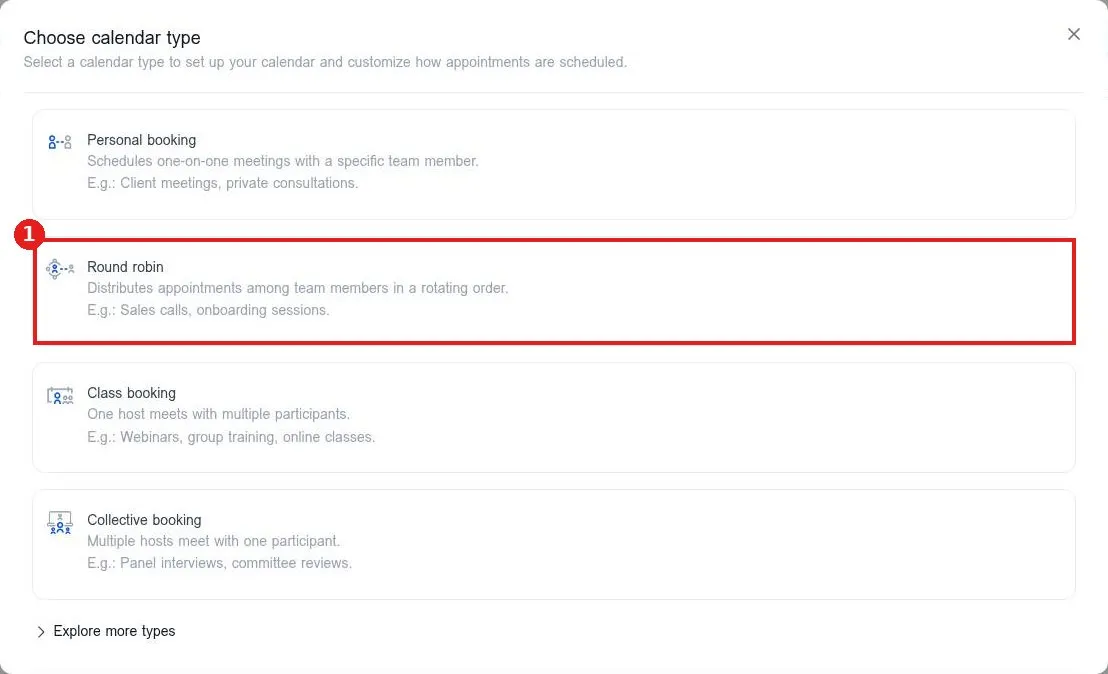
Set up a round robin calendar in Reachific: open Calendars, Calendar settings, click New calendar, choose Round robin, name it, select your team members, set the URL and duration, then click Confirm.

round robinteam calendarcalendarshelp center
How do I switch between day, week and month views?

How do I switch between day, week and month views?

Sayo Tadashi
Published on: 03/11/2026

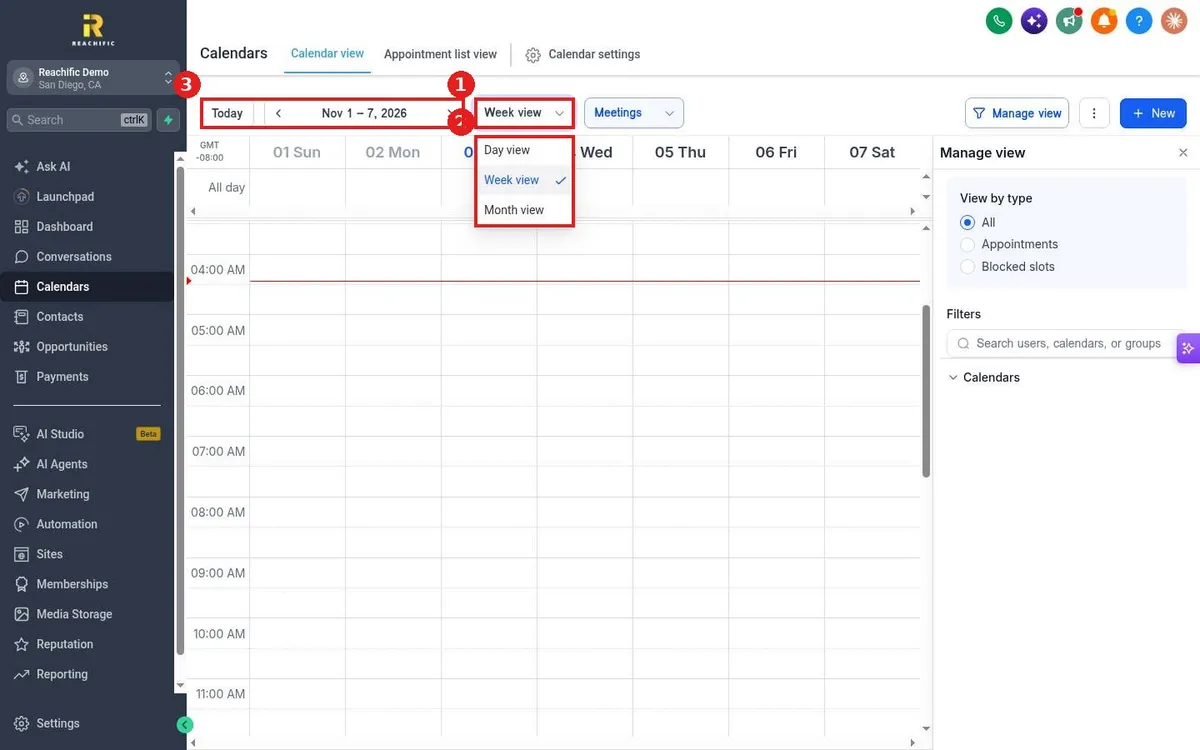
Switch calendar views in Reachific: open Calendars, Calendar view, click the view dropdown and pick Day view, Week view or Month view, then use Today and the arrows to move through dates.

calendar viewweek viewmonth viewhelp center
How do I block time off on my calendar?

How do I block time off on my calendar?

Sayo Tadashi
Published on: 03/11/2026

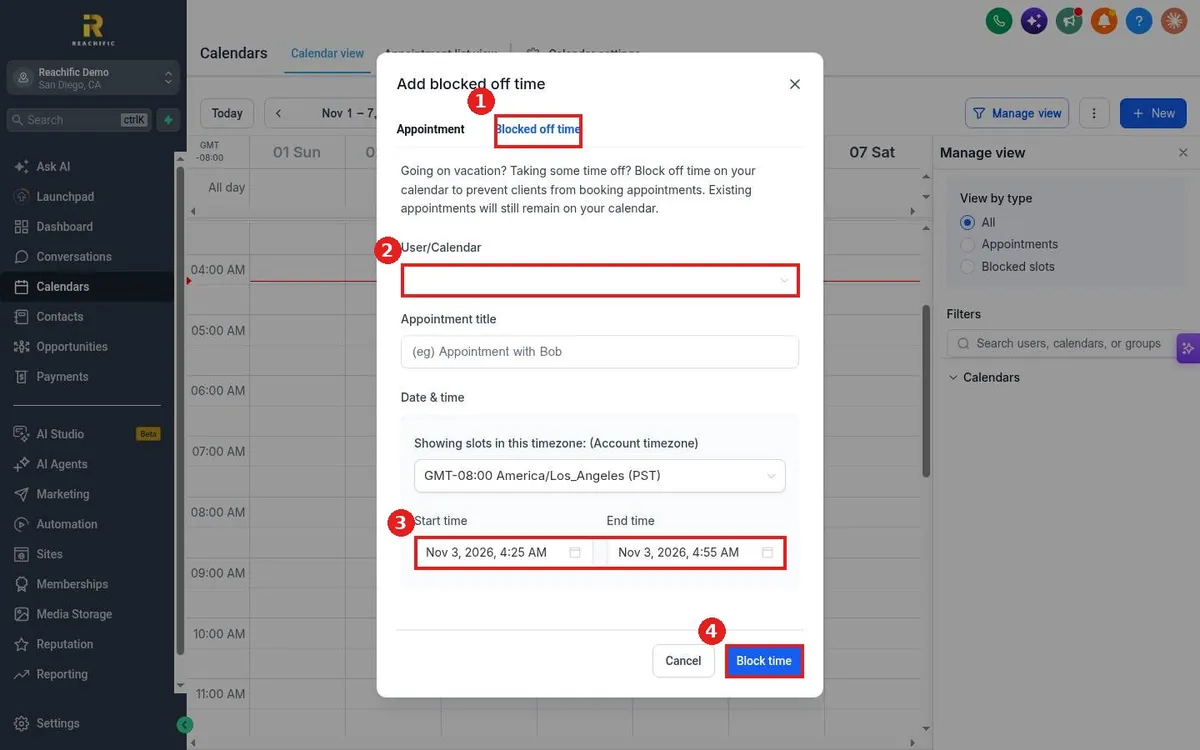
Block time off in Reachific: open Calendars, click New, switch to the Blocked off time tab, pick the user or calendar, add a title, set start and end time and click Block time.

block timetime offvacationhelp center
How do I see all upcoming appointments in a list?

How do I see all upcoming appointments in a list?

Sayo Tadashi
Published on: 03/11/2026

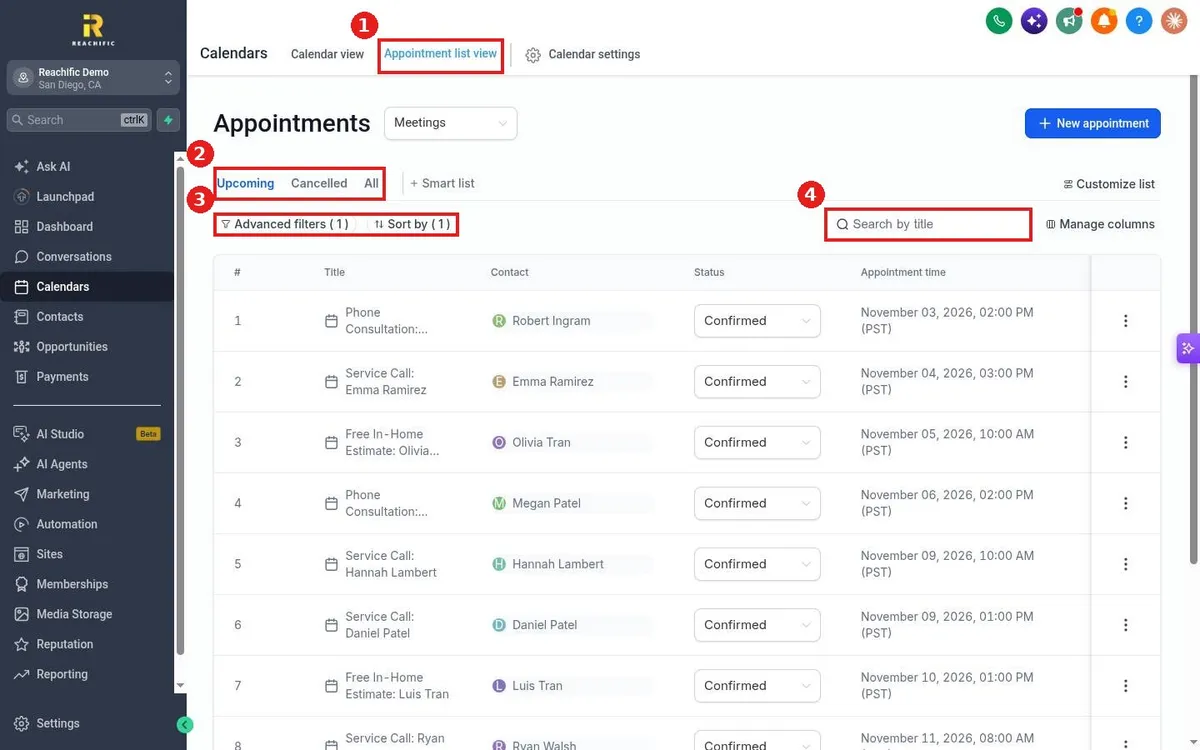
See every upcoming appointment in Reachific: open Calendars, click Appointment list view, stay on the Upcoming tab, and use Advanced filters, Sort by and search to narrow the list.

appointment listupcoming appointmentshelp center
How do I reschedule or cancel an appointment?

How do I reschedule or cancel an appointment?

Sayo Tadashi
Published on: 03/11/2026

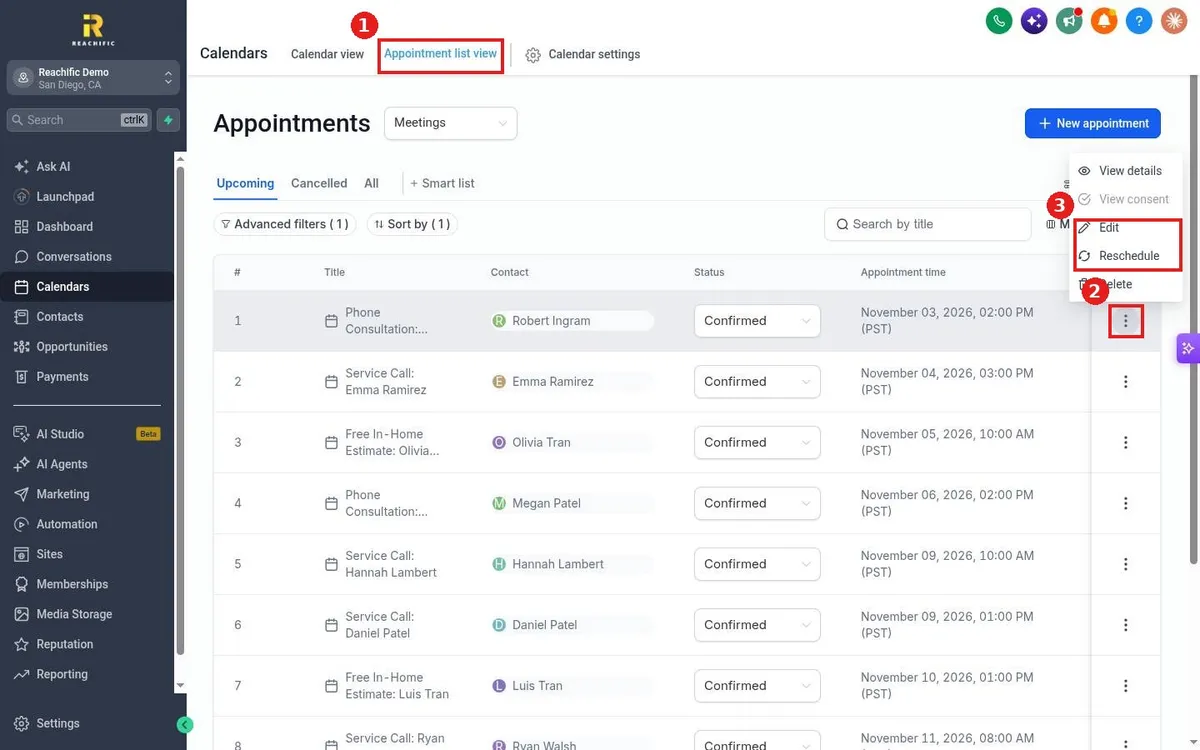
Reschedule or cancel a Reachific appointment: open Calendars, Appointment list view, click the three dots on the appointment and choose Reschedule, or change its Status to Cancelled.

reschedulecancel appointmentappointment statushelp center
How do I book an appointment for a customer?

How do I book an appointment for a customer?

Sayo Tadashi
Published on: 03/11/2026

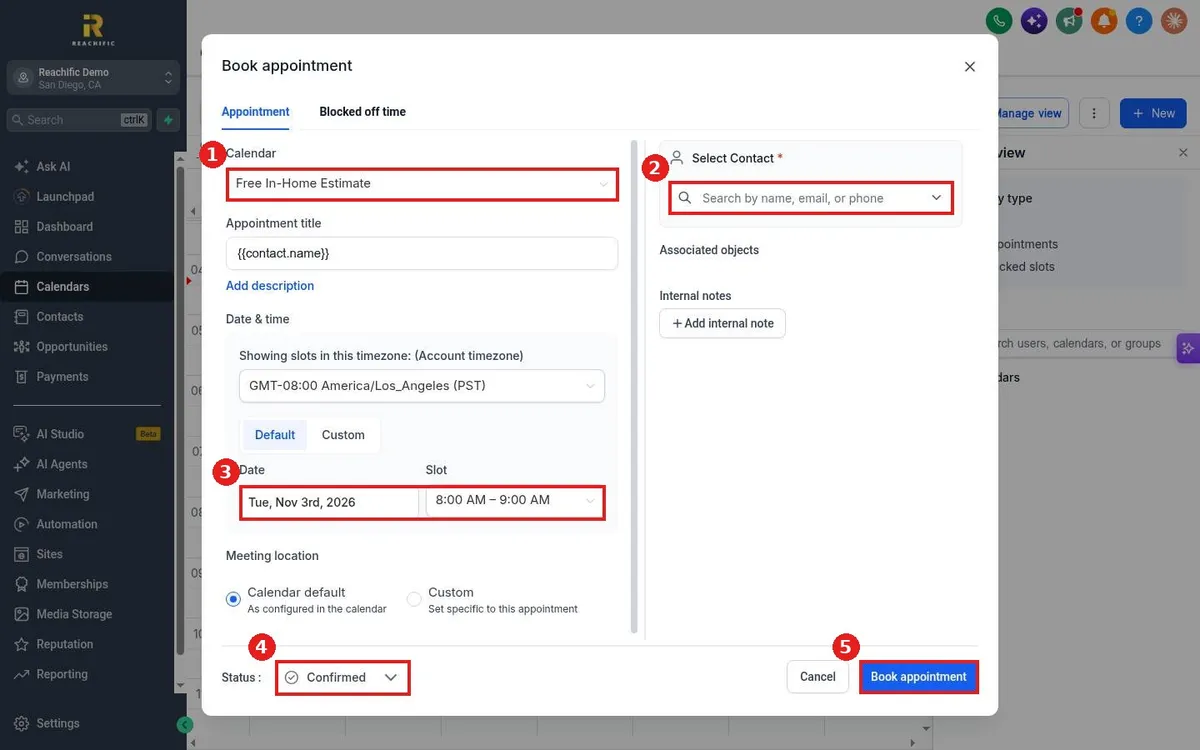
Book an appointment for a customer in Reachific: open Calendars, click New, pick the calendar, search and select the contact, choose the date and time slot, set the status and click Book appointment.

book appointmentnew appointmentcalendarhelp center
How do I send appointment confirmation and reminder messages?

How do I send appointment confirmation and reminder messages?

Sayo Tadashi
Published on: 03/11/2026

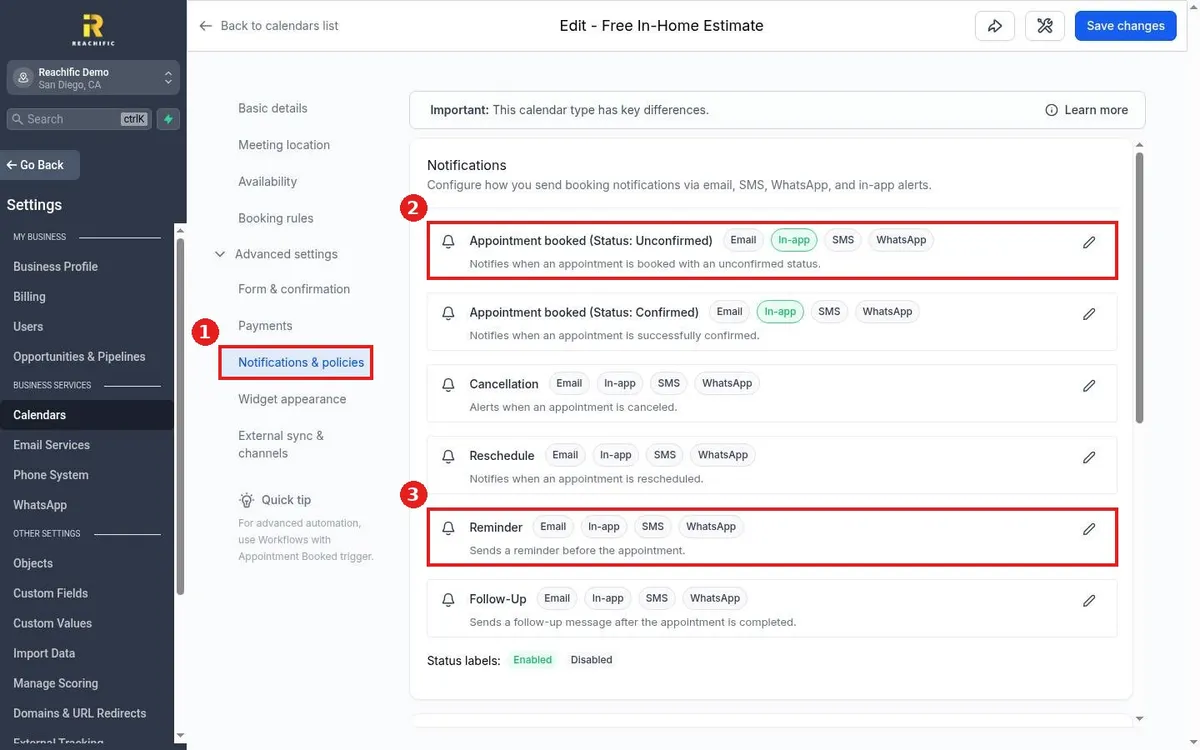
Send booking confirmations and reminders in Reachific: edit the calendar, open Advanced settings, Notifications and policies, click the pencil on Appointment booked or Reminder, pick Email, SMS or WhatsApp, turn it on, choose who gets it and save.

appointment reminderconfirmationcalendar notificationshelp center
How do I take payment when someone books?

How do I take payment when someone books?

Sayo Tadashi
Published on: 03/11/2026

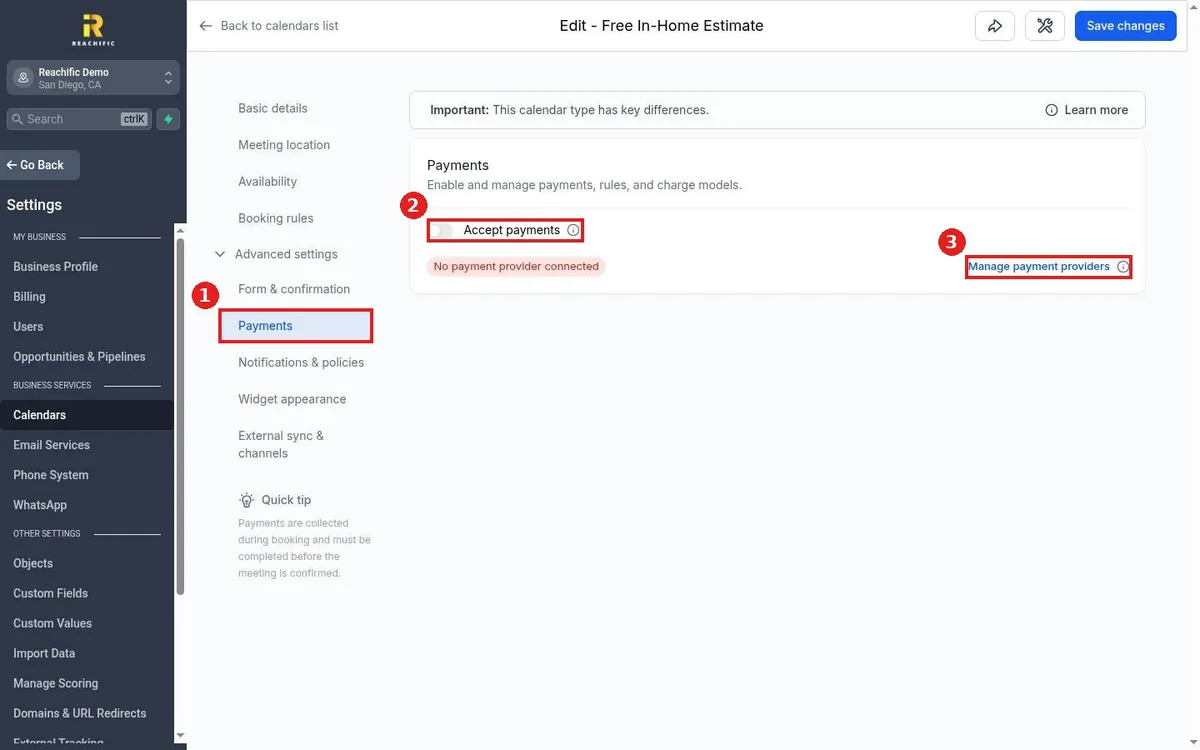
Take payment at booking in Reachific: connect Stripe or another provider first, then edit the calendar, open Advanced settings, Payments, turn on Accept payments, set the amount and click Save changes.

paid bookingdepositcalendar paymenthelp center
How do I set buffer time and booking limits?

How do I set buffer time and booking limits?

Sayo Tadashi
Published on: 03/11/2026

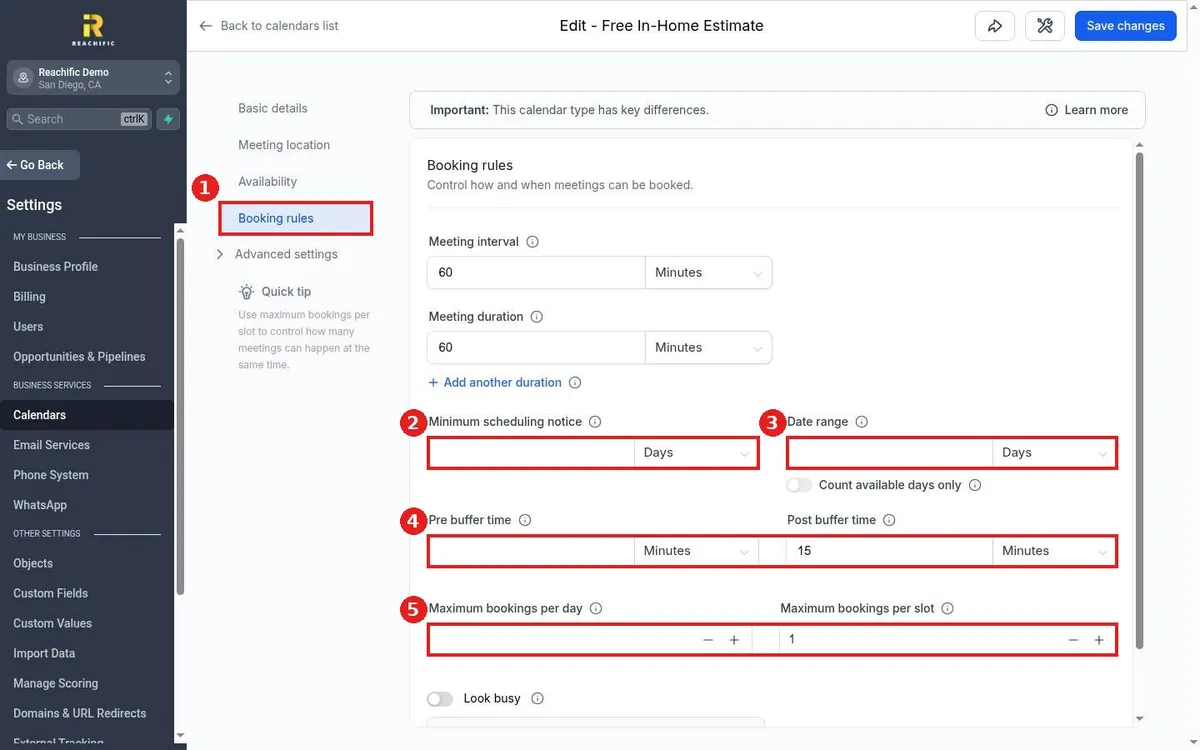
Set buffers and limits in Reachific: edit the calendar, open Booking rules, then set minimum scheduling notice, date range, pre and post buffer time, and maximum bookings per day or per slot, and click Save changes.

buffer timeminimum noticebooking limitshelp center

We are here to help

Still stuck?

Send our support team a ticket and we will walk you through it, or pick a support plan for hands on help.