Home > Help Center

Reachific™ Support

Reachific Help Center

Step by step answers for every part of your Reachific account, with screenshots that show you exactly where to click.

No article on this page matches that yet. Try another word, or submit a ticket.

Newest articles

What is included in each Reachific plan?

What is included in each Reachific plan?

Sayo Tadashi
Published on: 04/11/2026

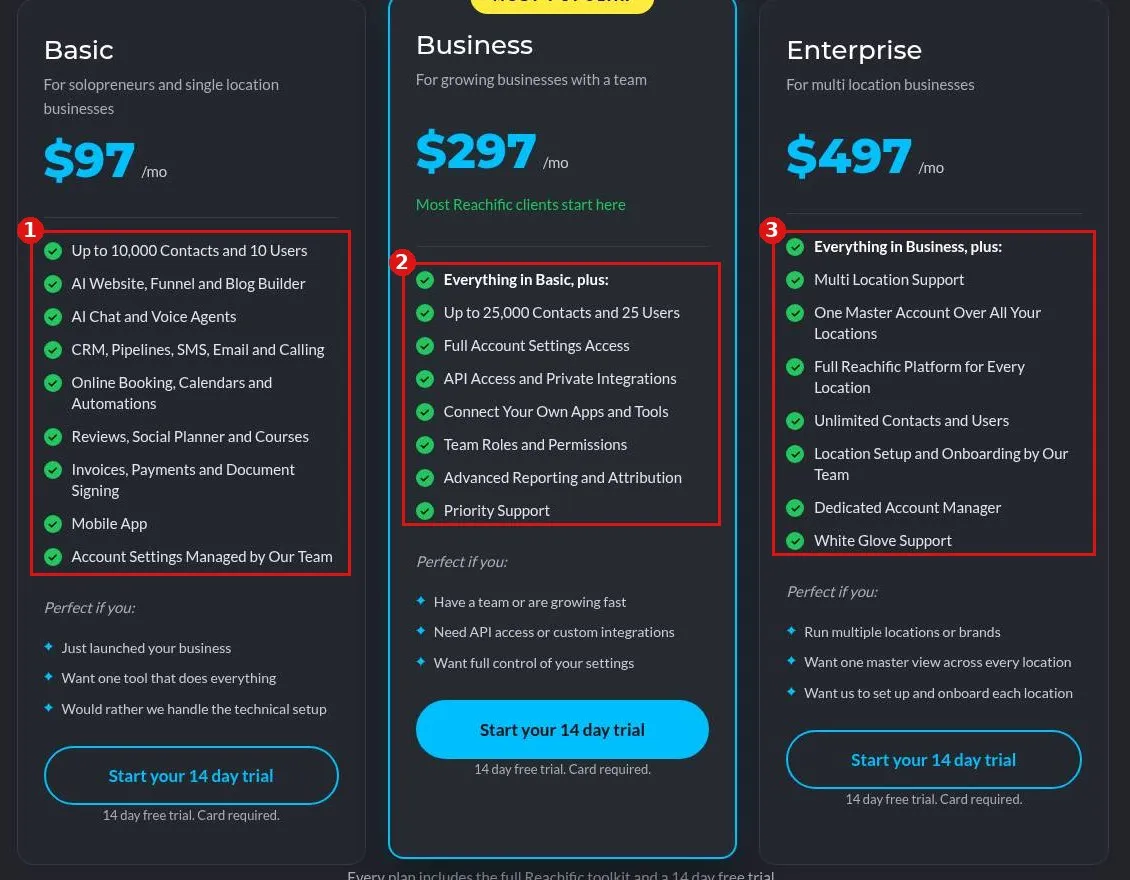
Reachific Basic starts at $97/mo for up to 10,000 contacts and 10 users, Business at $297/mo adds 25,000 contacts, 25 users, API access and full settings, and Enterprise at $497/mo adds multi location and unlimited contacts and users.

planspricingBasicBusinessEnterprisefeatures by planhelp center
How do I install the chat widget from the Launchpad?

How do I install the chat widget from the Launchpad?

Sayo Tadashi
Published on: 03/11/2026

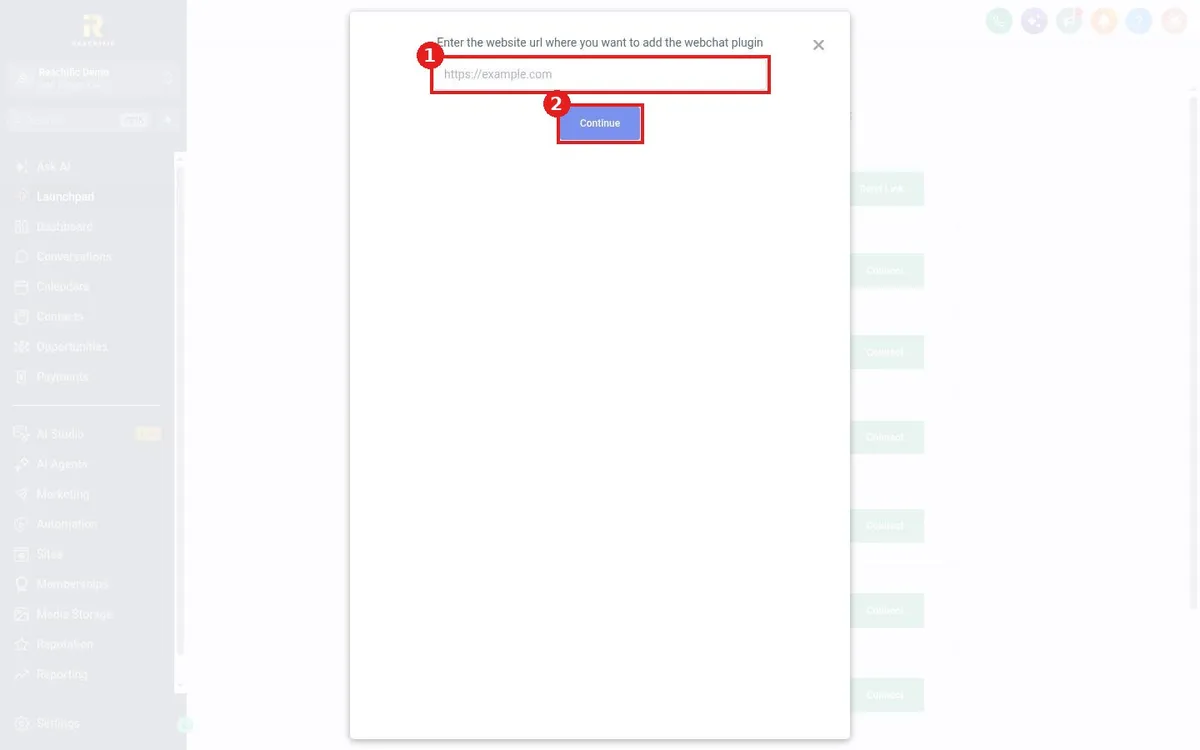
Install the Reachific chat widget from the Launchpad: click Launchpad, click Connect on the webchat row, enter your website address, click Continue and add the widget code to your site.

launchpad chat widgetwebsite chathelp center
How do I connect my Facebook page from the Launchpad?

How do I connect my Facebook page from the Launchpad?

Sayo Tadashi
Published on: 03/11/2026

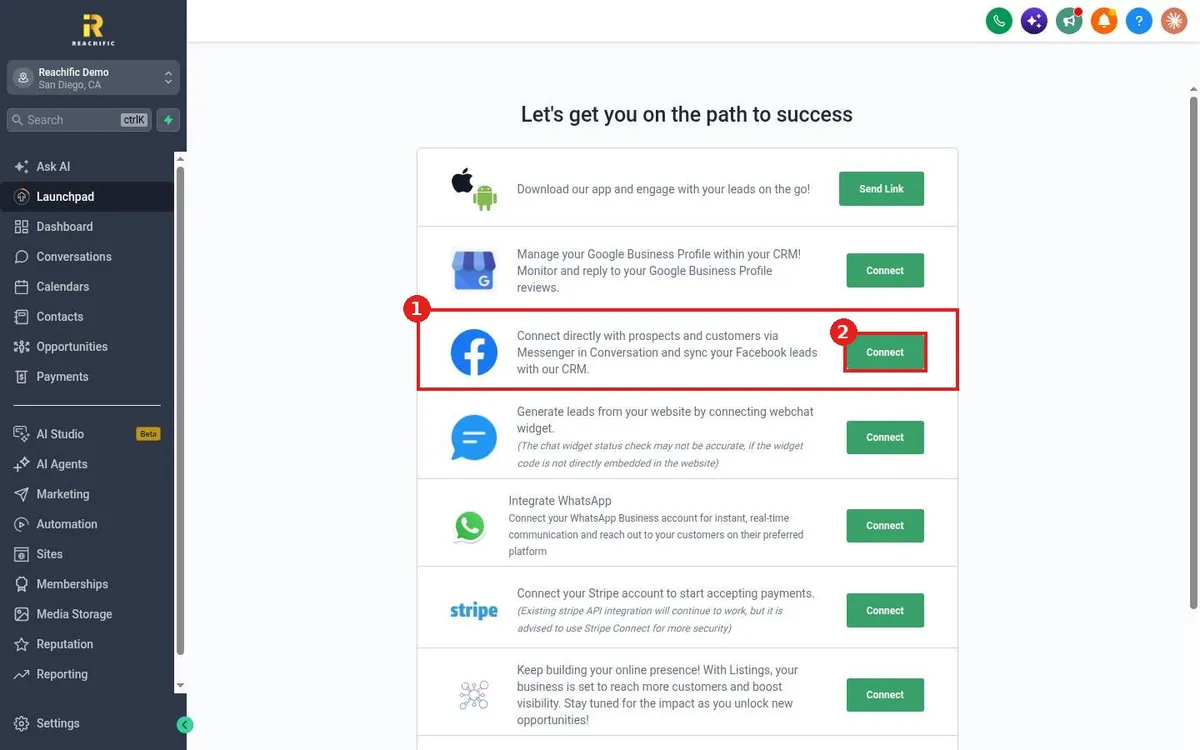
Connect your Facebook page from the Reachific Launchpad: click Launchpad, click Connect on the Facebook row, sign in to Facebook, choose your business page and allow access for Messenger and leads.

launchpad facebookconnect facebookhelp center
How do I connect my Google Business Profile from the Launchpad?

How do I connect my Google Business Profile from the Launchpad?

Sayo Tadashi
Published on: 03/11/2026

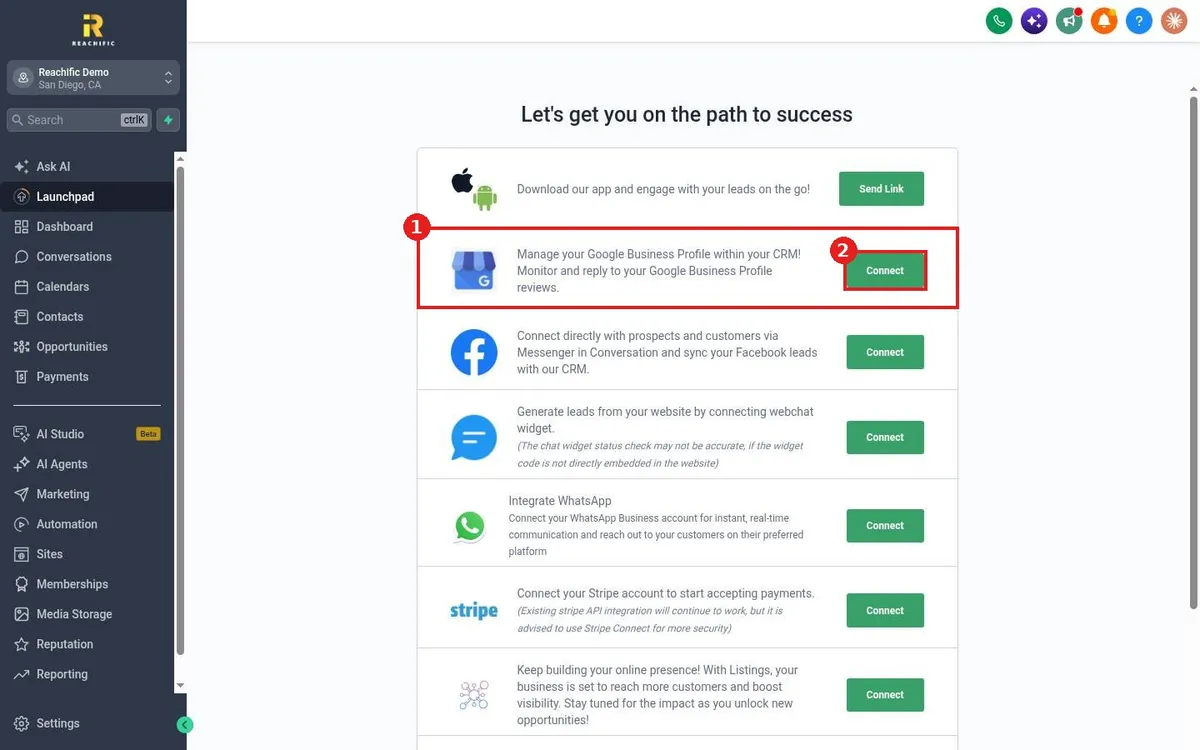
Connect Google Business Profile from the Reachific Launchpad: click Launchpad, click Connect on the Google Business Profile row, sign in with Google, allow access and pick your business location.

launchpad googleconnect GBPhelp center
How do I use the Launchpad checklist to set up my account?

How do I use the Launchpad checklist to set up my account?

Sayo Tadashi
Published on: 03/11/2026

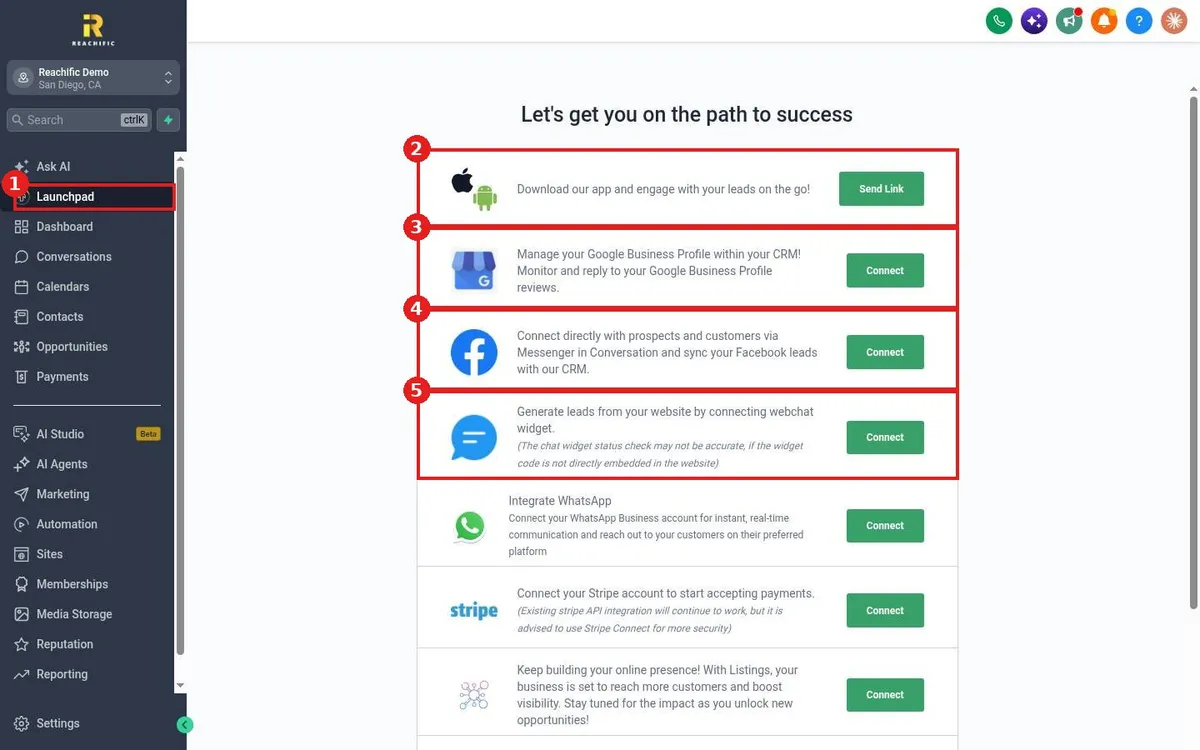
Use the Reachific Launchpad to set up fast: click Launchpad in the left menu and work down the list, connecting the mobile app, Google Business Profile, Facebook, chat widget, WhatsApp, Stripe and listings.

launchpadquick startsetup checklisthelp center
How do I change the platform language?

How do I change the platform language?

Sayo Tadashi
Published on: 03/11/2026

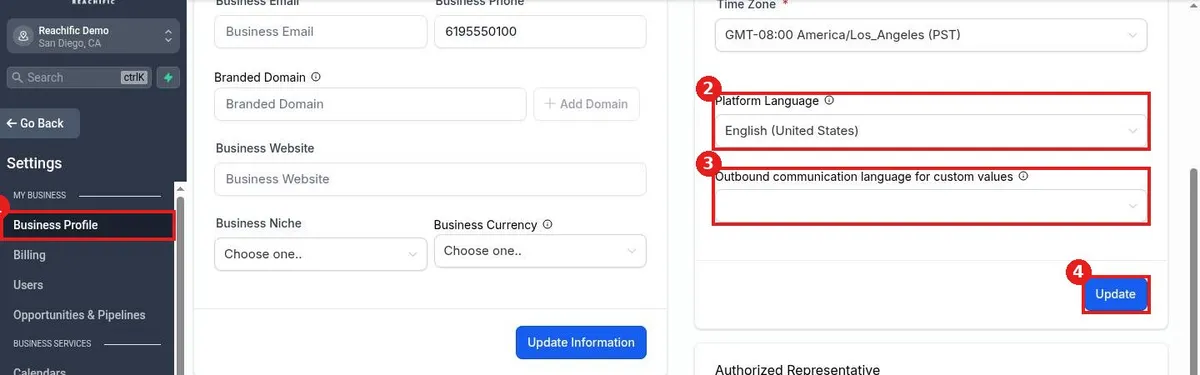
Change the platform language in Reachific: go to Settings, Business Profile, find Platform Language in the Business Physical Address section, pick a language, set the outbound language for custom values if needed, and click Update.

languageplatform languagebusiness profilehelp center
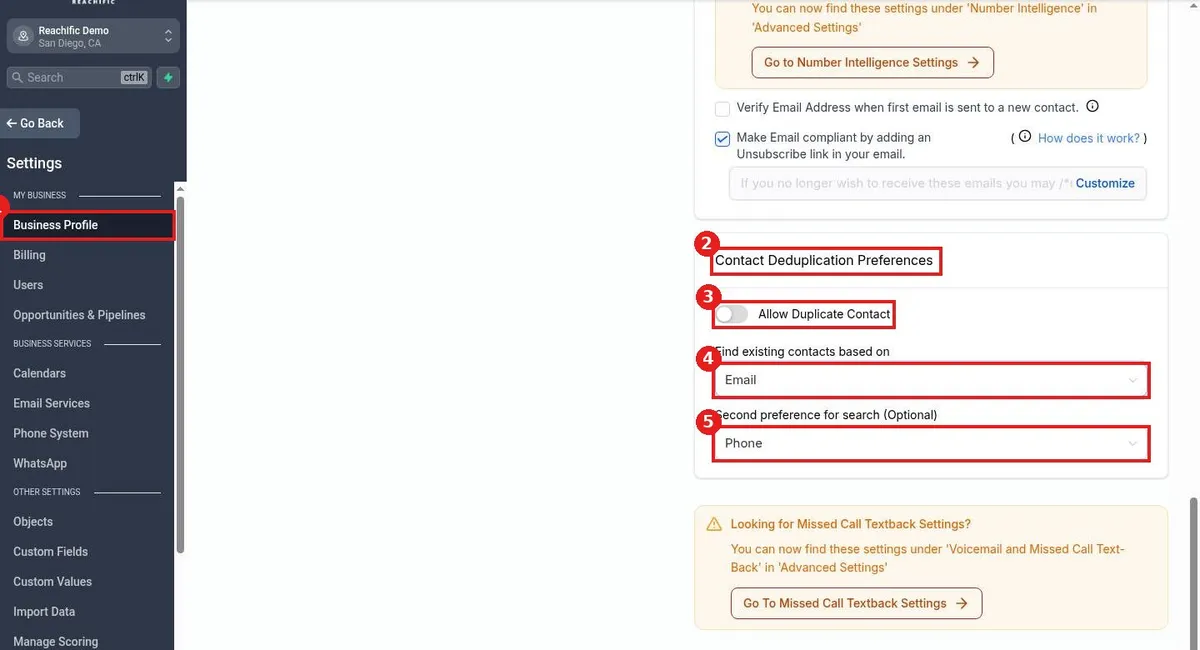
How do I set my contact deduplication preference?

How do I set my contact deduplication preference?

Sayo Tadashi
Published on: 03/11/2026

Set contact deduplication in Reachific: go to Settings, Business Profile, scroll to Contact Deduplication Preferences, choose whether to allow duplicates, and pick the first and second fields used to find existing contacts.

duplicate contactsdedupebusiness profilehelp center
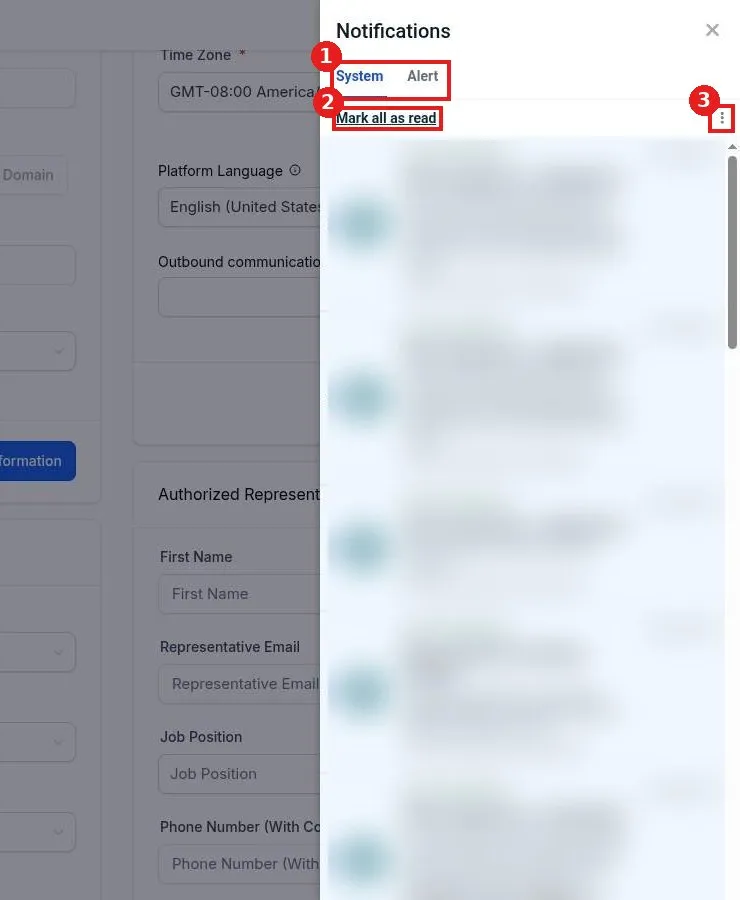
How do I manage my notifications?

How do I manage my notifications?

Sayo Tadashi
Published on: 03/11/2026

Manage notifications in Reachific: click the bell icon at the top right, switch between the System and Alert tabs, click Mark all as read, or use the three dot menu to clear all notifications.

notificationsalertsbellhelp center
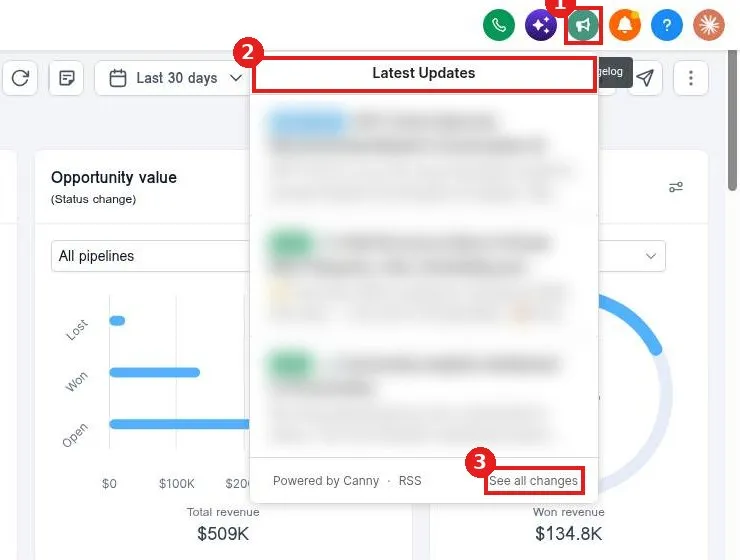
How do I see what is new in Reachific?

How do I see what is new in Reachific?

Sayo Tadashi
Published on: 03/11/2026

See what is new in Reachific: click the megaphone icon at the top right to open Latest Updates, read the newest feature notes, and click See all changes for the full list.

changelogupdatesnew featureshelp center
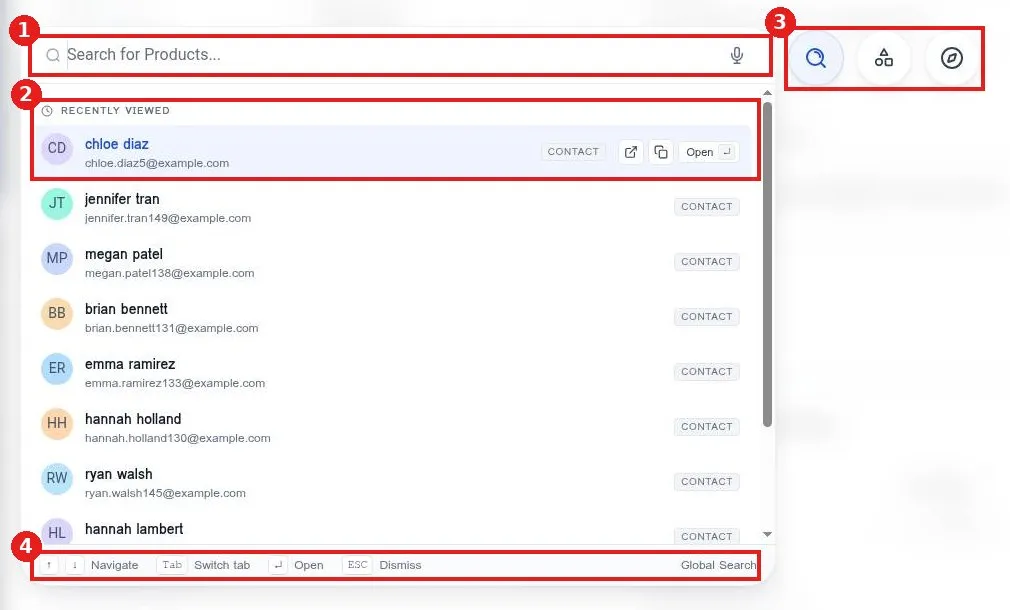
How do I find anything fast with the search bar?

How do I find anything fast with the search bar?

Sayo Tadashi
Published on: 03/11/2026

Find anything fast in Reachific: click Search at the top of the left menu or press Ctrl K, type a contact name or feature, use the arrow keys to move, Tab to switch tabs and Enter to open.

searchctrl kfindhelp center
How do I add my legal business information and EIN?

How do I add my legal business information and EIN?

Sayo Tadashi
Published on: 03/11/2026

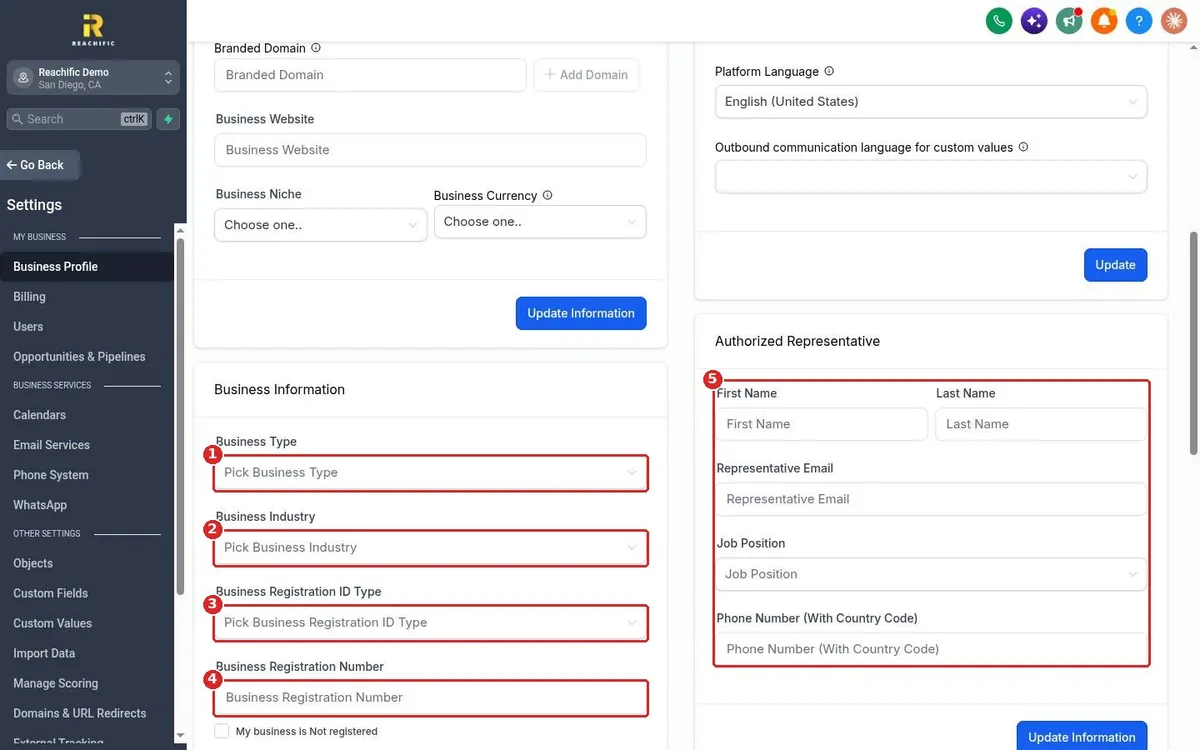
Add your legal business information and EIN in Reachific: open Settings, Business Profile, fill in Business Information with type, industry, registration ID type and number, add an authorized representative and click Update Information.

EINlegal namebusiness registrationhelp center
How do I change my business time zone?

How do I change my business time zone?

Sayo Tadashi
Published on: 03/11/2026

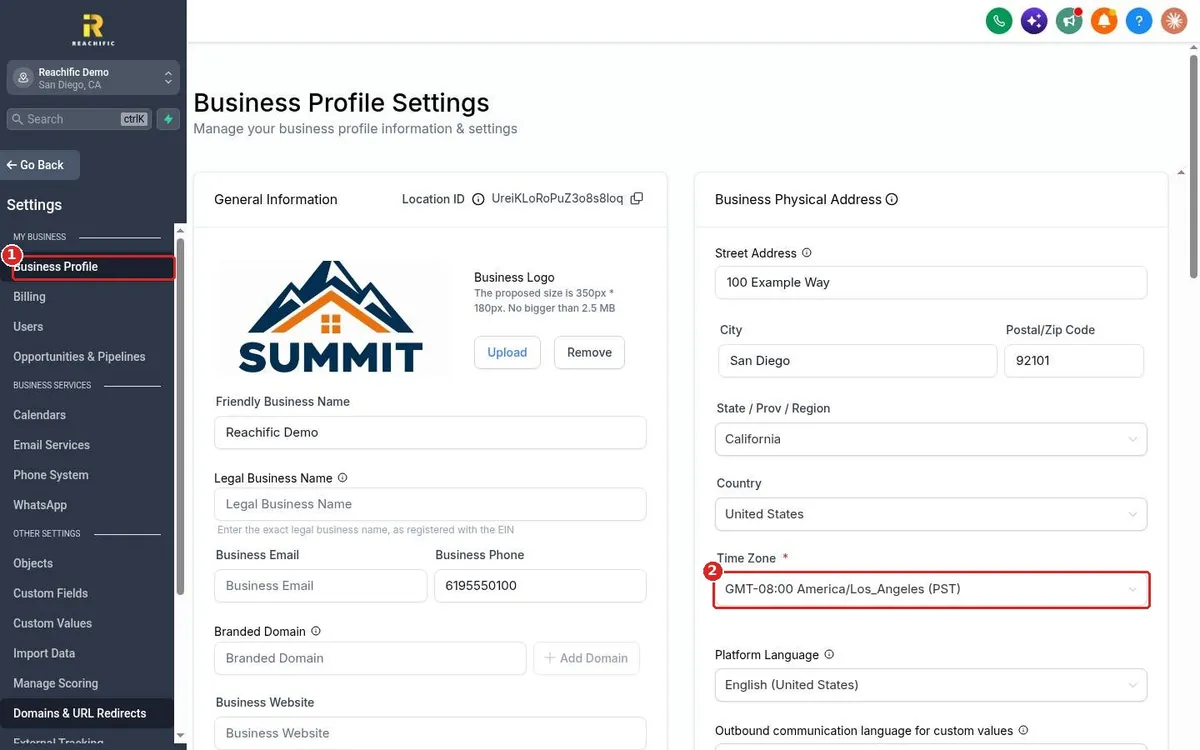
Change your business time zone in Reachific: open Settings, Business Profile, pick the right zone in the Time Zone field on the Business Physical Address card, then click Update.

time zonetimezonewrong timehelp center

We are here to help

Still stuck?

Send our support team a ticket and we will walk you through it, or pick a support plan for hands on help.