Home > Help Center

Reachific™ Support

Reachific Help Center

Step by step answers for every part of your Reachific account, with screenshots that show you exactly where to click.

No article on this page matches that yet. Try another word, or submit a ticket.

Newest articles

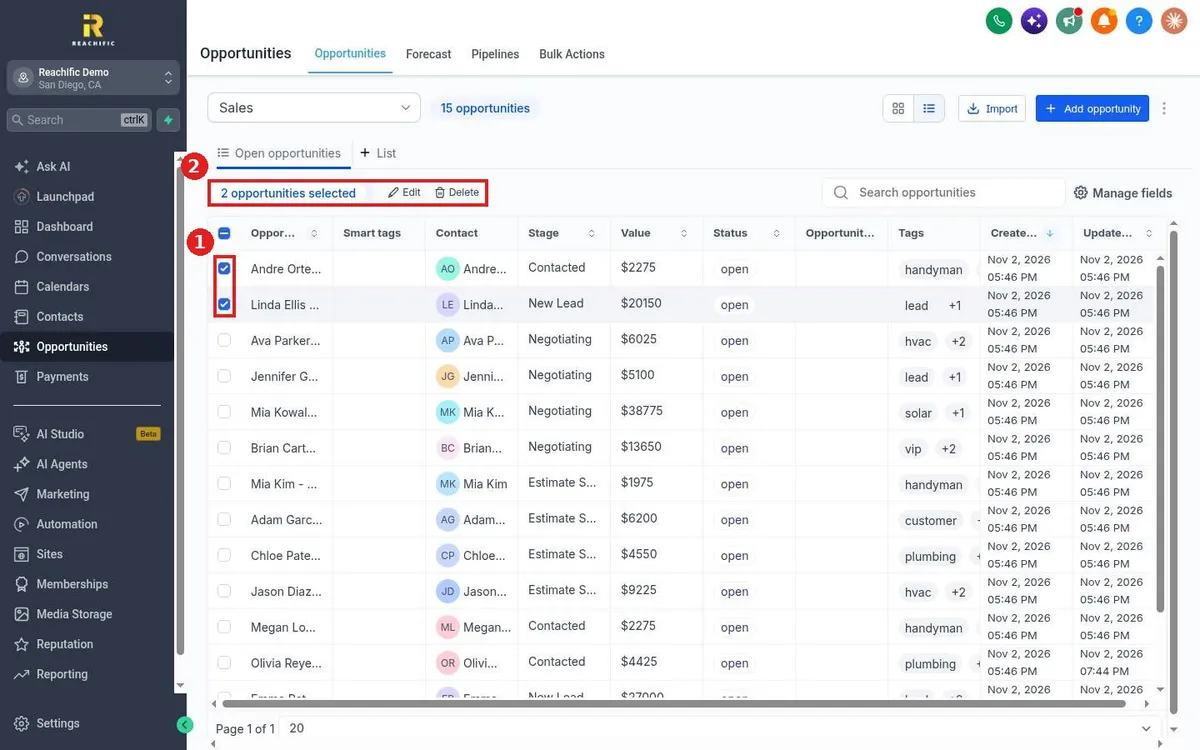
How do I run bulk actions on opportunities?

How do I run bulk actions on opportunities?

Sayo Tadashi
Published on: 03/11/2026

Run bulk actions on Reachific opportunities: switch to list view, check the deals you want, click Edit to change stage, status or owner for all of them, then track progress on the Bulk Actions tab.

bulk opportunitiesbulk editbulk actionshelp center
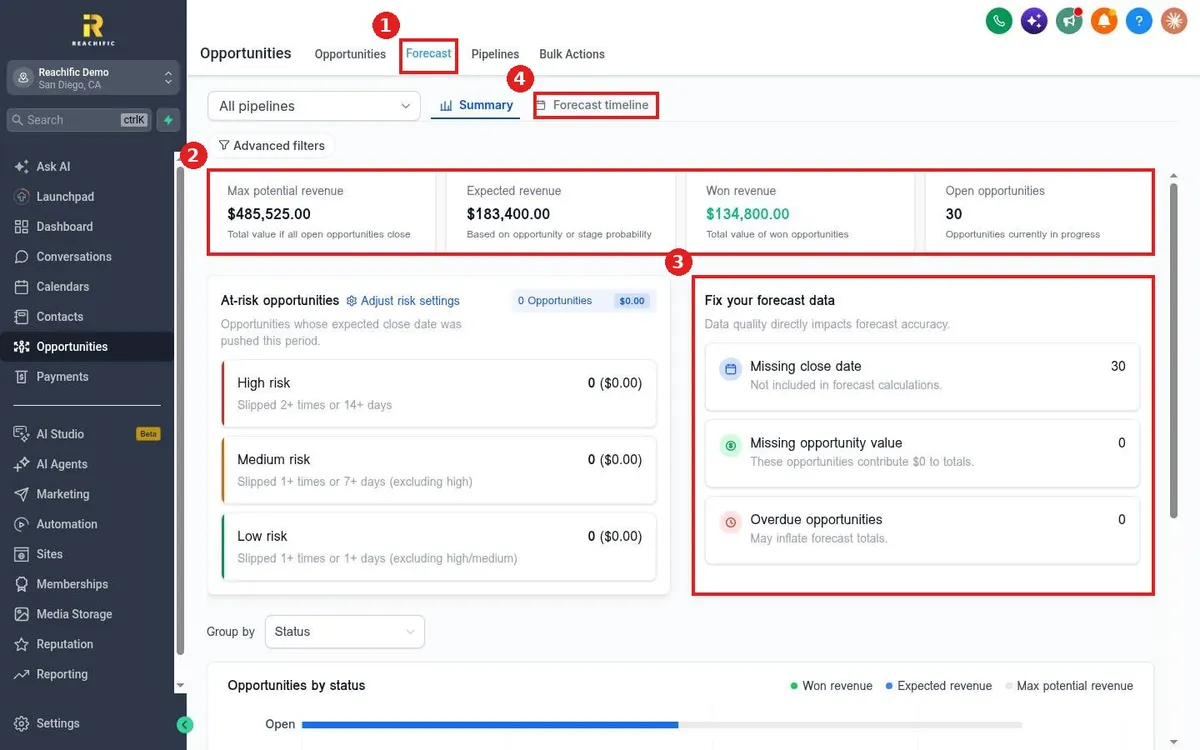
How do I see my sales forecast?

How do I see my sales forecast?

Sayo Tadashi
Published on: 03/11/2026

See your sales forecast in Reachific: open Opportunities, click the Forecast tab, pick a pipeline and read max potential, expected and won revenue, at risk deals and data gaps, or switch to Forecast timeline.

forecastrevenue projectionpipeline valuehelp center
How do I import opportunities from a CSV?

How do I import opportunities from a CSV?

Sayo Tadashi
Published on: 03/11/2026

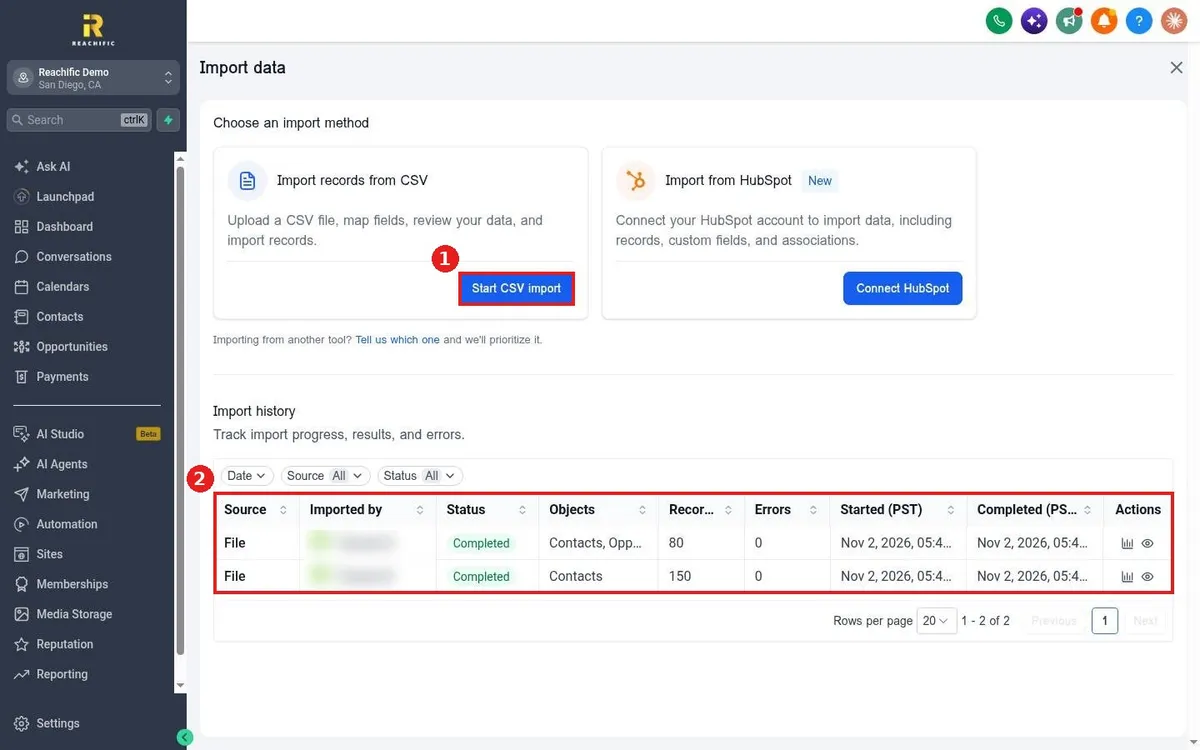
Import opportunities into Reachific: open Opportunities, click Import, choose Start CSV import, upload your file, map the columns to fields, review and import, then check Import history for results and errors.

import opportunitiesCSVpipeline importhelp center
How do I choose which fields show on opportunity cards?

How do I choose which fields show on opportunity cards?

Sayo Tadashi
Published on: 03/11/2026

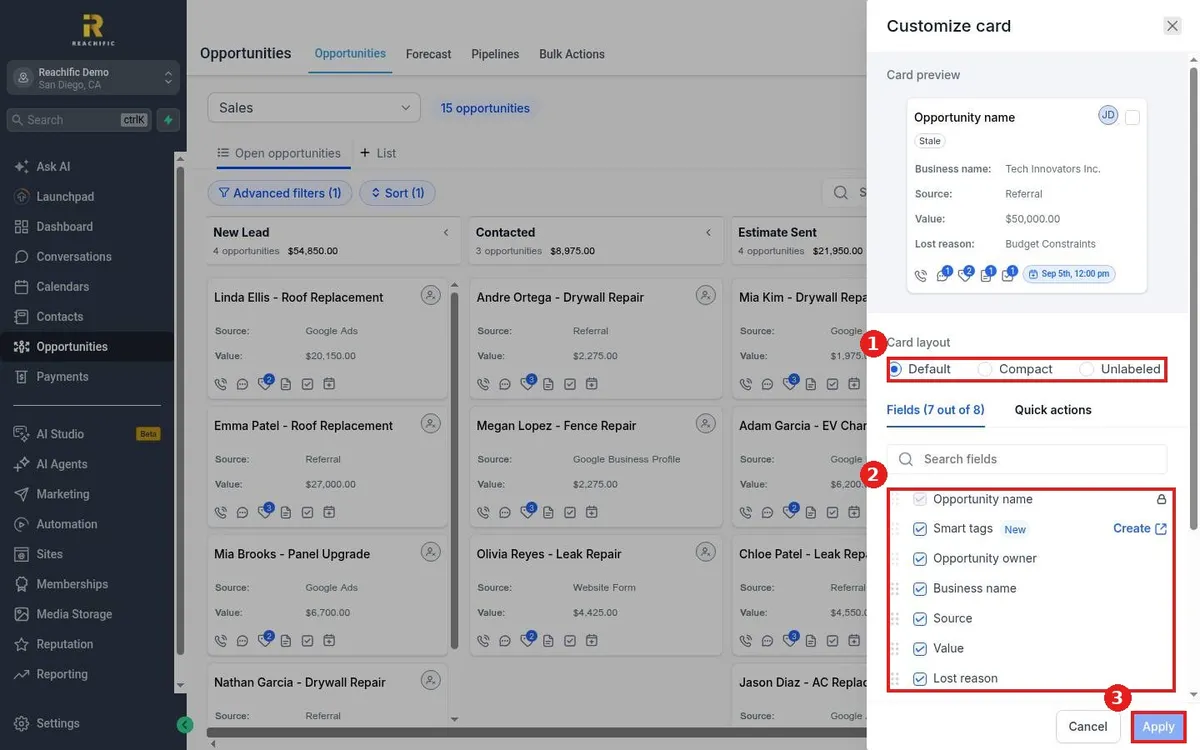
Choose opportunity card fields in Reachific: open Opportunities, click Manage fields, pick a card layout, check or uncheck fields, drag them into order and click Apply.

manage fieldscard fieldscustomize cardhelp center
How do I filter and sort opportunities?

How do I filter and sort opportunities?

Sayo Tadashi
Published on: 03/11/2026

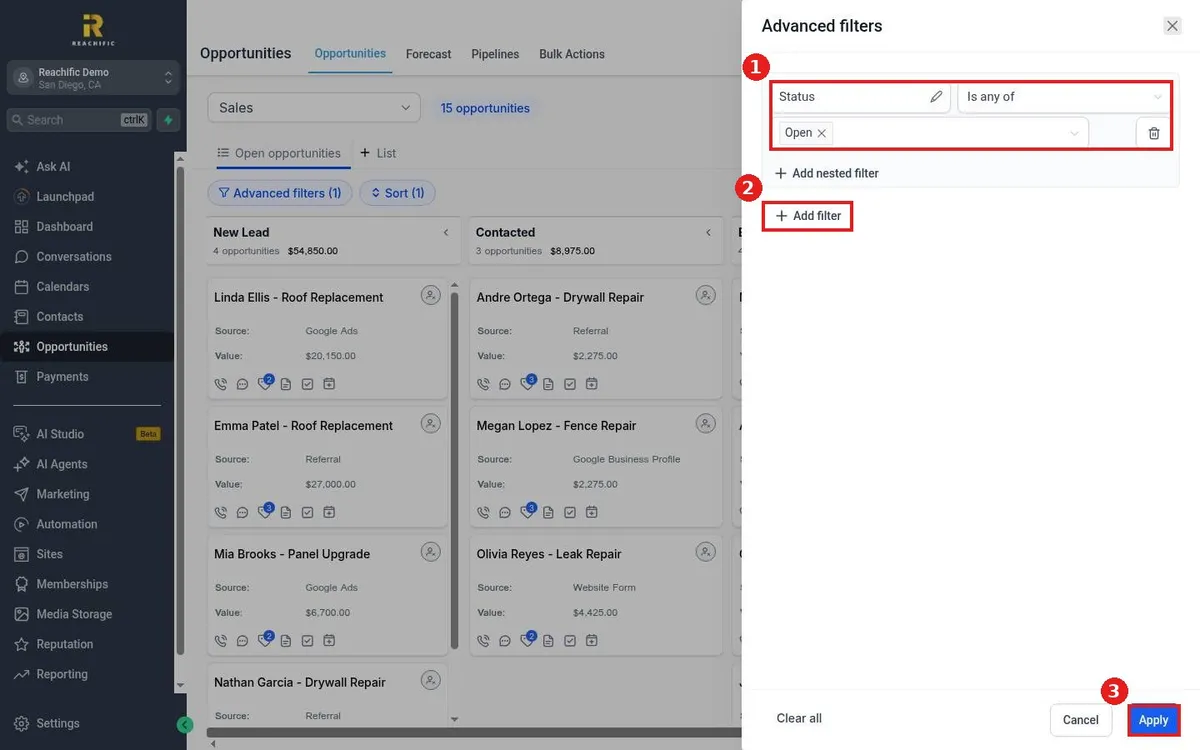
Filter and sort Reachific opportunities: open Opportunities, click Advanced filters to add conditions like status, owner or tag and click Apply, use Sort to change the order, or type in Search opportunities.

filter opportunitiessortadvanced filtershelp center
How do I switch between board and list view?

How do I switch between board and list view?

Sayo Tadashi
Published on: 03/11/2026

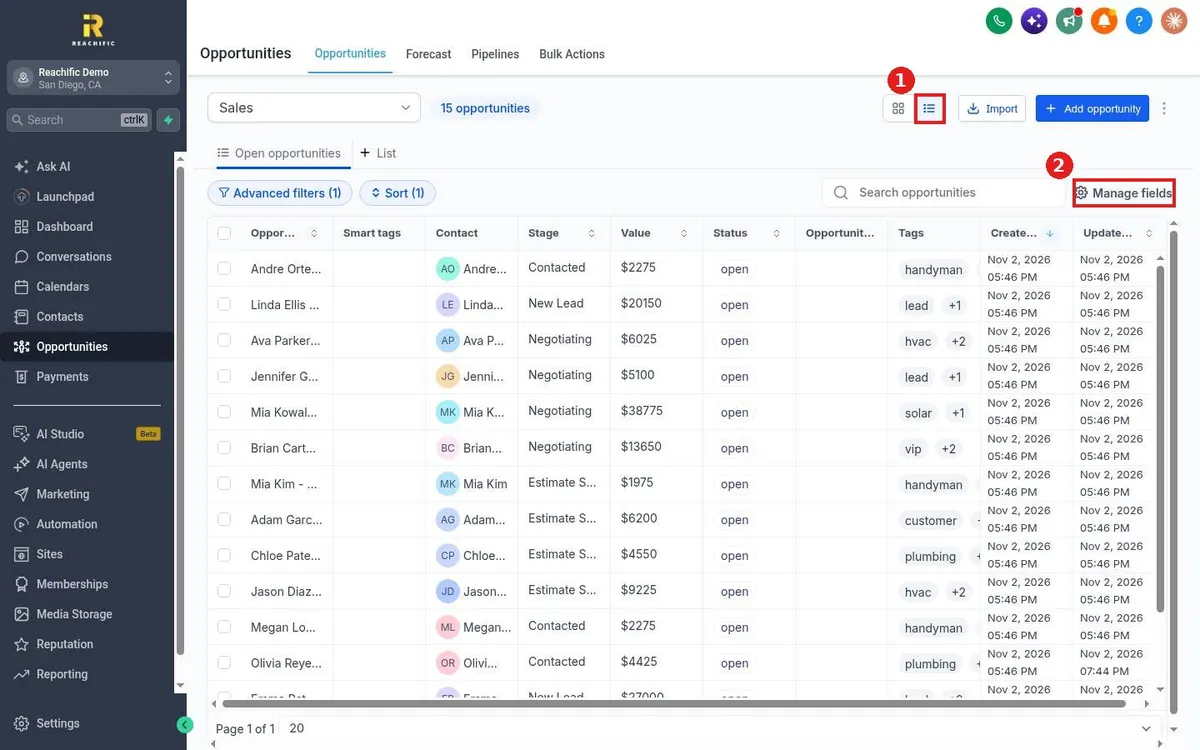
Switch opportunity views in Reachific: open Opportunities and click the grid icon for the board view or the list icon for a sortable table view, at the top right next to Import.

list viewboard viewopportunitieshelp center
How do I mark an opportunity won, lost or abandoned?

How do I mark an opportunity won, lost or abandoned?

Sayo Tadashi
Published on: 03/11/2026

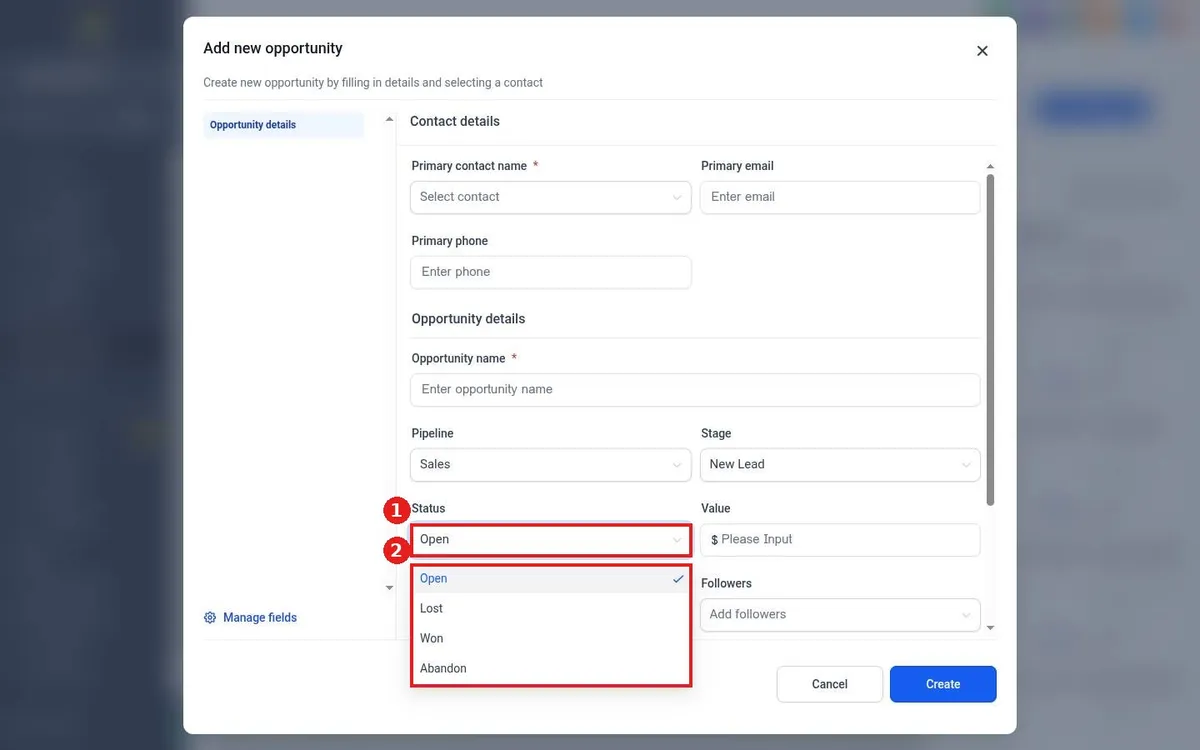
Mark a Reachific opportunity won, lost or abandoned: open the opportunity card, open the Status dropdown, pick Won, Lost or Abandon and save. Closed deals leave the board because it shows Open by default.

wonlostopportunity statushelp center
How do I add an opportunity to a pipeline?

How do I add an opportunity to a pipeline?

Sayo Tadashi
Published on: 03/11/2026

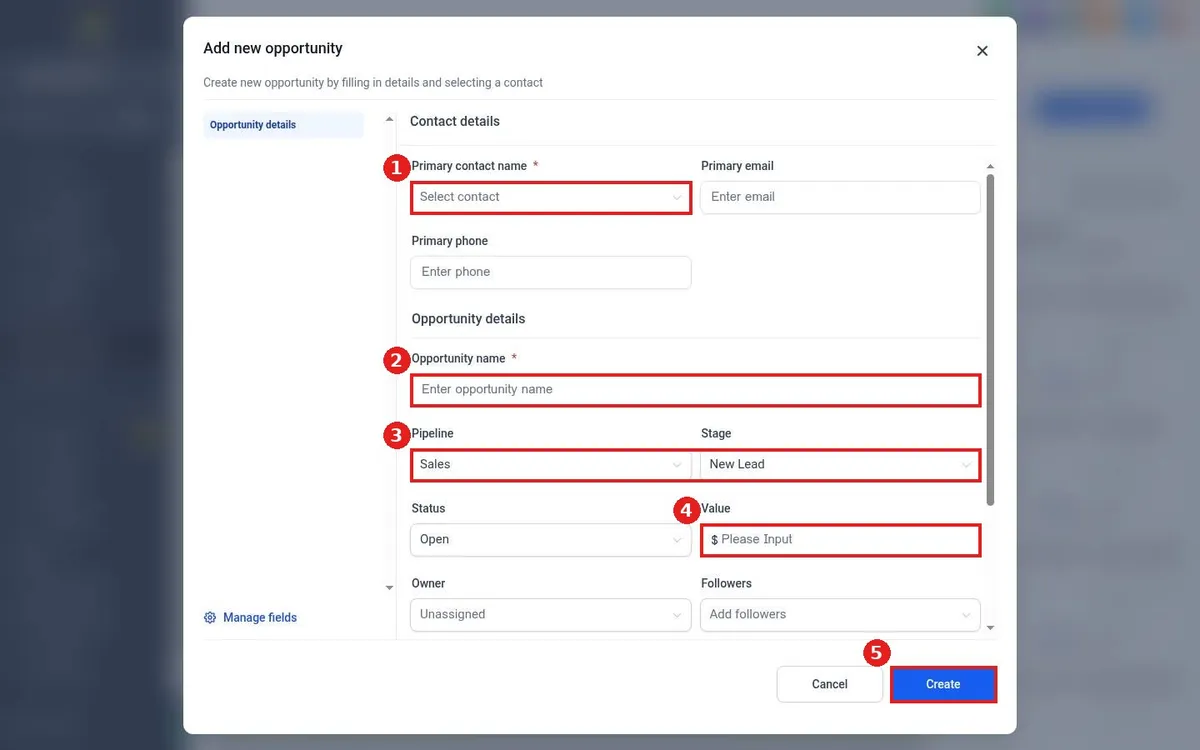
Add an opportunity in Reachific: open Opportunities, pick the pipeline, click Add opportunity, select the contact, enter an opportunity name, choose the stage, add a value and click Create.

add opportunitynew dealpipelinehelp center
How do I create a sales pipeline with stages?

How do I create a sales pipeline with stages?

Sayo Tadashi
Published on: 03/11/2026

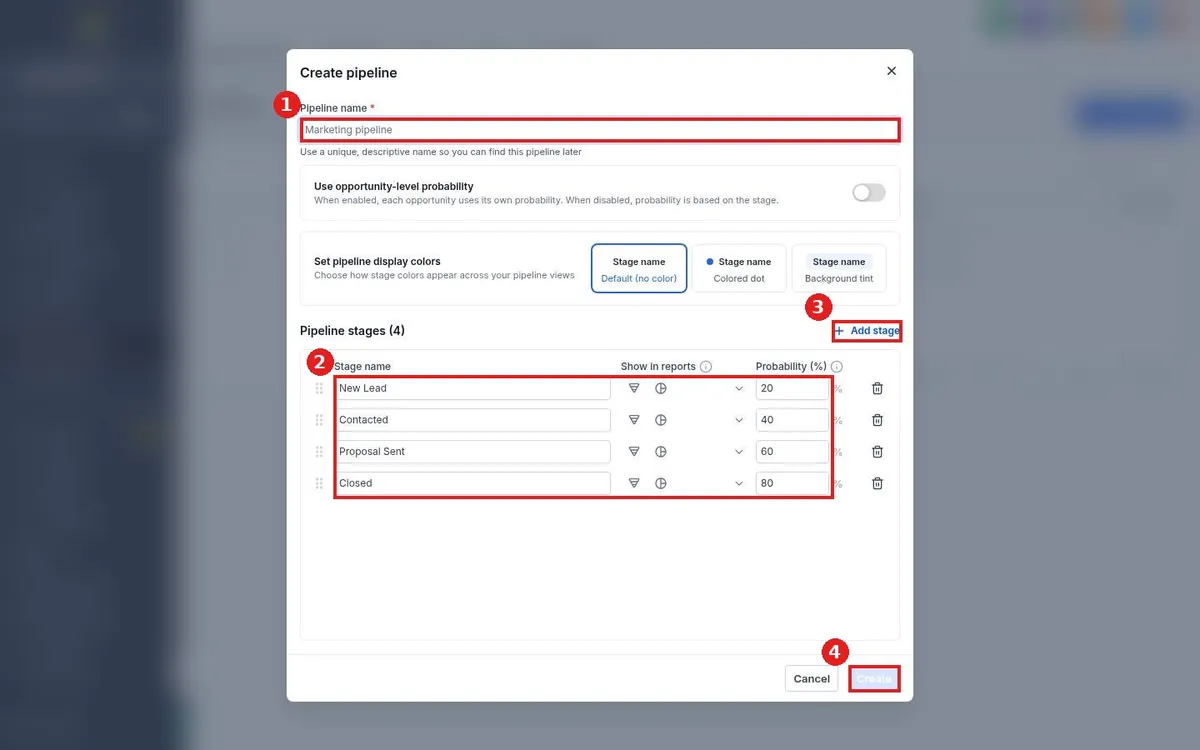
Create a sales pipeline in Reachific: open Opportunities, click Pipelines, click Create pipeline, name it, rename or add stages in order, set probabilities if you like and click Create.

pipelinedeal stagessales pipelinehelp center
How do I move a card to the next stage?

How do I move a card to the next stage?

Sayo Tadashi
Published on: 03/11/2026

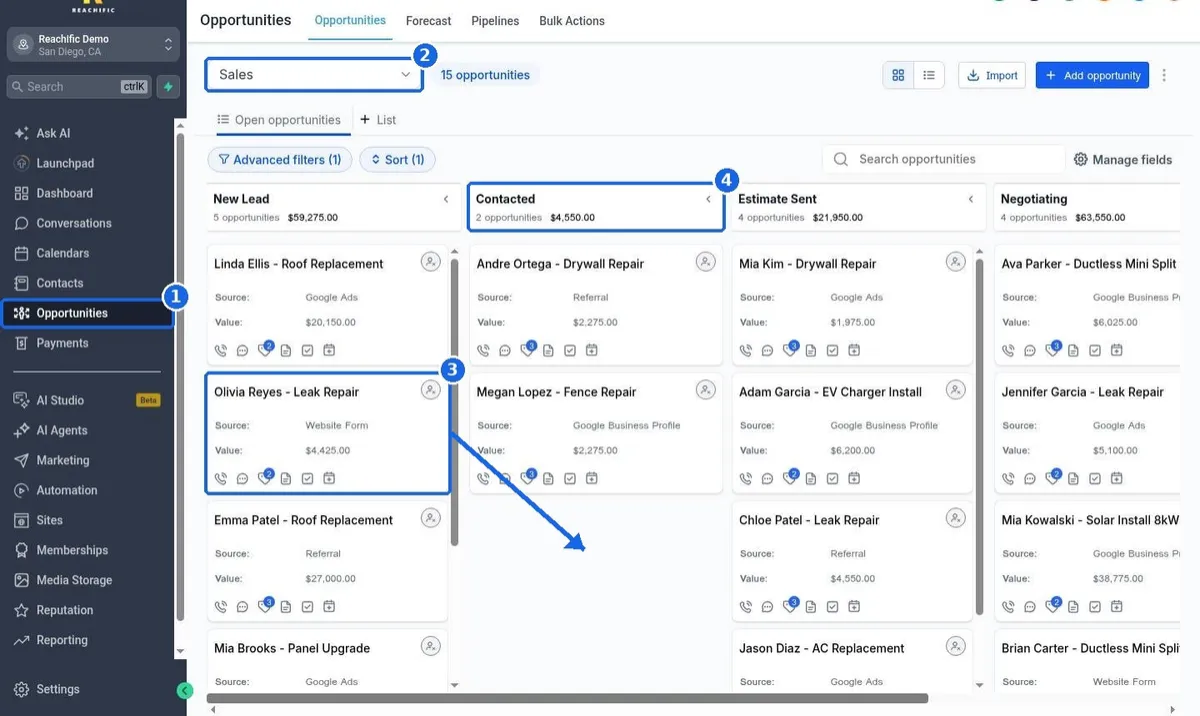
Move an opportunity to the next pipeline stage in Reachific by dragging its card on the board, then check the new stage in the opportunity details.

pipelineopportunitiesdeal stageshelp center

We are here to help

Still stuck?

Send our support team a ticket and we will walk you through it, or pick a support plan for hands on help.