Home > Help Center

Reachific™ Support

Reachific Help Center

Step by step answers for every part of your Reachific account, with screenshots that show you exactly where to click.

No article on this page matches that yet. Try another word, or submit a ticket.

Newest articles

How do I merge duplicate contacts?

How do I merge duplicate contacts?

Sayo Tadashi
Published on: 04/11/2026

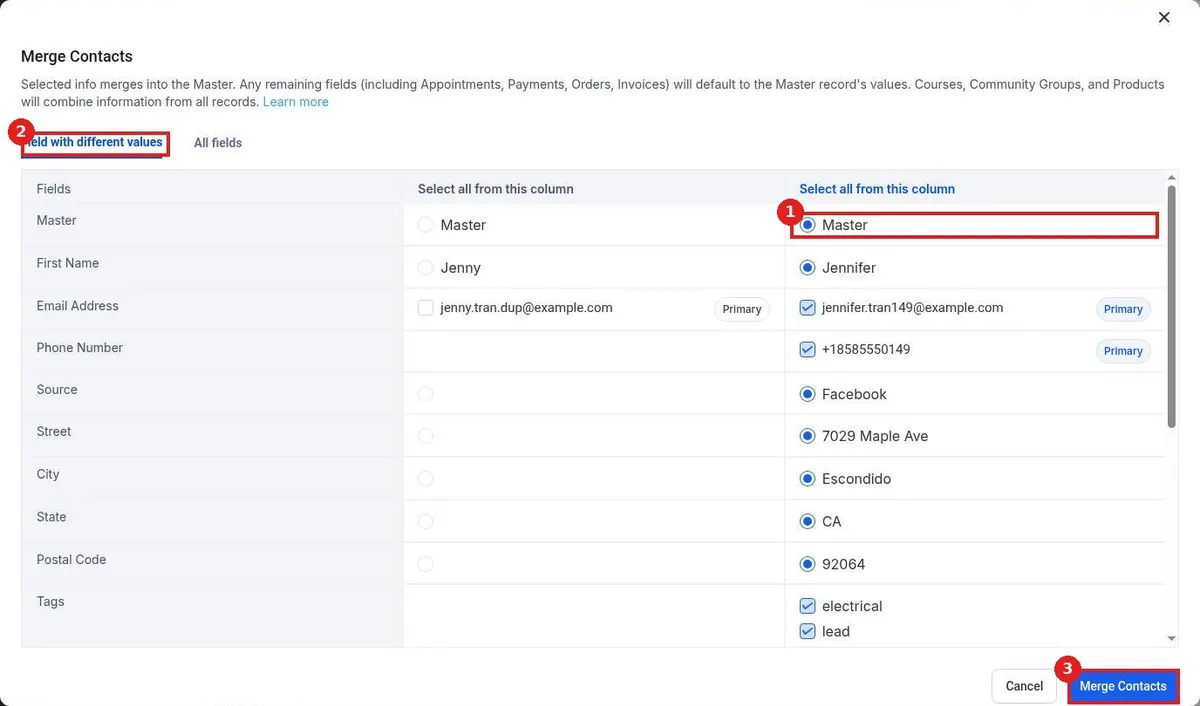
Merge duplicate contacts in Reachific: in Contacts, check the boxes next to the duplicates, click More, then Merge. Pick the Master record and which values to keep, then click Merge Contacts. The extra record is folded into the Master.

merge contactsduplicatesduplicate contactsclean up contactshelp center
How do I create a company and link contacts to it?

How do I create a company and link contacts to it?

Sayo Tadashi
Published on: 04/11/2026

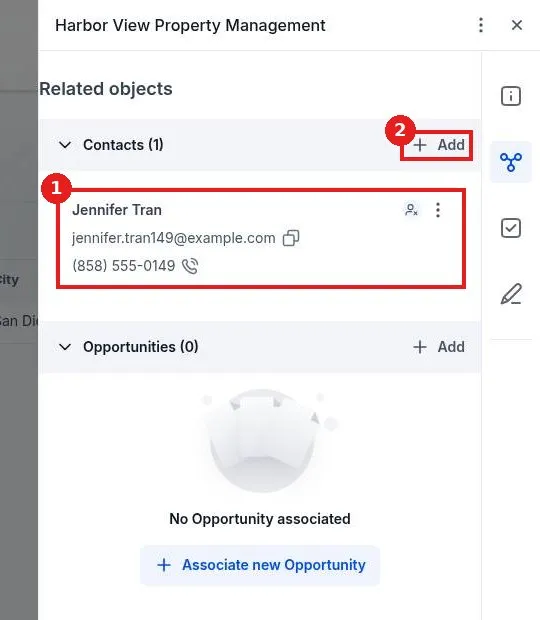
Create a company in Reachific and link contacts: go to Contacts, Companies, click Add Company, enter the name, phone and website, click Save, then open Associations and click Associate new Contact to link the people who work there.

companiesB2Blink contacts to companyaccountshelp center
How do I see and manage all my tasks?

How do I see and manage all my tasks?

Sayo Tadashi
Published on: 03/11/2026

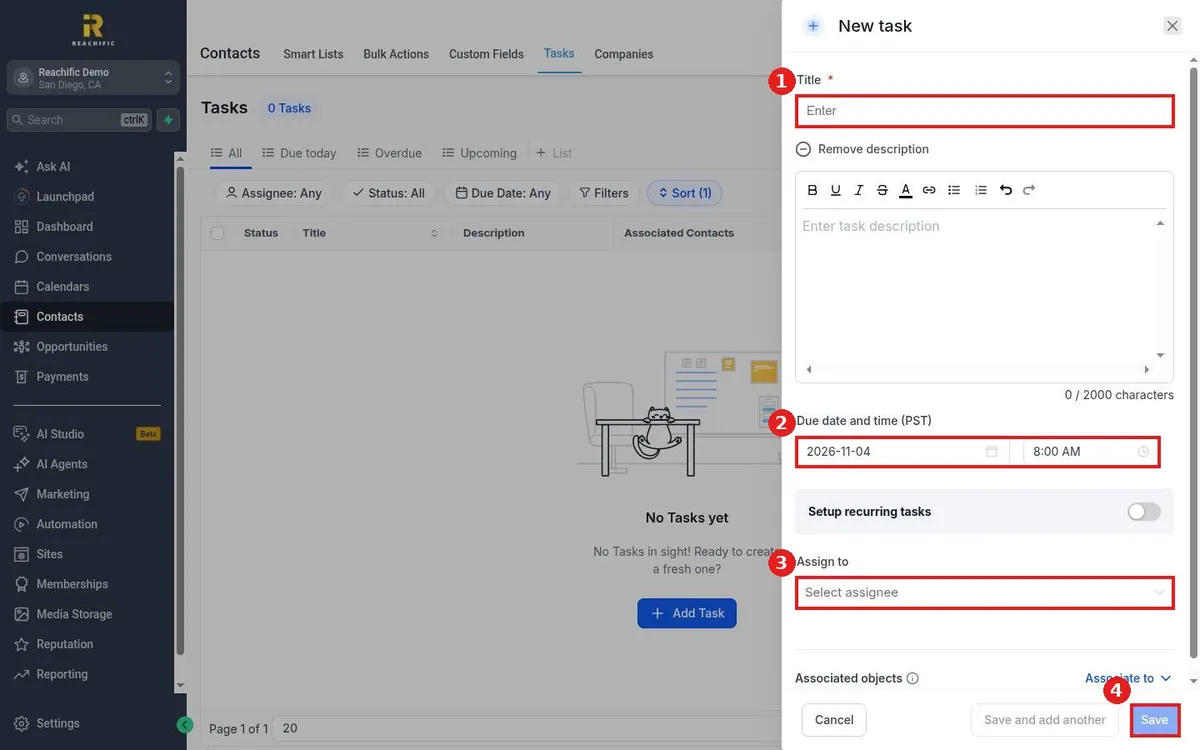
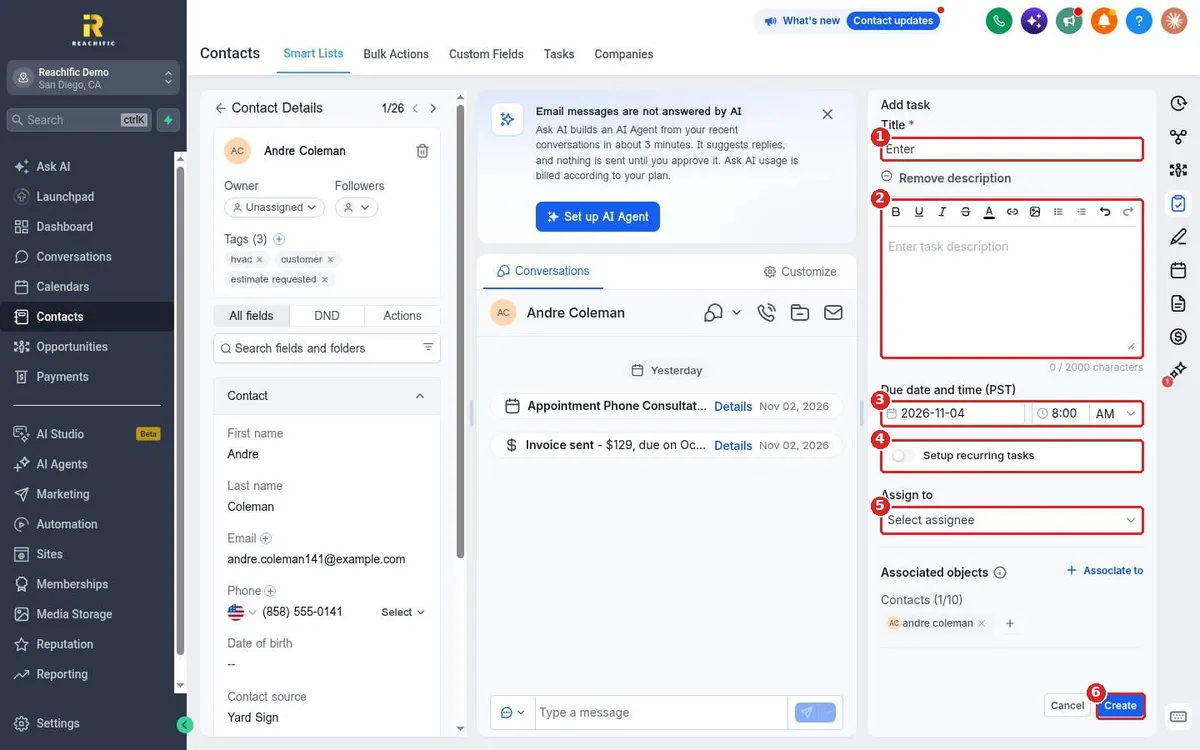
Manage tasks in Reachific: open Contacts, click the Tasks tab, use All, Due today, Overdue and Upcoming views and filters, and click Add Task to create a task with a title, due date, assignee and contact.

tasksto dofollow uphelp center
How do I organize custom fields into folders?

How do I organize custom fields into folders?

Sayo Tadashi
Published on: 03/11/2026

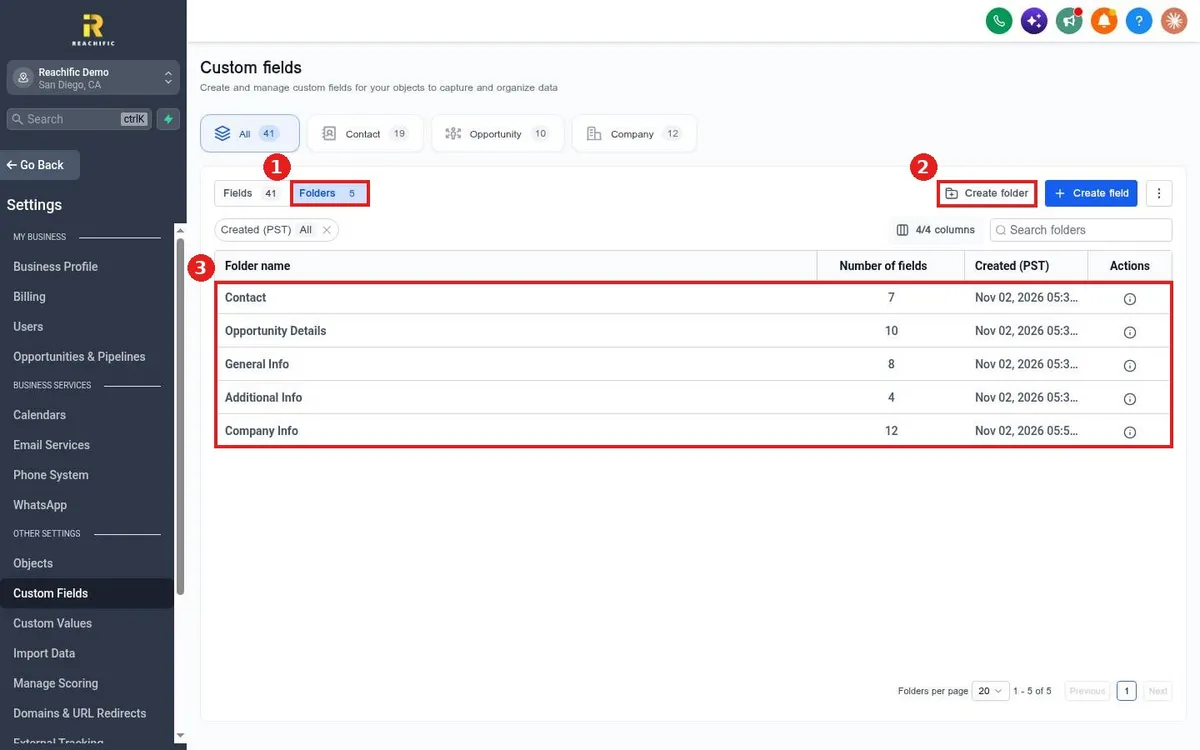
Organize custom fields in Reachific: open Contacts, Custom Fields, click the Folders tab, click Create folder to add a group, then choose that folder when you create or edit a field.

custom field foldersgroupshelp center
How do I create a custom field for contacts?

How do I create a custom field for contacts?

Sayo Tadashi
Published on: 03/11/2026

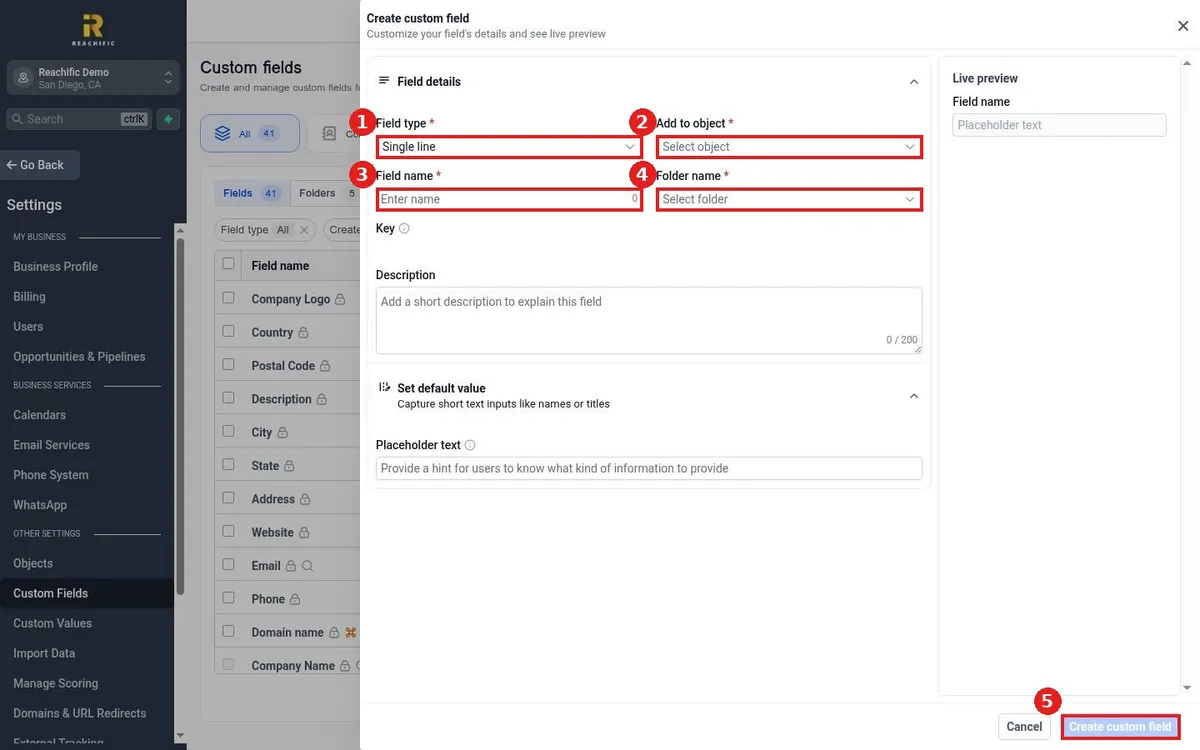
Create a contact custom field in Reachific: open Contacts, Custom Fields, click Create field, pick a field type, choose Contact as the object, enter a name, pick a folder and click Create custom field.

custom fieldnew fieldcontact datahelp center
How do I check the status of a bulk action?

How do I check the status of a bulk action?

Sayo Tadashi
Published on: 03/11/2026

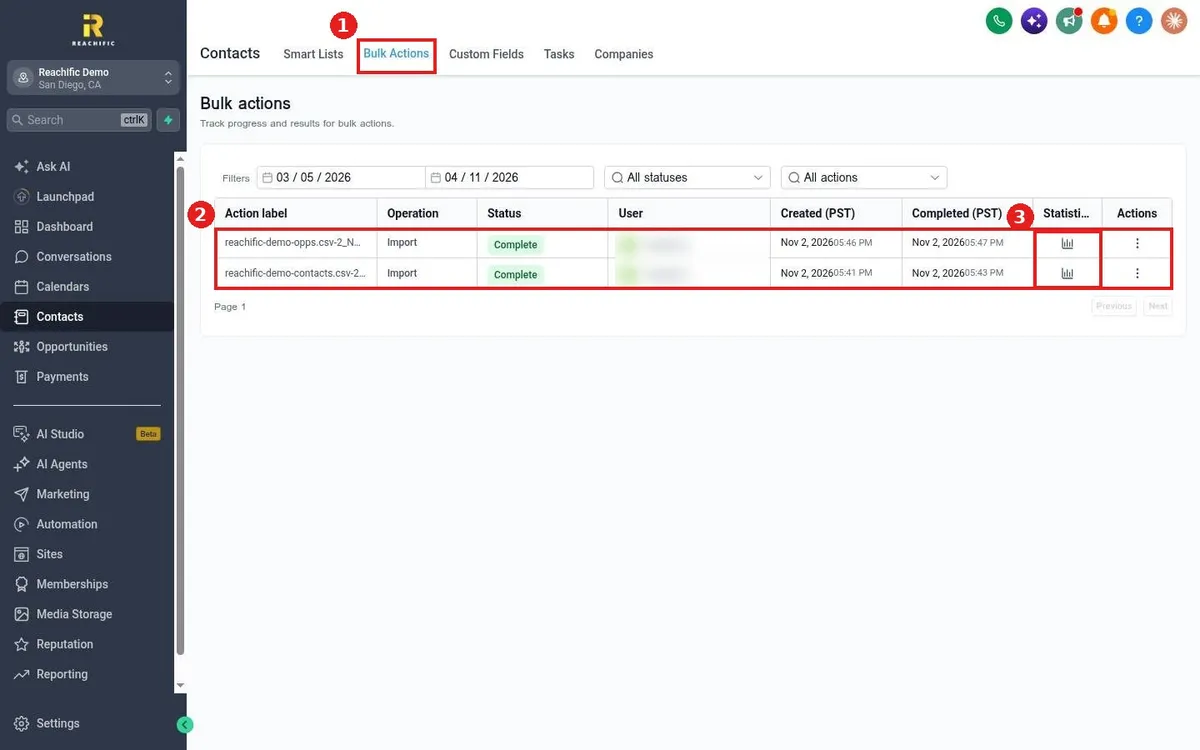
Check a bulk action in Reachific: open Contacts, click the Bulk Actions tab, find the job by its label and read its status, then click the statistics icon to see how many records succeeded or failed.

bulk actionsstatuslogshelp center
How do I see a contact's full activity history?

How do I see a contact's full activity history?

Sayo Tadashi
Published on: 03/11/2026

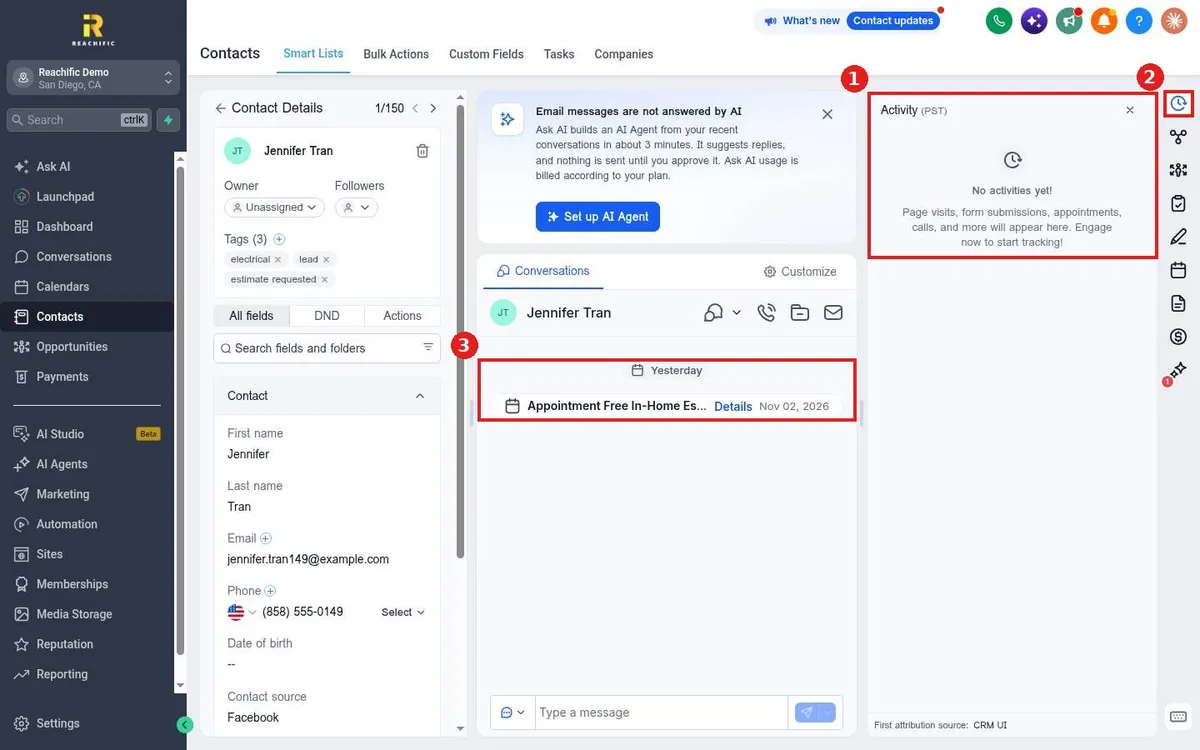
See a contact's history in Reachific: open the contact, click the Activity icon on the right to see page visits, form submissions, appointments and calls, and scroll the conversation timeline in the middle.

contact activitytimelinehistoryhelp center
How do I delete contacts?

How do I delete contacts?

Sayo Tadashi
Published on: 03/11/2026

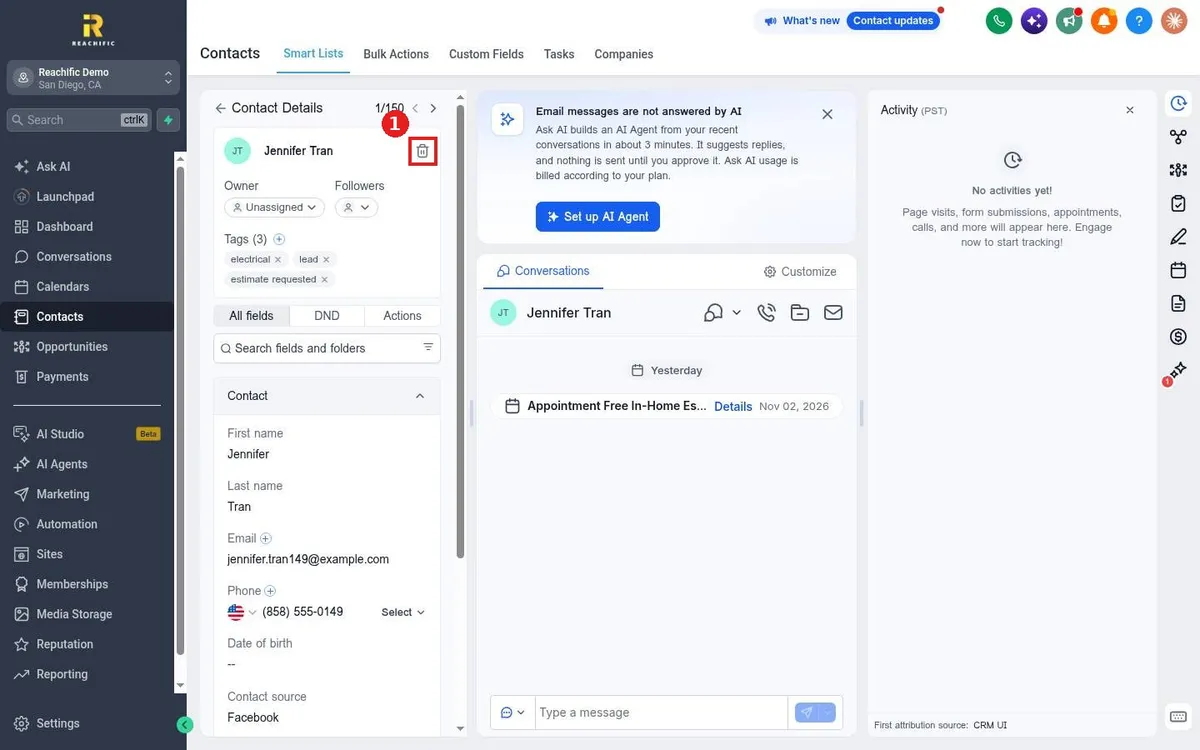
Delete a contact in Reachific: open the contact and click the trash icon next to their name, then confirm. To delete many, check them in the Contacts list and choose delete from the action bar.

delete contactremove contacthelp center
How do I edit a contact's details?

How do I edit a contact's details?

Sayo Tadashi
Published on: 03/11/2026

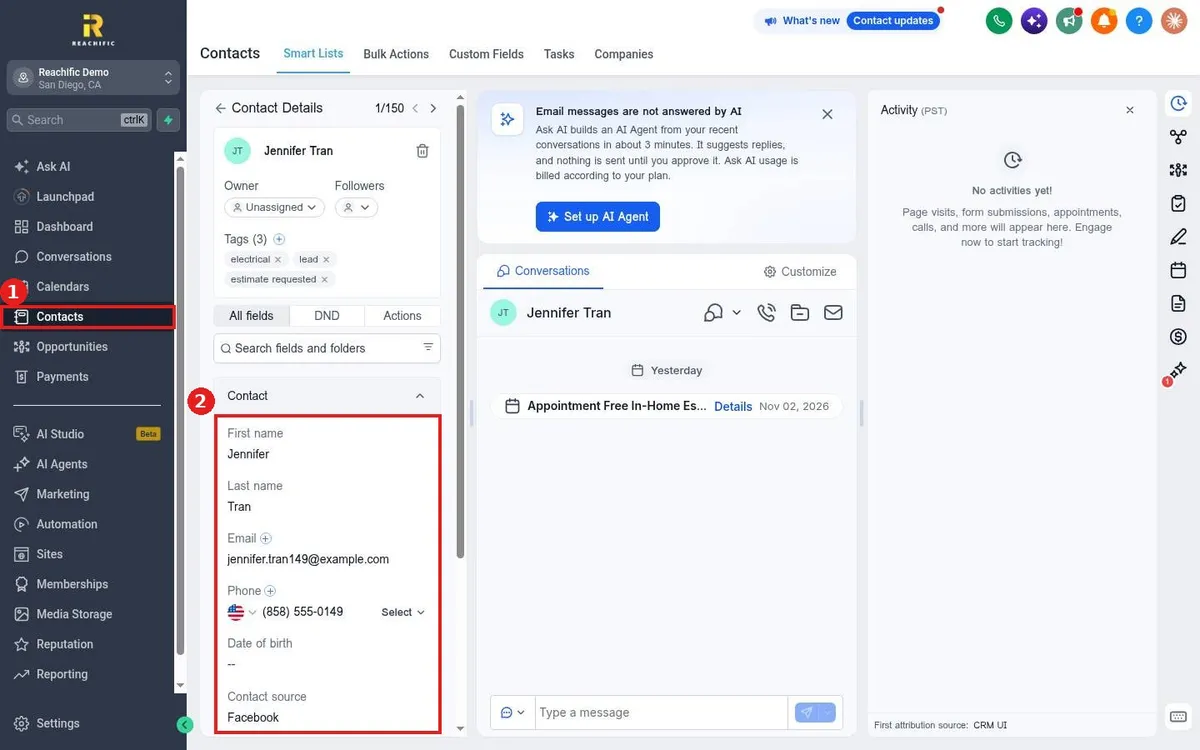
Edit a contact in Reachific: open Contacts, click the contact's name, then click any field in the left panel such as name, email or phone, type the new value and save.

edit contactupdate contactcontact fieldshelp center
How do I add or remove tags on contacts?

How do I add or remove tags on contacts?

Sayo Tadashi
Published on: 03/11/2026

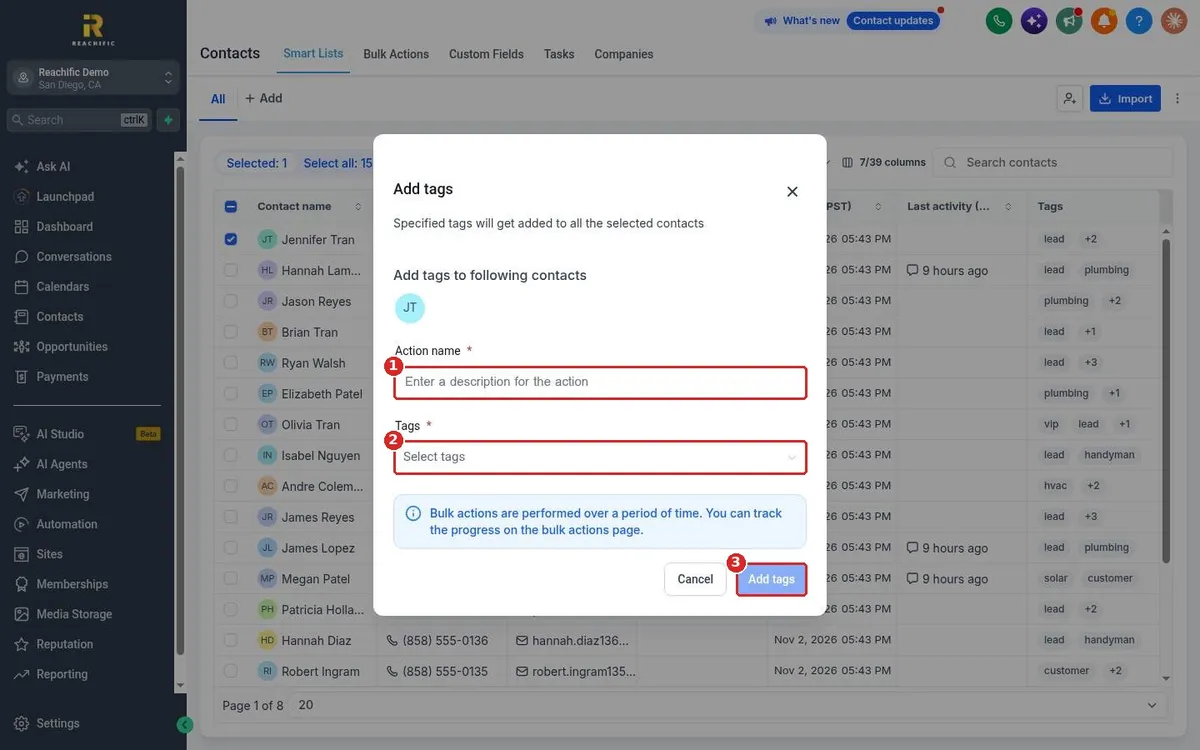
Tag contacts in Reachific: on a contact record click the plus next to Tags to add one or the x on a tag to remove it. To tag many at once, select contacts in the list, click Add tags, name the action, pick tags and confirm.

tagstag contactsbulk taghelp center
How do I create a smart list with filters?

How do I create a smart list with filters?

Sayo Tadashi
Published on: 03/11/2026

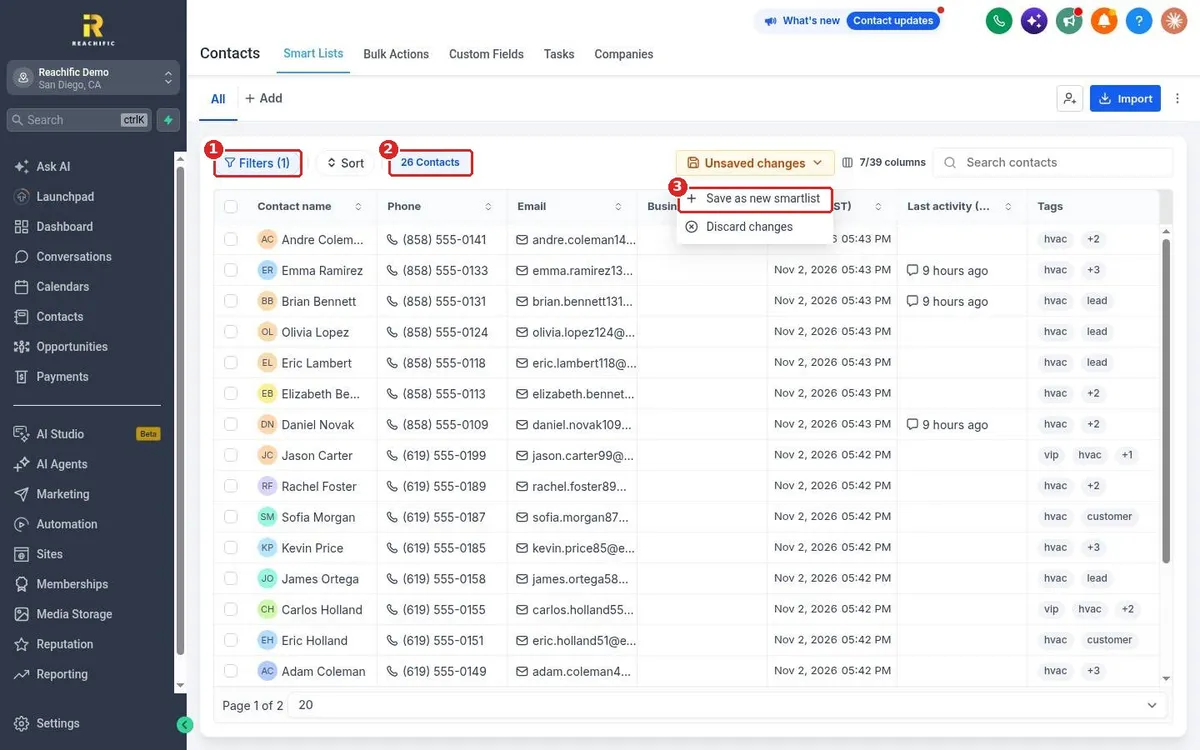
Create a smart list in Reachific: open Contacts, click Filters, pick a field such as Tag, choose a condition and value, click Apply, then open Unsaved changes and choose Save as new smartlist.

smart listfilter contactssegmenthelp center
How do I add notes and tasks to a contact?

How do I add notes and tasks to a contact?

Sayo Tadashi
Published on: 03/11/2026

Add notes and tasks to a Reachific contact: open the contact, click the Notes or Tasks icon on the right, click Add, fill in the title and description, set a due date and assignee for tasks, then Save or Create.

notescontact taskfollow uphelp center

We are here to help

Still stuck?

Send our support team a ticket and we will walk you through it, or pick a support plan for hands on help.