
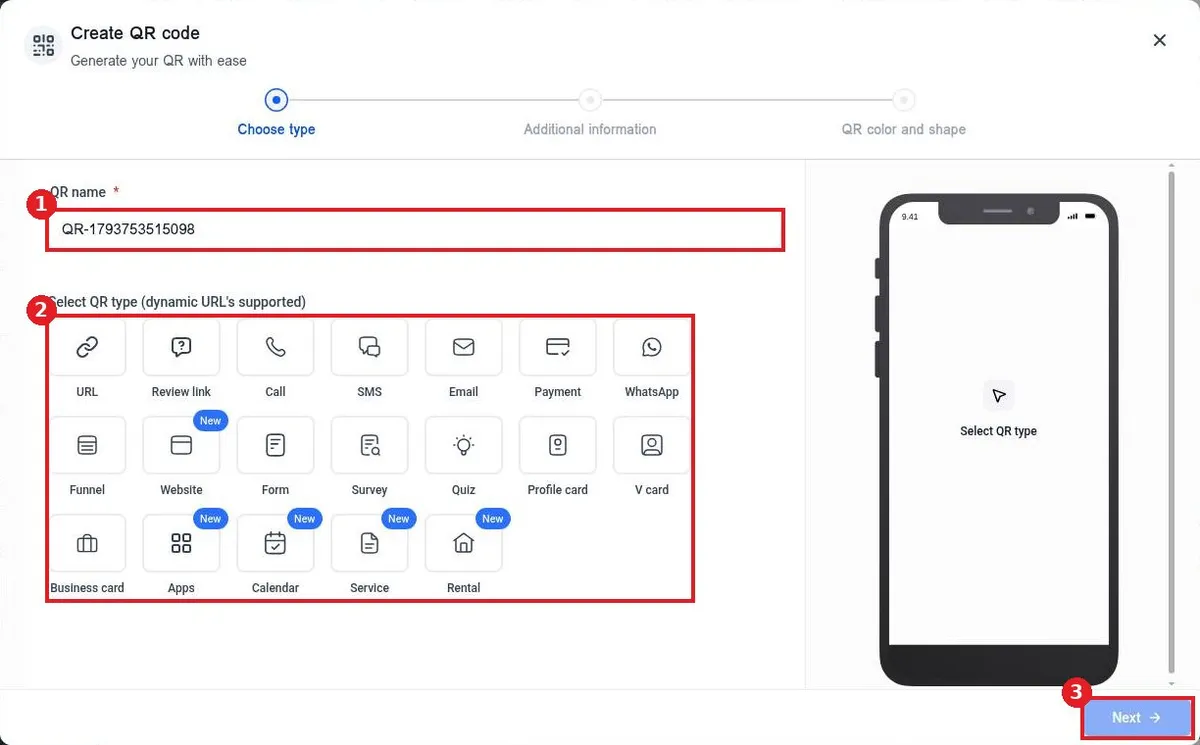
How do I create a QR code?
Quick answer: Go to Sites > QR Codes and click Create QR code. Name it, pick a type such as URL and click Next. Enter the link, click Next, set colors and shape, then click Save and download it.
Before you start
- Have the page, form, review link or phone number the code should open.
- QR codes are dynamic, so you can change where they point later without reprinting.
Step 1: Open QR Codes
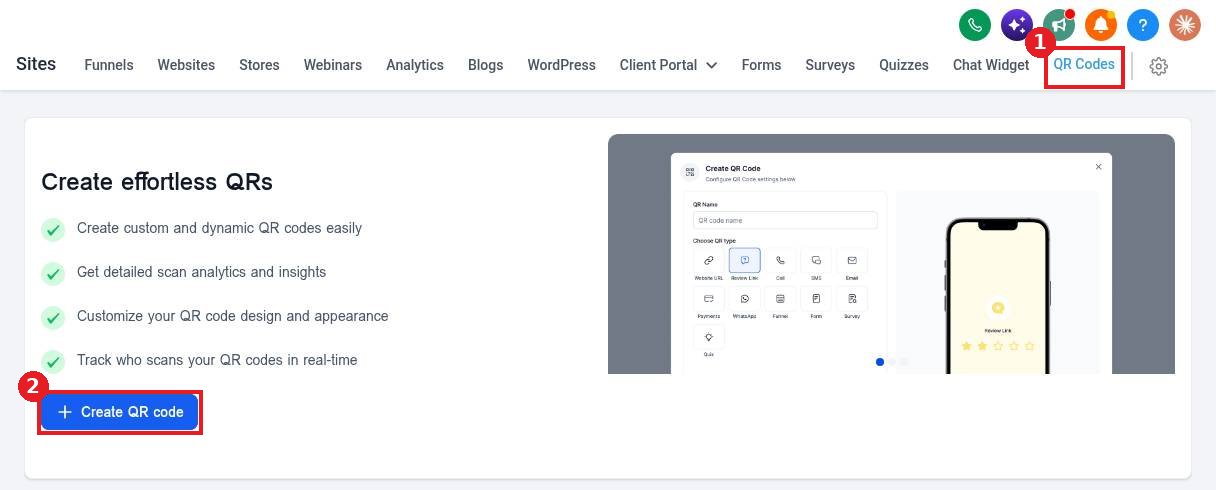
Open the QR Codes tab (1) in Sites and click Create QR code (2).
Step 2: Name it and choose the type
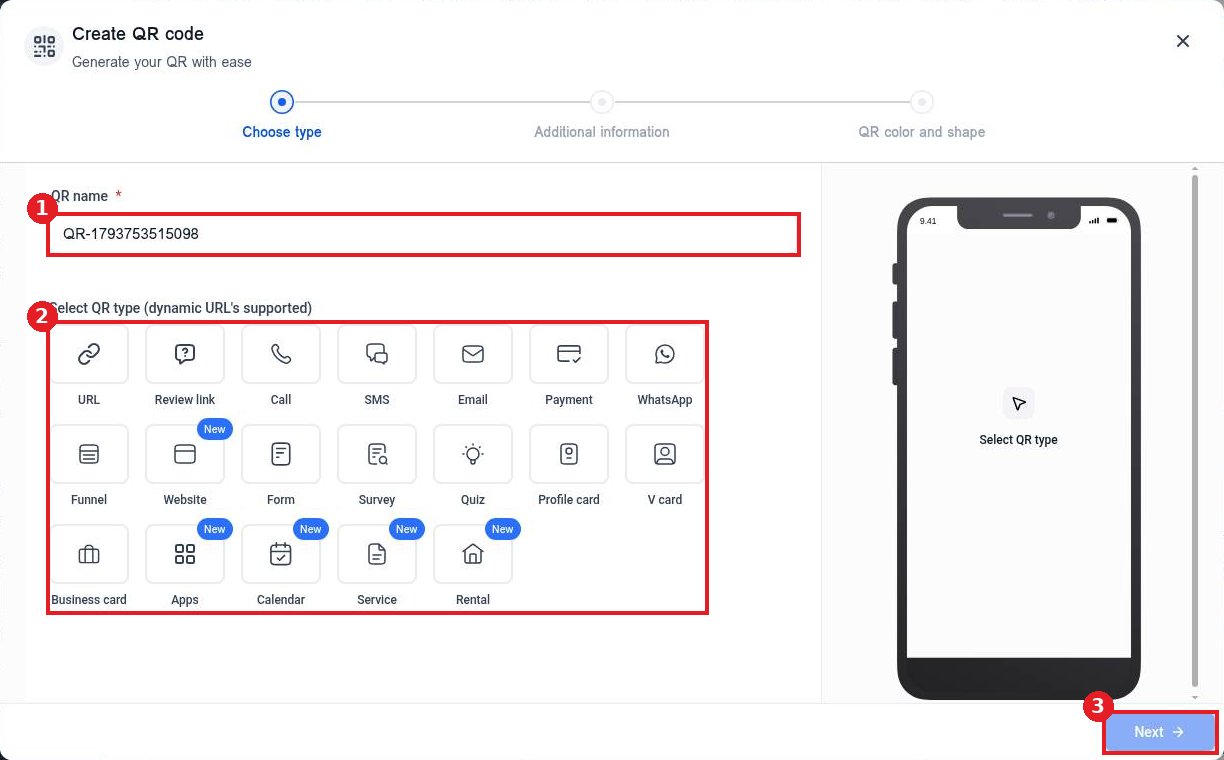
Type a QR name (1) you will recognize. Pick the type (2): URL, Review link, Call, SMS, Email, Payment, Funnel, Form, Calendar and more. Click Next (3).
Step 3: Add the destination
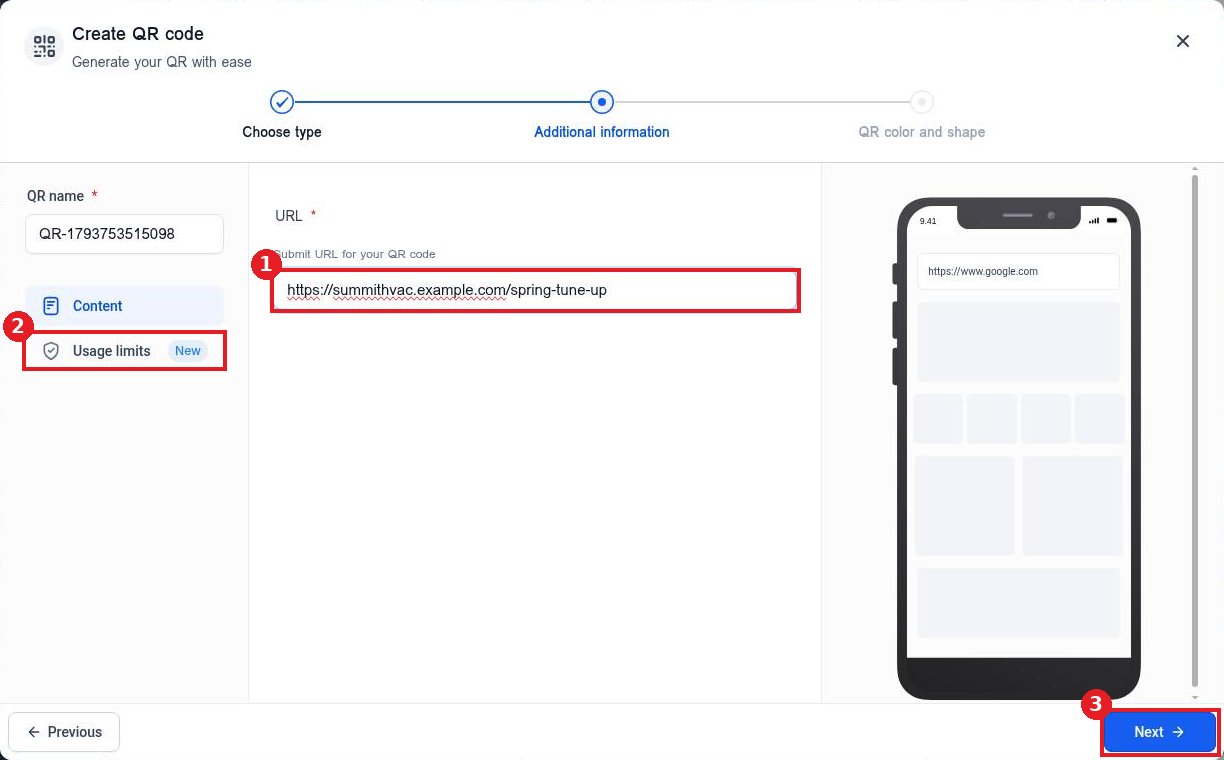
Enter the URL (1) or details for your type. Use Usage limits (2) if the code should stop working after a date or number of scans. Click Next (3).
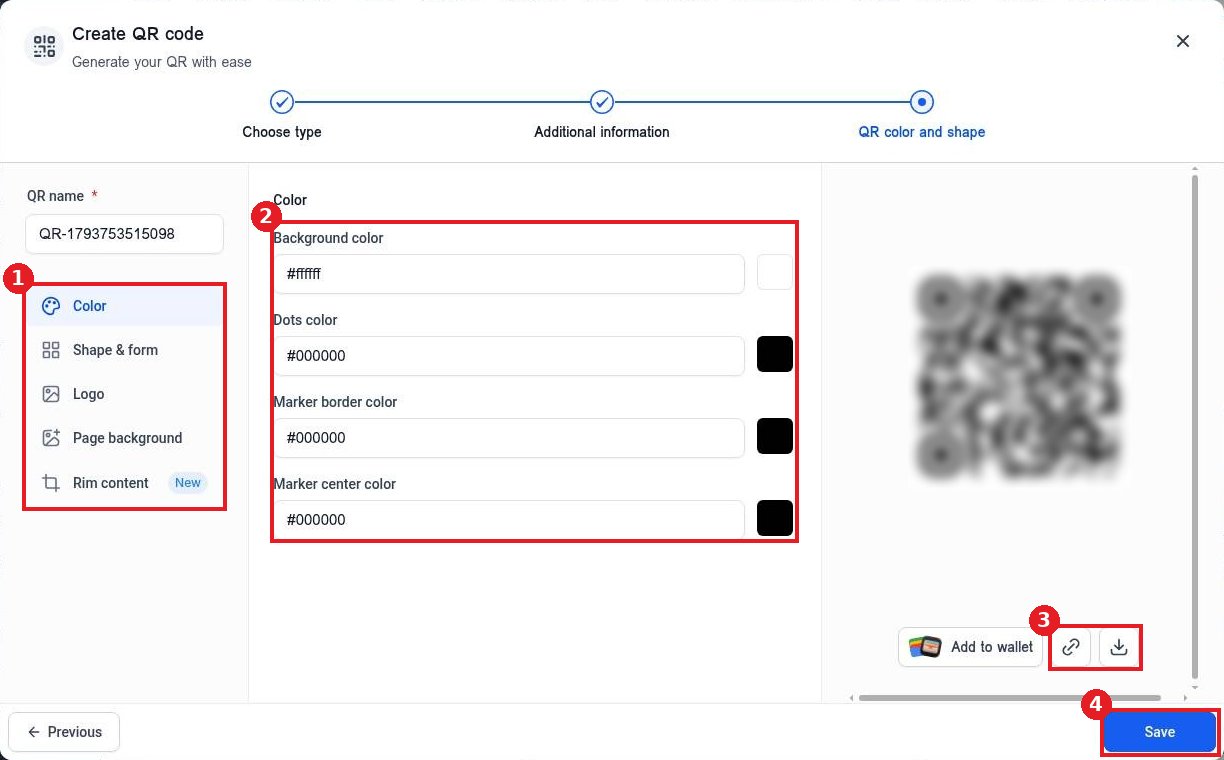
Step 4: Design, save and download
Use the design menu (1) for color, shape, logo and background. Set the colors (2). Use the copy link or download buttons (3) under the preview, then click Save (4).
FAQ
Can I change the link after printing?
Yes. Edit the QR code and change its destination. The printed code keeps working.
Can I see how many people scanned it?
Yes. QR Codes shows total and unique scans over time.
Can I add my logo?
Yes. Use the Logo option in the design step.
Want us to handle it? Our team designs and builds fast, mobile friendly websites that turn visitors into leads, then keeps them updated for you. Book a free strategy call and get a free quote.
Related articles
Still stuck? Submit a ticket and our team will help. Need faster answers? See our support plans.
