
How do I build a multi step survey?
Quick answer: Go to Sites > Surveys and click Create survey. Drag questions onto the first slide, click Add Slide for each new step, set the thank you message in Settings and click Save.
Before you start
- List your questions and group them into short steps of two or three questions each.
- Ask for name and email on the first step so you capture the lead even if they stop early.
Step 1: Create or open a survey
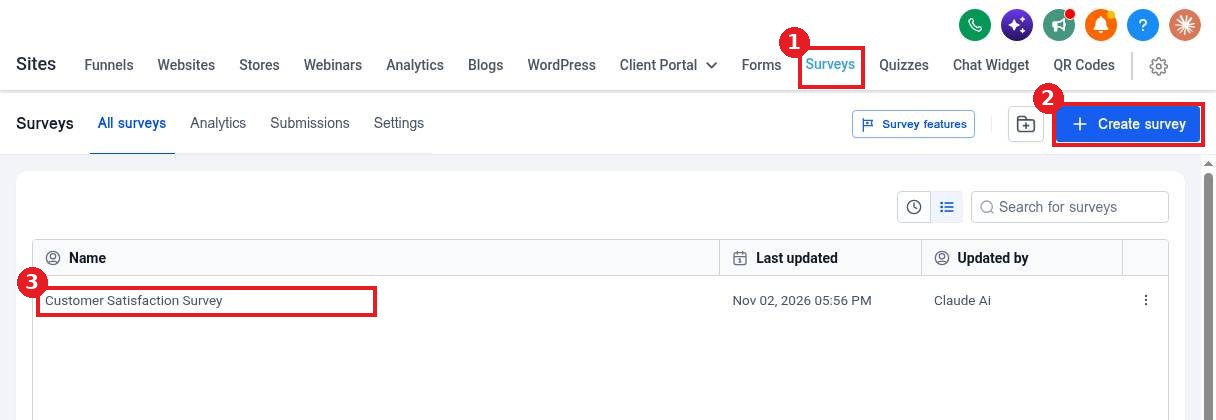
Open the Surveys tab (1) and click Create survey (2), or click an existing survey (3) to edit it.
Step 2: Add questions and slides
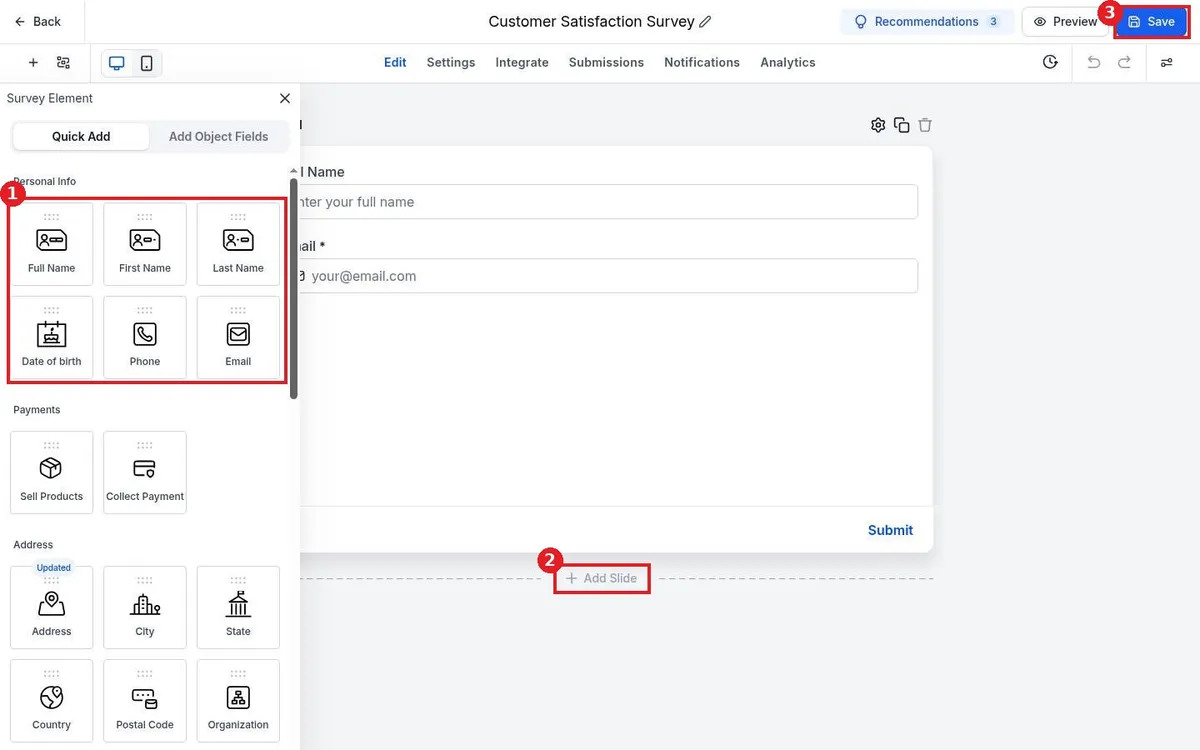
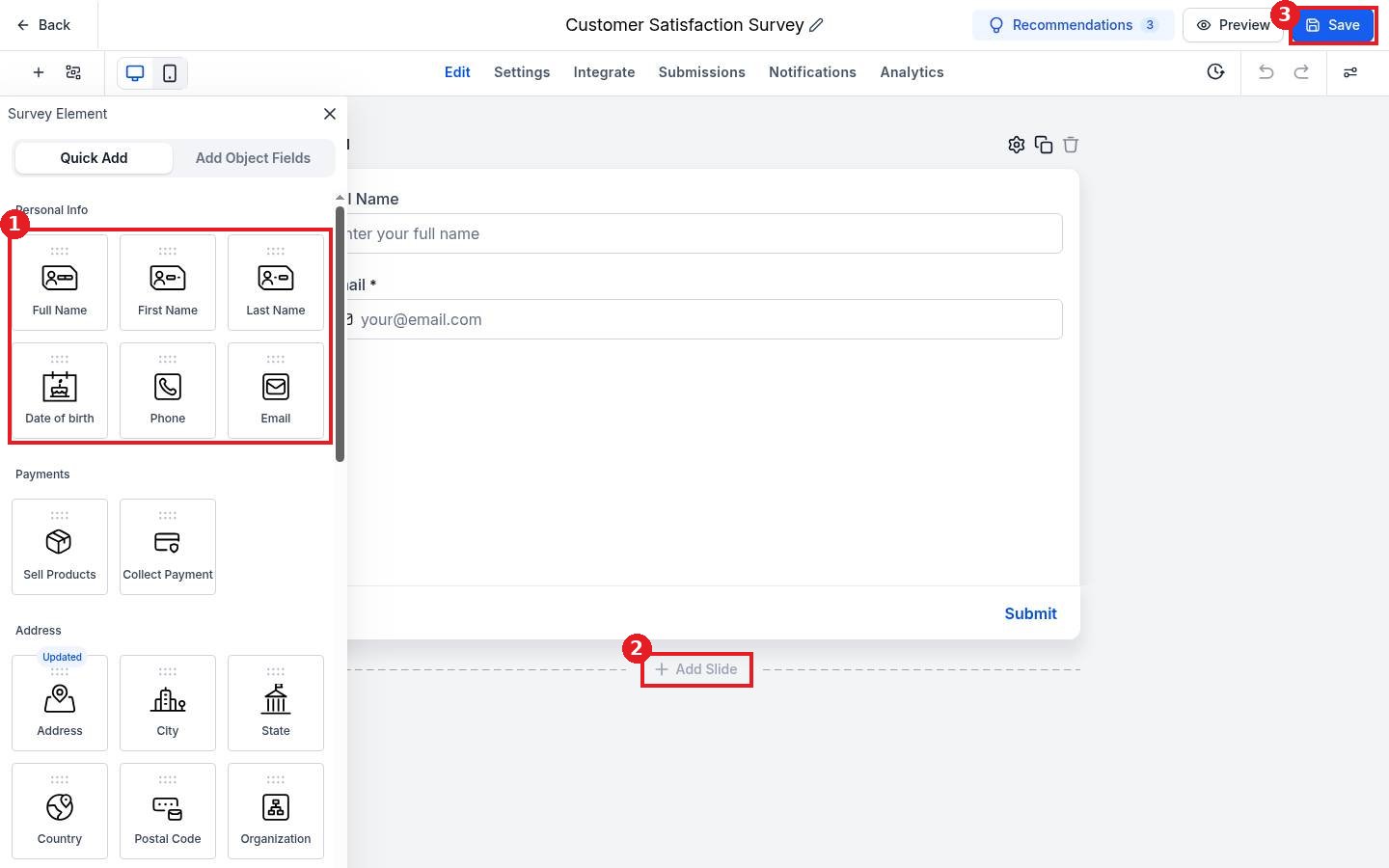
Drag fields from the element panel (1) onto the slide. Click Add Slide (2) to start the next step and add its questions. Click Save (3) as you go.
Step 3: Set what happens on submit
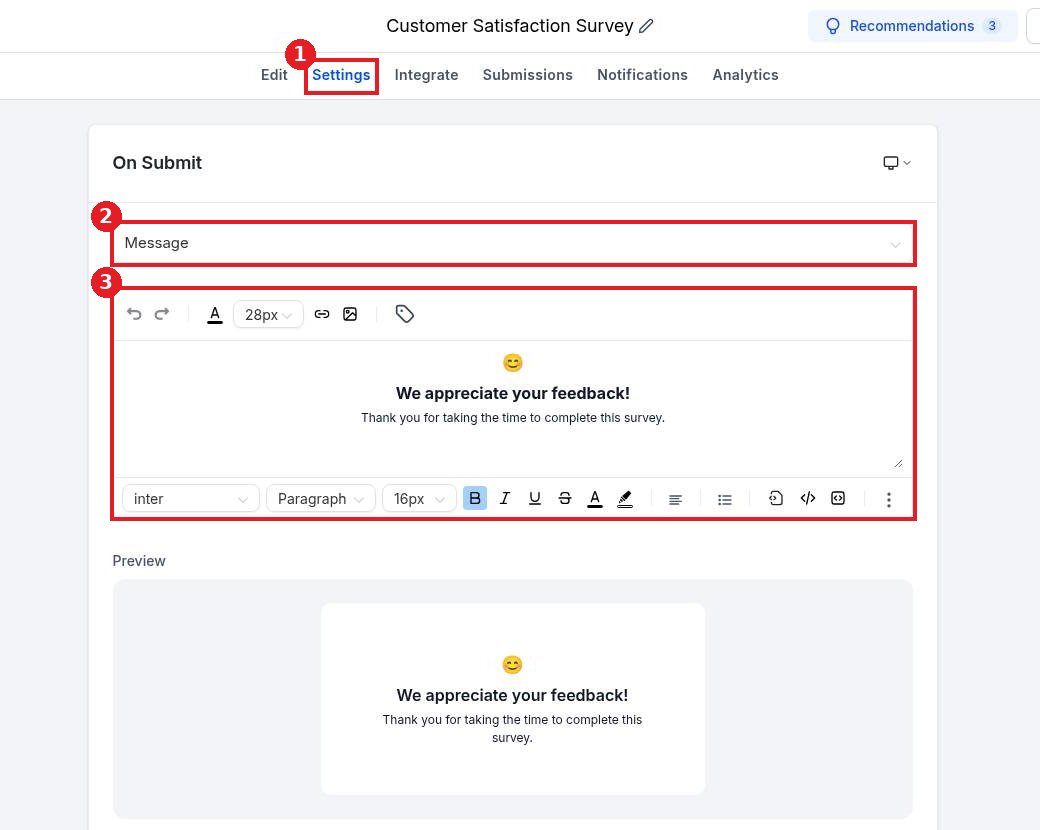
Open Settings (1). Under On Submit choose a message or a redirect (2) and edit the thank you text (3). Save, then embed the survey from the Integrate tab.
FAQ
Can I skip slides based on an answer?
Yes. Use the slide logic settings to jump to a different slide or end the survey based on an answer.
What is the difference between a form and a survey?
A form shows all fields at once. A survey splits questions into slides, one step at a time.
Where do survey answers go?
Answers save to the contact record and show in the survey Submissions tab.
Want us to handle it? Our team designs and builds fast, mobile friendly websites that turn visitors into leads, then keeps them updated for you. Book a free strategy call and get a free quote.
Related articles
Still stuck? Submit a ticket and our team will help. Need faster answers? See our support plans.
