
How do I import a funnel from a share link?
Quick answer: Open the funnel share link while you are signed in to Reachific and click Add Funnel. Name the copy, pick your account under Select Locations, then click Clone Funnel. The copy shows up in Sites > Funnels with all of its steps.
Before you start
- You need a funnel share link from the person or agency who built the funnel.
- Sign in to Reachific in the same browser before you open the link.
- Importing makes a copy. The original funnel is not changed.
Step 1: Get the share link
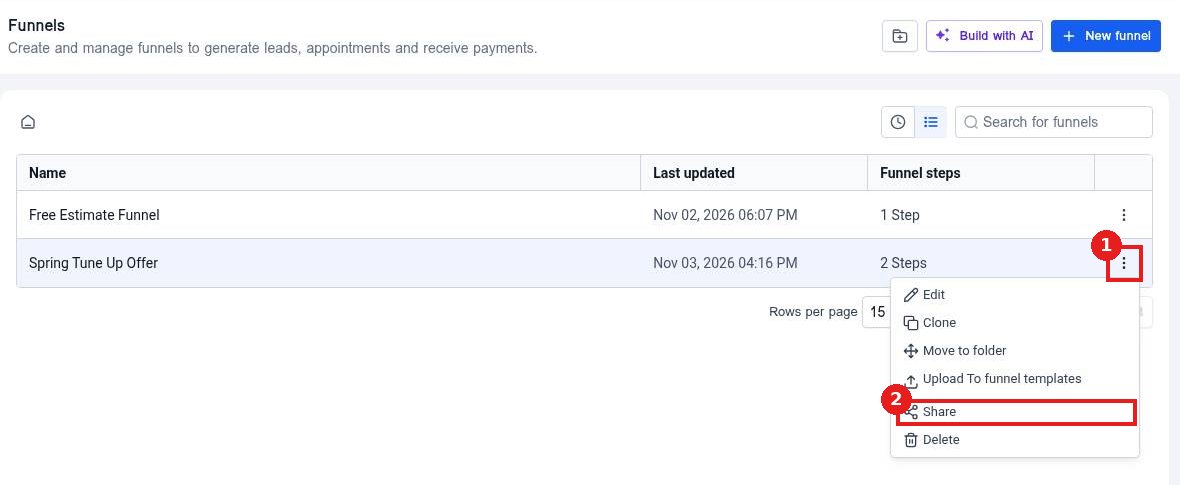
Share links are created by an agency admin. In Sites > Funnels, they open the three dot menu (1) on a funnel and click Share (2).
Step 2: Copy the link
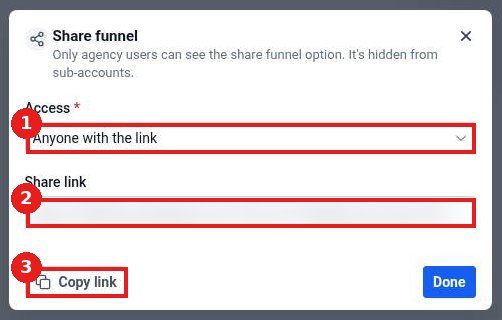
In the Share funnel window, Access (1) is set to Anyone with the link. The Share link (2) appears below. Click Copy link (3) and send it to whoever should import the funnel.
Step 3: Open the link and click Add Funnel
Open the share link while signed in. You will see the funnel name with a button to add it. Click Add Funnel (1).

Step 4: Choose where it goes and clone it
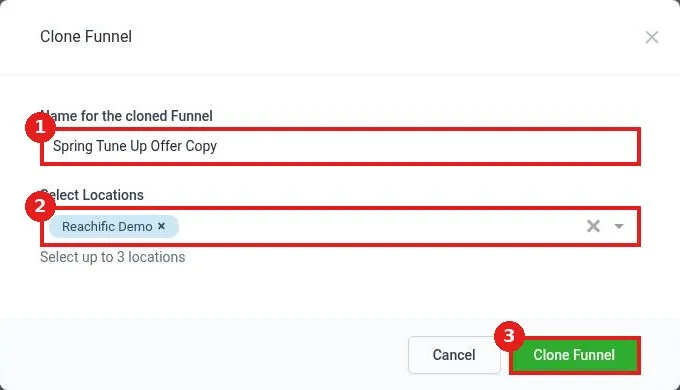
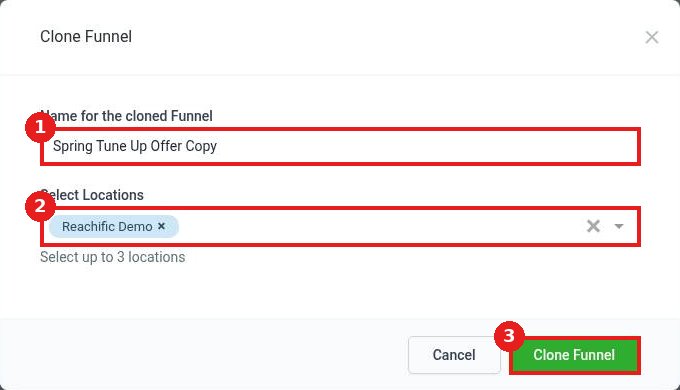
Type a name for the copy (1). Under Select Locations (2), search for and pick your account. You can pick up to 3. Check that only the right account is selected, then click Clone Funnel (3).
Step 5: Find your new funnel
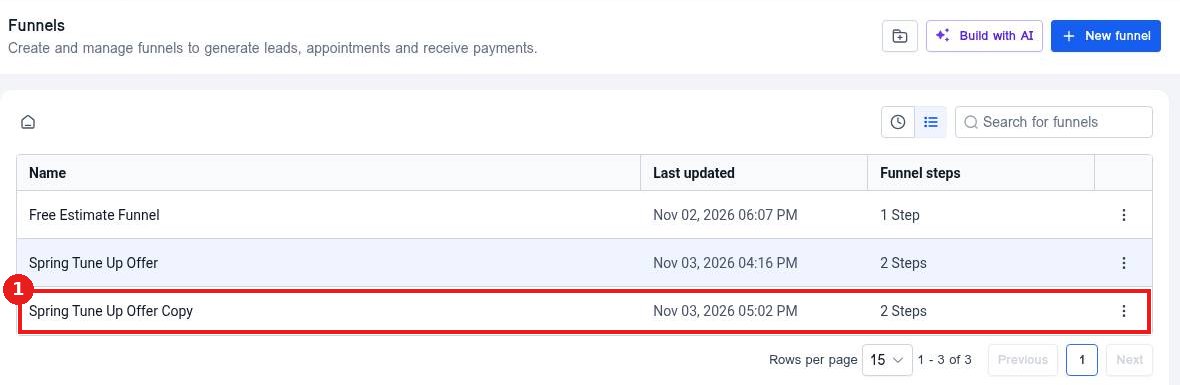
You land on Sites > Funnels. The imported funnel (1) is in the list with the same number of steps as the original. Open it to update text, images, forms and your domain before you publish.
FAQ
Why can I not see the Share option?
Sharing funnels is limited to agency users. Ask your agency or our team for a share link.
Does importing copy my forms and products too?
The funnel steps and page designs are copied. Check forms, calendars, products and integrations after import and connect them to items in your own account.
Will the copy be live right away?
No. Connect your domain and set the step paths, then save and preview before sending traffic to it.
The link opened a dashboard instead of the funnel. What now?
Sign in first, then open the link again in the same browser. If it still does not show Add Funnel, submit a ticket and include the link.
Want us to handle it? Our team designs and builds fast, mobile friendly funnels that turn visitors into leads, then keeps them updated for you. Book a free strategy call and get a free quote.
Related articles
- How do I create a funnel?
- How do I add and reorder funnel steps?
- How do I add a product and checkout to a funnel?
Still stuck? Submit a ticket and our team will help. Need faster answers? See our support plans.
