Home > Help Center

Reachific™ Support

Reachific Help Center

Step by step answers for every part of your Reachific account, with screenshots that show you exactly where to click.

No article on this page matches that yet. Try another word, or submit a ticket.

Newest articles

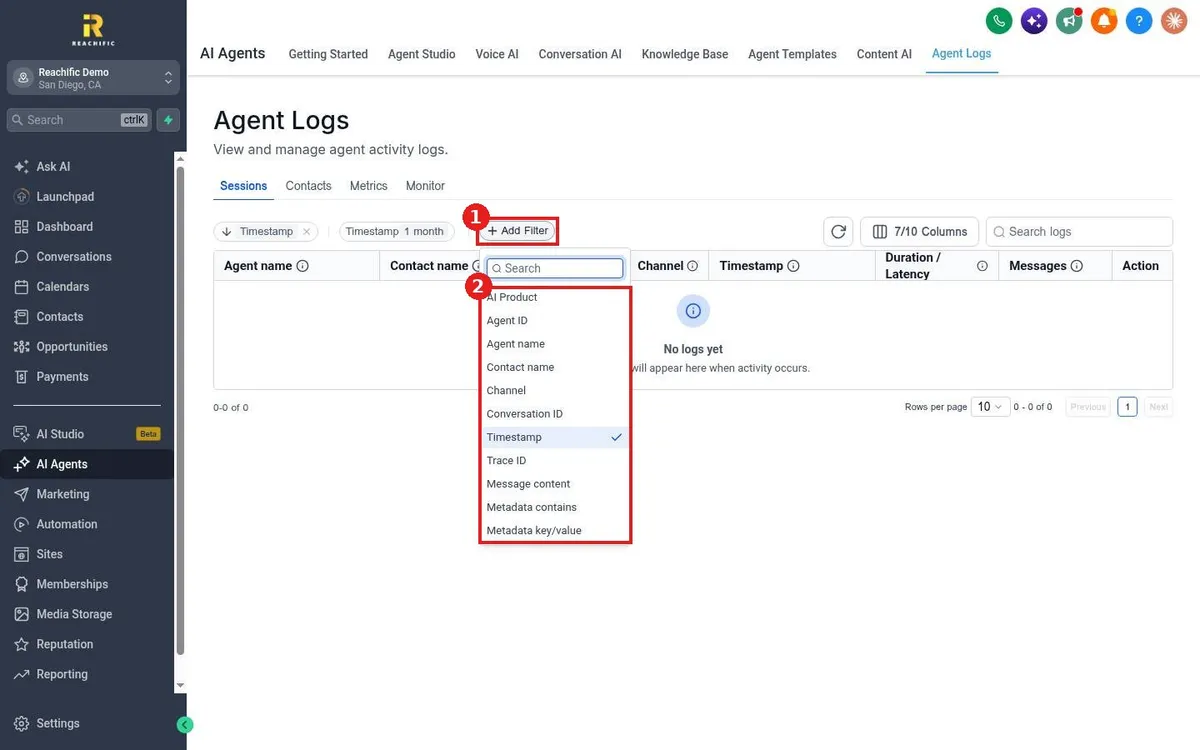
How do I review what my AI agents said?

How do I review what my AI agents said?

Sayo Tadashi
Published on: 03/11/2026

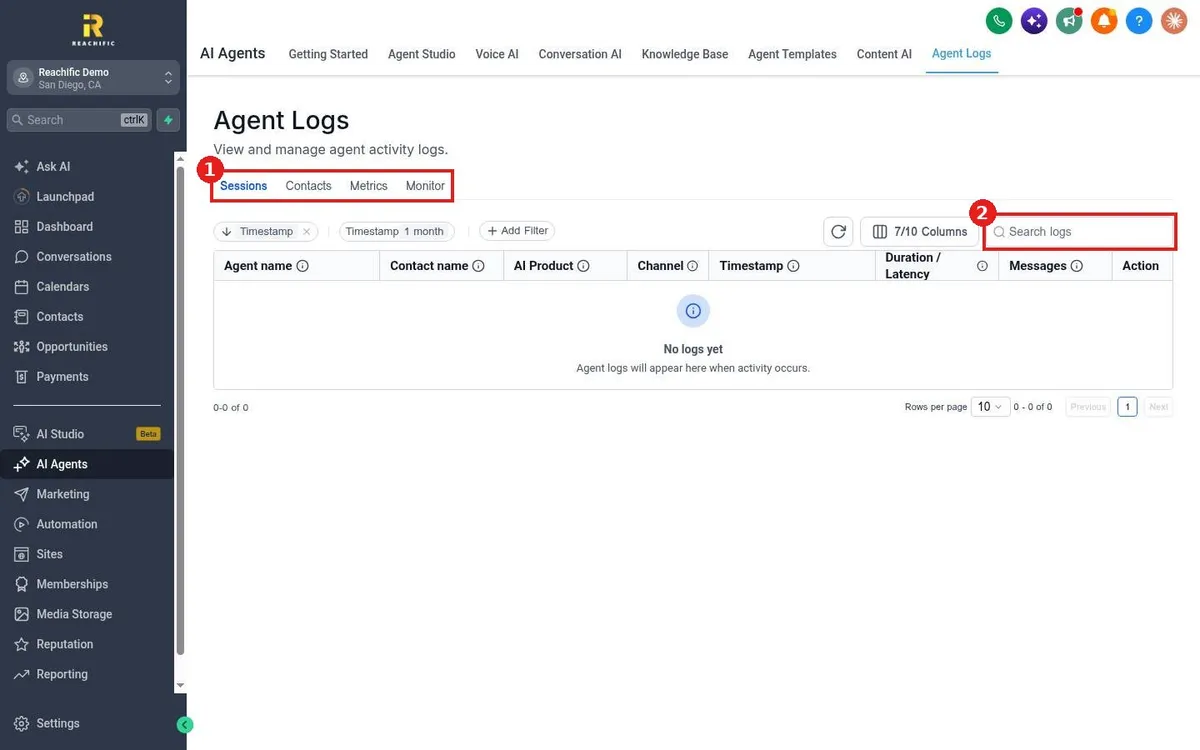
Review AI agent conversations in Reachific: open AI Agents, Agent Logs, use the Sessions, Contacts, Metrics and Monitor tabs, filter by agent or channel, and open a session to read it.

agent logsAI historyhelp center
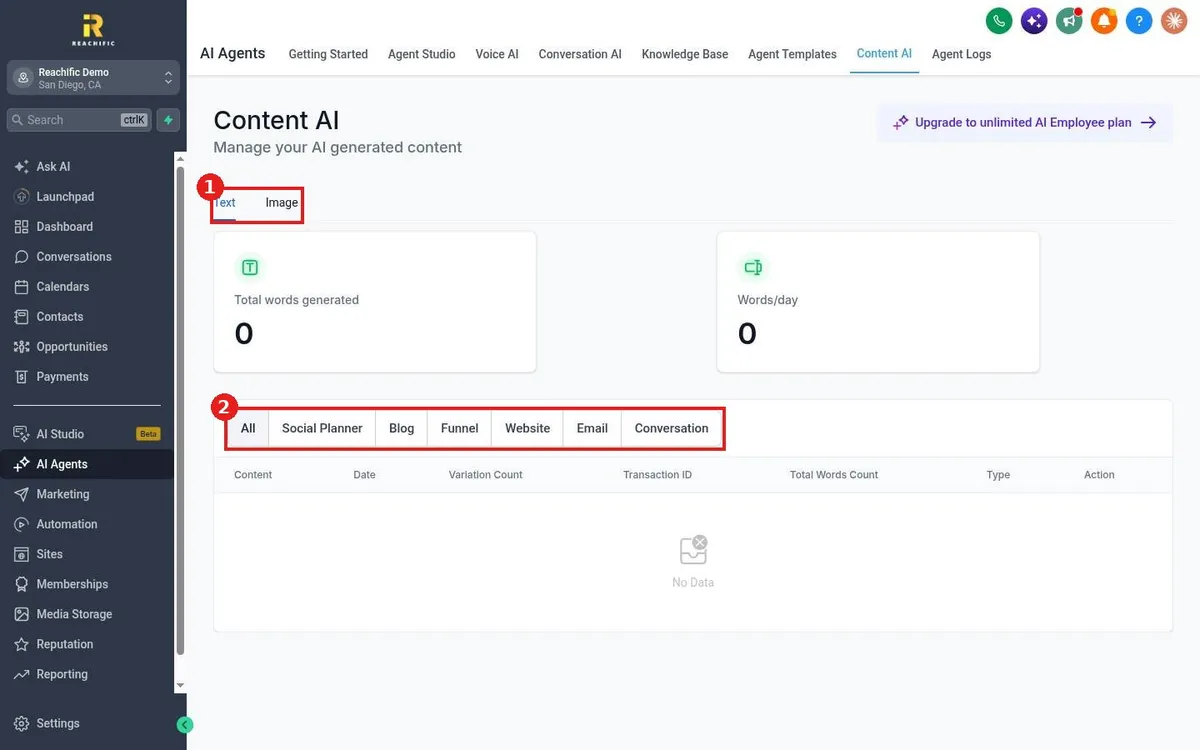
How do I use Content AI to write emails, posts and pages?

How do I use Content AI to write emails, posts and pages?

Sayo Tadashi
Published on: 03/11/2026

Use Reachific Content AI to draft text and images inside the email builder, Social Planner, blog, funnels and websites, then review everything it wrote under AI Agents, Content AI.

content AIAI writerhelp center
How do I upload files and FAQs to a knowledge base?

How do I upload files and FAQs to a knowledge base?

Sayo Tadashi
Published on: 03/11/2026

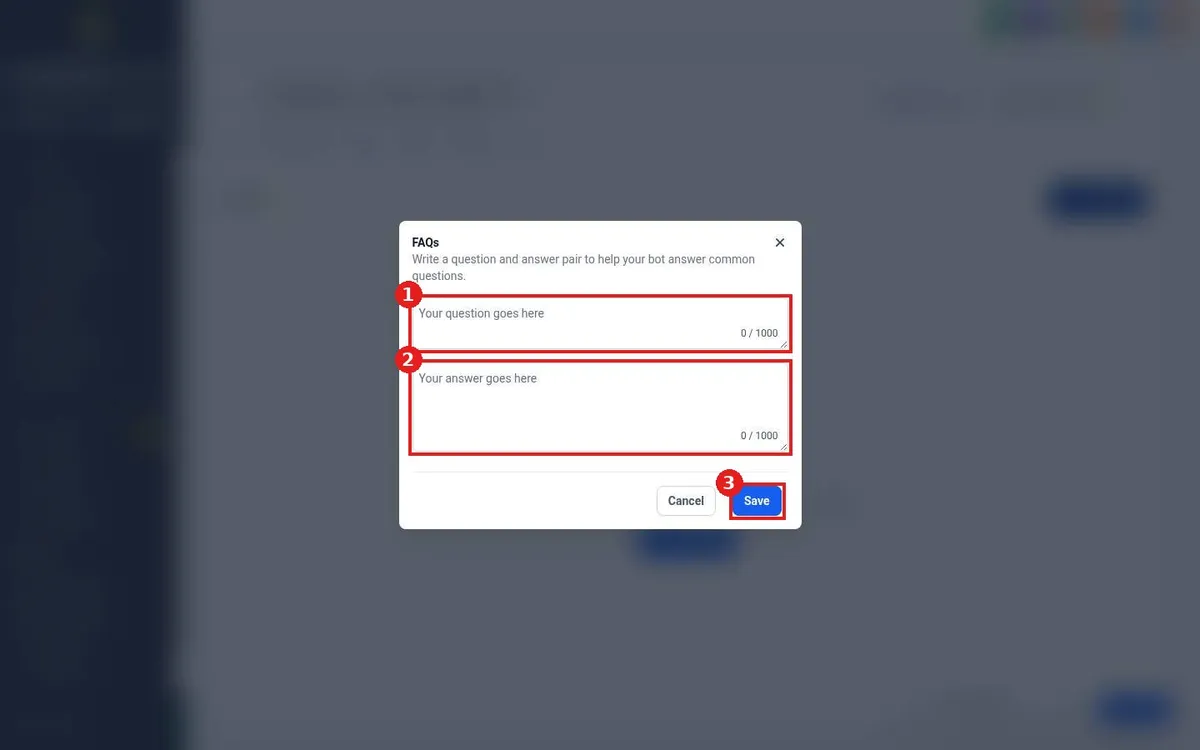
Add FAQs and files to a Reachific knowledge base: open it, use the FAQ tab to add question and answer pairs, and the Files tab to upload documents from your computer or Google Drive.

upload docsFAQknowledge fileshelp center
How do I add my website to a knowledge base with the web crawler?

How do I add my website to a knowledge base with the web crawler?

Sayo Tadashi
Published on: 03/11/2026

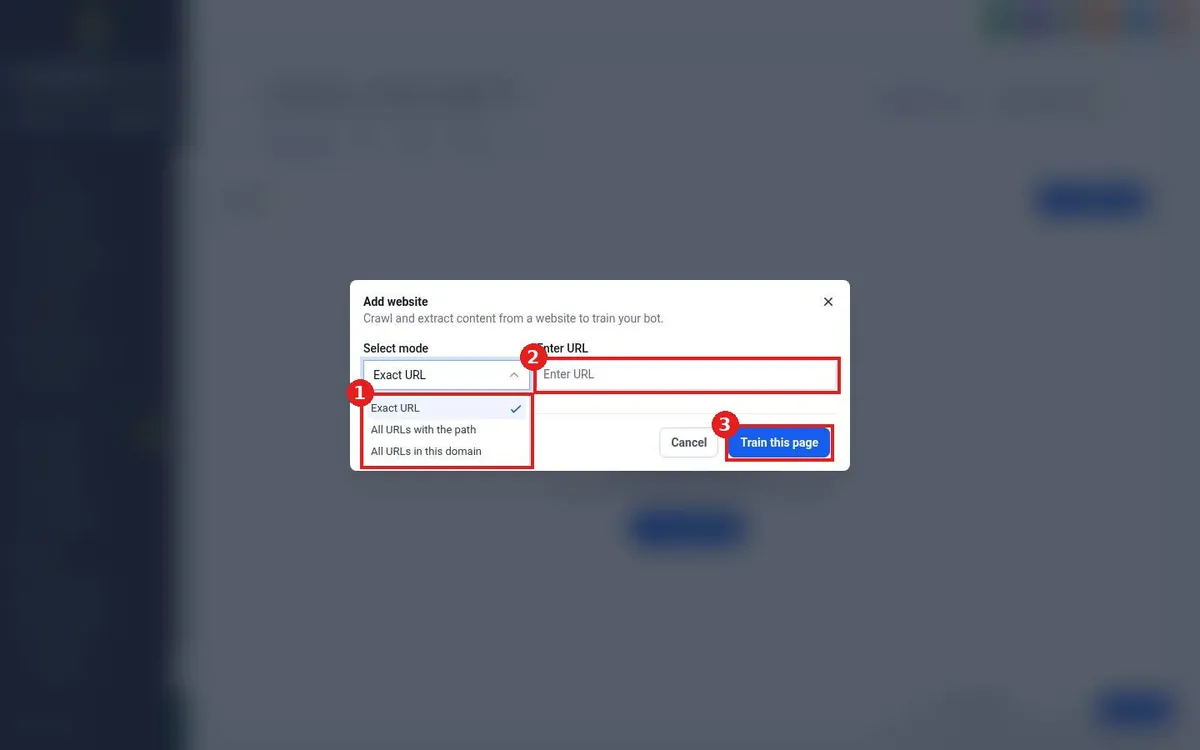
Add your website to a Reachific knowledge base: open the knowledge base, click Web crawler, choose Exact URL, All URLs with the path or All URLs in this domain, enter your URL and train.

web crawlercrawl siteknowledge basehelp center
How do I create a knowledge base for my AI agents?

How do I create a knowledge base for my AI agents?

Sayo Tadashi
Published on: 03/11/2026

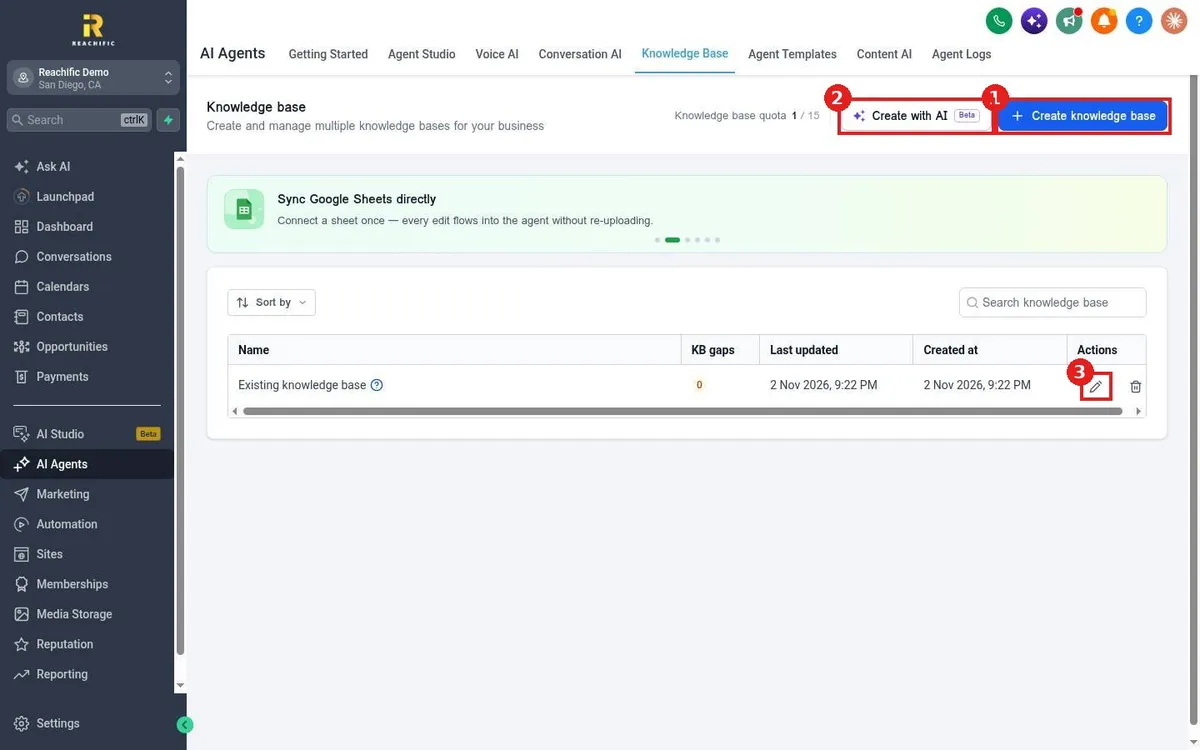
Create a knowledge base in Reachific: open AI Agents, Knowledge Base, click Create knowledge base, name it, then add sources like your website, FAQs, rich text, tables and files.

knowledge basetrain AIFAQhelp center
How do I start from an agent template?

How do I start from an agent template?

Sayo Tadashi
Published on: 03/11/2026

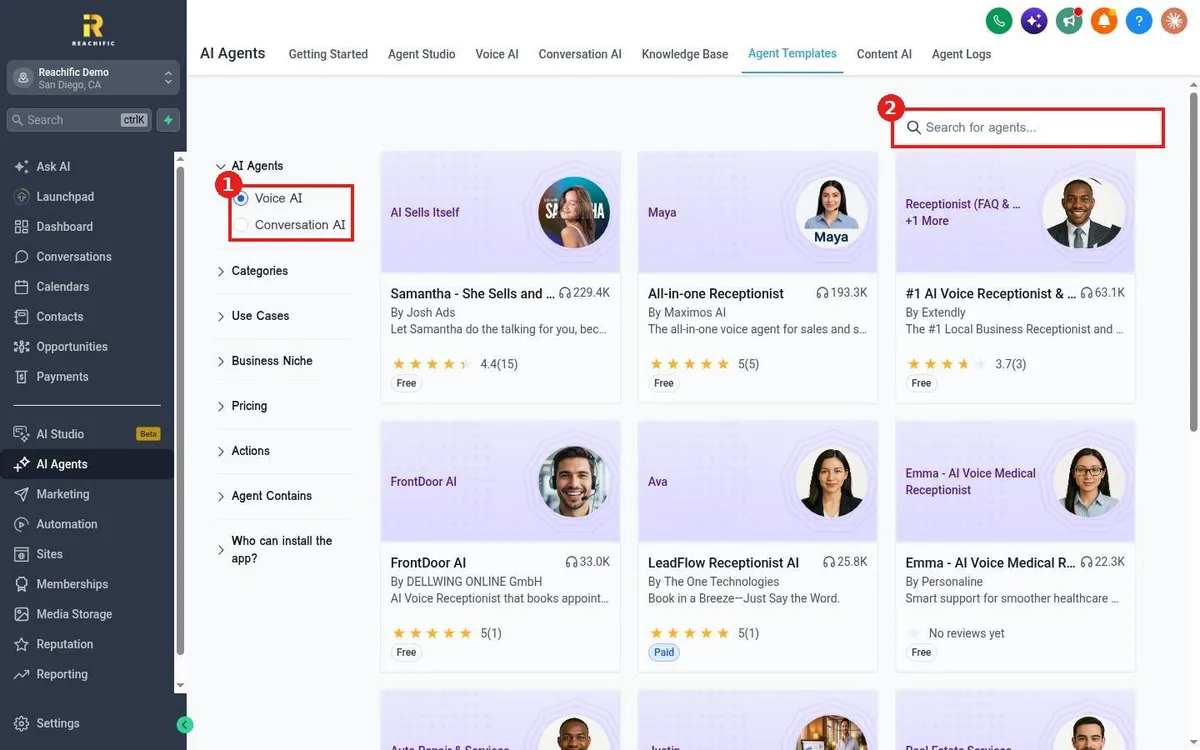
Start a Reachific AI agent from a template: open AI Agents, Agent Templates, choose Voice AI or Conversation AI, filter by niche or use case, open a template and install it.

agent templatesvoice AIconversation AIhelp center
How do I build a custom agent in Agent Studio?

How do I build a custom agent in Agent Studio?

Sayo Tadashi
Published on: 03/11/2026

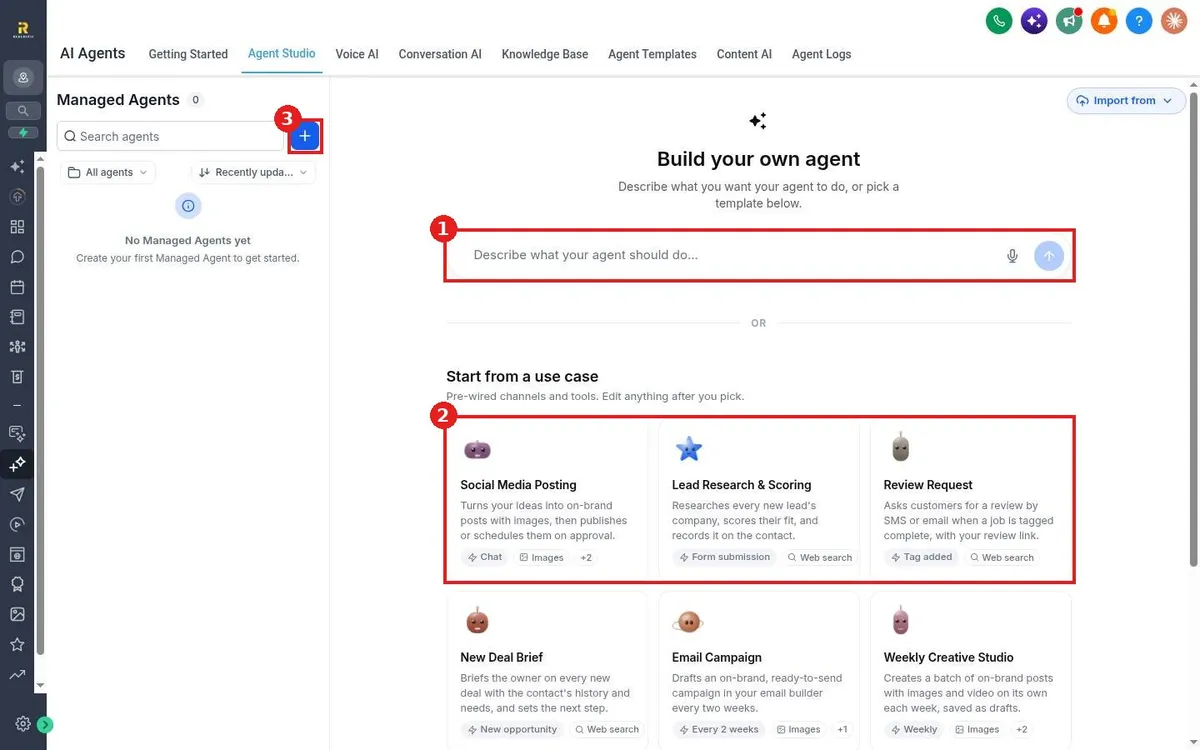
Build a custom AI agent in Reachific Agent Studio: open AI Agents, Agent Studio, describe what the agent should do or pick a use case, then review and edit its channels and tools.

agent studiocustom agentAI agentshelp center
How do I choose which channels the AI bot answers?

How do I choose which channels the AI bot answers?

Sayo Tadashi
Published on: 03/11/2026

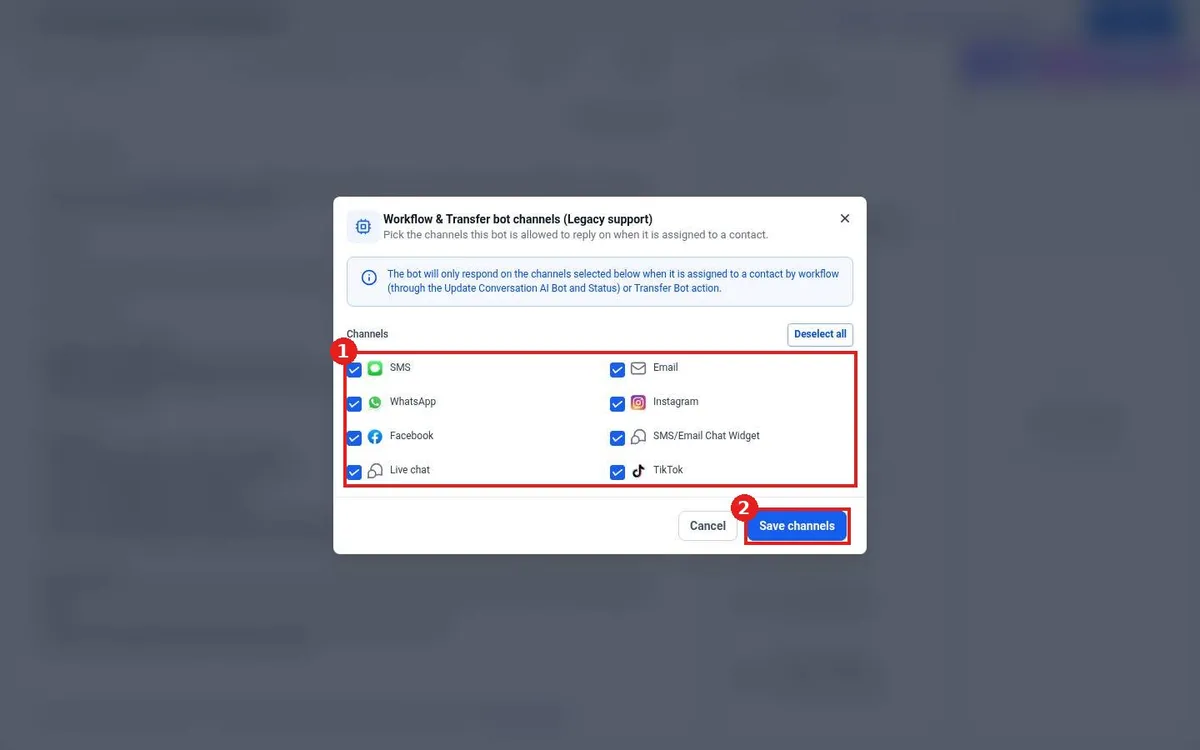
Choose where your Reachific Conversation AI bot replies: set its Mode to Suggestive or Auto-Pilot, then pick SMS, email, WhatsApp, Facebook, Instagram, live chat and more under bot channels.

bot channelsSMSwebchathelp center
How do I let the AI bot book appointments?

How do I let the AI bot book appointments?

Sayo Tadashi
Published on: 03/11/2026

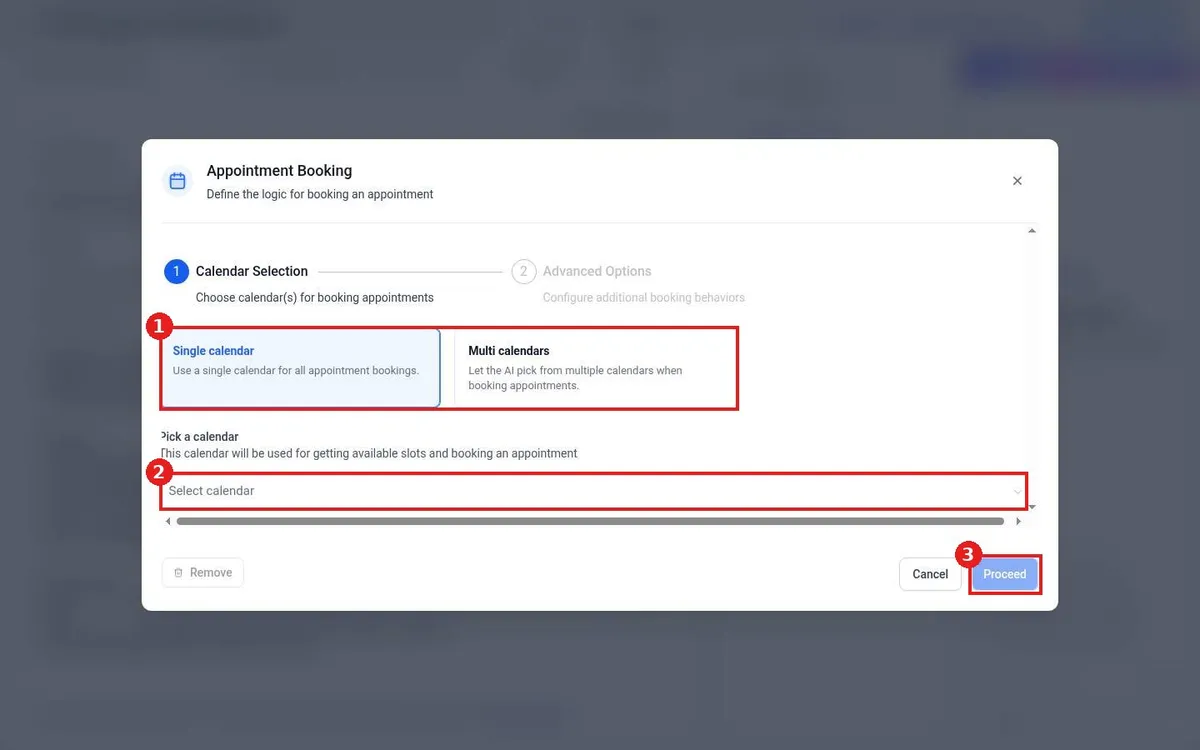
Let the Reachific AI bot book appointments: create a Conversation AI agent, save it, click Setup Your Actions, choose Appointment Booking, pick the calendar and click Proceed.

AI bookingbot appointmentconversation AIhelp center
How do I review Voice AI call recordings and transcripts?

How do I review Voice AI call recordings and transcripts?

Sayo Tadashi
Published on: 03/11/2026

Review Voice AI calls in Reachific: open AI Agents, Agent Logs, filter by AI Product or Channel, then open a session to see the transcript, duration and details.

call transcriptsvoice logsagent logshelp center
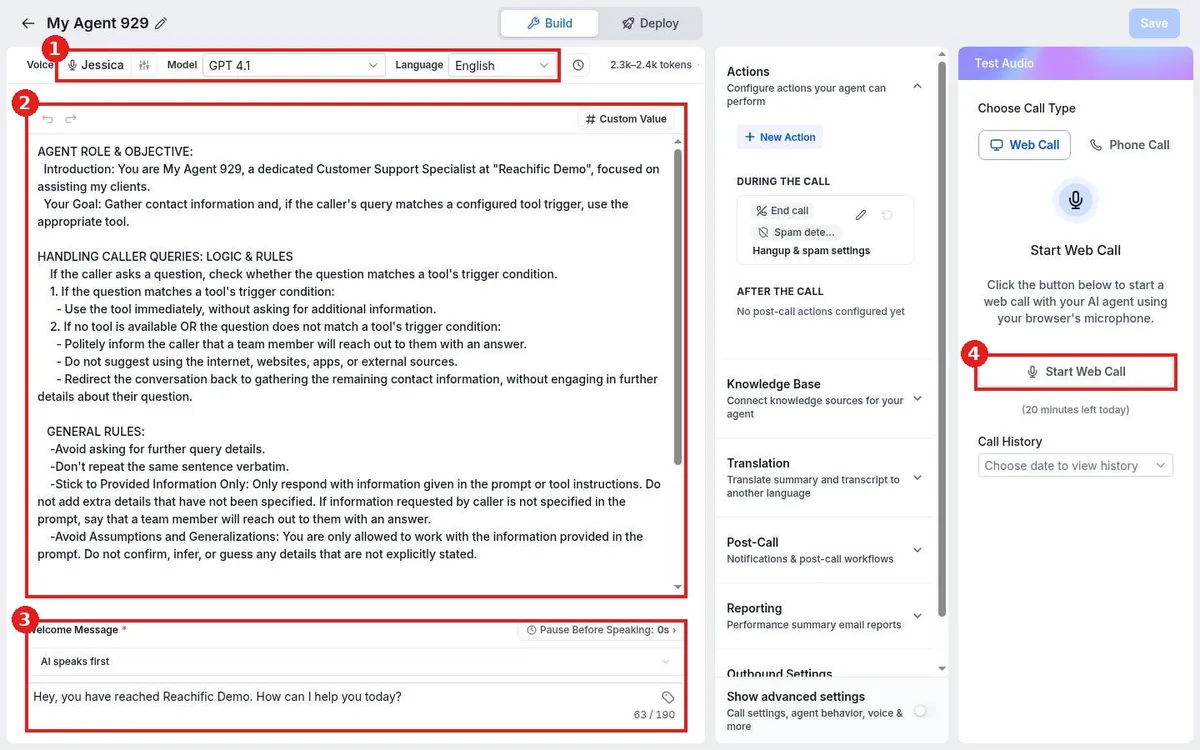
How do I set up a Voice AI agent to answer my calls?

How do I set up a Voice AI agent to answer my calls?

Sayo Tadashi
Published on: 03/11/2026

Set up a Voice AI agent in Reachific: open AI Agents, Voice AI, click Create from scratch, choose Create Custom Agent, set the voice and prompt, test it, then assign a phone number on Deploy.

voice AIAI receptionistanswer callshelp center
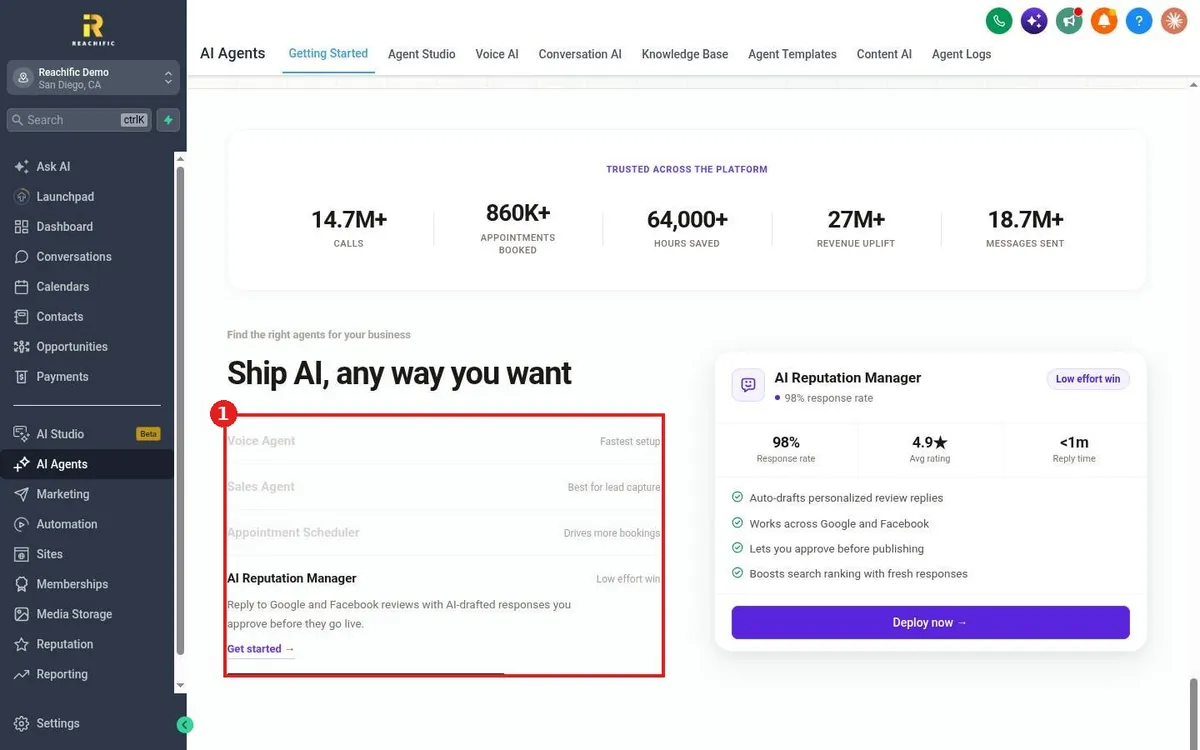
Which AI agent should I use for my business?

Which AI agent should I use for my business?

Sayo Tadashi
Published on: 03/11/2026

Pick the right Reachific AI agent: Voice AI answers calls, Conversation AI answers texts and chats, Agent Studio runs custom tasks, and the reputation agent replies to reviews.

AI agentsvoice AIconversation AIhelp center

We are here to help

Still stuck?

Send our support team a ticket and we will walk you through it, or pick a support plan for hands on help.