
How do I see form submissions?
Quick answer: Go to Sites > Forms and open the Submissions tab. Pick the form and date range to see each entry with its contact. You can also open a form's three dot menu and click View submission.
Before you start
- Submissions only show once someone has filled out the form.
- Each submission is also saved on the matching contact record.
Step 1: Open the Submissions tab
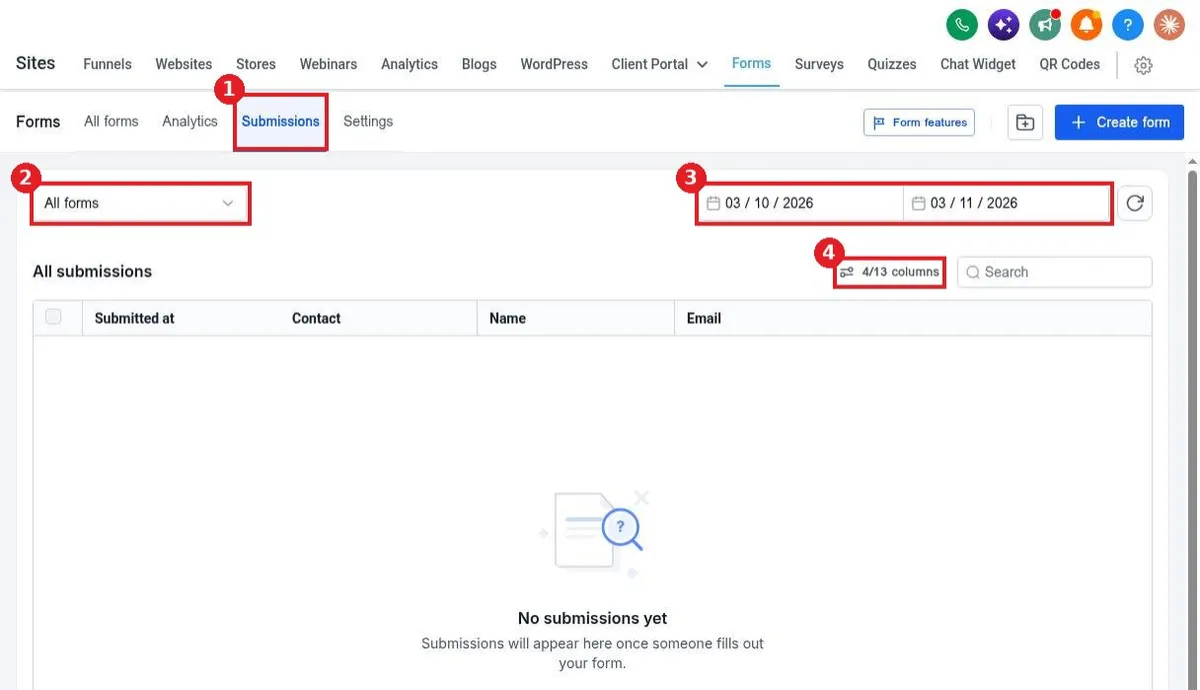
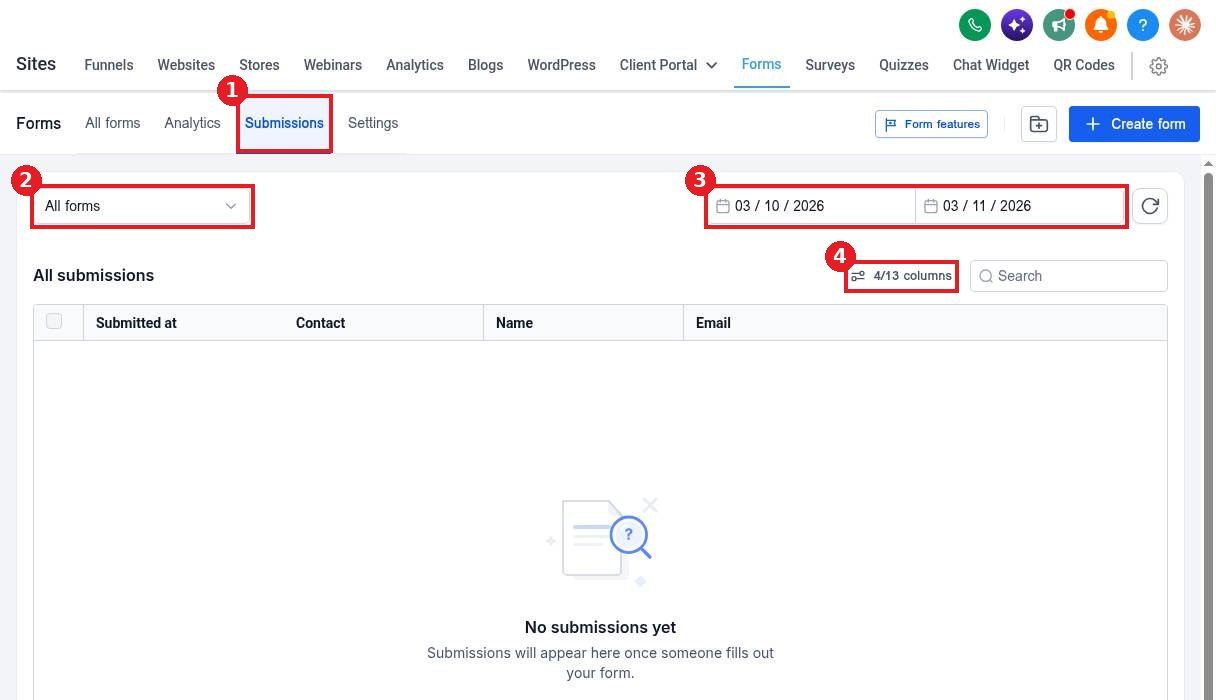
In Forms, click Submissions (1). Choose a form in the filter (2) or keep All forms. Set the date range (3). Use the columns button (4) to show more fields.
Step 2: Or jump in from a form
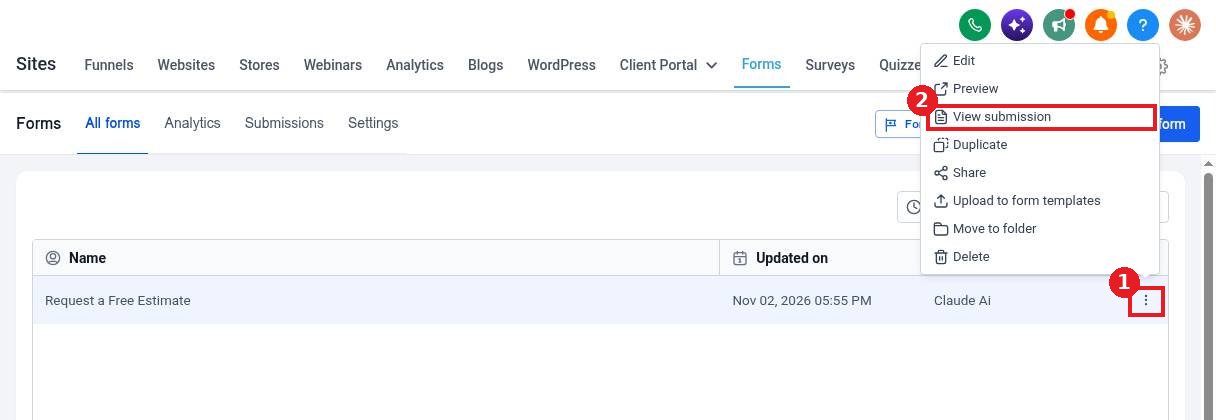
On the All forms list, click the three dots on a form (1) and choose View submission (2).
Step 3: Open an entry
Click a row to see every answer. Click the contact name to open the full contact record and follow up.
FAQ
Can I get an alert for each new submission?
Yes. Set it up in the form Notifications tab, or use a workflow with the form submitted trigger.
Can I export submissions?
Yes. Select the rows you need and export them from the Submissions tab.
Why do I see no submissions?
Check the date range and the form filter. Widen the range if the entry is older.
Want us to handle it? Our team designs and builds fast, mobile friendly websites that turn visitors into leads, then keeps them updated for you. Book a free strategy call and get a free quote.
Related articles
Still stuck? Submit a ticket and our team will help. Need faster answers? See our support plans.
