
How do I build a reusable proposal template?
Quick answer: Go to Payments > Documents & Contracts > Templates, click New and choose New Template. Build the proposal once with text, a product list and signature fields, save it, and start every new proposal from that template.
Before you start
- Write down the sections every proposal needs, such as scope, pricing, terms and signature.
- Add your products and prices first so you can drop them in. See How do I add a product with a price?
Step 1: Open Templates
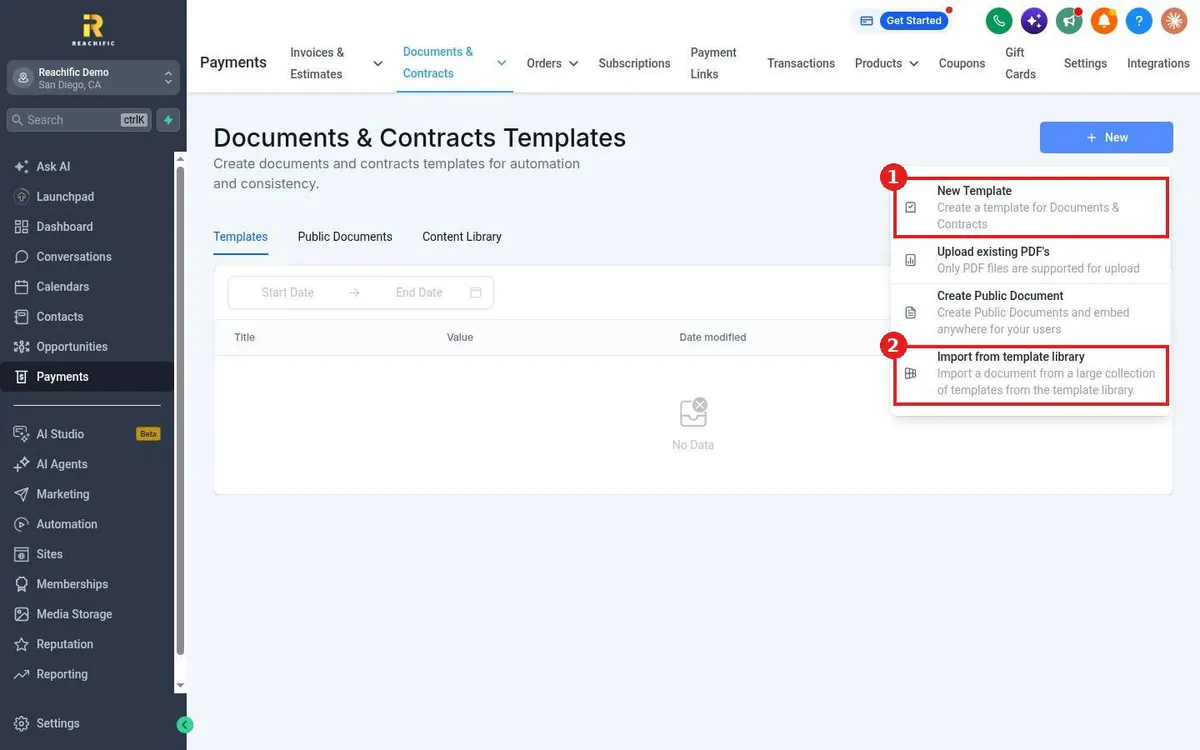
- Click Payments in the left menu, then hover Documents & Contracts and click Templates.
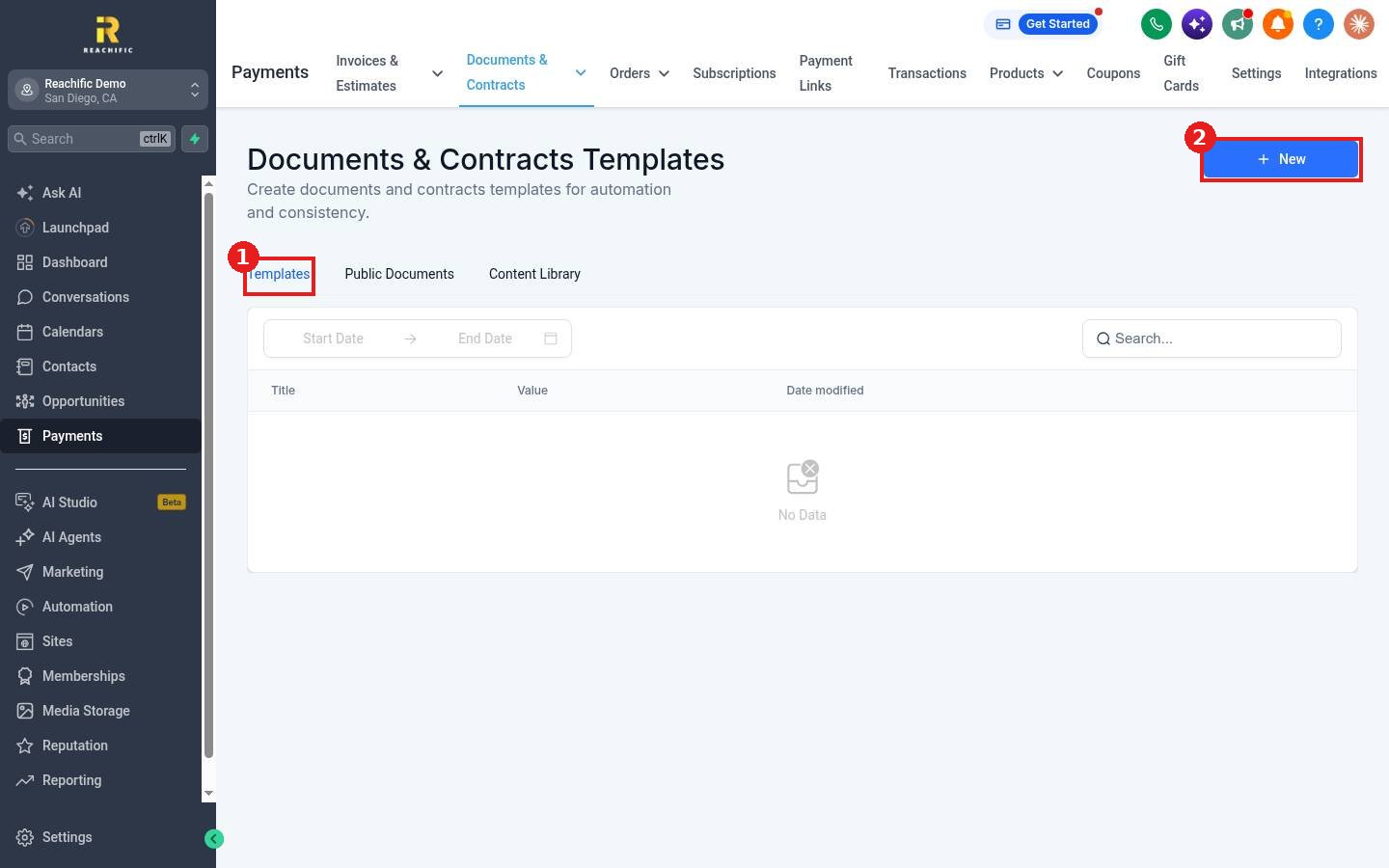
- The page has three tabs: Templates (1), Public Documents and Content Library.
- Click New (2) at the top right.
Step 2: Pick how to start
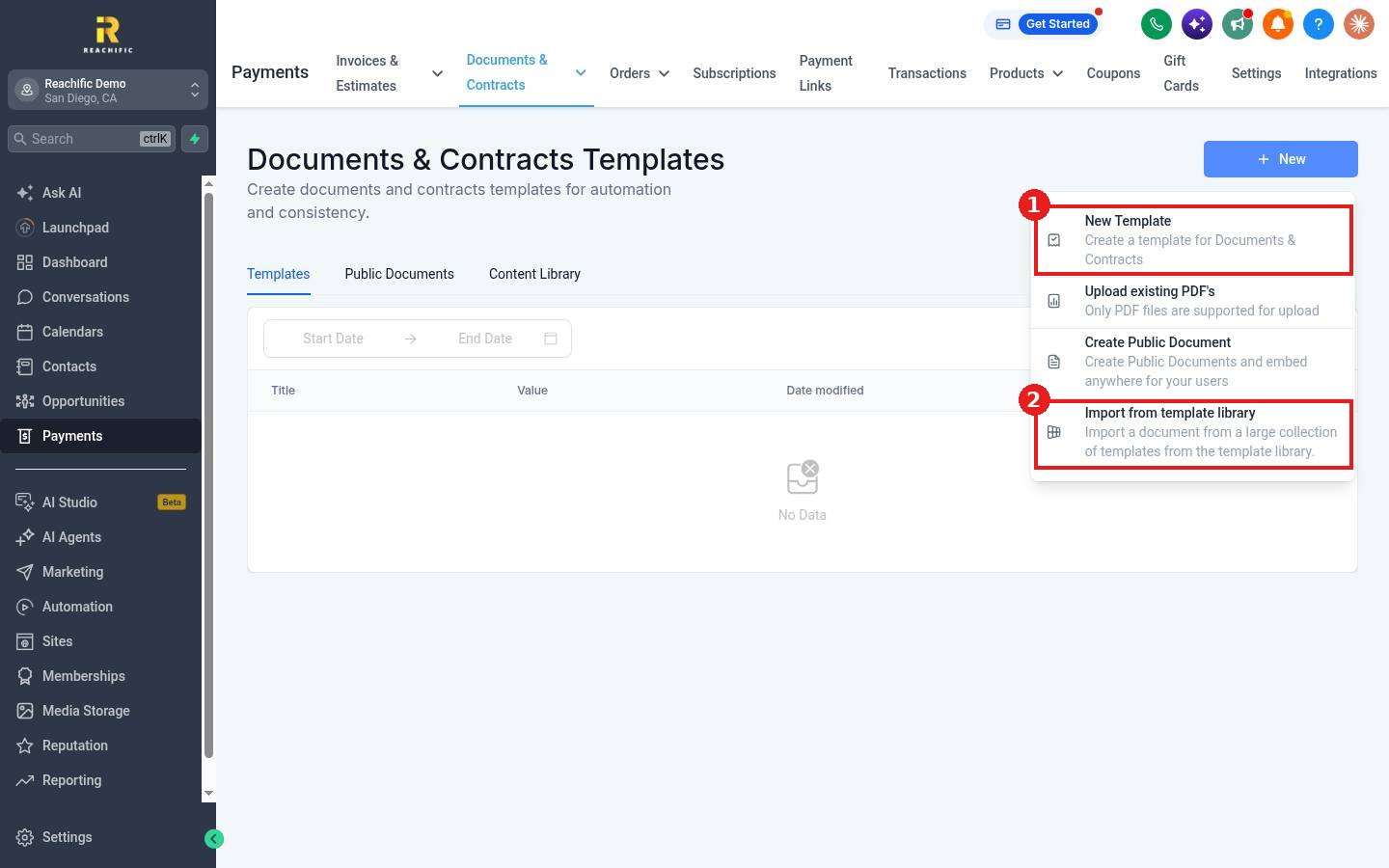
Choose New Template (1) to build from scratch. You can also upload an existing PDF, create a Public Document you can embed anywhere, or Import from template library (2) to start from a ready made layout.
Step 3: Build the template
- Name the template at the top, for example Standard Service Proposal.
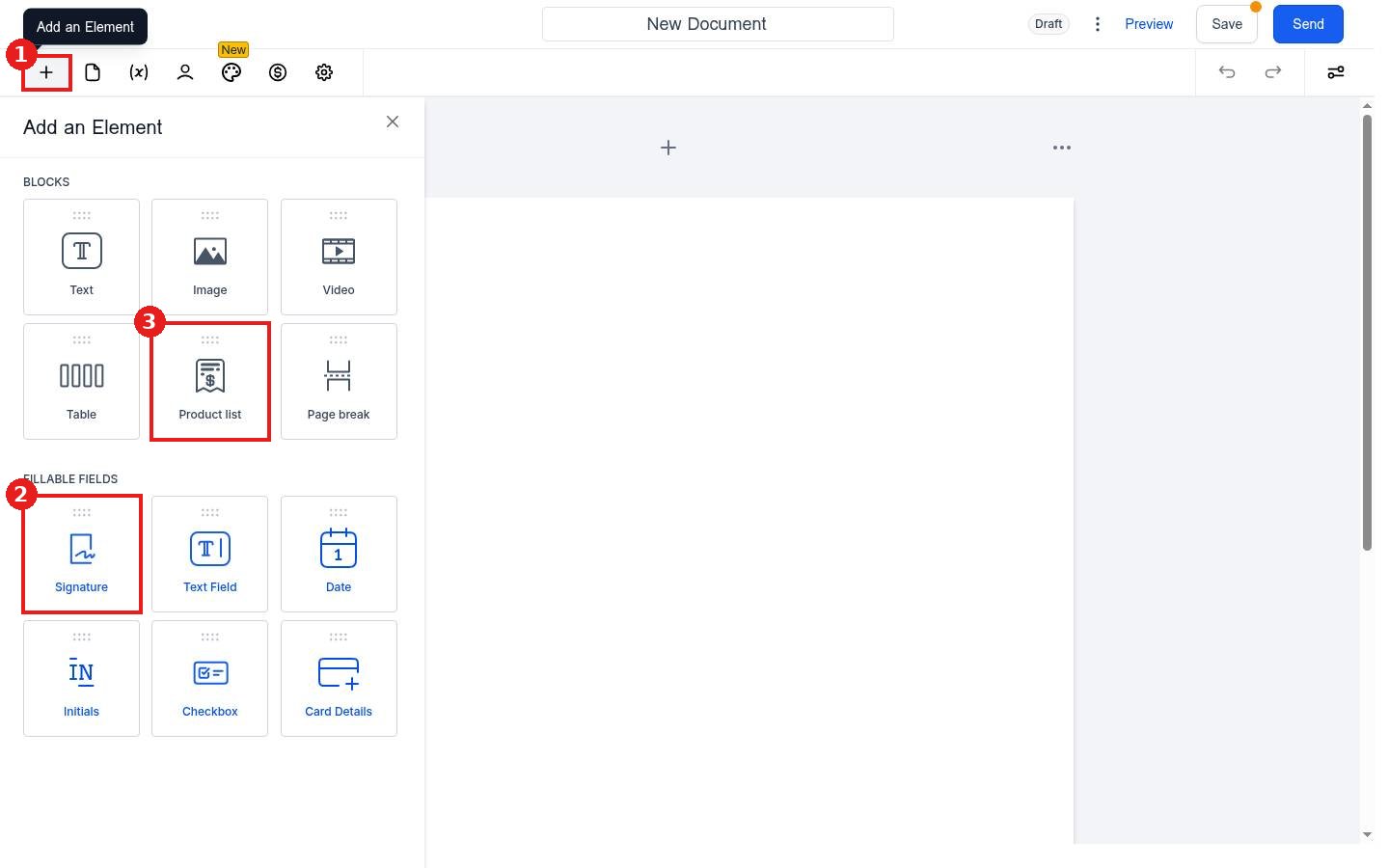
- Click + to open Add an Element and drag in Text, Image, Table, Product list and Page break blocks.
- Add Signature, Date and Initials fields where the client should fill them in.
- Use the (x) icon to insert variables such as the contact name, so each proposal fills in itself.
- Click Save.
Step 4: Use the template for a new proposal
When you click New on the Documents & Contracts page, your saved templates are ready to pick. You can also turn any finished document into a template from its three dots menu with Convert to Template.
FAQ
Does changing a template change proposals I already sent?
No. A template is a starting point. Documents already created from it keep their own content.
Can I use the same template for estimates and contracts?
Yes. Documents & Contracts covers proposals, estimates and contracts, so one layout can serve all three.
Want us to handle it? Our team can design branded proposal and contract templates that help you close more jobs. Book a free strategy call and get a free quote.
Related articles
- How do I send a contract for e-signature?
- How do I create and send an estimate?
- How do I create and send an invoice?
Still stuck? Submit a ticket and our team will help. Need faster answers? See our support plans.
