
How do I add a product with a price?
Quick answer: Go to Payments > Products and click Create Product. Enter a Title, add a description, then under Pricing choose Onetime or Recurring, enter the Amount and click Save.
Before you start
- Products are used in invoices, estimates, payment links, documents, funnels and your online store.
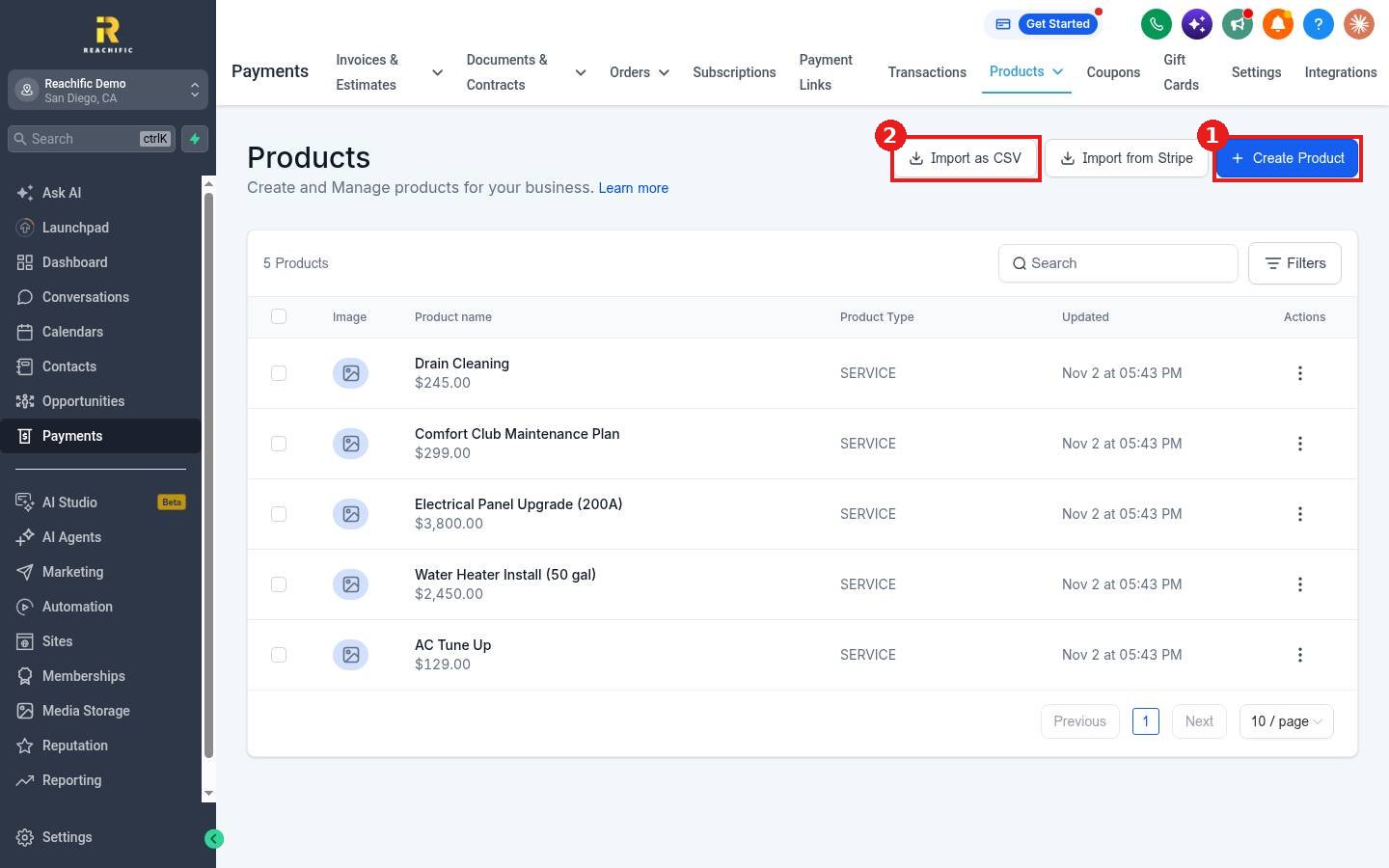
- If your products already live in Stripe, you can bring them in with Import from Stripe. You can also Import as CSV.
Step 1: Open Products
- Click Payments in the left menu, then Products in the top menu.
- Click Create Product (1). The import buttons (2) sit beside it.
Step 2: Add product information
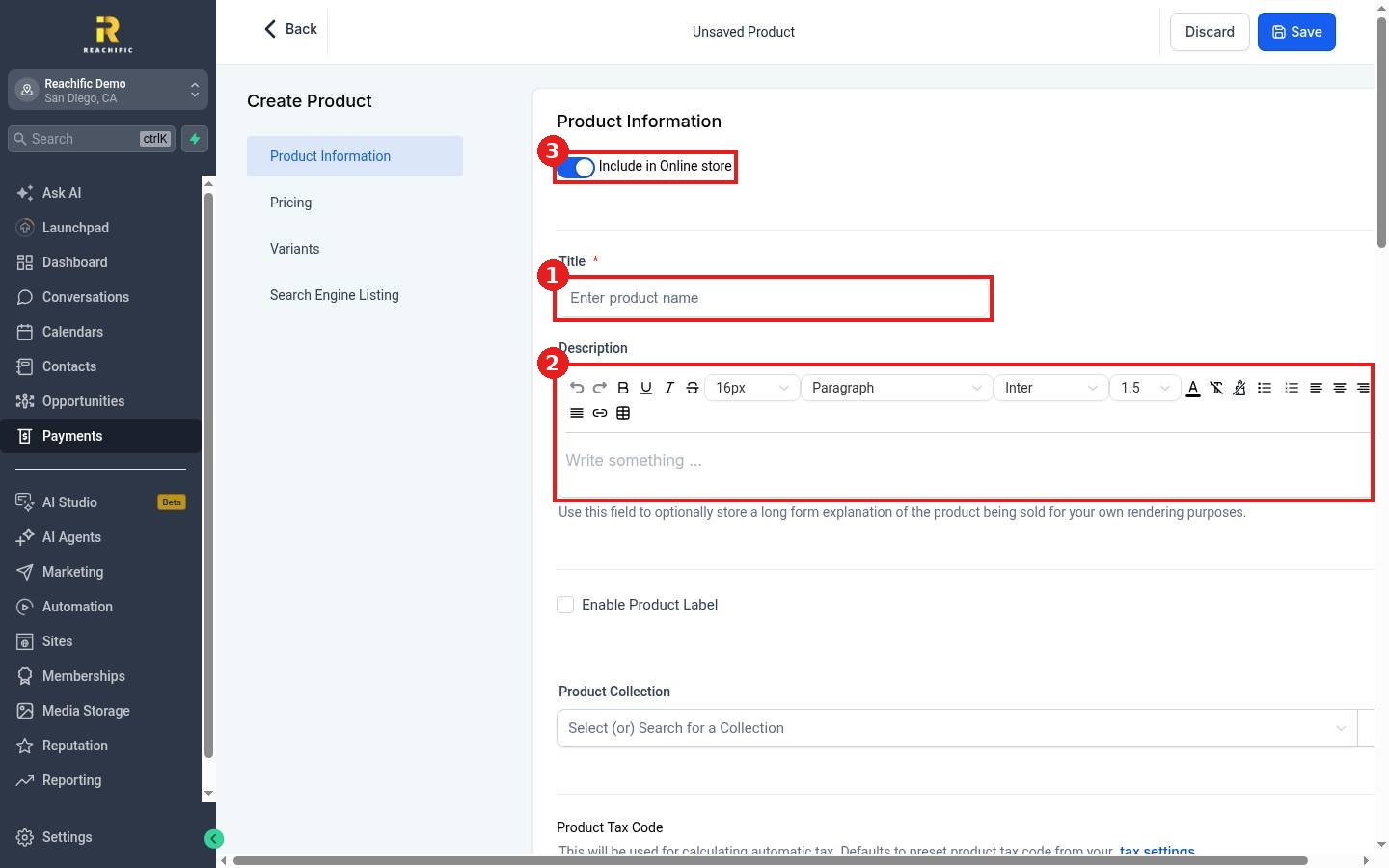
- Enter the Title (1), for example AC Tune Up.
- Add a Description (2) of what is included.
- Leave Include in Online store (3) on if you want it in your store, or turn it off for services you only invoice.
- Optionally pick a Product Collection and a tax code.
Step 3: Set the price
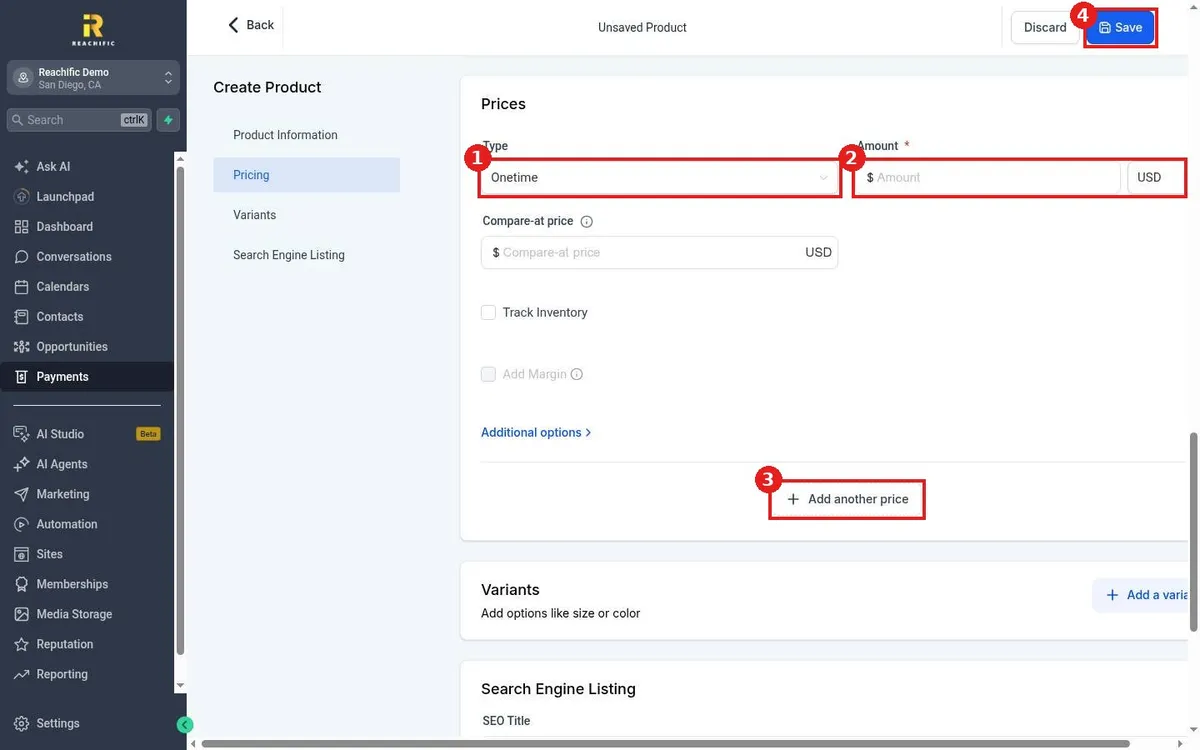
- Click Pricing in the left list.
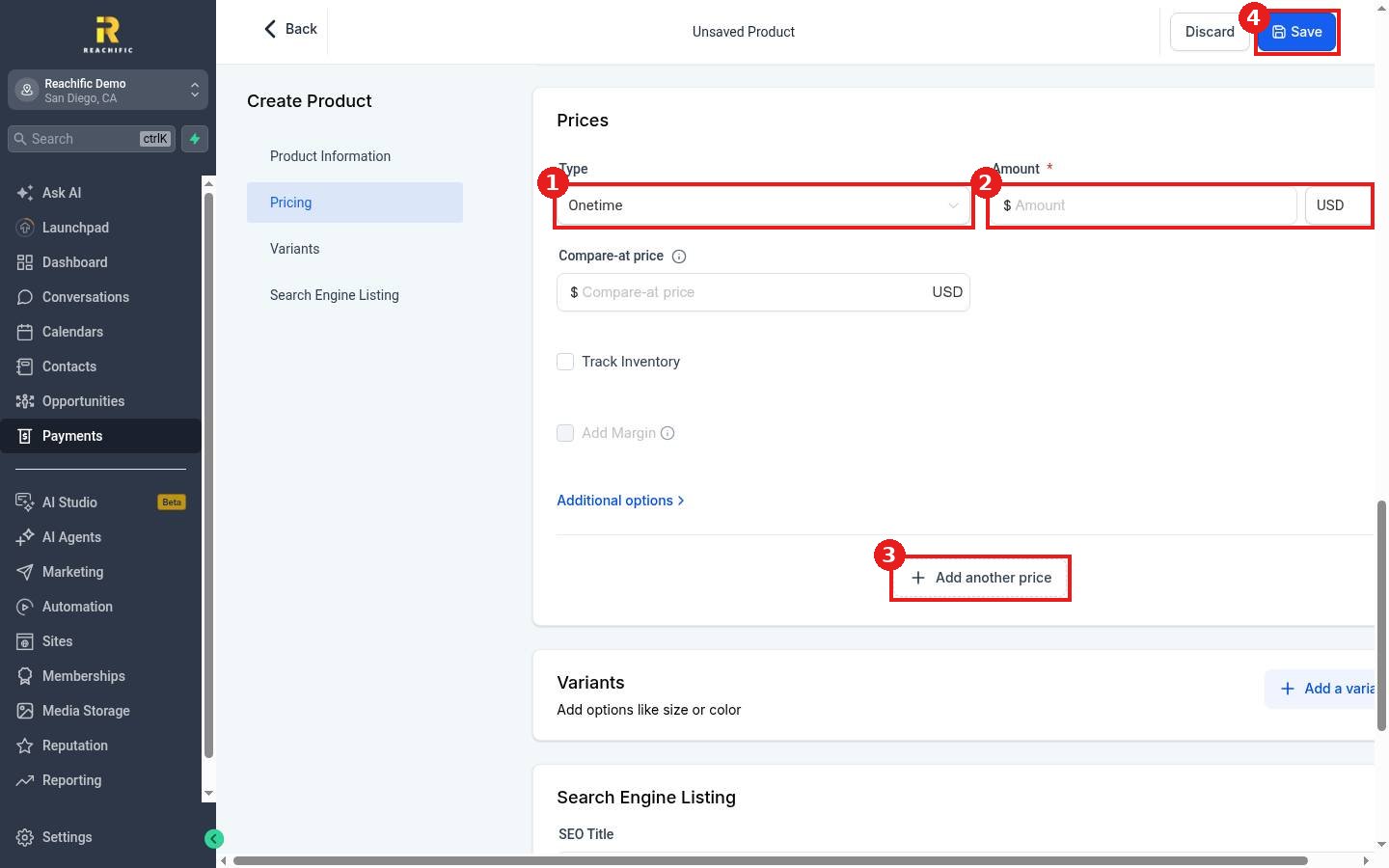
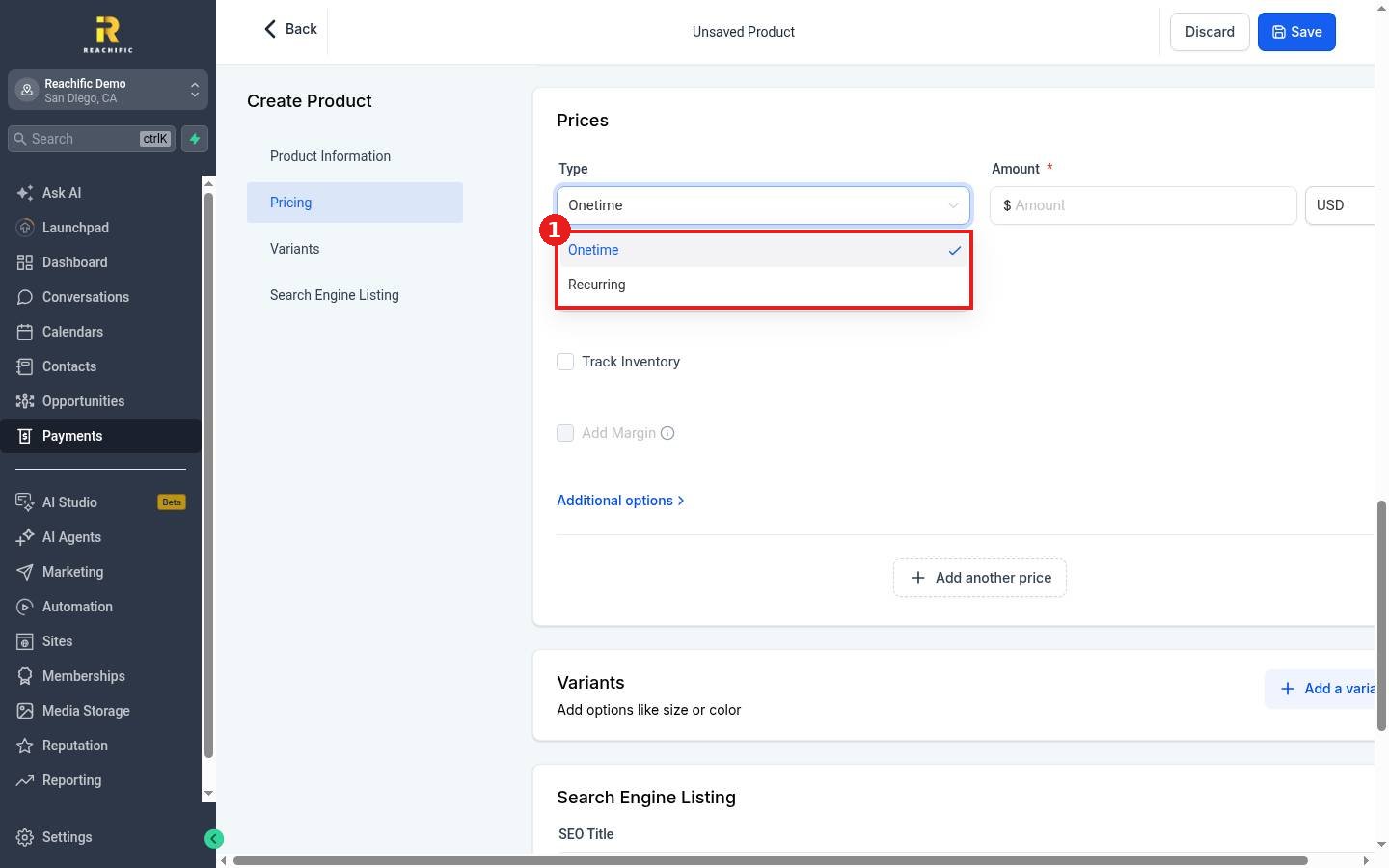
- Under Type (1), choose Onetime or Recurring.
- Enter the Amount (2). A Compare-at price is optional and shows a crossed out original price.
- Click Add another price (3) if you sell the same product at more than one price, for example monthly and yearly.
- Click Save (4).
The Type list offers two choices.
FAQ
Can a product have sizes or colors?
Yes. Use the Variants section to add options like size or color.
Can I track stock?
Tick Track Inventory in the pricing section to track quantities.
Where does the product show up?
Anywhere you can pick products: invoices, estimates, payment links, documents and your store. See How do I create a payment link?
Want us to handle it? Our team can load your full service catalog and set up the payment links and checkouts that use it. Book a free strategy call and get a free quote.
Related articles
- How do I create a payment link?
- How do I create and send an invoice?
- How do I set up an online store?
Still stuck? Submit a ticket and our team will help. Need faster answers? See our support plans.
