
How do I send payment reminders?
Quick answer: Go to Payments > Invoices, click Settings, then open Reminder Settings. Turn on a reminder, choose the email and text templates, set how often it repeats and when it starts, then click Save. Reachific sends the reminders for you until the invoice is paid.
Before you start
- Reminders apply to one time and recurring invoices where Automatic Payment is turned off and no payment schedule is set.
- Reminders go out by email and text. Texts need a Reachific phone number and are billed to your wallet.
Step 1: Open Reminder Settings
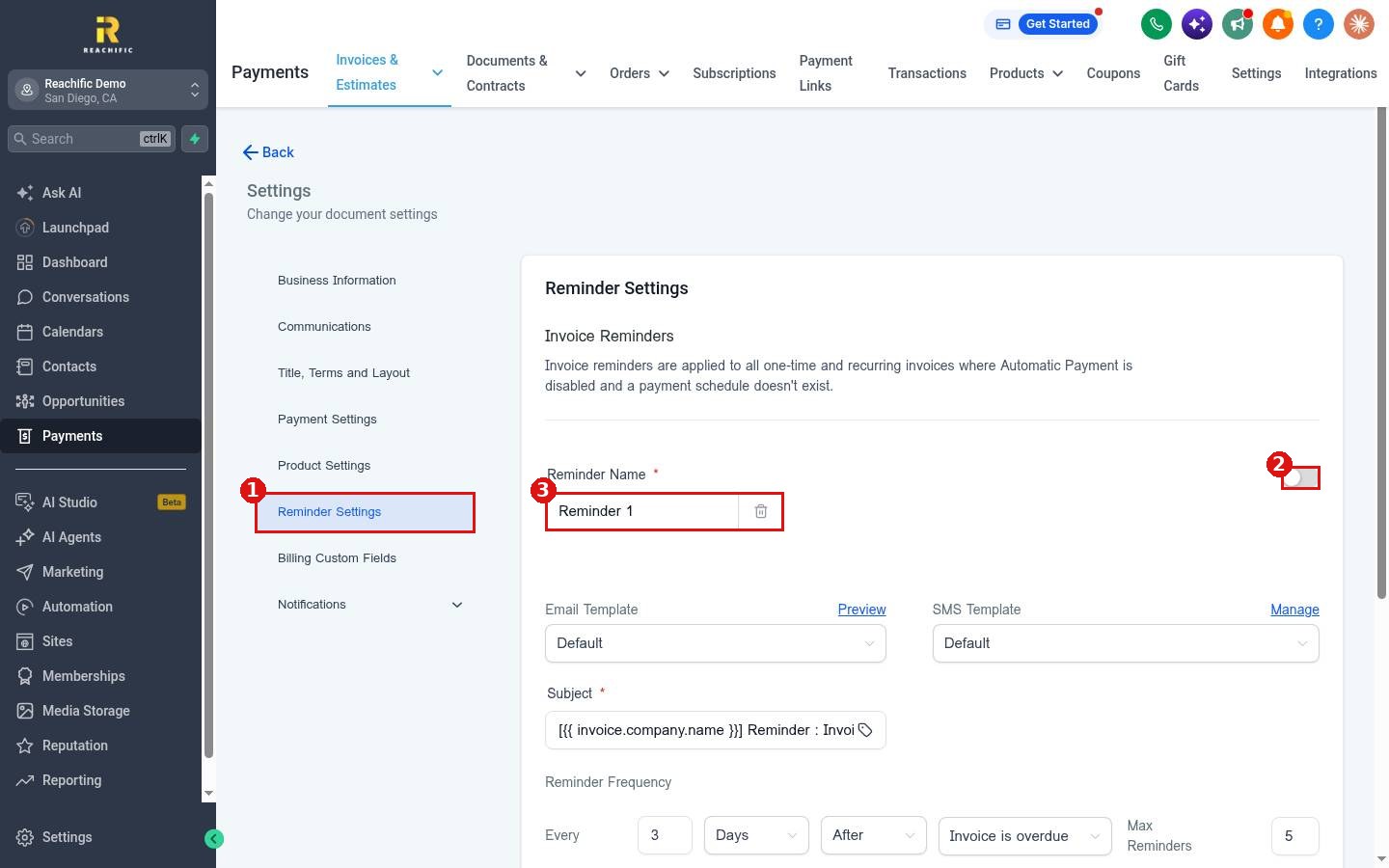
Click Payments in the left menu. On the Invoices page, click Settings at the top right. In the settings list, click Reminder Settings (1). Switch the toggle on (2) to turn the reminder on. You can rename it in the Reminder Name box (3).
Step 2: Pick the message
Choose an Email Template and an SMS Template. Both start on Default. Click Preview to see the email, or Manage to edit the text message. Check the Subject line too.
Step 3: Set how often it repeats
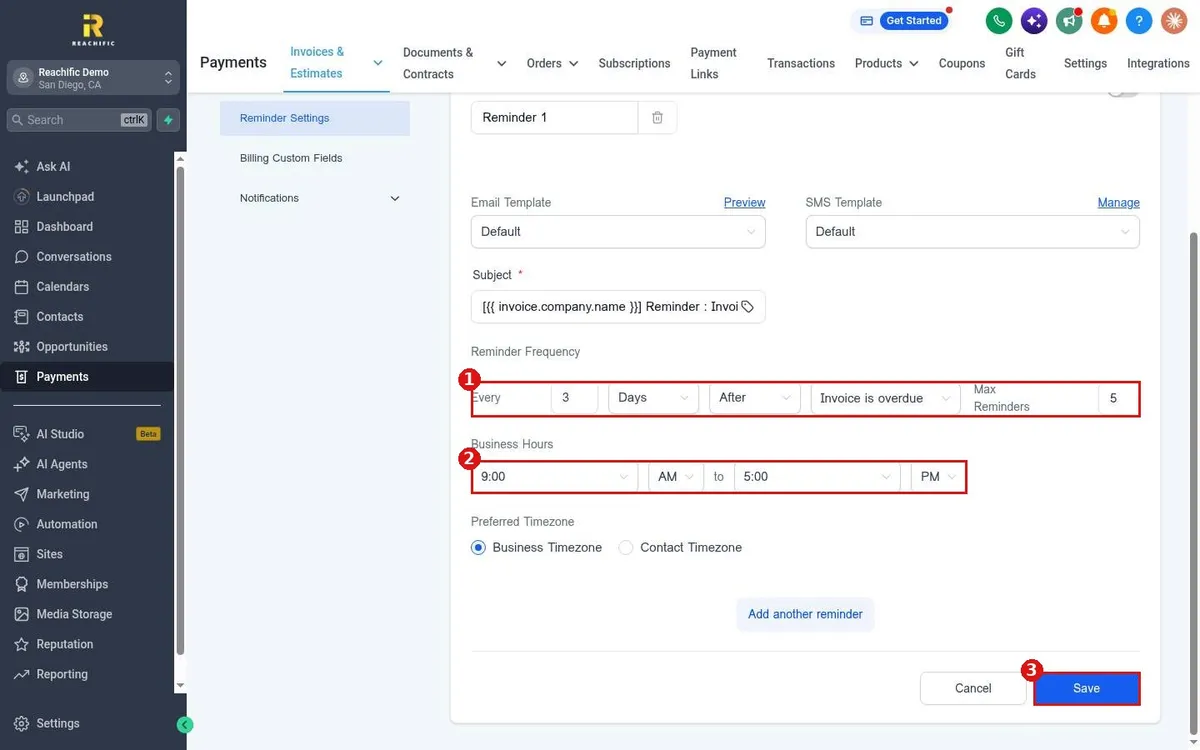
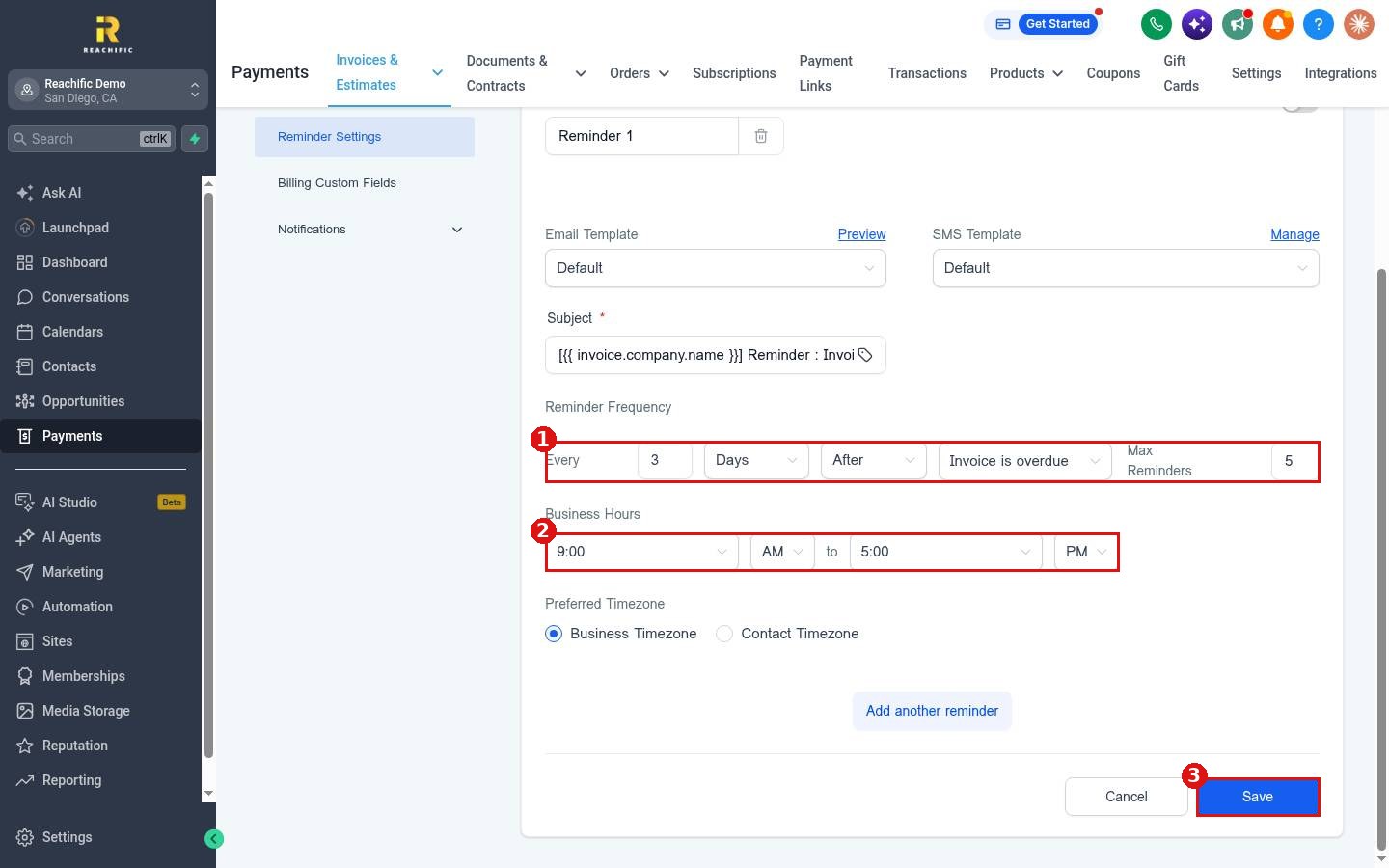
- Under Reminder Frequency (1), set the number and the unit. For example, every 3 days.
- Choose when counting starts: Invoice is sent or Invoice is overdue.
- Set Max Reminders so a customer never gets more than you want. The starting value is 5.
- Set Business Hours (2), such as 9:00 AM to 5:00 PM, so reminders only go out in that window.
- Choose Business Timezone or Contact Timezone.
- Click Save (3).
Want a second nudge on a different schedule? Click Add another reminder and set it up the same way.
FAQ
Will reminders go out for invoices I already sent?
Reminders apply to your invoices that match the rules above. Check the invoice is unpaid and not on a payment schedule.
How do I stop reminders for one customer?
Record their payment on the invoice. See How do I record a payment made by cash or check?
Want us to handle it? Our team can set up your invoice reminders and follow up so late payments get paid sooner. Book a free strategy call and get a free quote.
Related articles
- How do I create and send an invoice?
- How do I set up a recurring invoice?
- How do I record a payment made by cash or check?
Still stuck? Submit a ticket and our team will help. Need faster answers? See our support plans.
