
How do I record a payment made by cash or check?
Quick answer: Open the invoice, click the three dots at the top, choose Record Payment, then pick Record Manually. Choose Cash, Check, Bank Transfer or another mode, confirm the amount, add a note if you like, and click Submit.
Before you start
- You need an invoice for the customer. See How do I create and send an invoice?
- Record the payment only after you have the money in hand, such as cash handed over or a check you received.
Step 1: Open the invoice
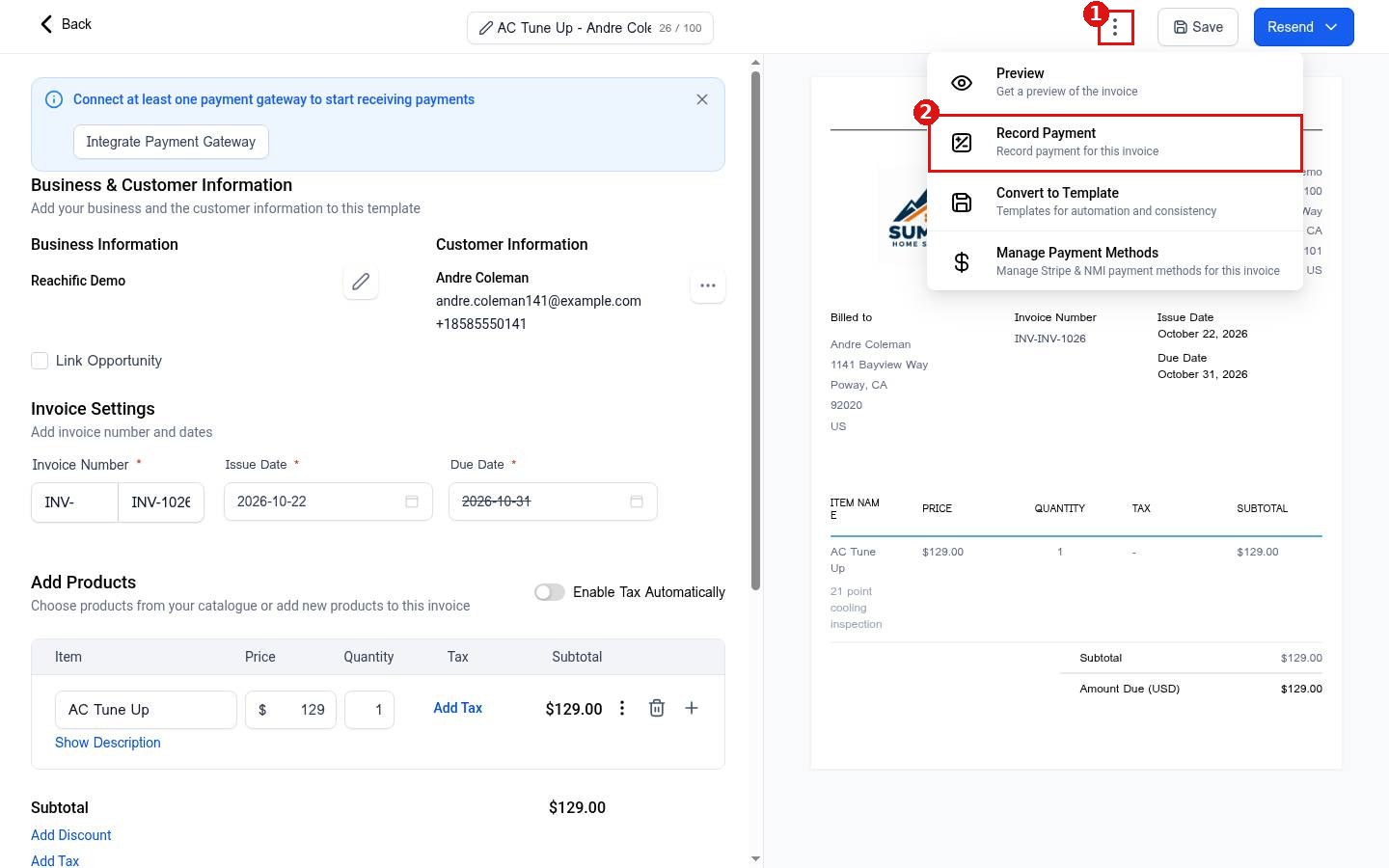
Click Payments in the left menu and stay on Invoices. Click the invoice you want to mark as paid. At the top of the editor, click the three dots (1) and choose Record Payment (2).
Step 2: Choose how the payment came in
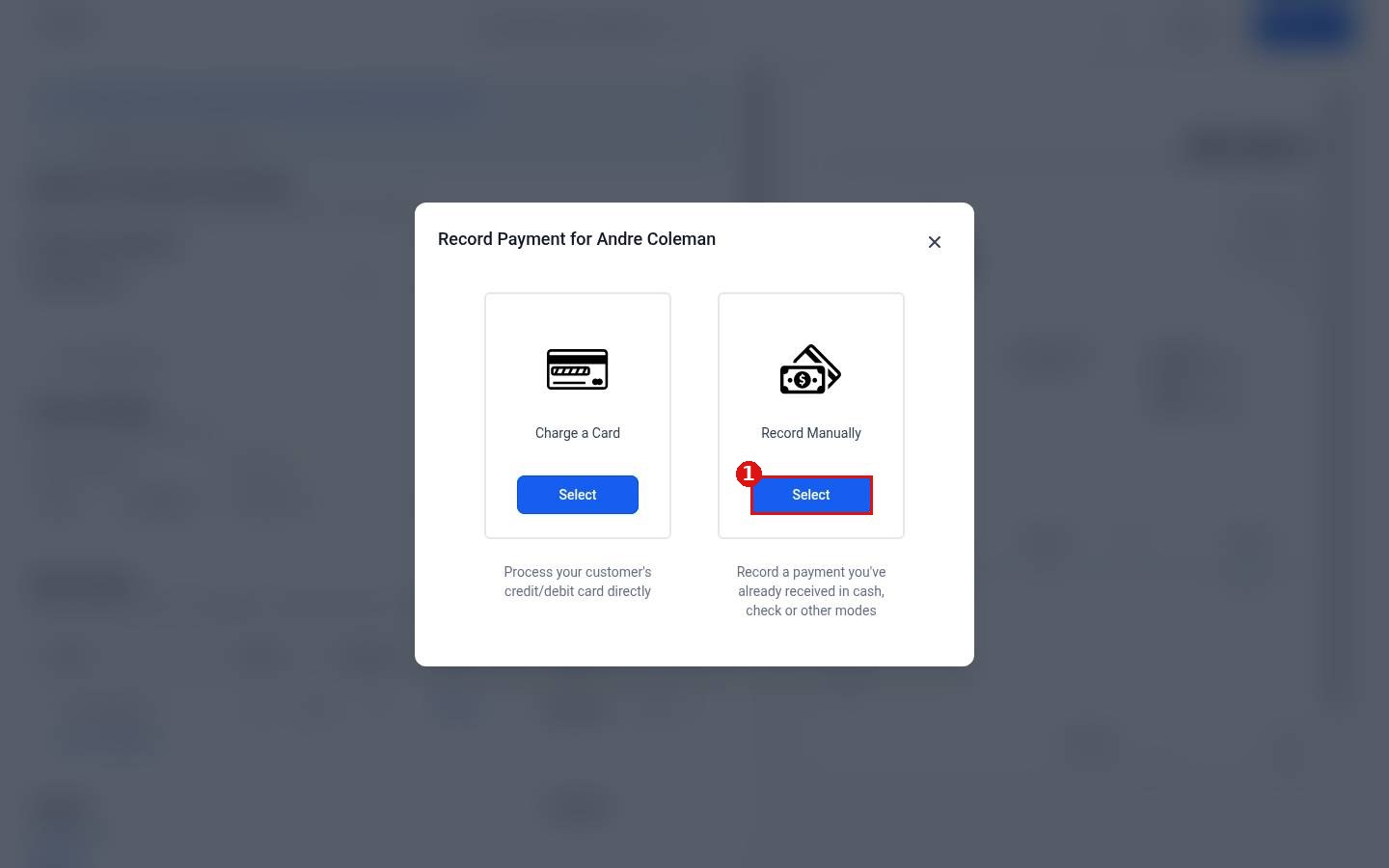
The Record Payment window offers two choices: Charge a Card to process your customer's card directly, and Record Manually for a payment you already received in cash, by check or another way. Click Select under Record Manually (1).
Step 3: Fill in the payment details
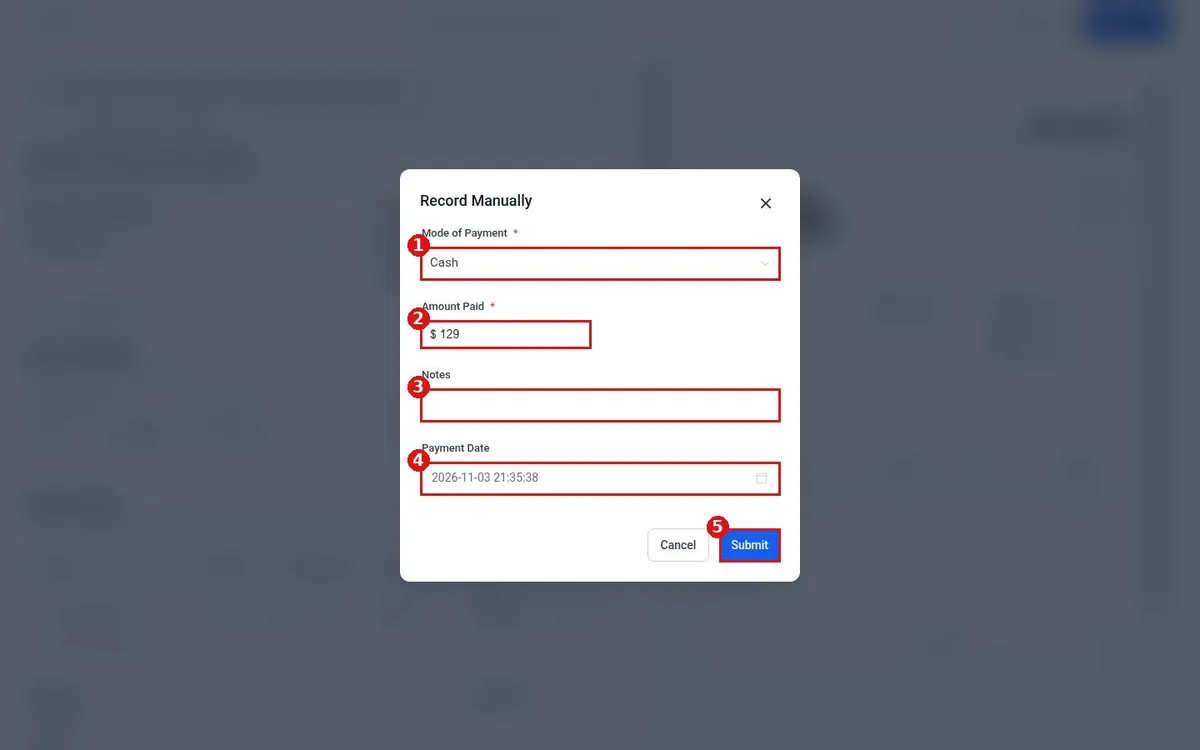
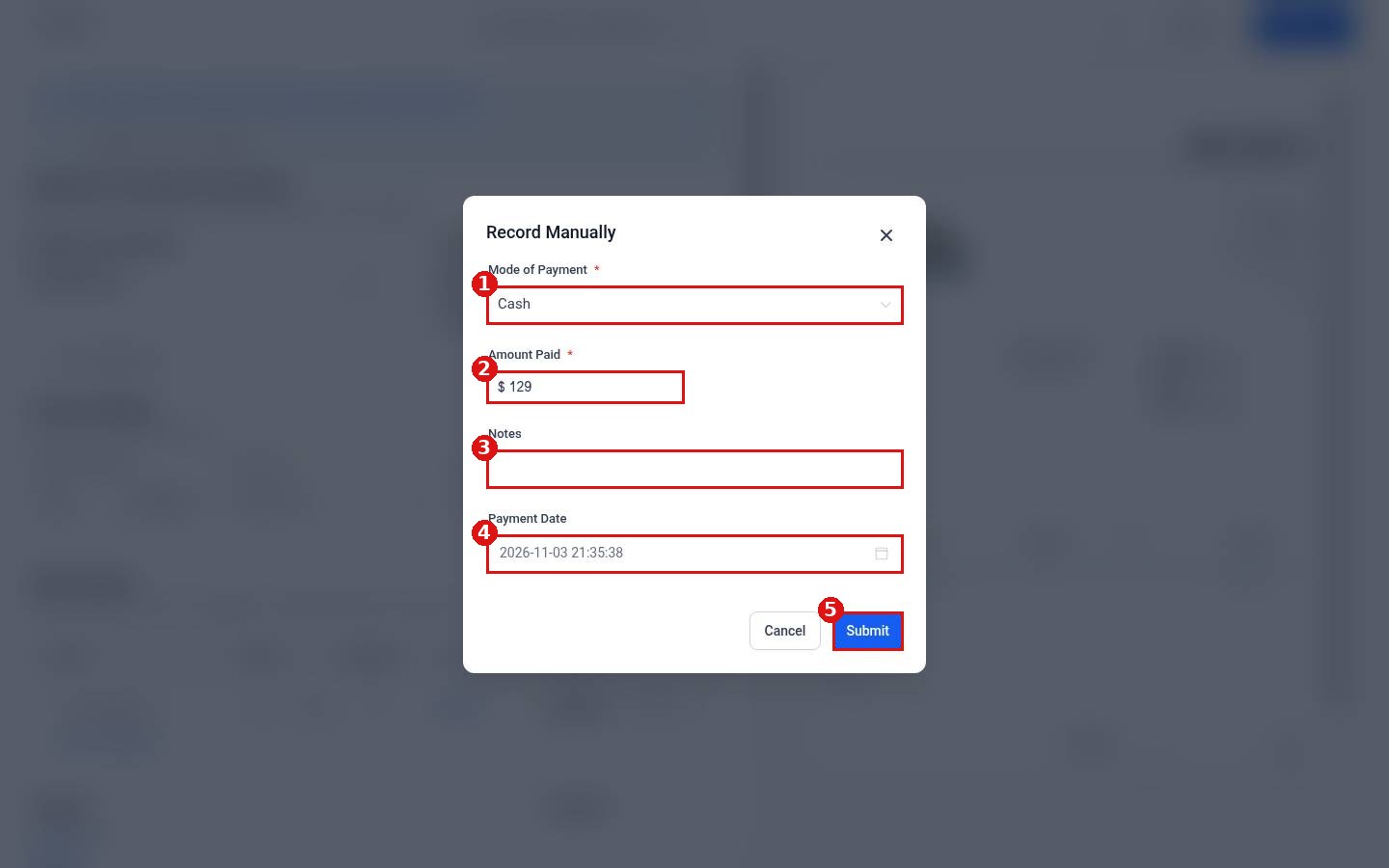
- Under Mode of Payment (1), choose Cash, Card, Check, Bank Transfer or Other.
- Check the Amount Paid (2). It starts with the amount on the invoice.
- Add a Notes entry (3), such as the check number.
- Check the Payment Date (4).
- Click Submit (5).
Step 4: Find the payment later
Manual payments show up under Payments > Transactions with Manual as the provider. See How do I find a transaction?
FAQ
Do I need a payment provider connected to record a cash payment?
No. Record Manually is for money you collected outside the system. You only need a connected provider to charge cards. See How do I connect Stripe to take payments?
Can I pick a payment mode that is not on the list?
Choose Other and describe it in the Notes box.
Want us to handle it? Our team can set up your invoicing, payment methods and follow up so you get paid faster. Book a free strategy call and get a free quote.
Related articles
- How do I create and send an invoice?
- How do I set up a recurring invoice?
- How do I send payment reminders?
Still stuck? Submit a ticket and our team will help. Need faster answers? See our support plans.
