
How do I check the status of a bulk action?
Quick answer: Open Contacts and click the Bulk Actions tab. Find your job by its action label, read its Status, and click the statistics icon to see how many records succeeded or failed.
Step 1: Open Bulk Actions
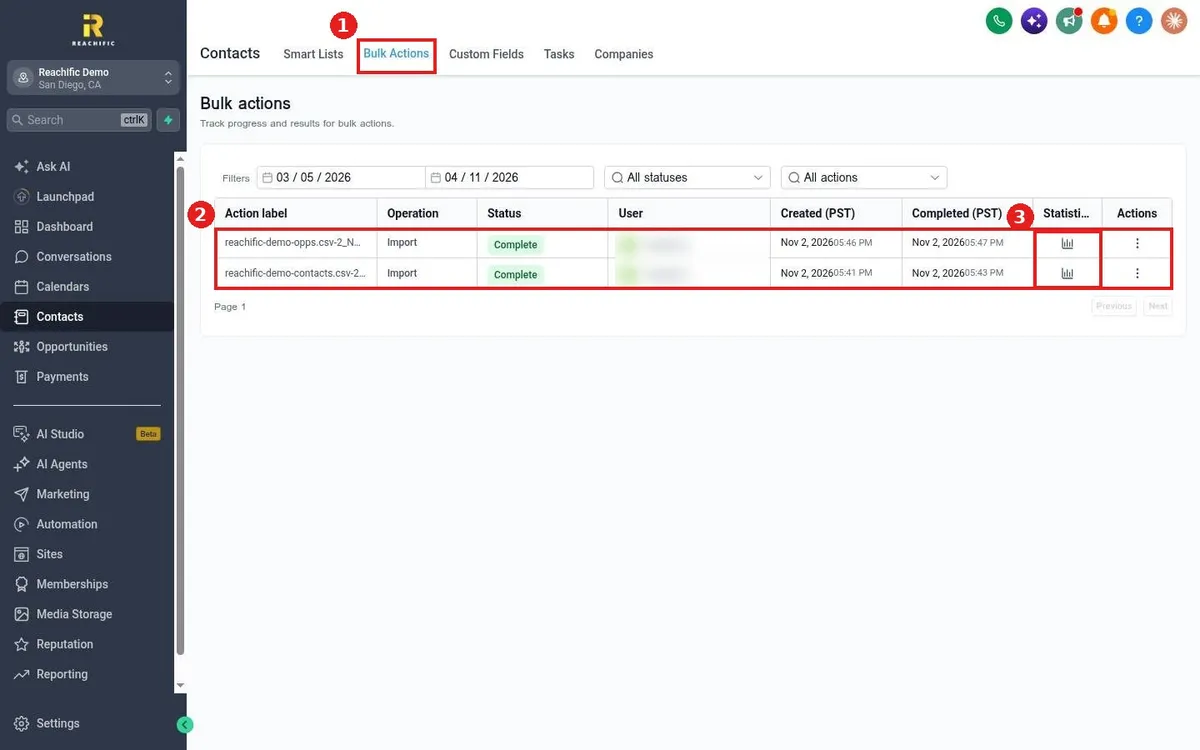
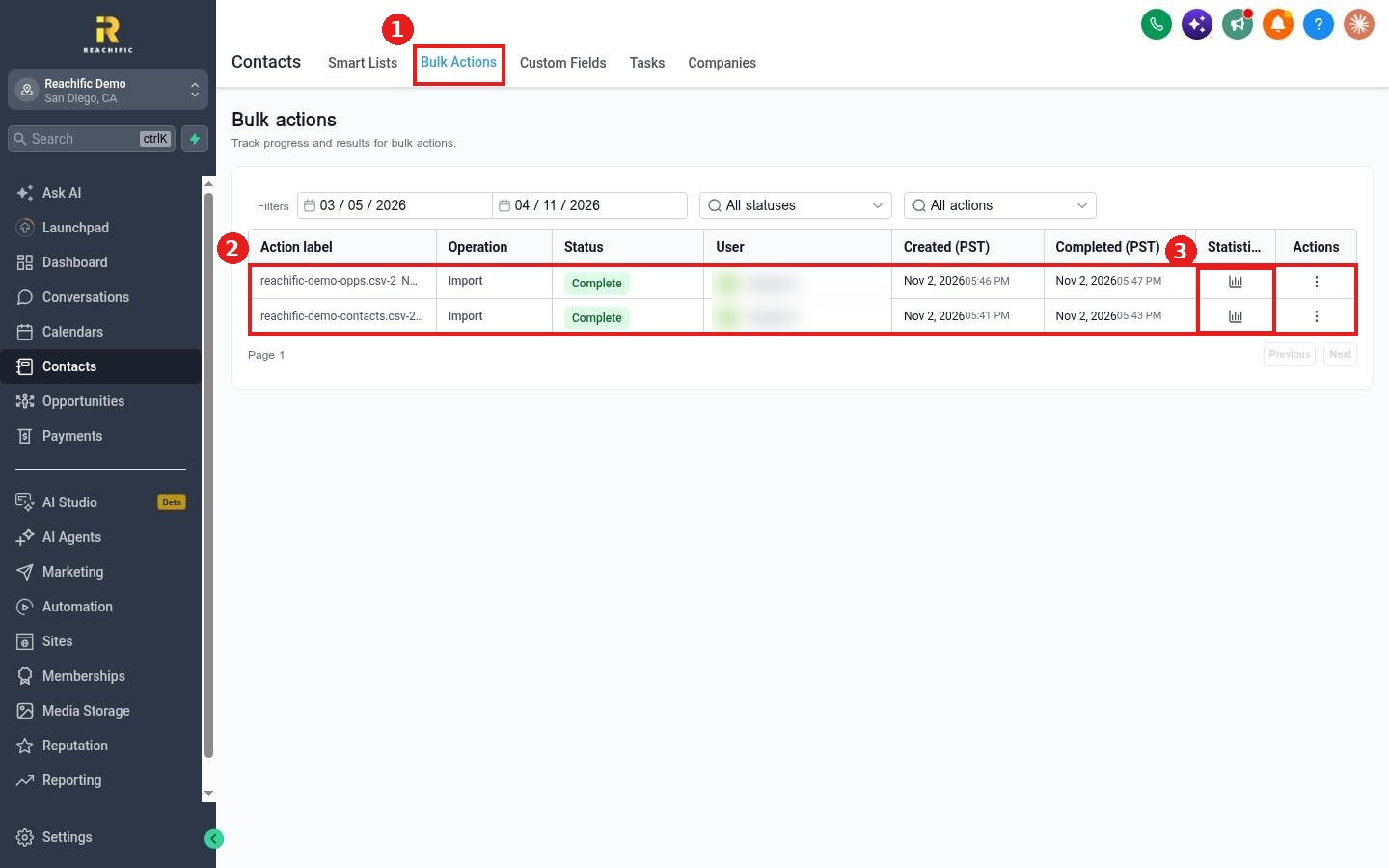
Click the Bulk Actions tab (1). Every import, export, tag, message and delete job is listed (2) with its operation, status and start and finish times.
Step 2: See the results
Click the statistics icon on a row (3) to see counts for success and errors. Use the three dots under Actions for more options on that job.
Step 3: Narrow the list
Use the filters at the top to pick a date range, a status or an action type.
FAQ
Why can I not see my job?
Check the date range filter. It may not include the day you ran the job.
Why does a job say In progress for a while?
Large jobs and message sends run in batches. Refresh the page after a few minutes.
Where do I name a bulk action?
You enter an action name when you start it, for example in the Add tags window.
Want us to handle it? Our team can run imports, cleanups and campaigns for you. Book a free strategy call and get a free quote.
Related articles
- How do I send a bulk text or email to a list?
- How do I import contacts from a CSV file?
- How do I add or remove tags on contacts?
Still stuck? Submit a ticket and our team will help. Need faster answers? See our support plans.
