
How do I see a contact's full activity history?
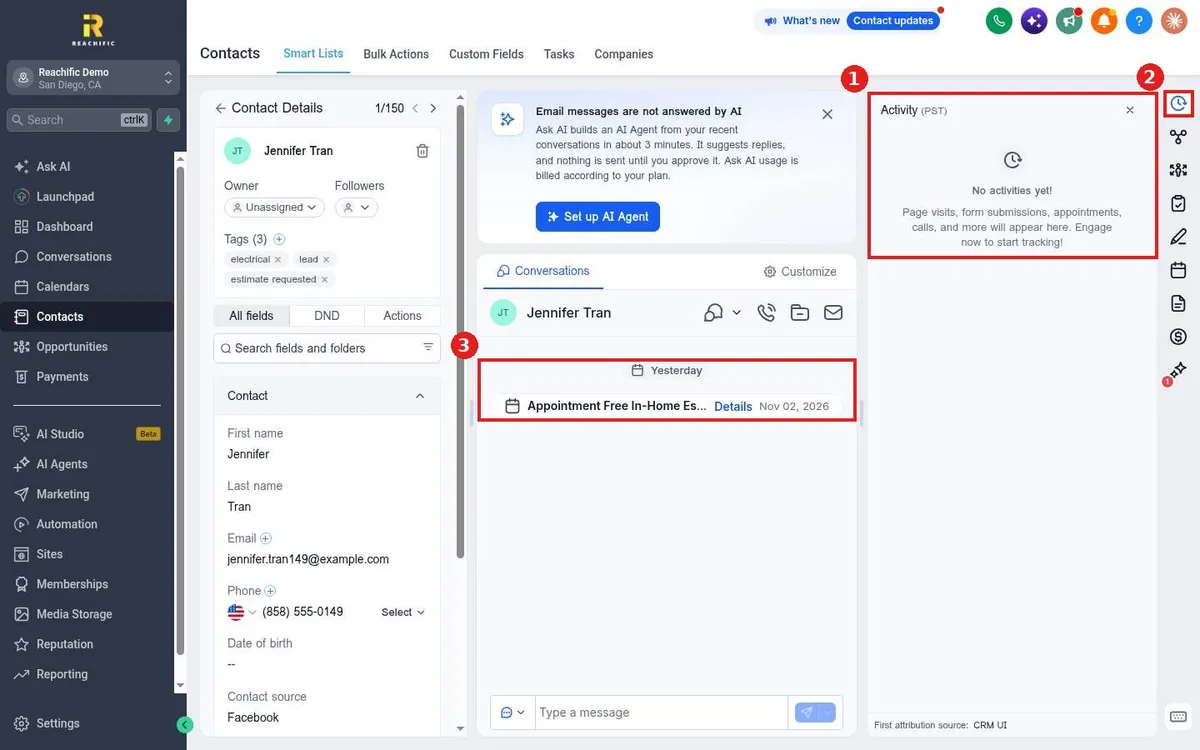
Quick answer: Open the contact. The Activity panel on the right shows page visits, form submissions, appointments, calls and more. The middle column shows every message and appointment in time order.
Step 1: Open the Activity panel
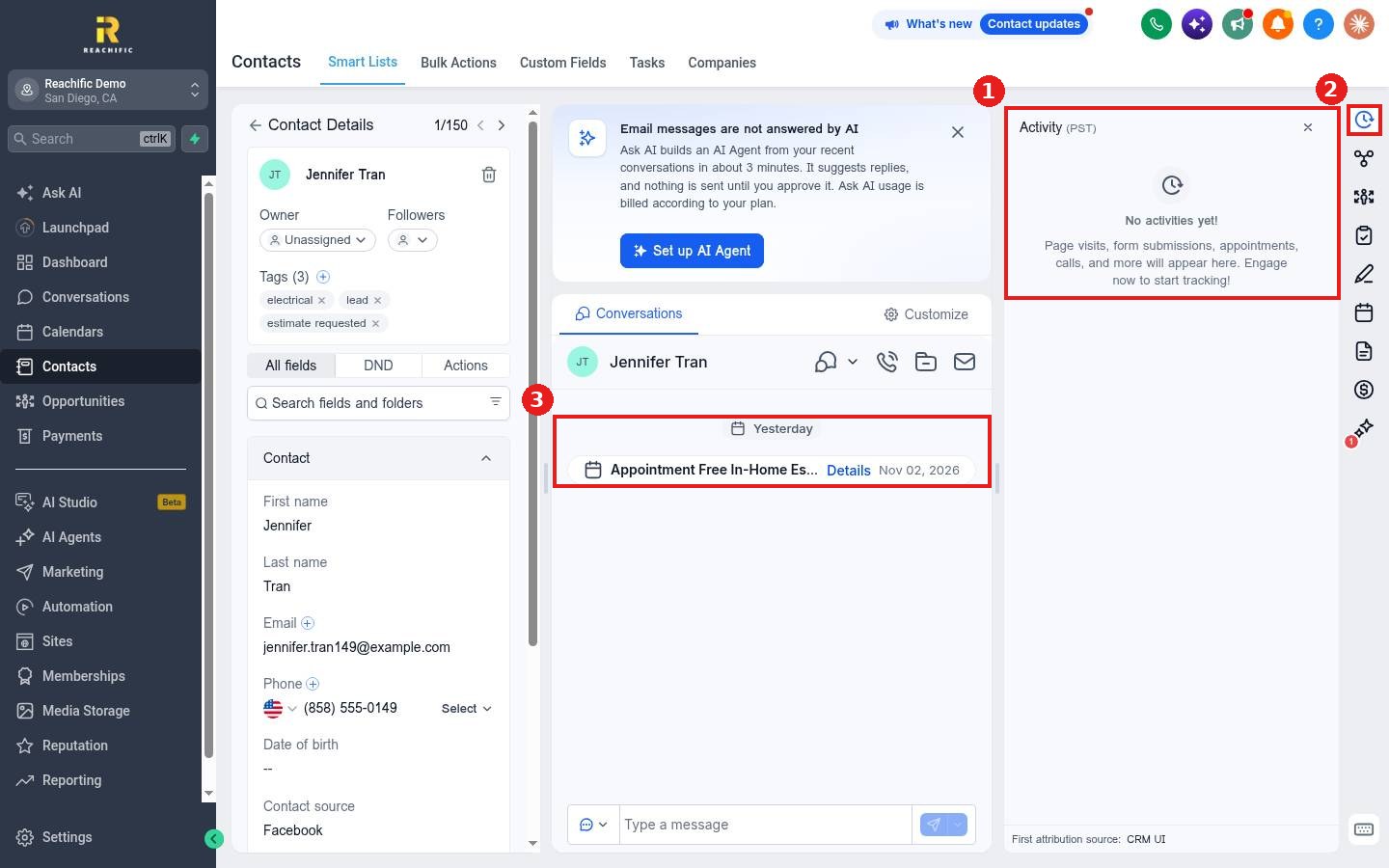
Open the contact. If the panel is closed, click the clock icon at the top of the right icon bar (2). The Activity panel (1) lists events newest first.
Step 2: Read the conversation timeline
The middle column (3) shows texts, emails, calls and appointments with this person. Click Details on an appointment to open it.
Step 3: Use the other icons
The right icon bar also opens opportunities, tasks, notes, appointments, documents and payments for this contact.
FAQ
Why is the Activity panel empty?
Website visits and form activity show up once your tracking code and forms are in place. New contacts may have no activity yet.
Where do I see where the lead came from?
At the bottom of the Activity panel, look for First attribution source.
Can I see edits made to the contact?
Yes. Click Audit logs at the bottom of the left panel.
Want us to handle it? Our team can set up tracking so every lead's journey is recorded. Book a free strategy call and get a free quote.
Related articles
- How do I add notes and tasks to a contact?
- How do I edit a contact's details?
- How do I reply to texts, emails and chats from one inbox?
Still stuck? Submit a ticket and our team will help. Need faster answers? See our support plans.
