
How do I create a company and link contacts to it?
Quick answer: Go to Contacts, open the Companies tab and click Add Company. Enter the Company Name and any details, then click Save. In the company panel, click the Associations icon, then Associate new Contact, pick the people who work there and click Save.
Before you start
- Companies help when you sell to businesses and talk to more than one person at each one.
- Add the contacts first. See how to add a contact.
Step 1: Open Companies
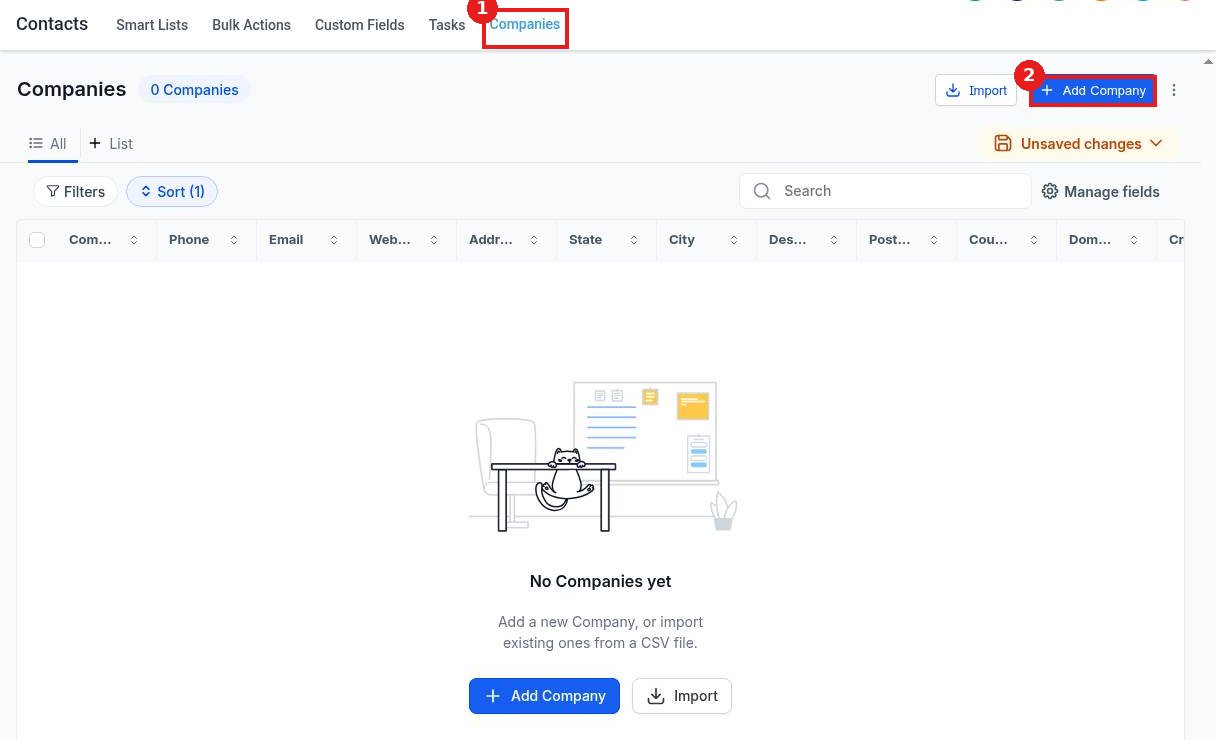
Click Contacts in the left menu, then the Companies tab (1). Click Add Company (2). You can also use Import to bring in a list from a CSV file.
Step 2: Enter the company details
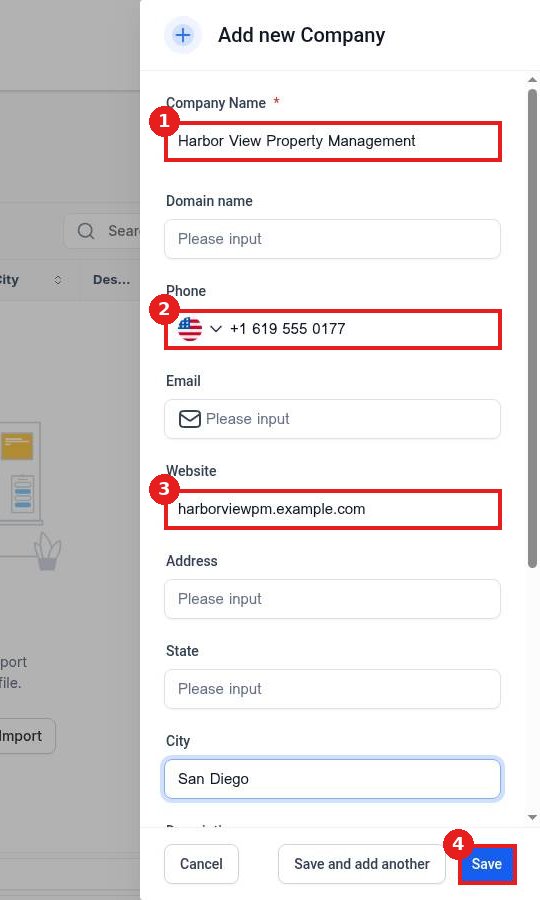
Type the Company Name (1). Add the Phone (2), Website (3) and address if you have them. Click Save (4).
Step 3: Open Associations
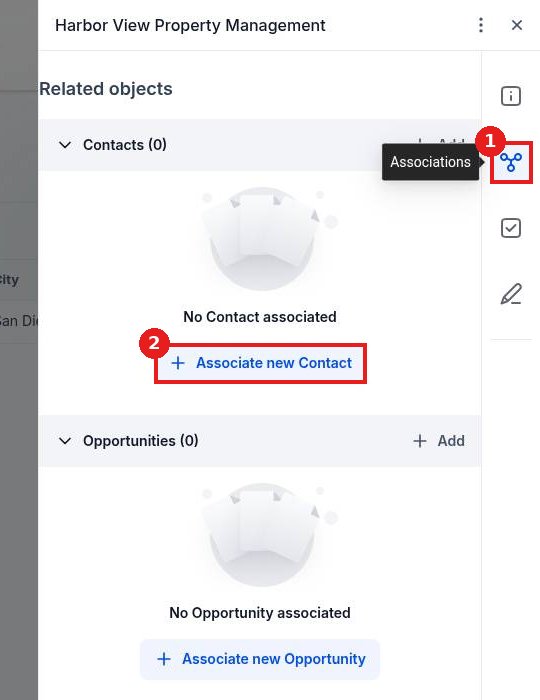
The company panel opens. Click the Associations icon (1) on the right, then Associate new Contact (2).
Step 4: Pick the contacts
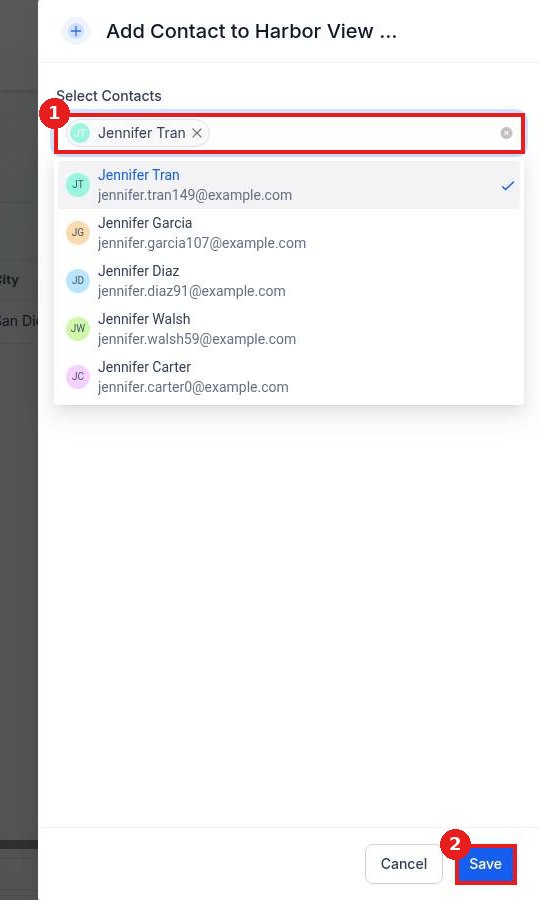
Search for the people who work at this company in Select Contacts (1) and click each one. Click Save (2).
Step 5: Check the link
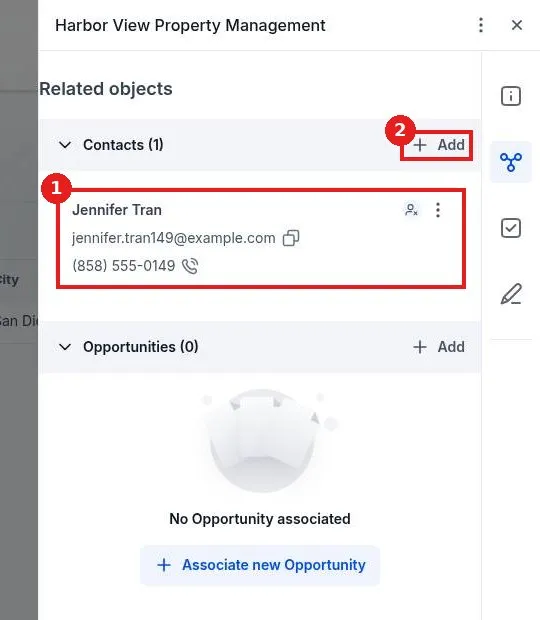
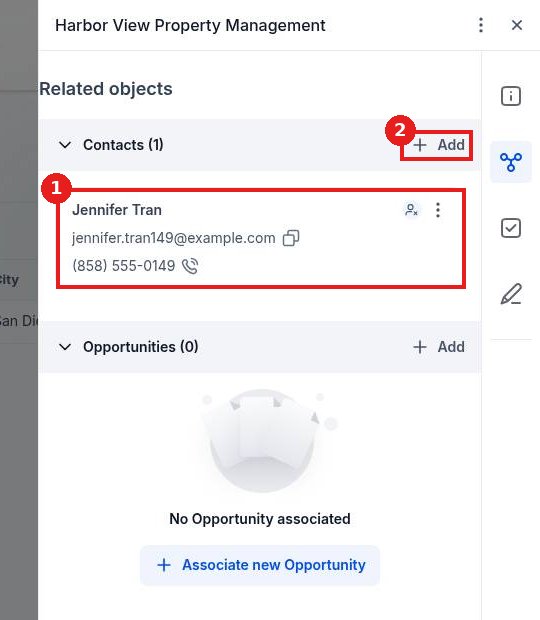
The linked contact (1) now shows under Contacts. Click Add (2) to link more people, or use Associate new Opportunity to link a deal.
FAQ
Who should I link to a company?
Link everyone you deal with at that business, such as the owner, office manager and billing contact, so you see the whole account in one place.
Can I import companies?
Yes. Click Import on the Companies tab and upload a CSV file.
Can I link a company to a deal?
Yes. In Associations, click Associate new Opportunity and pick the deal.
Want us to handle it? Our team can set up companies, pipelines and B2B follow up so no account slips through the cracks. Book a free strategy call and get a free quote.
Related articles
- How do I add a contact by hand?
- How do I import contacts from a CSV file?
- How do I add an opportunity to a pipeline?
Still stuck? Submit a ticket and our team will help. Need faster answers? See our support plans.
