
How do I delete contacts?
Quick answer: Open the contact and click the trash icon next to their name, then confirm. To delete many at once, check them in the Contacts list and choose delete from the action bar that appears.
Before you start
- Deleting removes the contact and its conversations, notes and tasks. Export first if you may need them. See How do I export my contacts?
- To stop messages but keep the record, turn on DND instead.
Step 1: Delete one contact
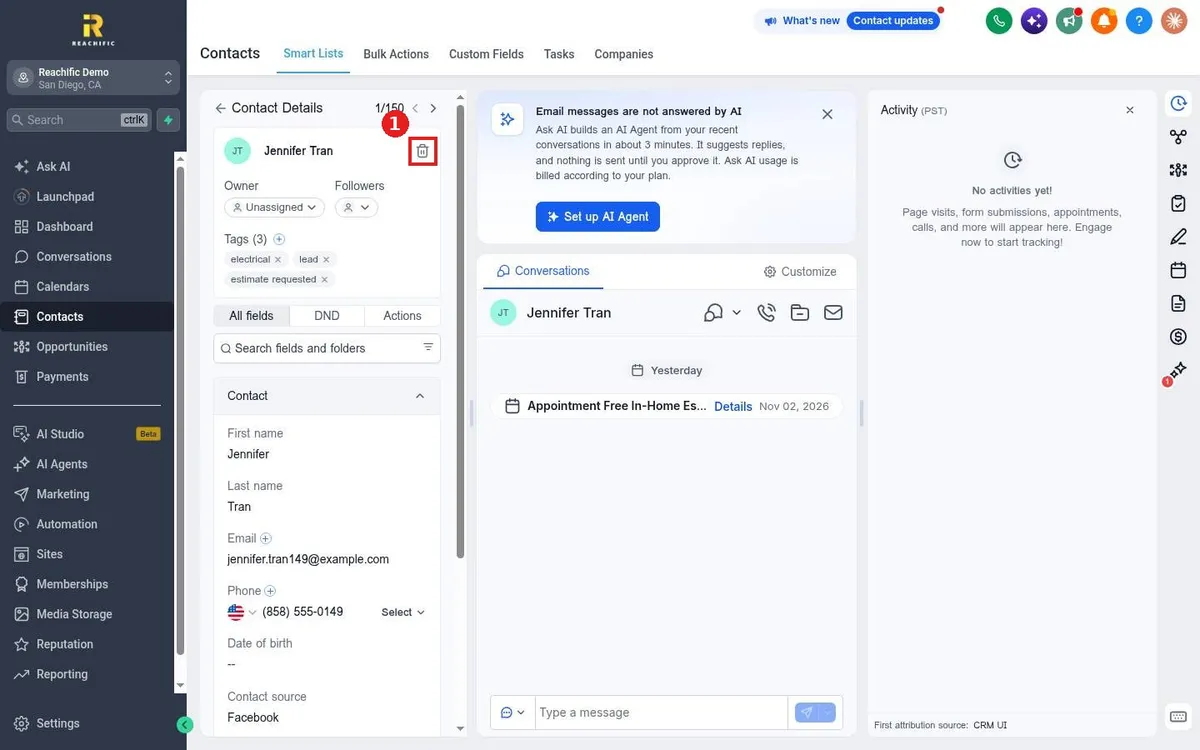
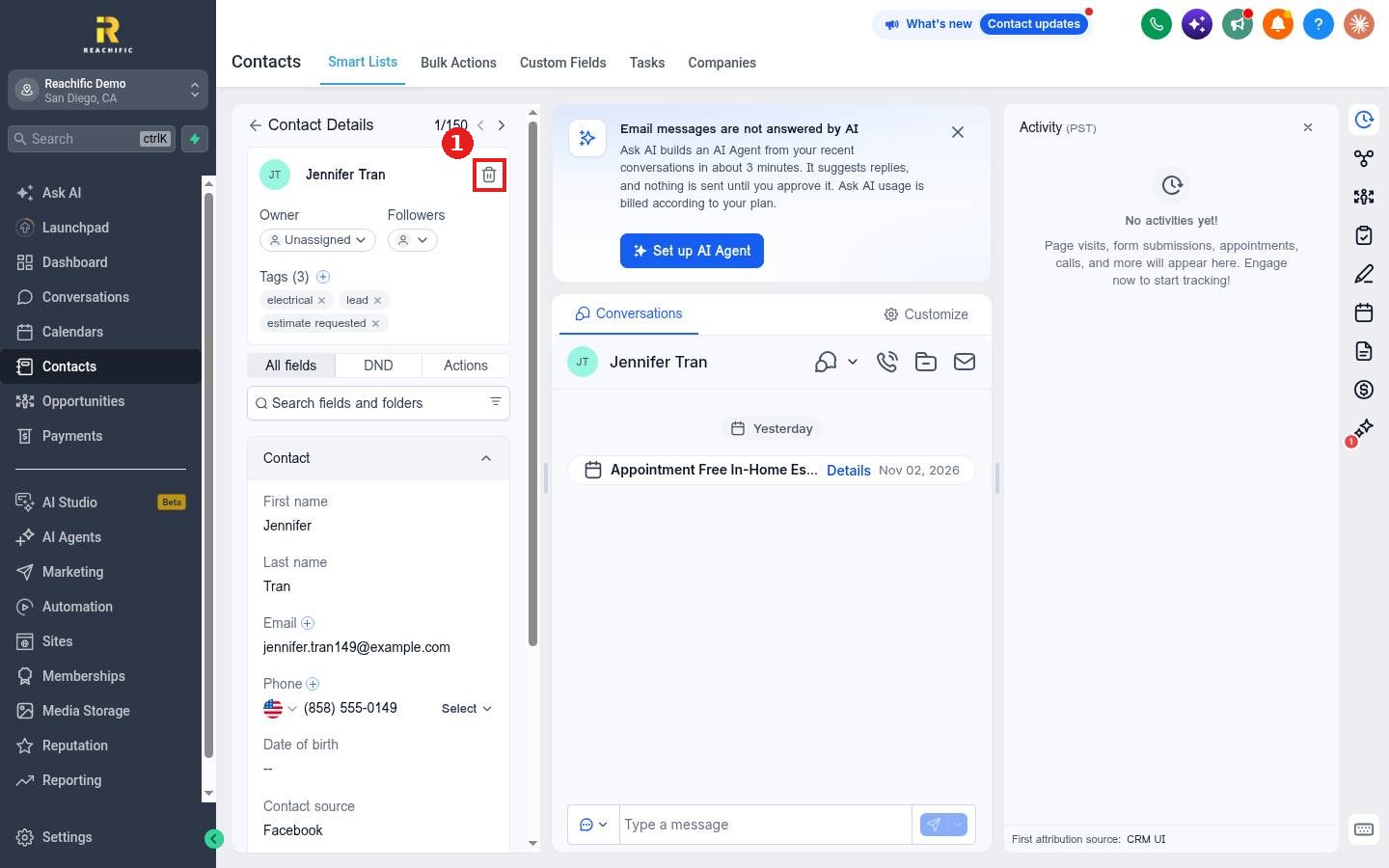
Open the contact. Click the trash icon next to the name (1) and confirm.
Step 2: Delete many contacts
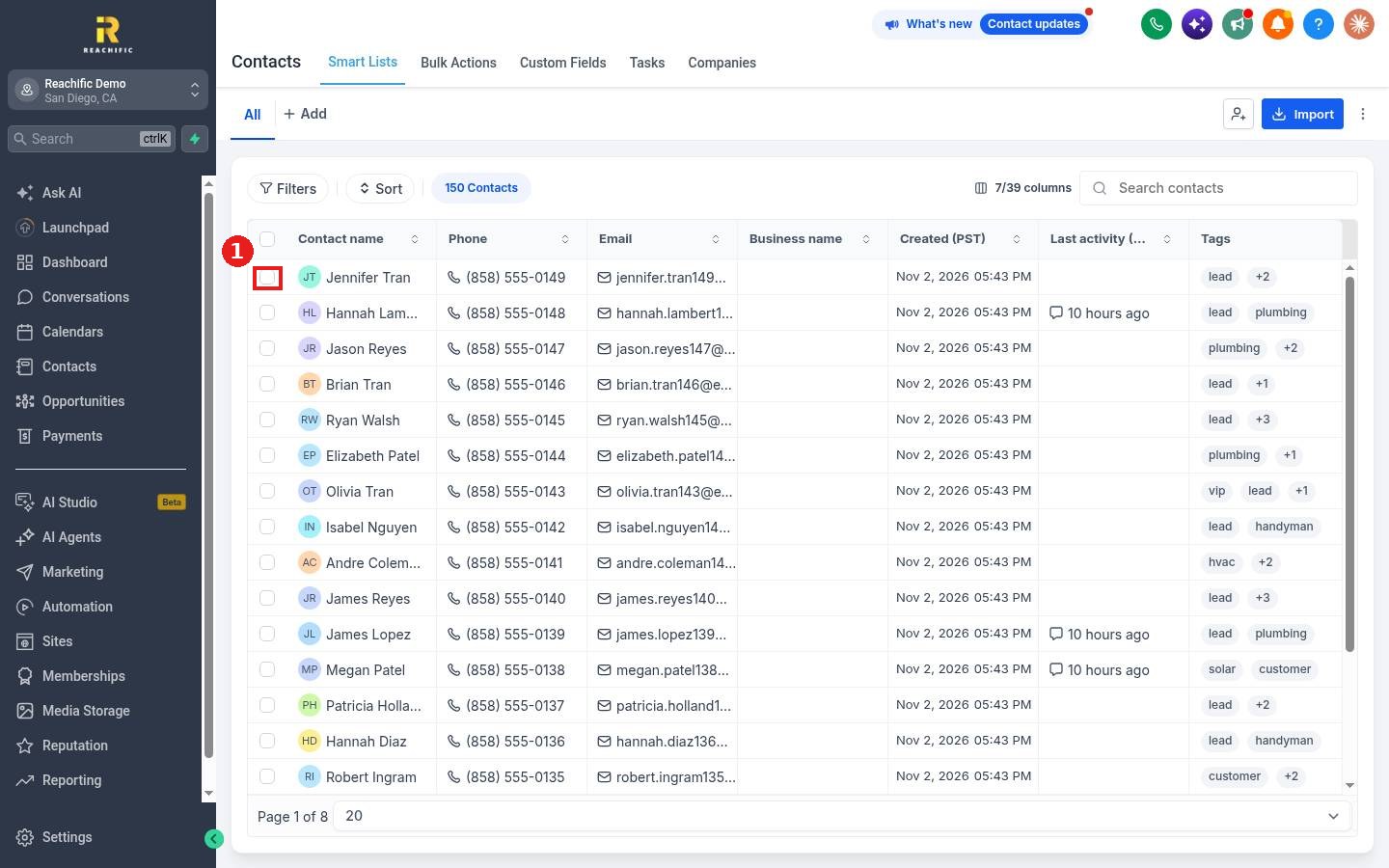
In the Contacts list, check the box next to each contact (1), or the top box to select the page. Choose delete in the action bar that appears (look under More if you do not see it) and confirm.
FAQ
Can I undo a delete?
Treat deletes as permanent. Export a backup before large deletes.
Where do I see the progress of a bulk delete?
On the Bulk Actions tab. See How do I check the status of a bulk action?
Should I delete duplicates?
Merging keeps the history of both records, so it is usually the better choice for duplicates.
Want us to handle it? Our team can clean your list safely without losing history. Book a free strategy call and get a free quote.
Related articles
- How do I export my contacts?
- How do I edit a contact's details?
- How do I create a smart list with filters?
Still stuck? Submit a ticket and our team will help. Need faster answers? See our support plans.
