
How do I customize the booking form questions?
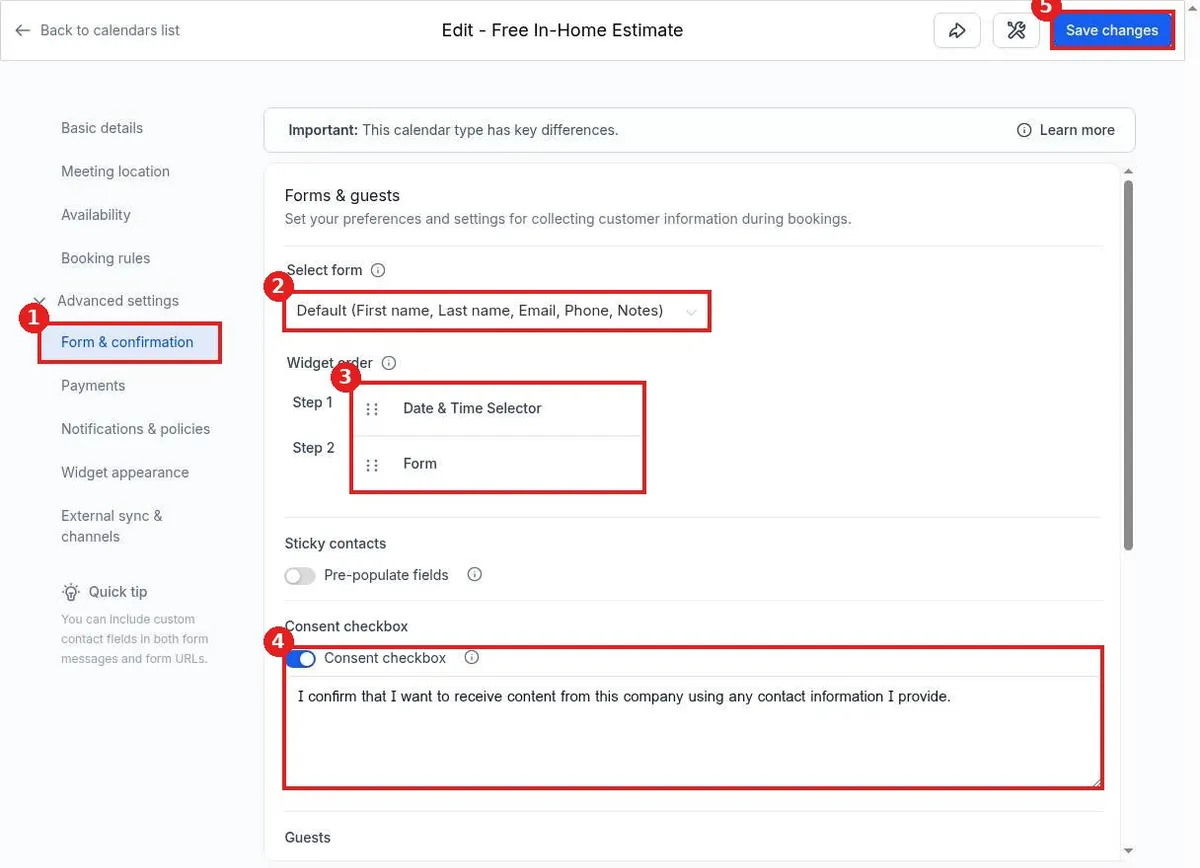
Quick answer: Go to Calendars, Calendar settings, and click the pencil next to your calendar. Open Advanced settings, then Form & confirmation. Pick the form to show in Select form, set the step order, and click Save changes.
Step 1: Open the calendar
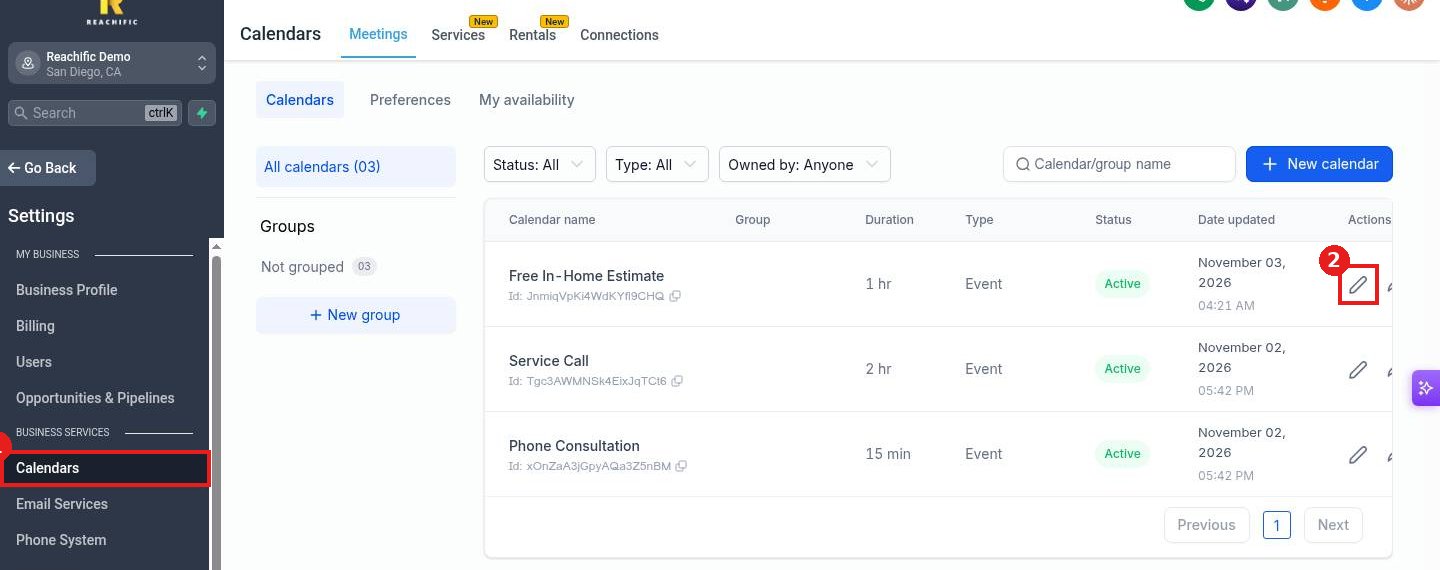
In Calendar settings (1), click the pencil next to the calendar you want to change (2).
Step 2: Go to Form & confirmation
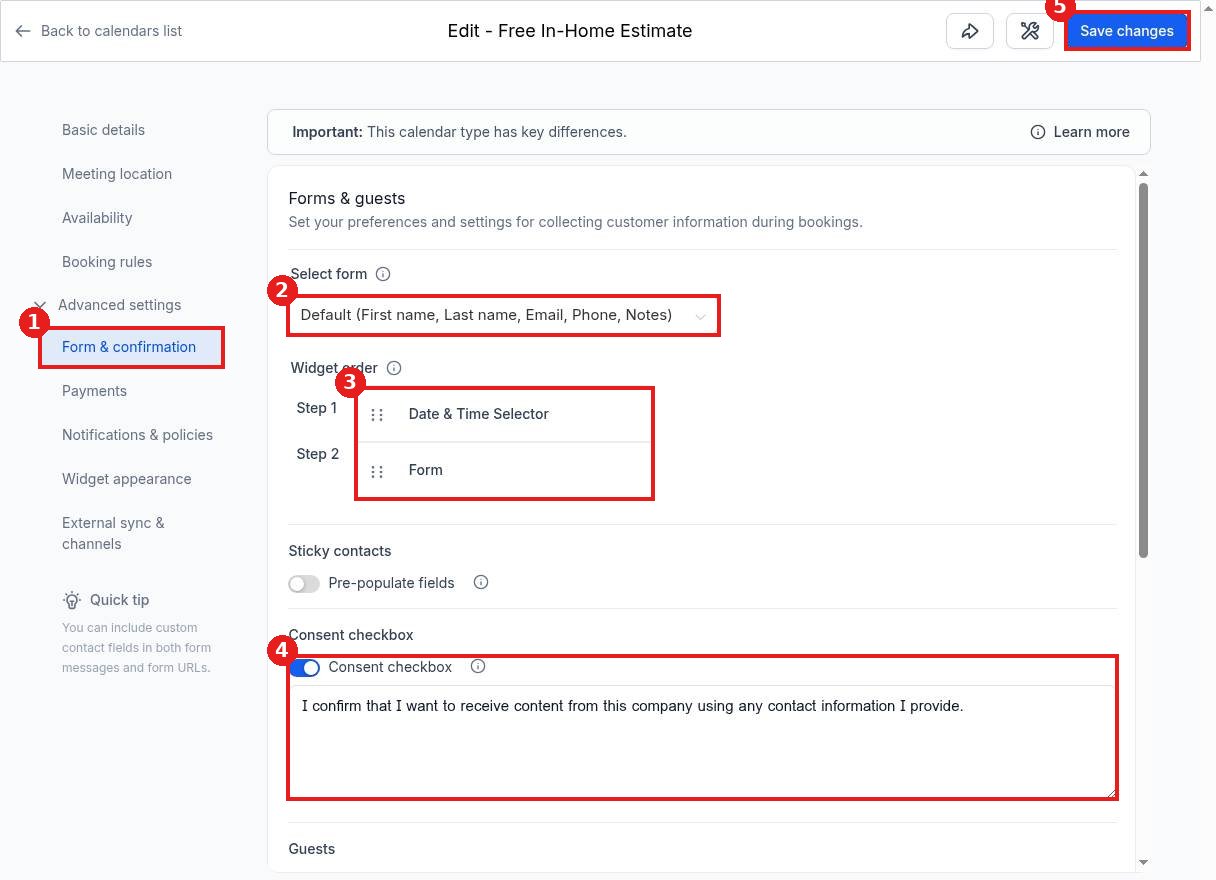
Click Advanced settings on the left, then Form & confirmation (1).
Step 3: Choose the questions
In Select form (2), keep the default form (first name, last name, email, phone and notes) or pick one of your own forms with extra questions, such as service address or job type. Drag the steps in Widget order (3) to ask questions before or after the date and time. Edit the consent text (4) if needed. Click Save changes (5).
FAQ
Where do I build a custom form?
Build it in your forms area first. It then appears in the Select form list.
What does Pre populate fields do?
Turn on Sticky contacts so returning visitors see their details already filled in.
Can guests be added to a booking?
Scroll down to the Guests section on the same page to set guest options.
Want us to handle it? Our team can build booking forms that collect exactly what your crew needs. Book a free strategy call and get a free quote.
Related articles
- How do I create a booking calendar?
- How do I take payment when someone books?
- How do I send appointment confirmation and reminder messages?
Still stuck? Submit a ticket and our team will help. Need faster answers? See our support plans.
