
How do I set up rooms and equipment for bookings?
Quick answer: Go to Calendars, Calendar settings, and click the Services tab. Open Resources and click New resource. Name the room or equipment, link the services that use it, set the location and total capacity, and click Create.
What is a resource?
A resource is anything a booking needs besides a person, such as a bay, a treatment room, a van or a machine. Linking it to a service stops two customers from booking the same one at the same time.
Step 1: Open Resources
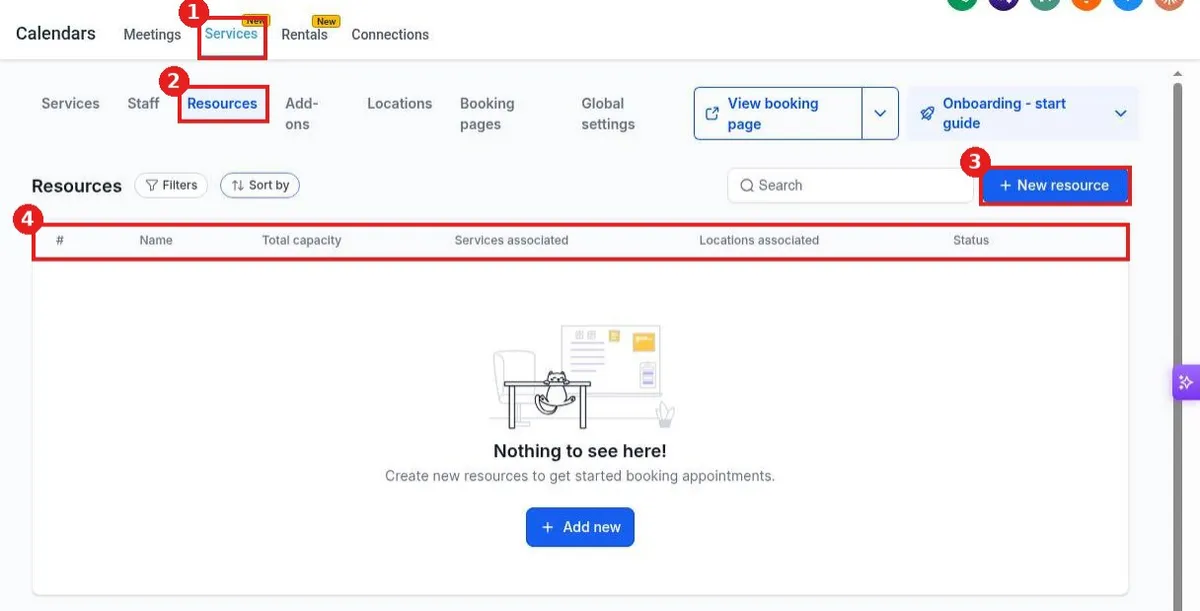
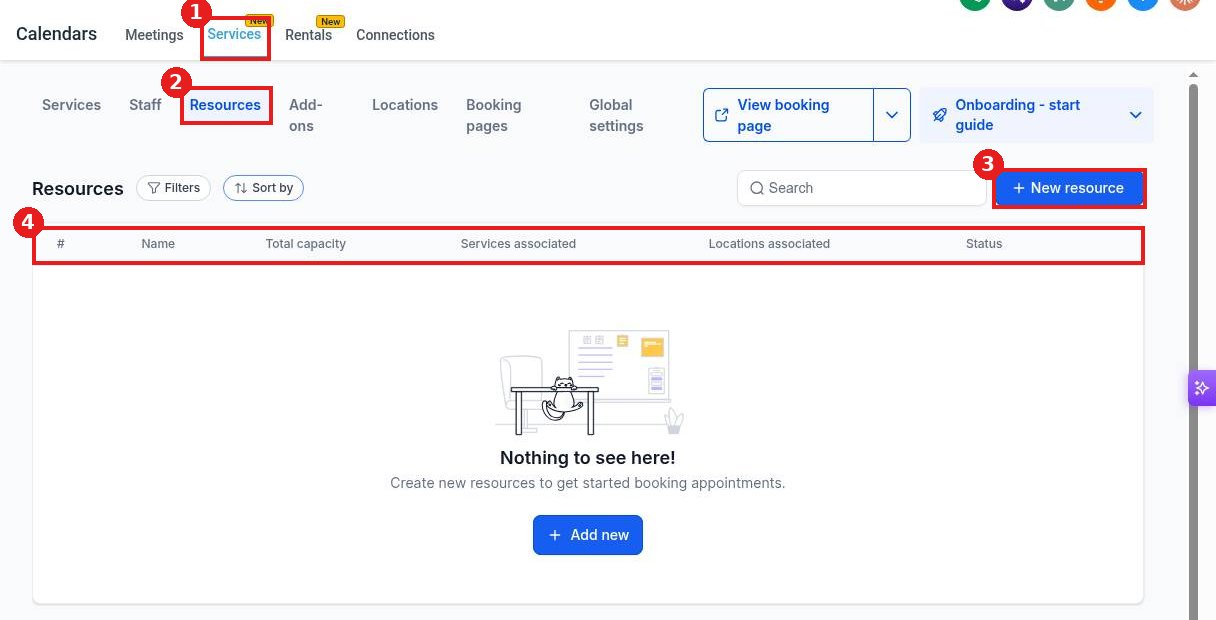
Click the Services tab (1), then Resources (2). Click New resource (3). The table (4) lists each resource with its capacity, services, locations and status.
Step 2: Add the resource
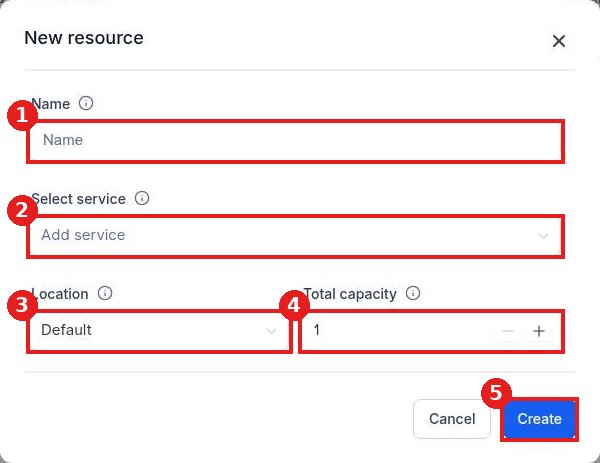
Enter a name (1), such as Room 2 or Drain camera. In Select service (2), choose the services that need it. Pick the Location (3) and set Total capacity (4) to how many you have. Click Create (5).
FAQ
Why is the service list empty?
Create your services first on the Services tab, then come back and link them.
What does total capacity mean?
It is how many of that item you have. Two identical rooms can share one resource with a capacity of 2.
Is this the same as Rentals?
No. Rentals is a separate tab for listings customers rent. Resources support your service bookings.
Want us to handle it? Our team can map your services, staff and equipment so bookings never clash. Book a free strategy call and get a free quote.
Related articles
- How do I create a booking calendar?
- How do I set buffer time and booking limits?
- How do I create a class or event calendar?
Still stuck? Submit a ticket and our team will help. Need faster answers? See our support plans.
