
How do I create a class or event calendar?
Quick answer: Go to Calendars, Calendar settings, and click New calendar. Choose Class booking, enter a name, pick the host, set the duration and Seats per class, add a location, and click Confirm.
When to use a class calendar
A class booking calendar lets one host meet with many people at the same time. Use it for workshops, training sessions, open houses, webinars or group classes.
Step 1: Choose Class booking
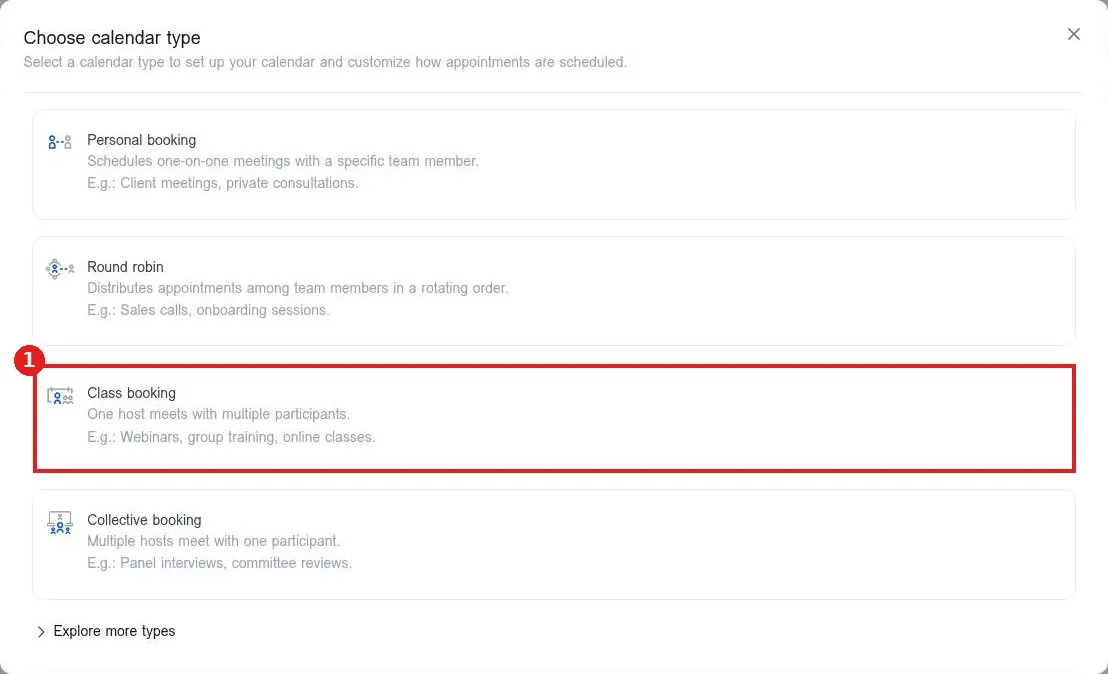
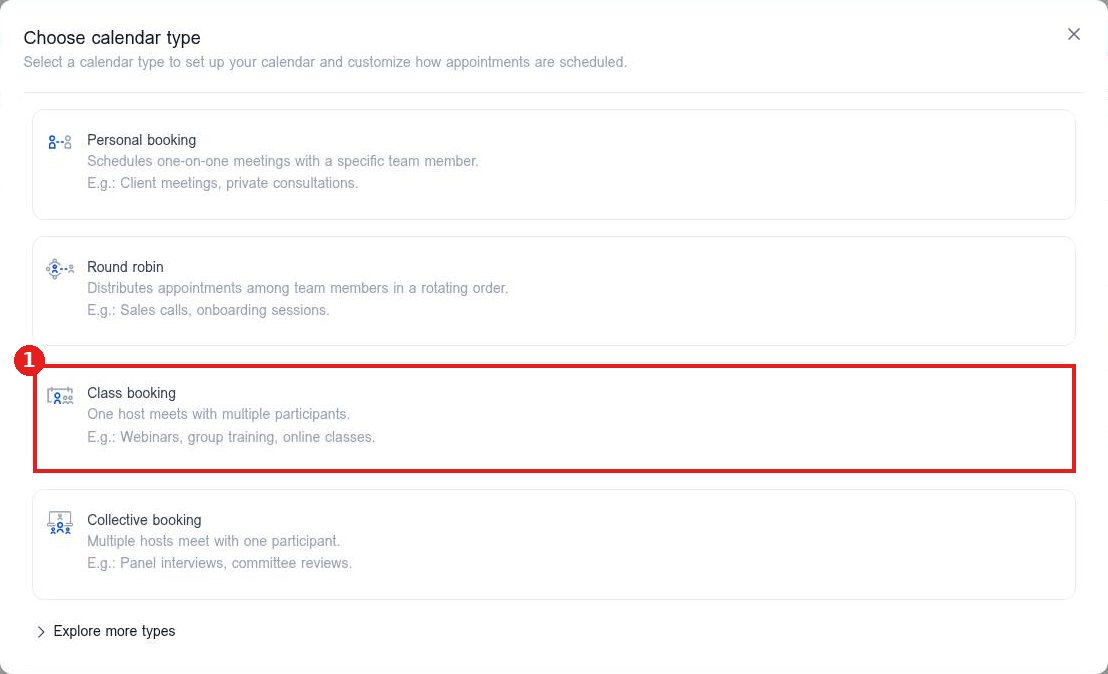
In Calendar settings, click New calendar. In Choose calendar type, click Class booking (1).
Step 2: Set up the class
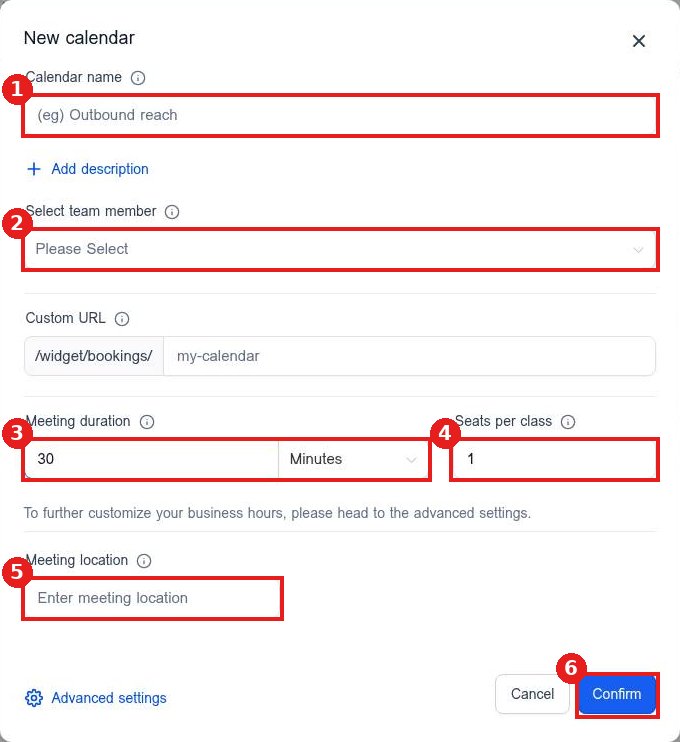
Enter the calendar name (1) and pick the host in Select team member (2). Set the Meeting duration (3) and how many people can book each time in Seats per class (4). Add where it happens in Meeting location (5). Click Confirm (6).
Step 3: Finish in Advanced settings
Open the calendar again with the pencil to set availability, the booking form and reminder messages, then share the booking link.
FAQ
What happens when a class is full?
Once all seats are booked, that time is no longer open for new bookings.
What if several people host together?
Choose Collective booking instead. It is for multiple hosts meeting with one person.
Can I change the number of seats later?
Yes. Edit the calendar and update Seats per class, then click Save changes.
Want us to handle it? Our team can set up your event calendars, reminders and follow ups for you. Book a free strategy call and get a free quote.
Related articles
- How do I create a booking calendar?
- How do I set up a round robin calendar for my team?
- How do I share my booking link with customers?
Still stuck? Submit a ticket and our team will help. Need faster answers? See our support plans.
