
How do I set up a round robin calendar for my team?
Quick answer: Go to Calendars, click Calendar settings, then New calendar. Choose Round robin, name the calendar, select the team members who share the bookings, set the URL and meeting length, and click Confirm.
What is a round robin calendar?
A round robin calendar shares appointments among your team members in a rotating order. Customers book one link and the job goes to an available team member. It works well for sales calls, estimates and onboarding.
Step 1: Start a new calendar
Open Calendars and click Calendar settings. On the Meetings tab, click New calendar.
Step 2: Choose Round robin
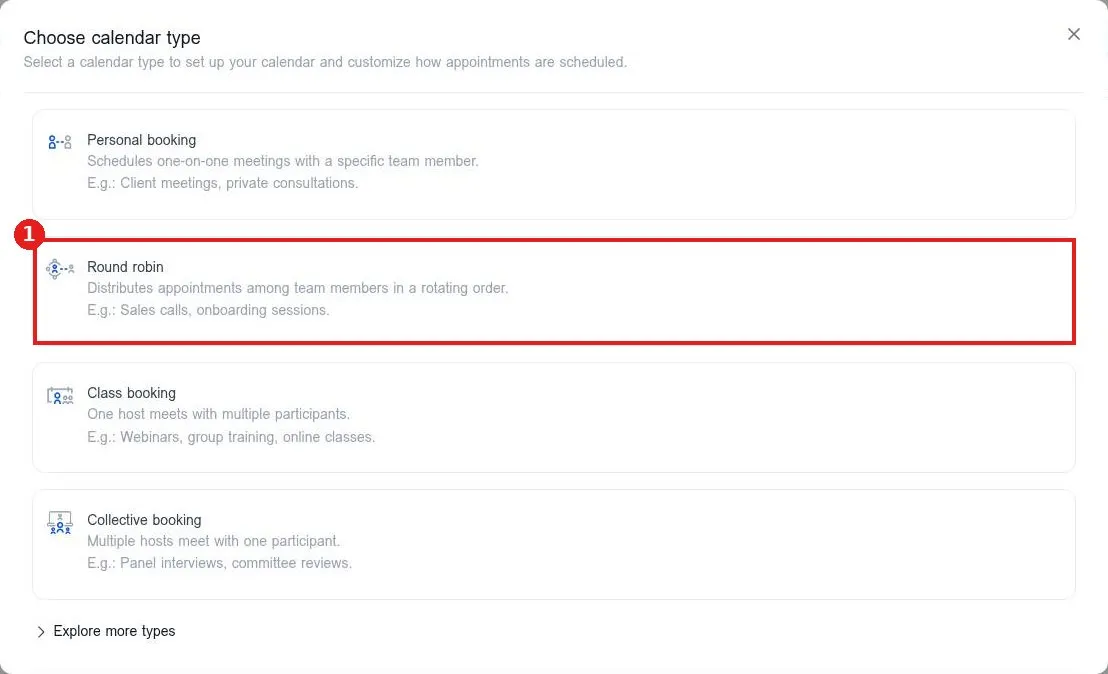
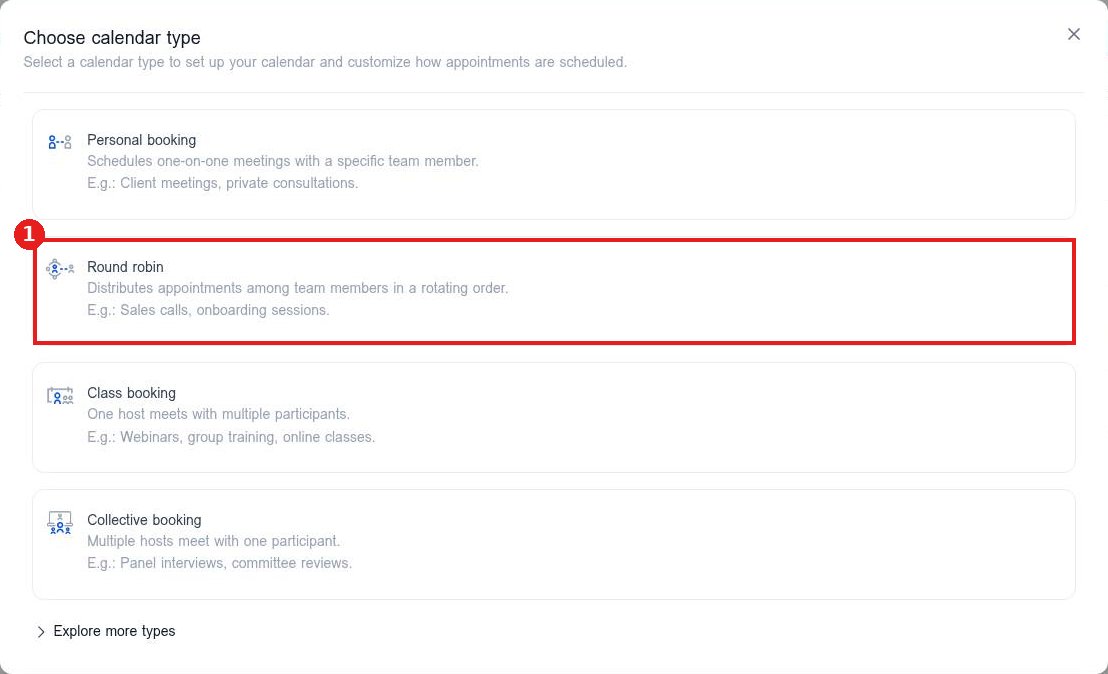
In Choose calendar type, click Round robin (1).
Step 3: Fill in the details
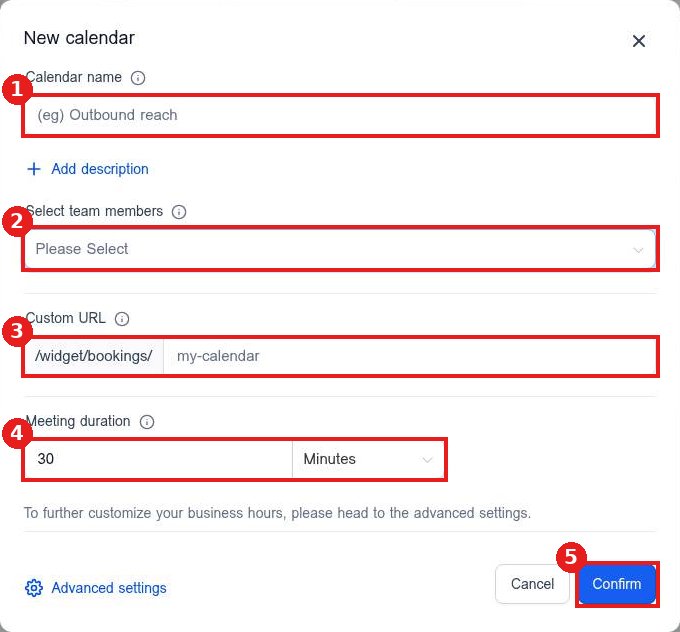
Enter a calendar name (1). Pick everyone who should take bookings in Select team members (2). Set the Custom URL for the booking link (3) and the Meeting duration (4). Click Confirm (5). Use Advanced settings for availability, forms and reminders.
FAQ
Why is a team member missing from the list?
Only users in your account show up. Add them under Settings, Users first.
Can I change the team later?
Yes. Click the pencil next to the calendar in the list to edit it, then click Save changes.
What if only one person should take bookings?
Choose Personal booking instead. It books one on one meetings with a specific team member.
Want us to handle it? Our team can set up your team calendars and booking rules for you. Book a free strategy call and get a free quote.
Related articles
- How do I create a booking calendar?
- How do I set my available hours on a calendar?
- How do I share my booking link with customers?
Still stuck? Submit a ticket and our team will help. Need faster answers? See our support plans.
