
How do I switch between day, week and month views?
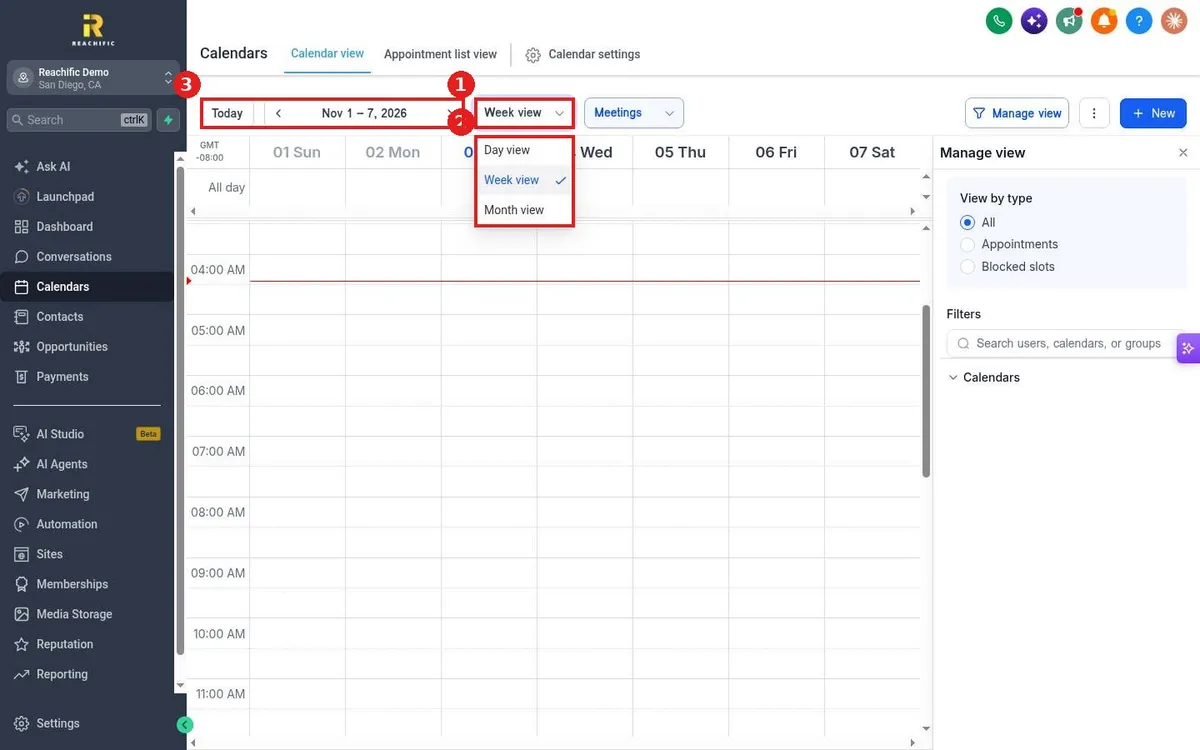
Quick answer: Open Calendars and stay on Calendar view. Click the view dropdown (it shows Week view by default) and pick Day view, Week view or Month view. Use Today and the arrows to move between dates.
Step 1: Open the view menu
Click the view dropdown next to the dates (1).
Step 2: Pick a view
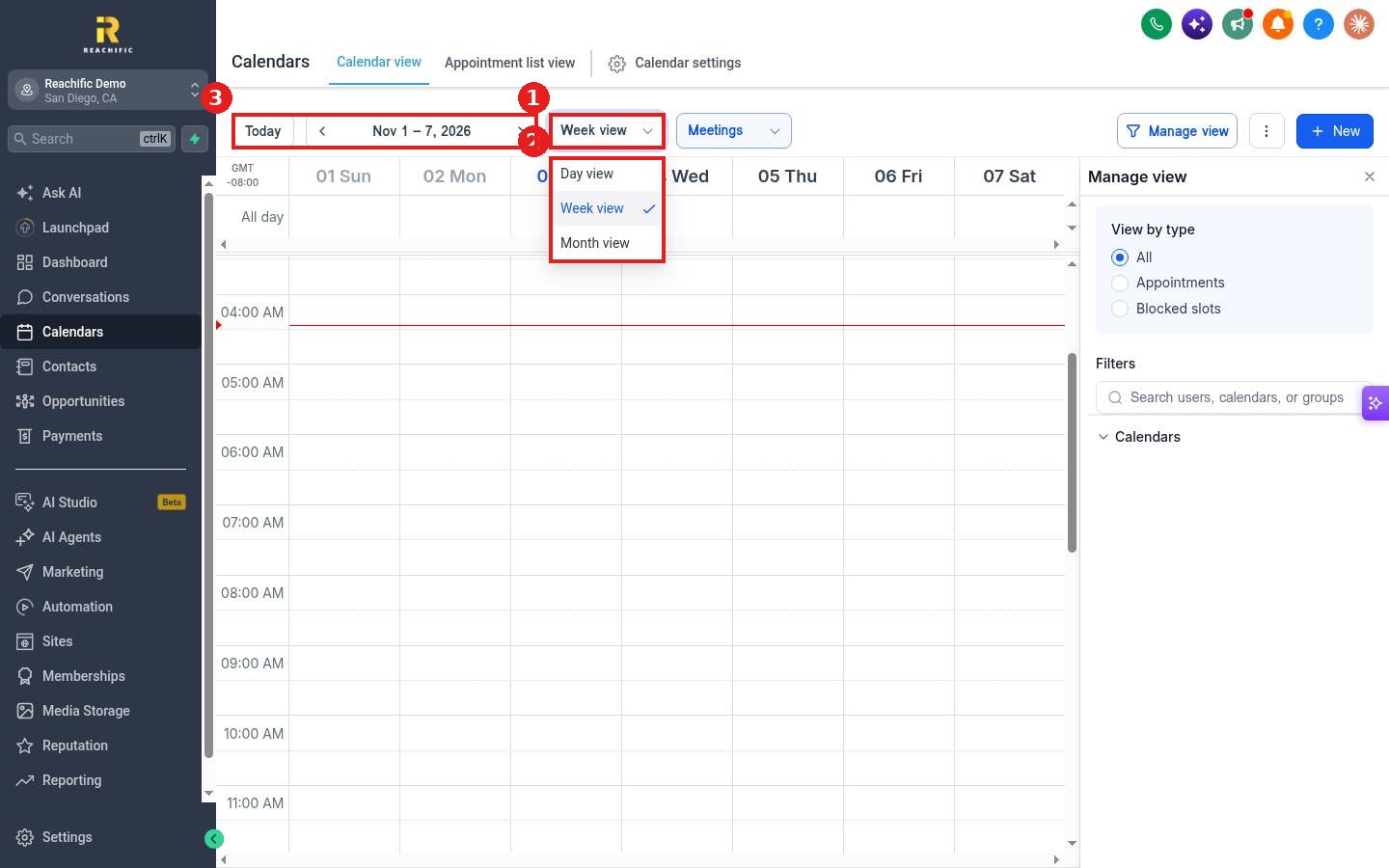
Choose Day view, Week view or Month view (2). Day view is best for a busy schedule, Month view for planning ahead.
Step 3: Move through dates
Click the left and right arrows to go back or forward, or click Today to jump back to now (3).
FAQ
Why is my calendar grid empty?
Check the filter next to the view menu and Manage view on the right. A filter may hide some calendars or team members. Also scroll down, since the grid opens near the current time.
Can I see only one team member?
Yes. In Manage view, search for the user or calendar under Filters.
Is there a list instead of a grid?
Yes. See How do I see all upcoming appointments in a list?
Want us to handle it? Our team can set up calendars for every crew and service you offer. Book a free strategy call and get a free quote.
Related articles
- How do I see all upcoming appointments in a list?
- How do I block time off on my calendar?
- How do I book an appointment for a customer?
Still stuck? Submit a ticket and our team will help. Need faster answers? See our support plans.
