
How do I see all upcoming appointments in a list?
Quick answer: Open Calendars and click Appointment list view. The Upcoming tab lists every future appointment with contact, status and time. Use Advanced filters, Sort by and the search box to narrow it down.
Before you start
- The list shows the appointments you have permission to see.
Step 1: Open the list
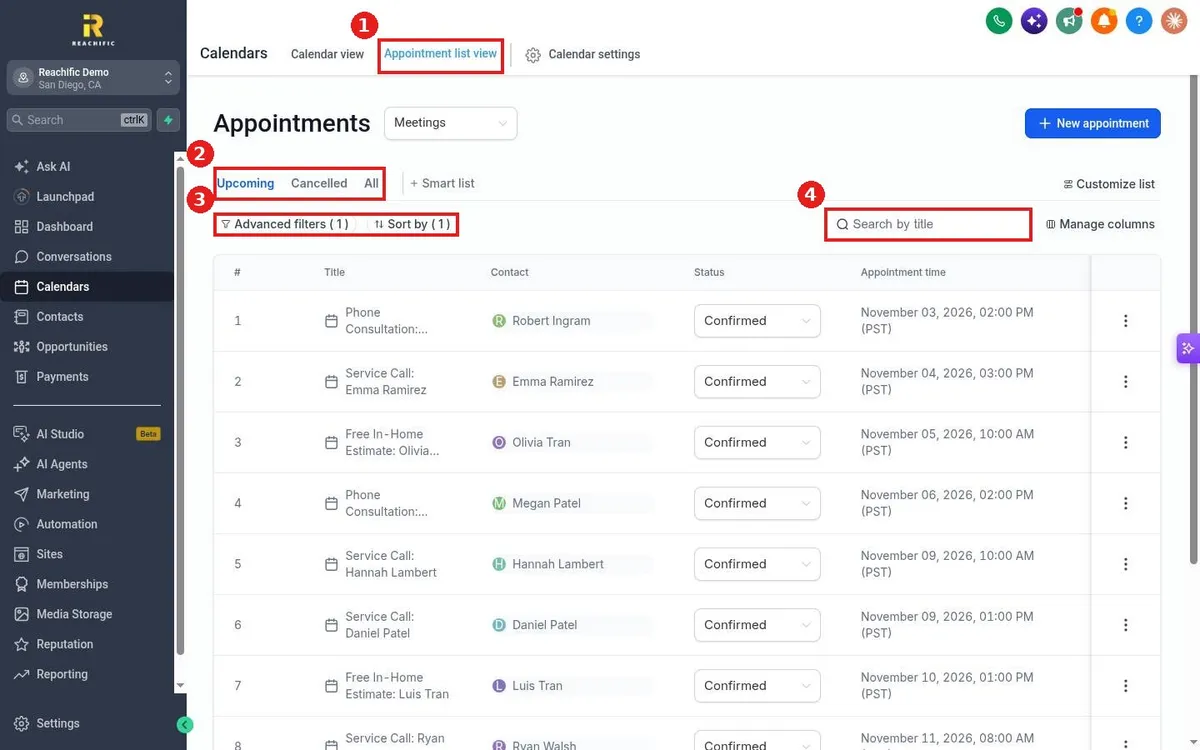
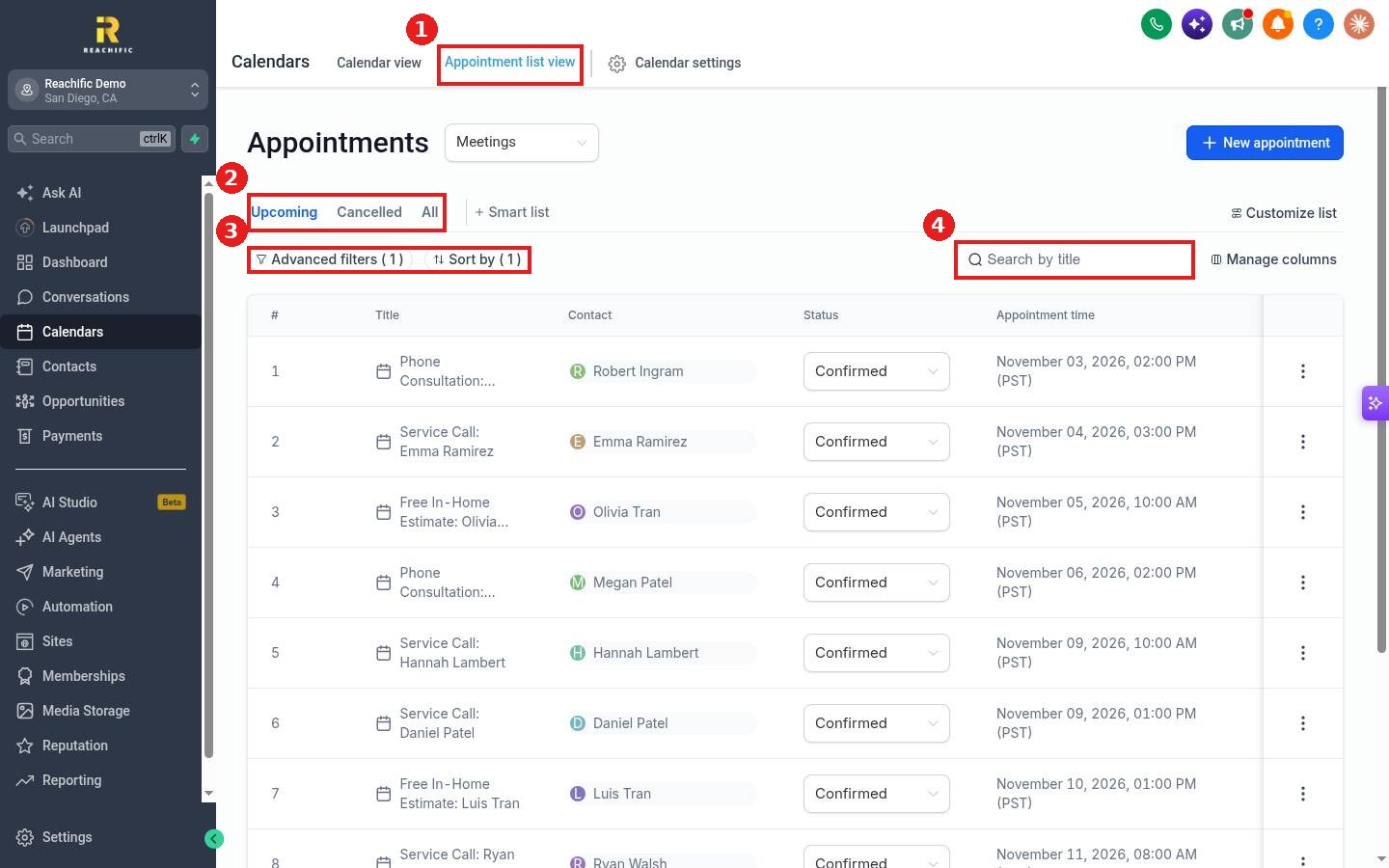
Click Appointment list view at the top of Calendars (1).
Step 2: Pick a tab
Use Upcoming, Cancelled or All (2). Click + Smart list to save a view you use often.
Step 3: Filter and search
Click Advanced filters to filter by calendar, status or owner, and Sort by to change the order (3). Type a name in Search by title to find one appointment fast (4).
FAQ
Can I add or remove columns?
Yes. Click Manage columns to show fields like calendar or appointment owner.
Can I change status right from the list?
Yes. Use the Status dropdown on each row. See How do I reschedule or cancel an appointment?
How do I see appointments on a calendar instead?
Click Calendar view. See How do I switch between day, week and month views?
Want us to handle it? Our team can build reports and alerts so you always know what is booked. Book a free strategy call and get a free quote.
Related articles
- How do I book an appointment for a customer?
- How do I reschedule or cancel an appointment?
- How do I read my Reachific dashboard?
Still stuck? Submit a ticket and our team will help. Need faster answers? See our support plans.
