
How do I add my legal business information and EIN?
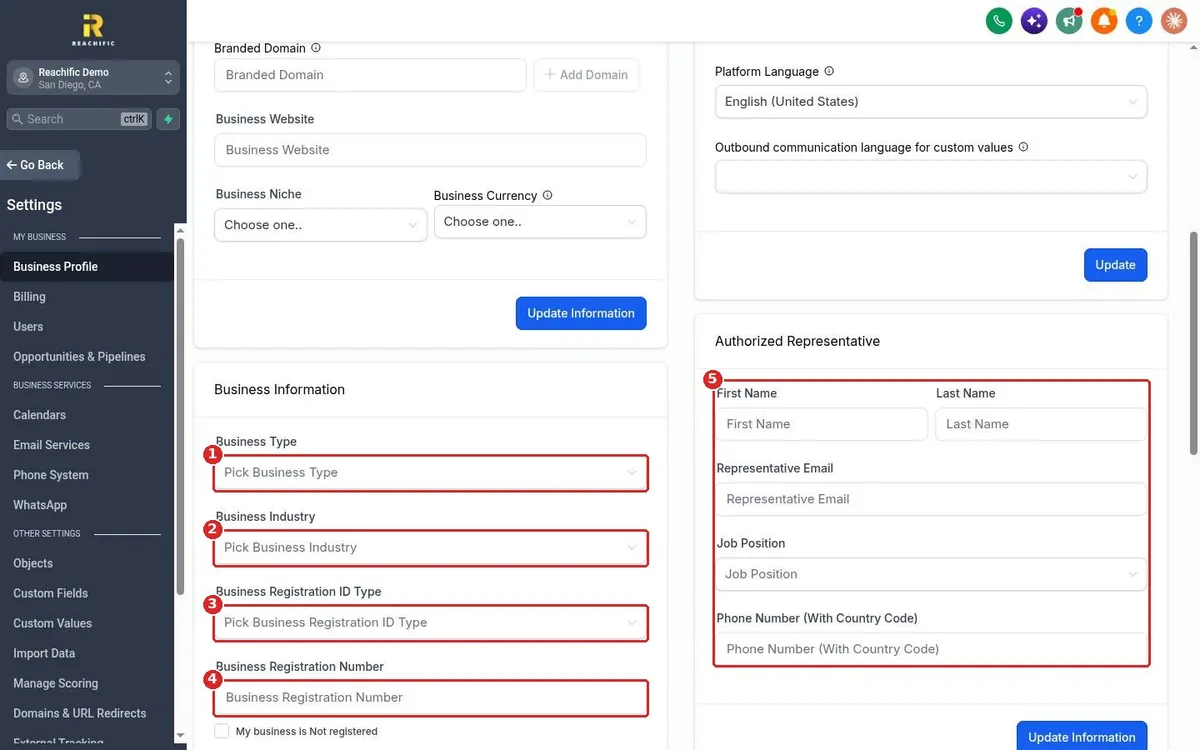
Quick answer: Click Settings, then Business Profile. Scroll to Business Information. Pick your Business Type and Business Industry, choose USA: Employer Identification Number (EIN) as the registration ID type and type your EIN. Add your Authorized Representative, then click Update Information on each card.
Before you start
- Have your EIN and exact legal business name handy. They must match your IRS records.
- Enter the legal name in the Legal Business Name field at the top of the page too. See How do I fill in my business profile?
- This information is used for texting registration, so typos can slow down your approval.
Step 1: Fill in your business information
Scroll down Business Profile to the Business Information card. Choose your Business Type (1) and Business Industry (2). Open Business Registration ID Type (3) and type your number in Business Registration Number (4). On the right, fill in the Authorized Representative (5): first and last name, email, job position and phone with country code.
Step 2: Pick EIN as the ID type
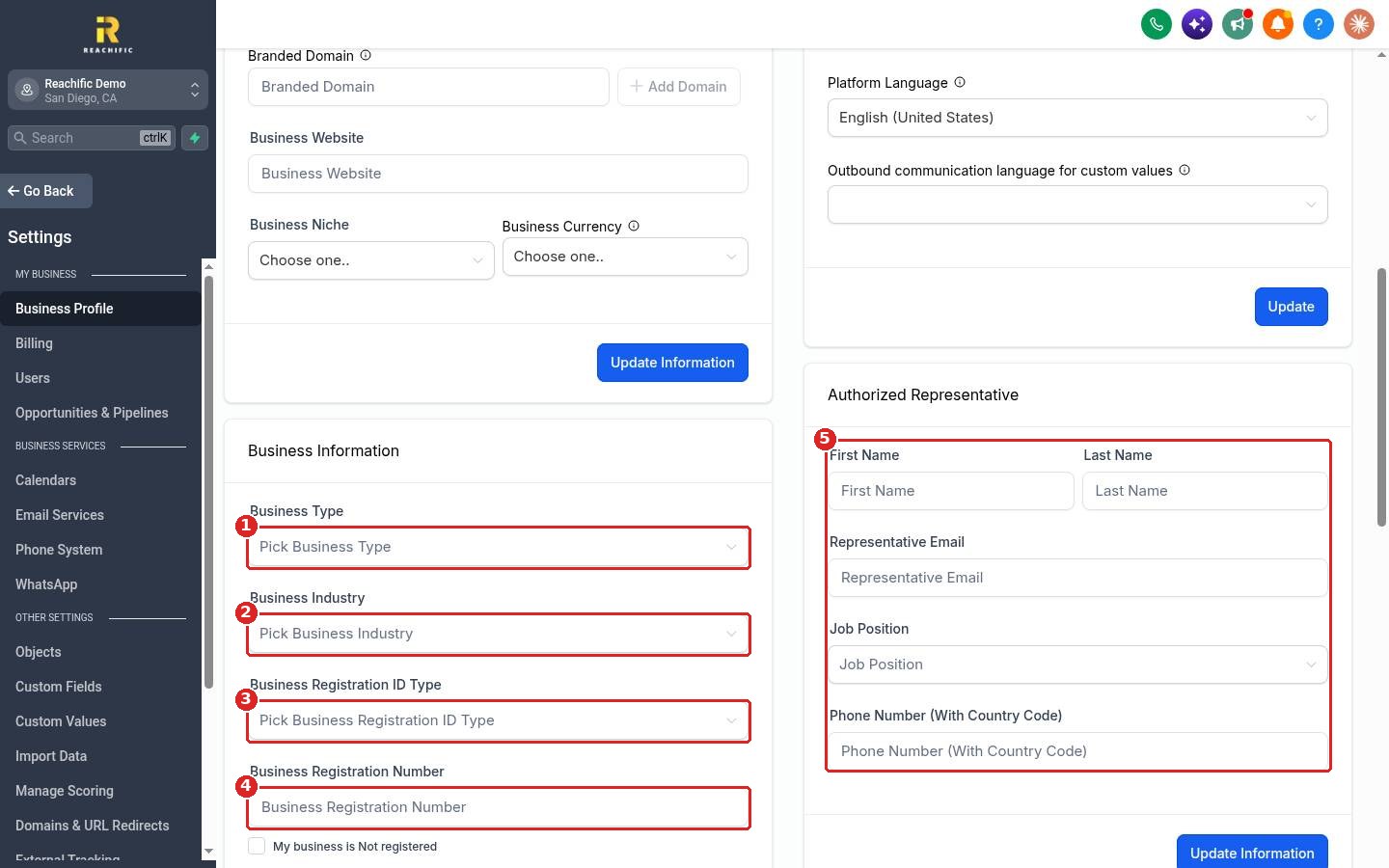
In the Business Registration ID Type list, choose USA: Employer Identification Number (EIN) (1). Businesses in other countries pick their own option, such as the Canadian Corporation Number.
Step 3: Choose regions and save
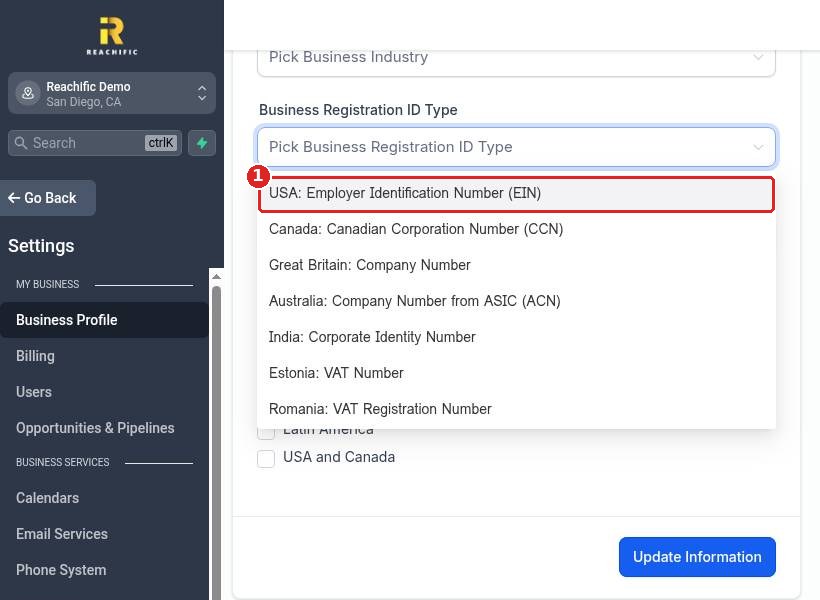
If you do not have a registration number yet, check My business is Not registered (1). Tick the Business Regions of Operations (2) where you work, like USA and Canada. Click Update Information (3) on the Business Information card, then Update Information (4) on the Authorized Representative card.
FAQ
Why does Reachific need my EIN?
Phone carriers require business details before you can text customers at scale. Your EIN and legal name are used for that registration.
I am a sole proprietor without an EIN. What do I do?
Check My business is Not registered. You can still use your account, and our team can help you with the right texting registration for your business.
Who should be the authorized representative?
An owner or officer of the business who can confirm the details are correct. Use their real email and mobile number.
Is my EIN shown to customers?
No. It is used for registration and verification only.
Want us to handle it? Our team can complete your business details and texting registration so your messages get delivered. Book a free strategy call and get a free quote.
Related articles
- How do I fill in my business profile?
- How do I get a business phone number?
- How do I send a bulk text or email to a list?
Still stuck? Submit a ticket and our team will help. Need faster answers? See our support plans.
