
How do I use the Launchpad checklist to set up my account?
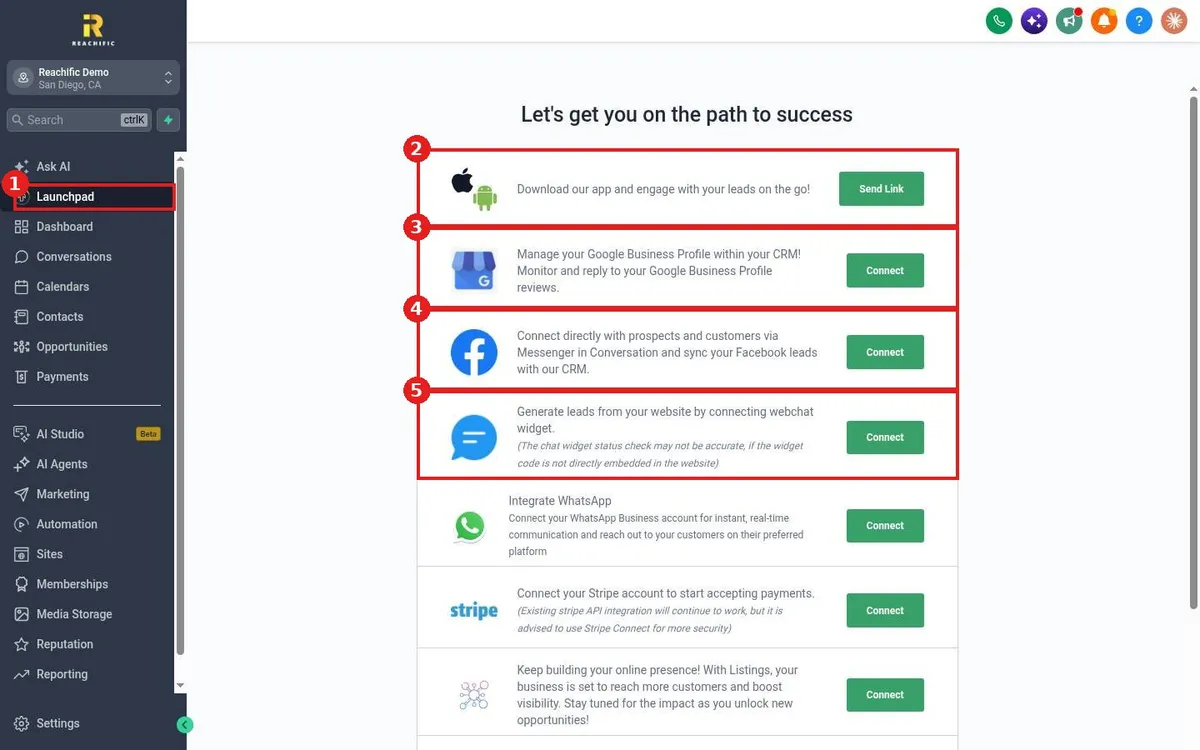
Quick answer: Click Launchpad in the left menu. Work down the checklist and click Send Link or Connect on each item: the mobile app, Google Business Profile, Facebook, the website chat widget, WhatsApp, Stripe and listings.
Before you start
- Have logins ready for your Google Business Profile, Facebook page and Stripe account.
Step 1: Open Launchpad
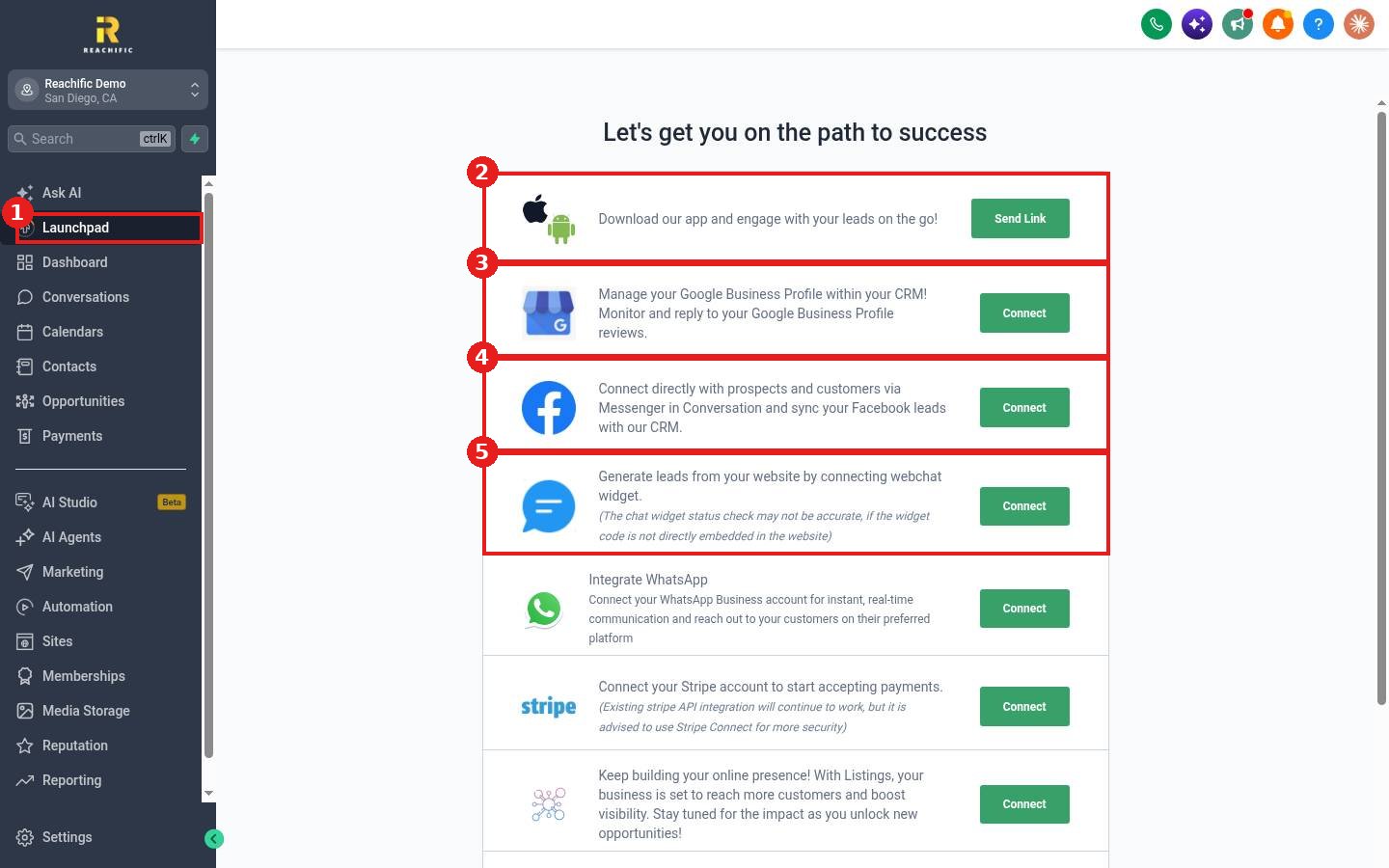
Click Launchpad (1) in the left menu. The page is titled Let's get you on the path to success.
Step 2: Work the checklist
- Mobile app (2): click Send Link to text yourself the app download link.
- Google Business Profile (3): manage and reply to Google reviews from your account. See How do I connect my Google Business Profile from the Launchpad?
- Facebook (4): bring Messenger chats and Facebook leads into your account. See How do I connect my Facebook page from the Launchpad?
- Webchat widget (5): capture leads from your website. See How do I install the chat widget from the Launchpad?
- Below these, connect WhatsApp, Stripe for payments and Listings.
FAQ
Do I have to finish everything at once?
No. Come back any time. Each item stays on the list until it is connected.
Is the chat widget status always right?
The status check may not be accurate if the widget code is not placed directly in your website.
Want us to handle it? Our team can finish your whole setup for you so you are ready to work leads on day one. Book a free strategy call and get a free quote.
Related articles
- How do I fill in my business profile?
- How do I connect Stripe to take payments?
- How do I start my 14 day Reachific free trial?
Still stuck? Submit a ticket and our team will help. Need faster answers? See our support plans.
