
How do I change my business time zone?
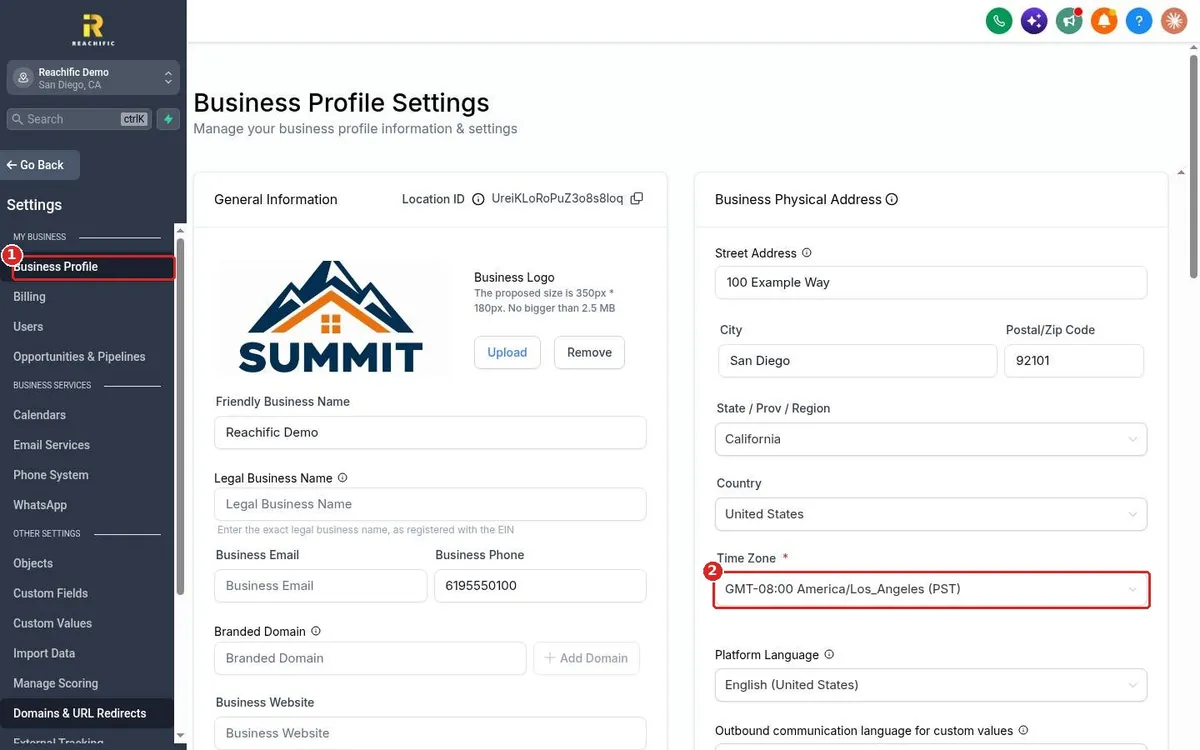
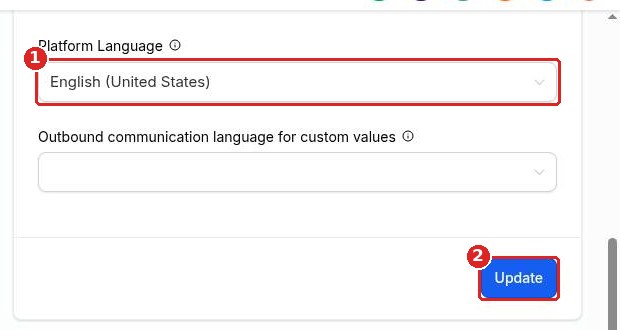
Quick answer: Click Settings, then Business Profile. On the Business Physical Address card, open the Time Zone field and pick your zone, for example GMT-08:00 America/Los_Angeles. Scroll down and click Update on that card to save.
Before you start
- Pick the zone where your business works, not where you happen to be today.
- The time zone controls when reminders, scheduled messages and reports go out.
- Each team member can also set their own hours in their profile for calendars.
Step 1: Pick your time zone
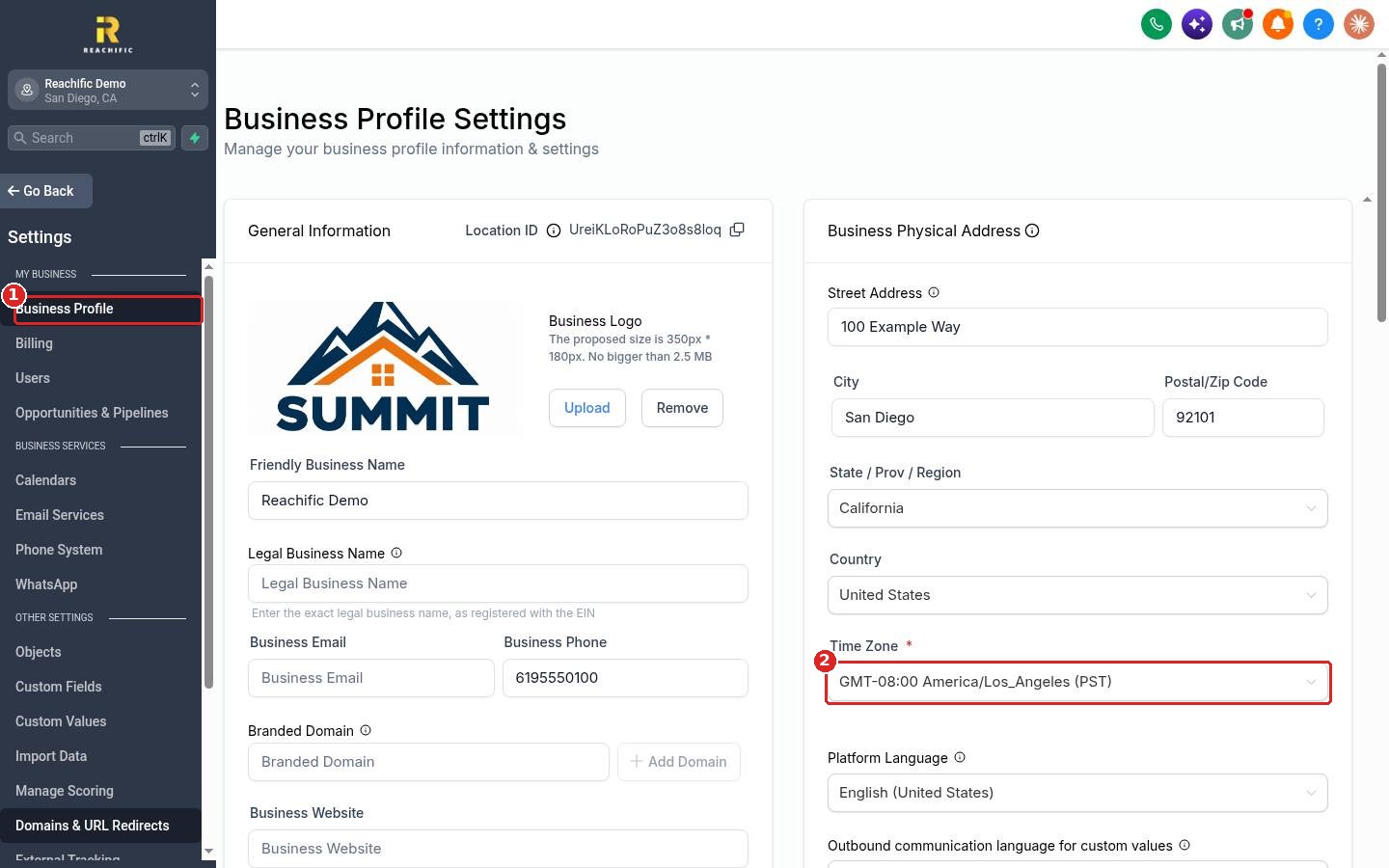
Click Settings at the bottom of the left menu, then Business Profile (1). On the right, find the Time Zone field (2). Click it and choose your zone. You can type a city name to find it fast.
Step 2: Save the address card
Scroll down the same card past Platform Language (1) and click Update (2). Reload the page to check the new zone shows.
FAQ
Why are my reminders going out at the wrong time?
The most common cause is a wrong business time zone. Set the right zone and click Update, then check your calendar and workflow times again.
Does changing the time zone move existing appointments?
Appointments stay at the same real moment in time. They will display in the new zone, so a booking may look like it moved by a few hours.
Does daylight saving time change on its own?
Yes. Pick a city based zone like America/Los_Angeles and it adjusts for daylight saving time automatically.
Can contacts have their own time zone?
Yes. Contacts can carry their own time zone. The General settings lower on this page include an option to turn off contact time zones if you want everything in your business time.
Want us to handle it? Our team can check your settings, calendars and reminders so every message goes out on time. Book a free strategy call and get a free quote.
Related articles
- How do I fill in my business profile?
- How do I create a booking calendar?
- How do I create my first workflow?
Still stuck? Submit a ticket and our team will help. Need faster answers? See our support plans.
