
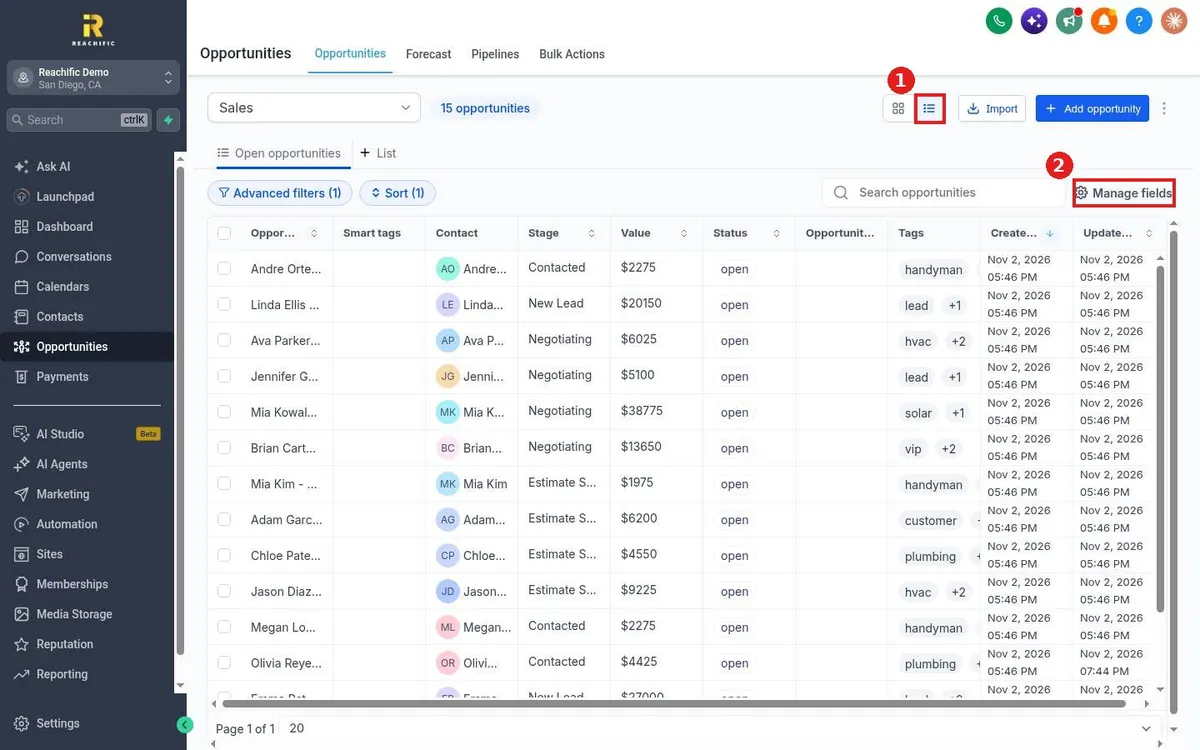
How do I switch between board and list view?
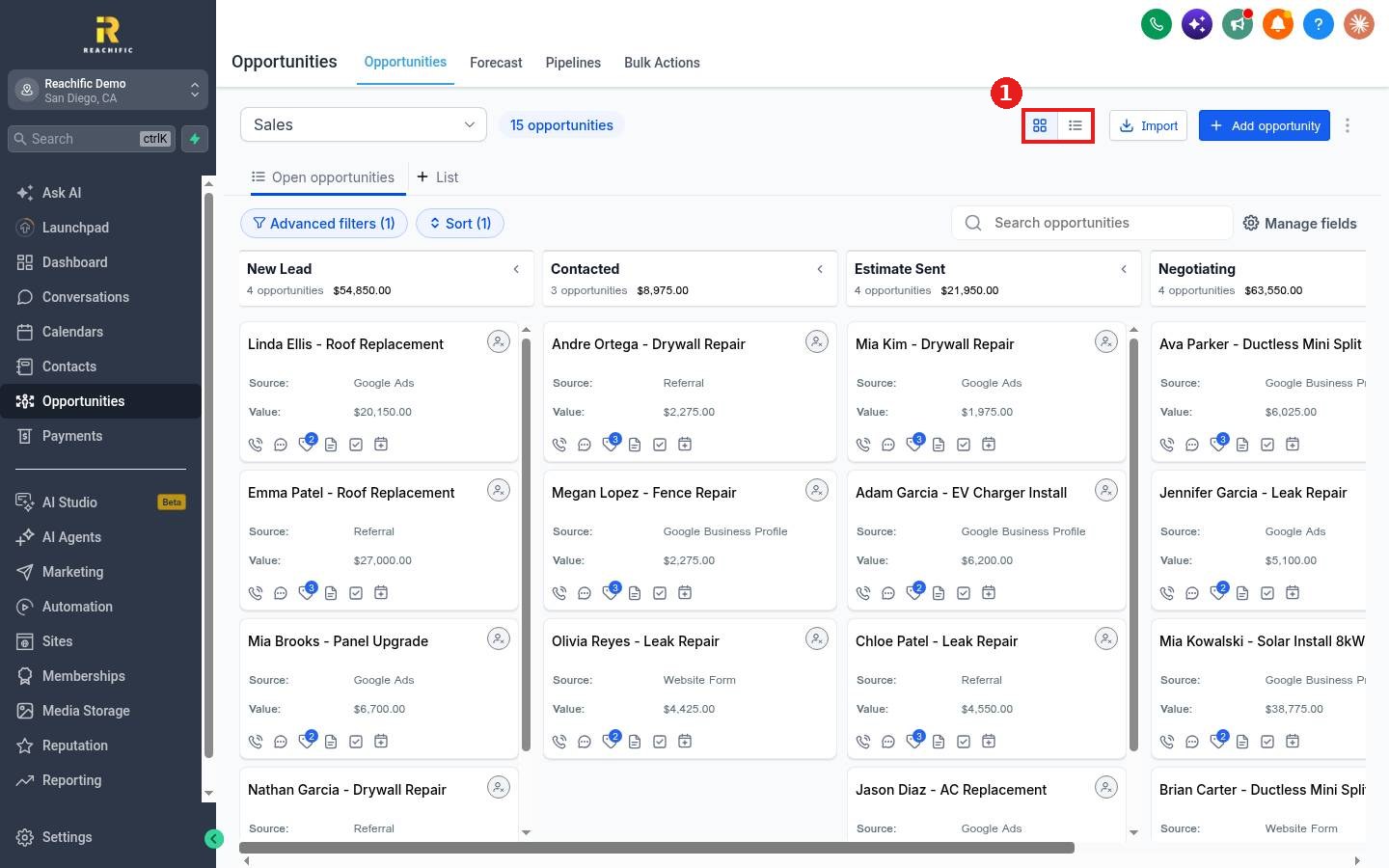
Quick answer: Open Opportunities. At the top right, next to Import, click the grid icon for the board view or the list icon for the table view.
Step 1: Find the view switch
The two icons sit together at the top right of the board (1). The highlighted one is the view you are on.
Step 2: Use the list view
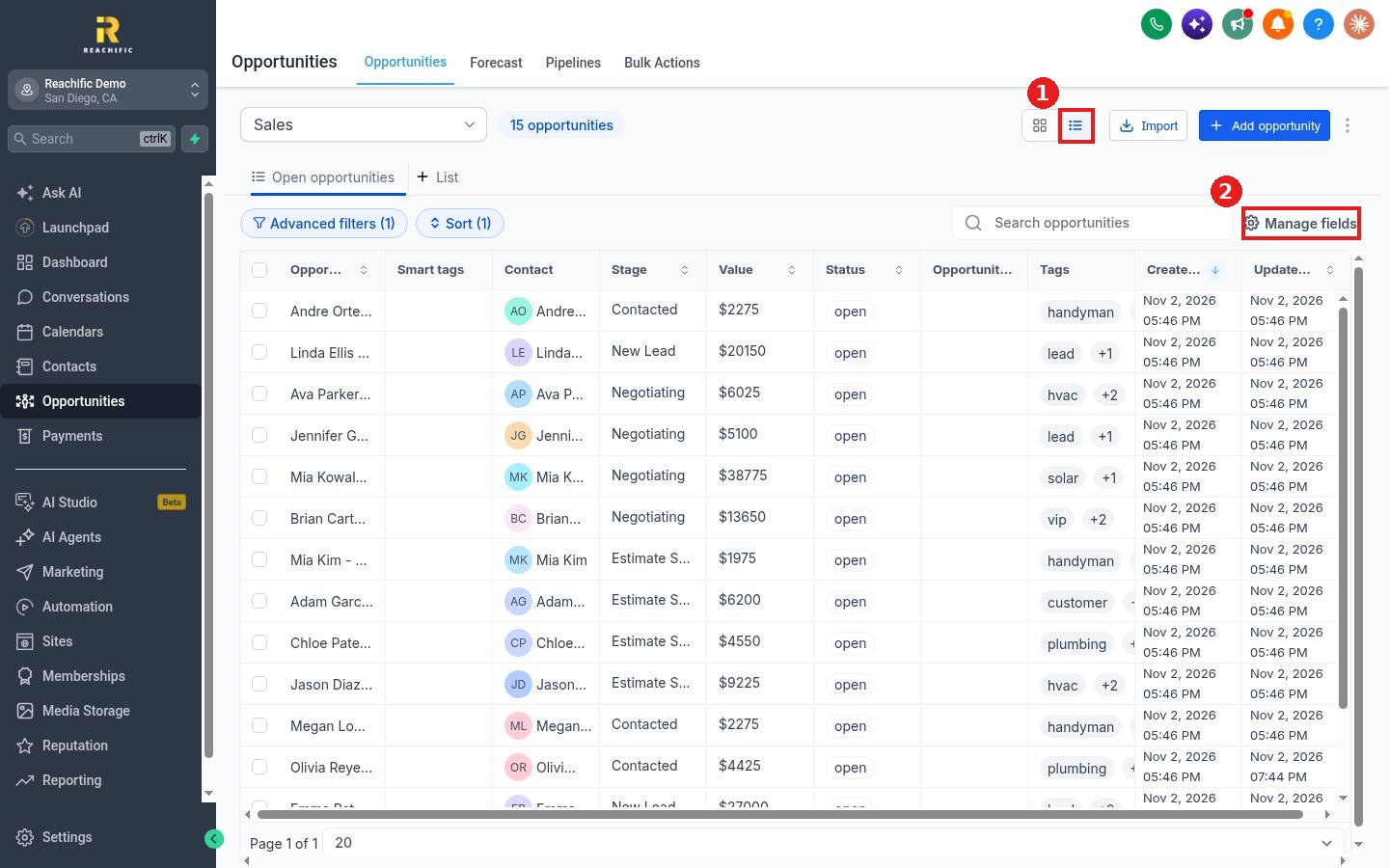
Click the list icon (1). Each deal shows as a row with contact, stage, value, status and tags. Click a column header to sort. Click Manage fields (2) to choose the columns.
FAQ
Which view should I use?
The board is best for moving deals through stages. The list is best for sorting by value or date and for selecting many deals at once.
Can I edit deals in bulk from the list?
Yes. Check the boxes on the left of the rows to see bulk actions.
Does my choice stick?
The view you pick stays until you switch it again.
Want us to handle it? Our team can set up your pipelines and views so your team sees what matters. Book a free strategy call and get a free quote.
Related articles
- How do I filter and sort opportunities?
- How do I move a card to the next stage?
- How do I add an opportunity to a pipeline?
Still stuck? Submit a ticket and our team will help. Need faster answers? See our support plans.
