
How do I add an opportunity to a pipeline?
Quick answer: Open Opportunities, pick the pipeline at the top and click Add opportunity. Select the contact, enter an opportunity name, choose the pipeline and stage, add the deal value and click Create.
Before you start
- You need a pipeline. See How do I create a sales pipeline with stages?
- A clear name helps, like Customer name, then the job, for example Linda Ellis Roof Replacement.
Step 1: Open the board
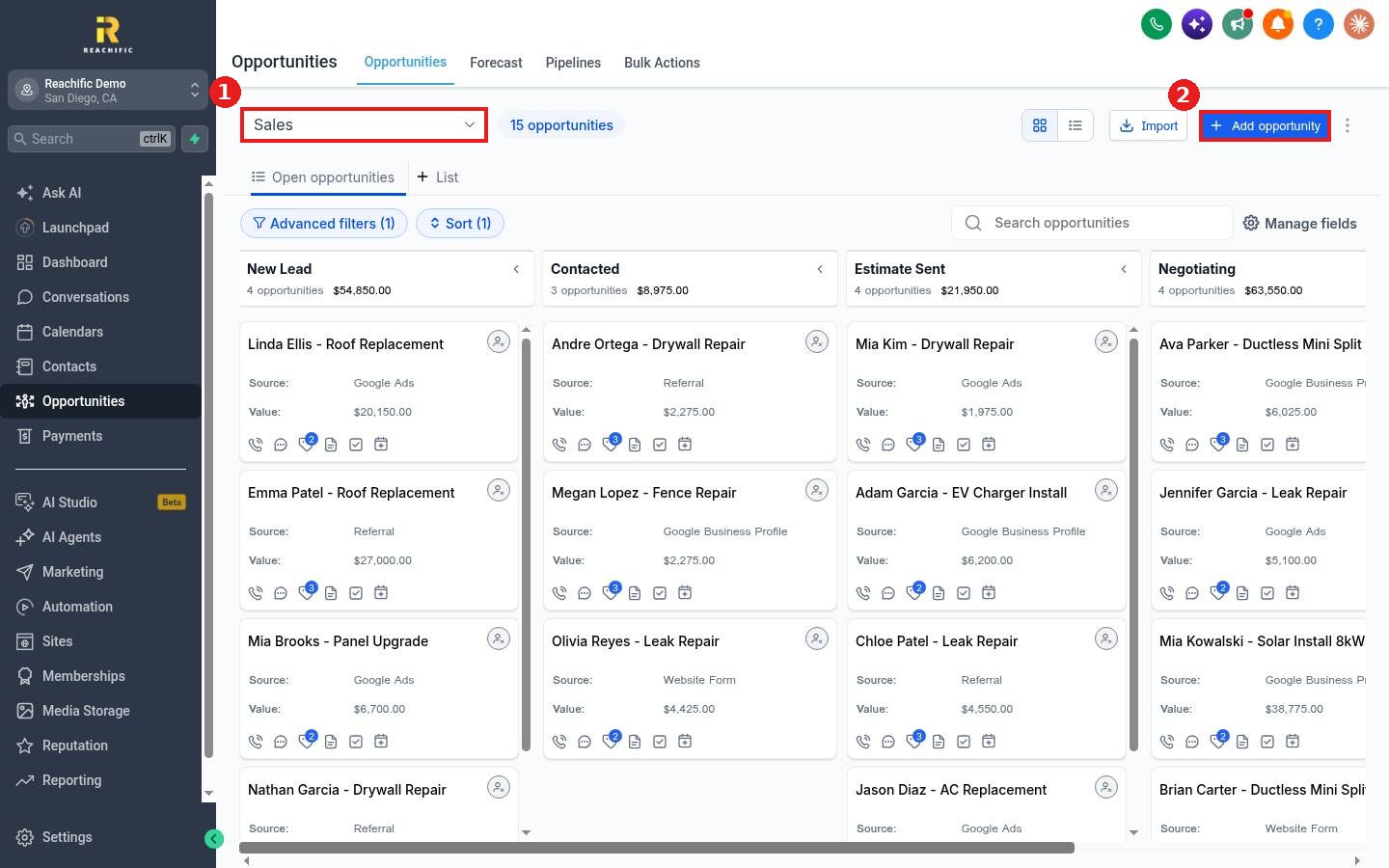
Choose the pipeline from the dropdown (1) and click Add opportunity (2).
Step 2: Fill in the details
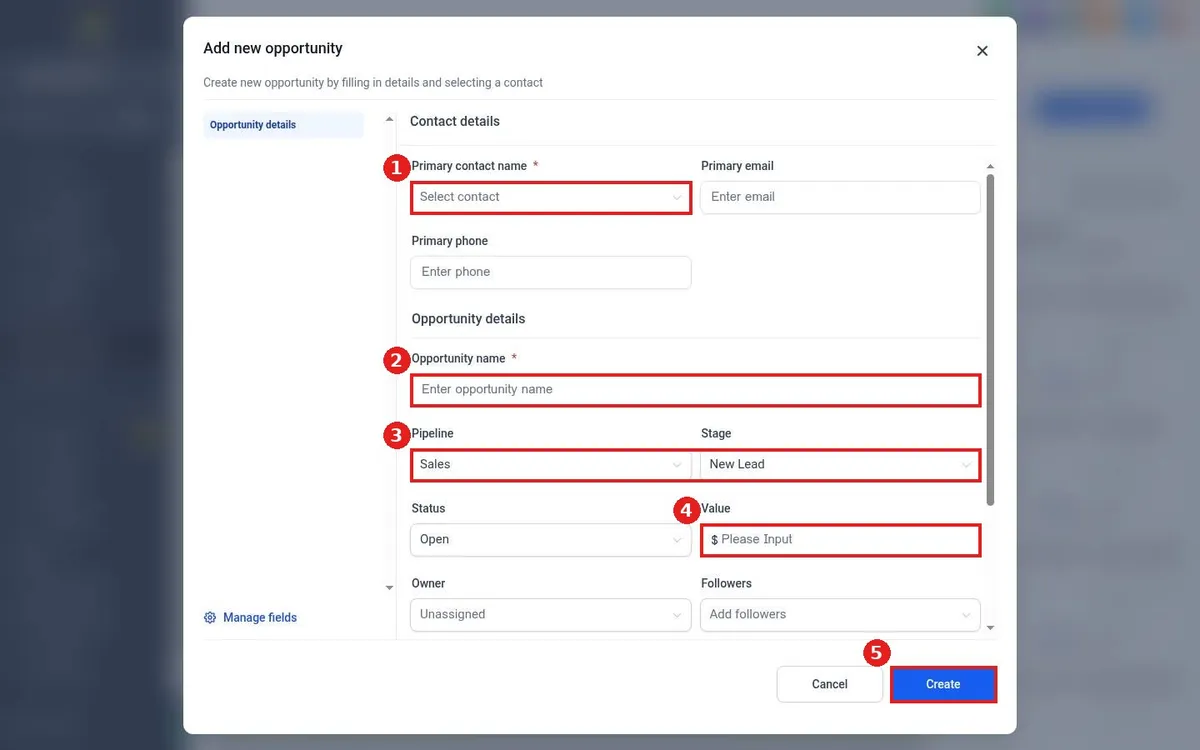
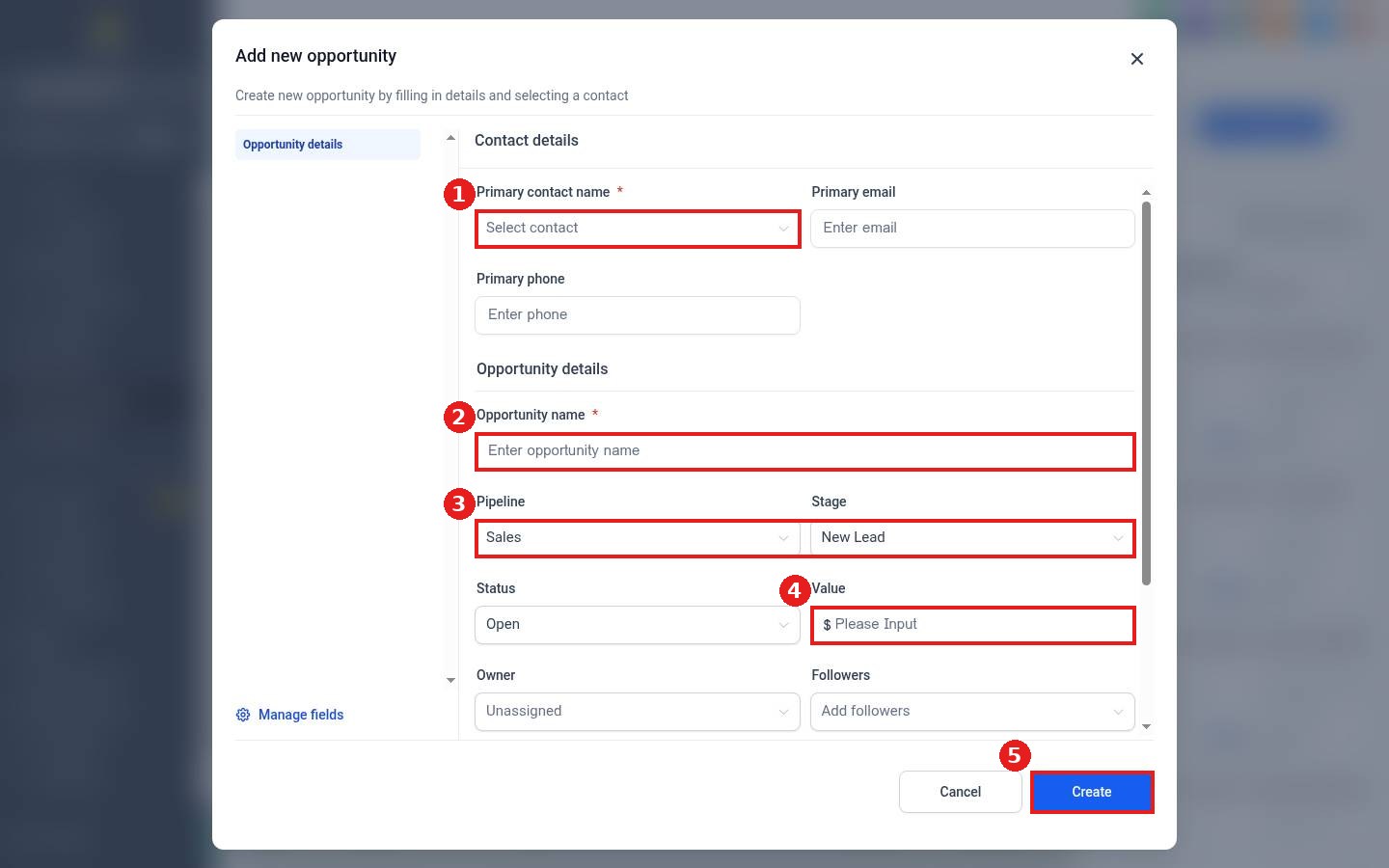
Pick the contact under Primary contact name (1). Type the Opportunity name (2). Confirm the Pipeline and Stage (3) and enter the Value of the deal (4). Assign an Owner if a team member will work it.
Step 3: Create
Click Create (5). The card appears in the stage you picked.
FAQ
Can opportunities be created automatically?
Yes. Add a Create or update opportunity action in a workflow, for example when a form is submitted.
Can I add more fields to this form?
Yes. Click Manage fields at the bottom left of the window.
What if the contact does not exist yet?
Add them first, or type their details in the contact fields. See How do I add a contact by hand?
Want us to handle it? Our team can set up automatic deal tracking from every lead source. Book a free strategy call and get a free quote.
Related articles
- How do I move a card to the next stage?
- How do I mark an opportunity won, lost or abandoned?
- How do I create a sales pipeline with stages?
Still stuck? Submit a ticket and our team will help. Need faster answers? See our support plans.
