
How do I mark an opportunity won, lost or abandoned?
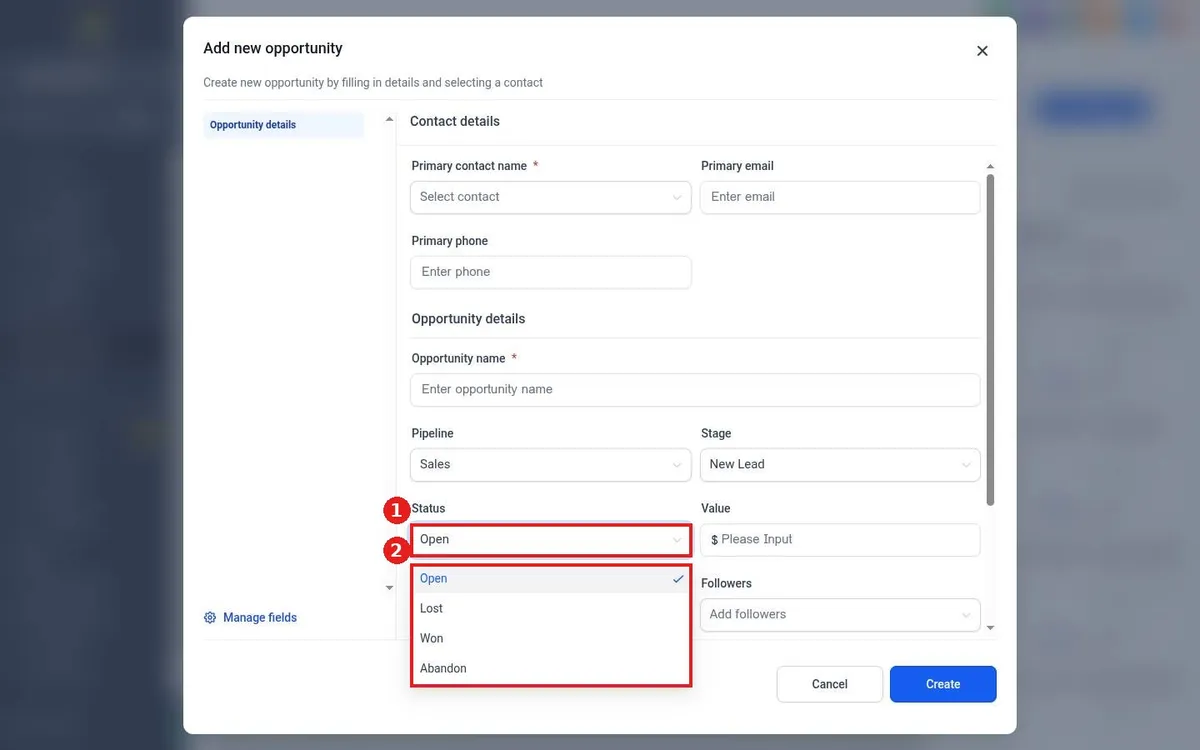
Quick answer: Click the opportunity card to open it, open the Status dropdown and pick Won, Lost or Abandon. Save. The card leaves the board because the board shows only Open deals by default.
Before you start
- Won and lost numbers feed your dashboard and reports, so keep statuses current.
- Use Abandon for leads that went silent, and Lost when the customer said no.
Step 1: Change the status
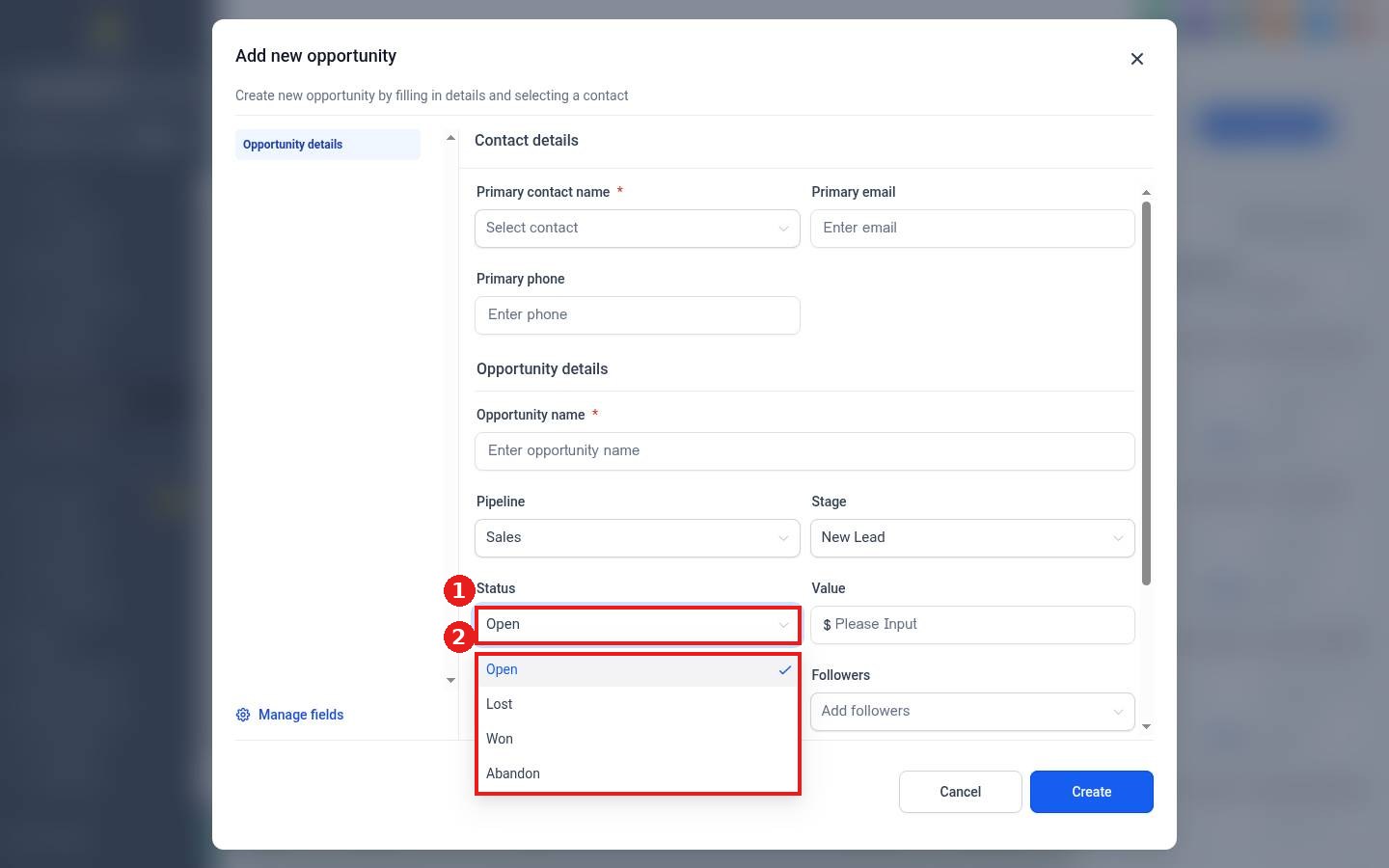
Open the card and click the Status field (1). Pick the outcome (2): Open, Lost, Won or Abandon. Then save the opportunity.
Step 2: Find closed deals later
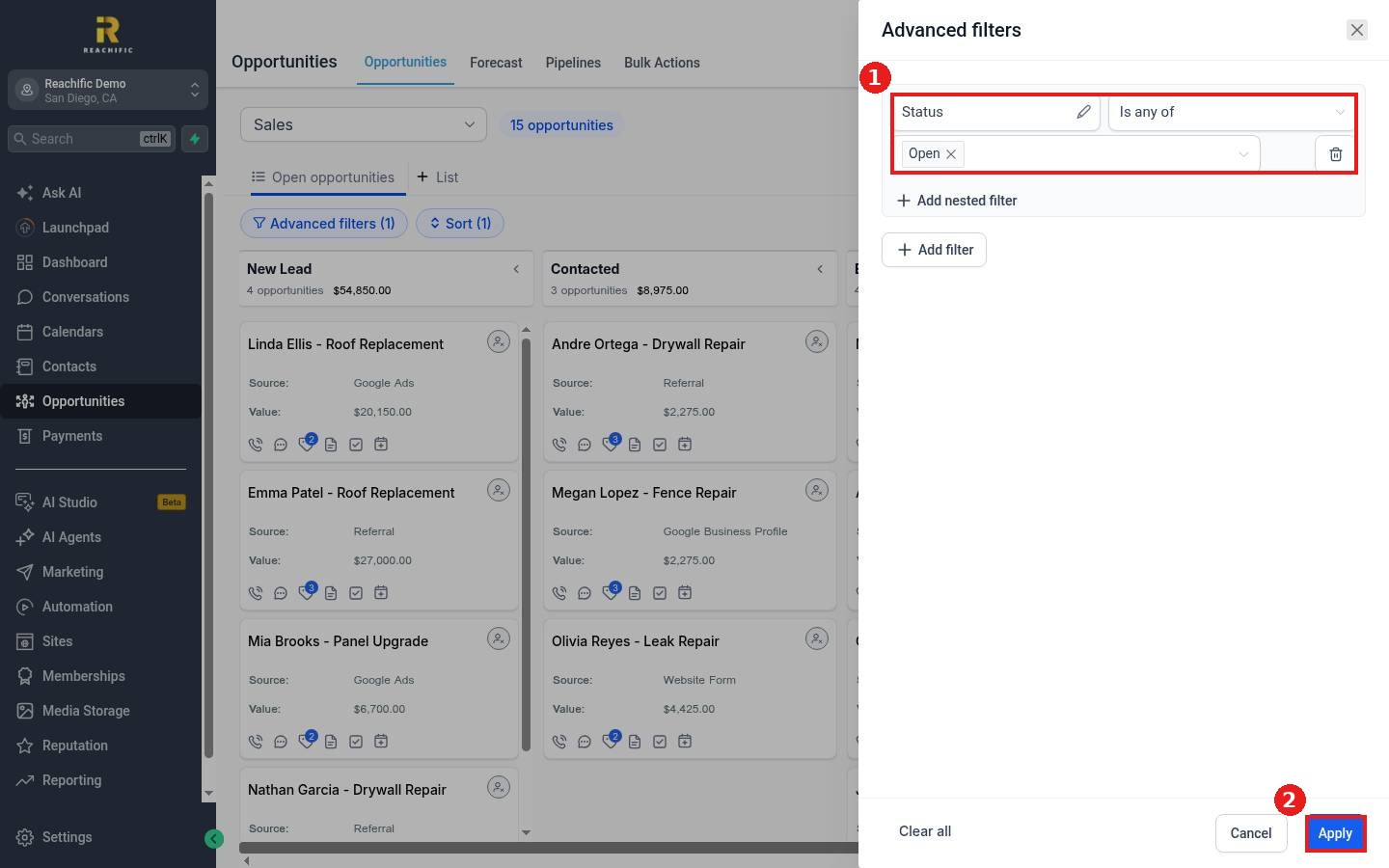
Click Advanced filters on the board. The default filter is Status is any of Open (1). Add Won, Lost or Abandoned to the list, or remove it, and click Apply (2).
FAQ
Can I reopen a lost deal?
Yes. Find it with the filter, open it and set Status back to Open.
Can I record why a deal was lost?
Yes. When you pick Lost you can add a lost reason, which shows in your reports.
Can a workflow mark deals won?
Yes. For example, a paid invoice can update the opportunity status to Won automatically.
Want us to handle it? Our team can set up win and loss tracking so you see where deals slip. Book a free strategy call and get a free quote.
Related articles
- How do I move a card to the next stage?
- How do I filter and sort opportunities?
- How do I read my Reachific dashboard?
Still stuck? Submit a ticket and our team will help. Need faster answers? See our support plans.
