
How do I move a card to the next stage?
Quick answer: Click Opportunities in the left menu, pick your pipeline at the top, then click and hold a card and drag it into the next stage column. Let go and the card stays there. The stage totals at the top of each column update right away.
Before you start
You need at least one pipeline with stages. Each column on the board is one stage.
Make sure you are on the board view (the grid icon at the top right), not the list view.
Moving a card can start automations that use a pipeline stage changed trigger, such as sending a quote follow up. Check with whoever set up your workflows if you are not sure.
Step 1: Open your pipeline
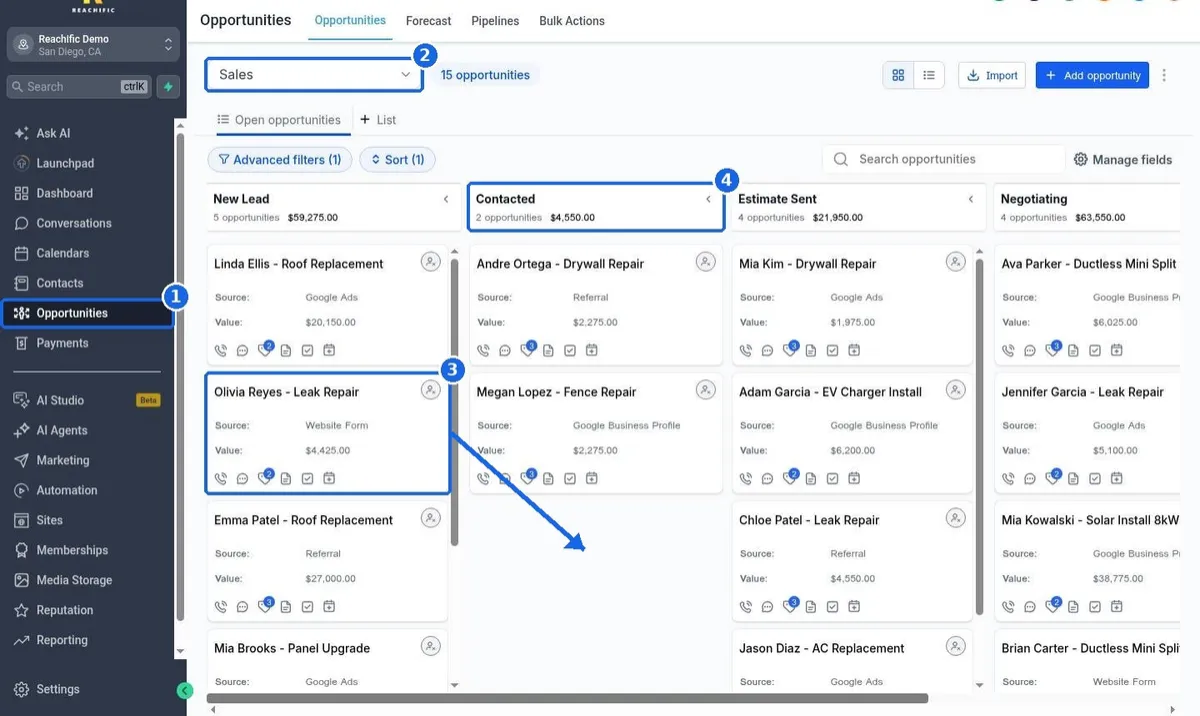
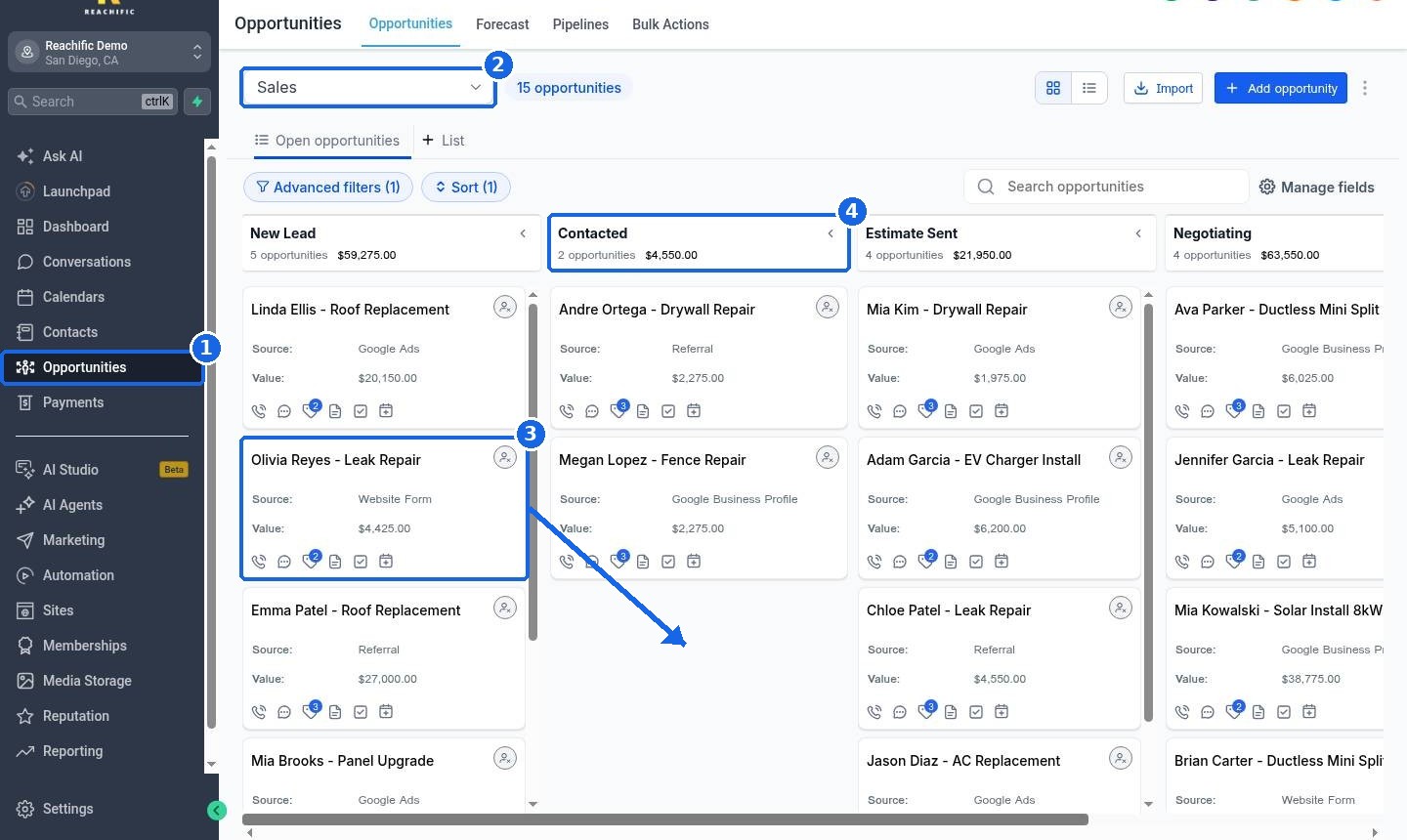
Click Opportunities in the left menu (1). Use the pipeline dropdown at the top (2) to pick the pipeline you want, such as Sales or Jobs.
Step 2: Drag the card
Find the card you want to move (3). Click and hold anywhere on the card, drag it over the next stage column (4), and let go.
Step 3: Check the result
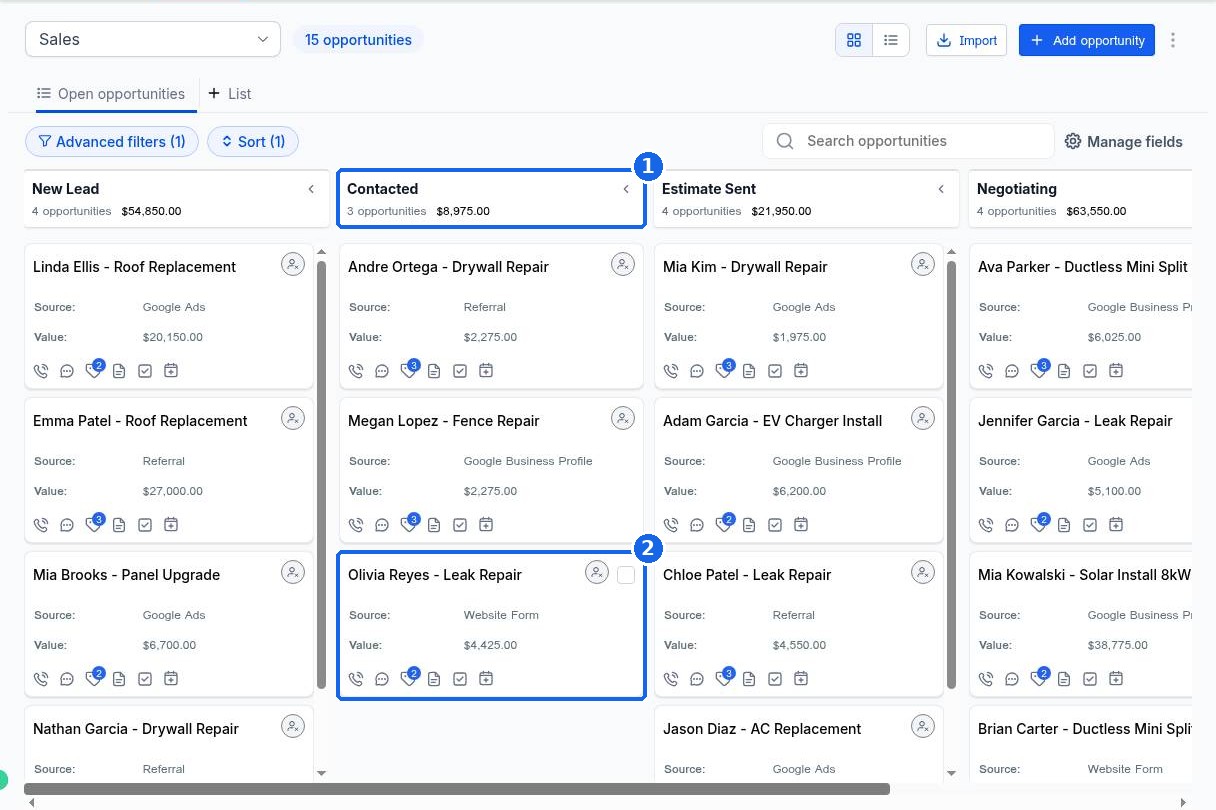
The card now sits in the new column (2), and the column header (1) shows the new count and total value for that stage.
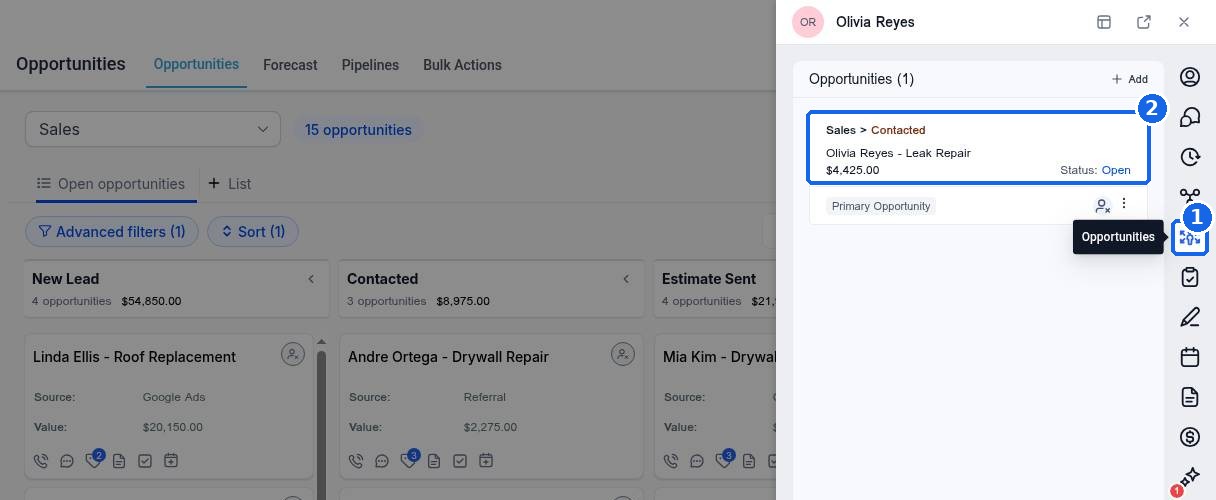
To double check, click the person's name on the card. In the panel that opens, click the opportunities icon on the right (1). The opportunity shows the pipeline and its current stage (2), for example Sales > Contacted.
FAQ
The stage I need is off the screen. How do I reach it?
Use the scroll bar at the bottom of the board, or drag the card toward the right edge and the board scrolls with you. You can also collapse stages you do not need with the arrow in each column header.
Can I move a card from my phone?
Yes. In the mobile app, open the opportunity and change its stage there.
How do I mark a deal won or lost instead?
Open the opportunity and change its status to Won, Lost or Abandoned. Closed deals leave the open board but stay in your reports.
Can I move many cards at once?
Yes. Switch to list view, check the opportunities you want, and use the bulk actions to change their stage.
Why did a text or email go out when I moved a card?
A workflow in your account is set to run when an opportunity changes stage. Open Automation and look for workflows with a pipeline stage changed trigger.
Want us to handle it? Our team can design your pipeline stages and the follow up automations behind each one, so deals keep moving without manual work. Book a free strategy call and get a free quote.
Related articles
Still stuck? Submit a ticket and our team will help. Need faster answers? See our support plans.
