
How do I create a knowledge base for my AI agents?
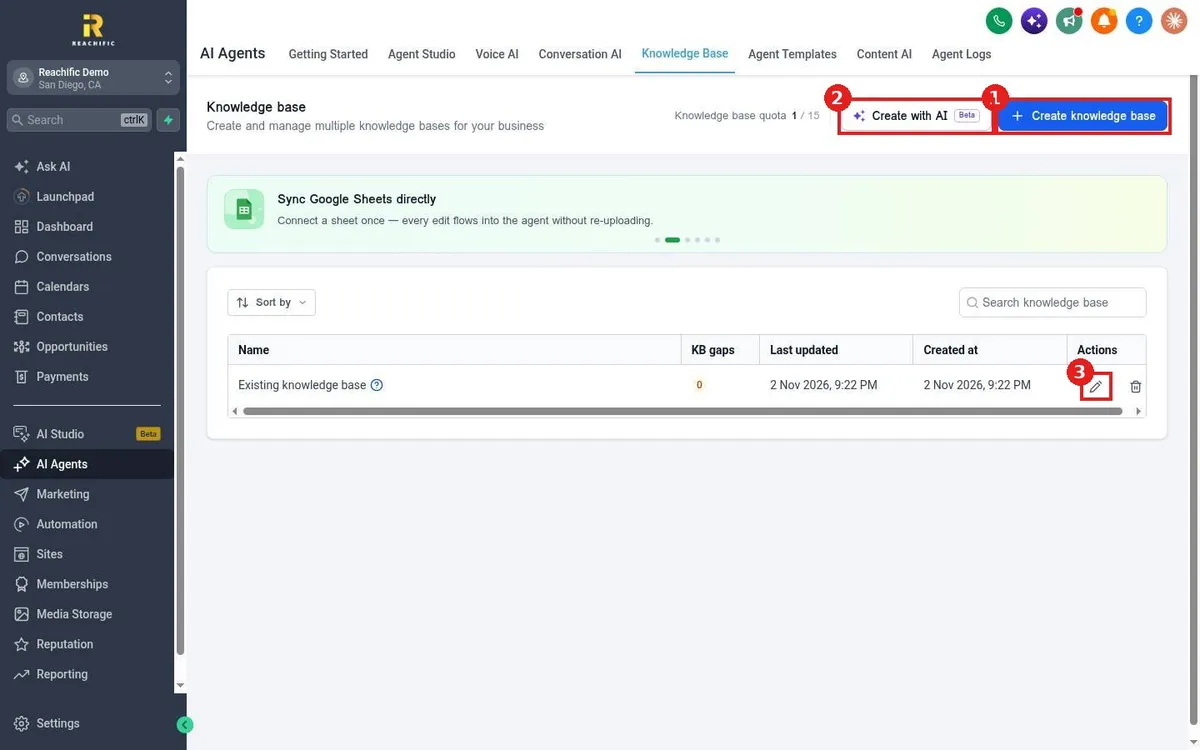
Quick answer: Go to AI Agents > Knowledge Base and click Create knowledge base. Give it a name and description, click Add, then add sources: Web crawler, FAQ, Tables, Rich text or Files. Connect it to your agents so they answer from your own information.
Before you start
- Every account starts with one default knowledge base. You can add to it or create more, up to the quota shown at the top.
- Gather your website address, common questions and any price sheets or service lists.
Step 1: Create the knowledge base
- Click AI Agents in the left menu, then Knowledge Base.
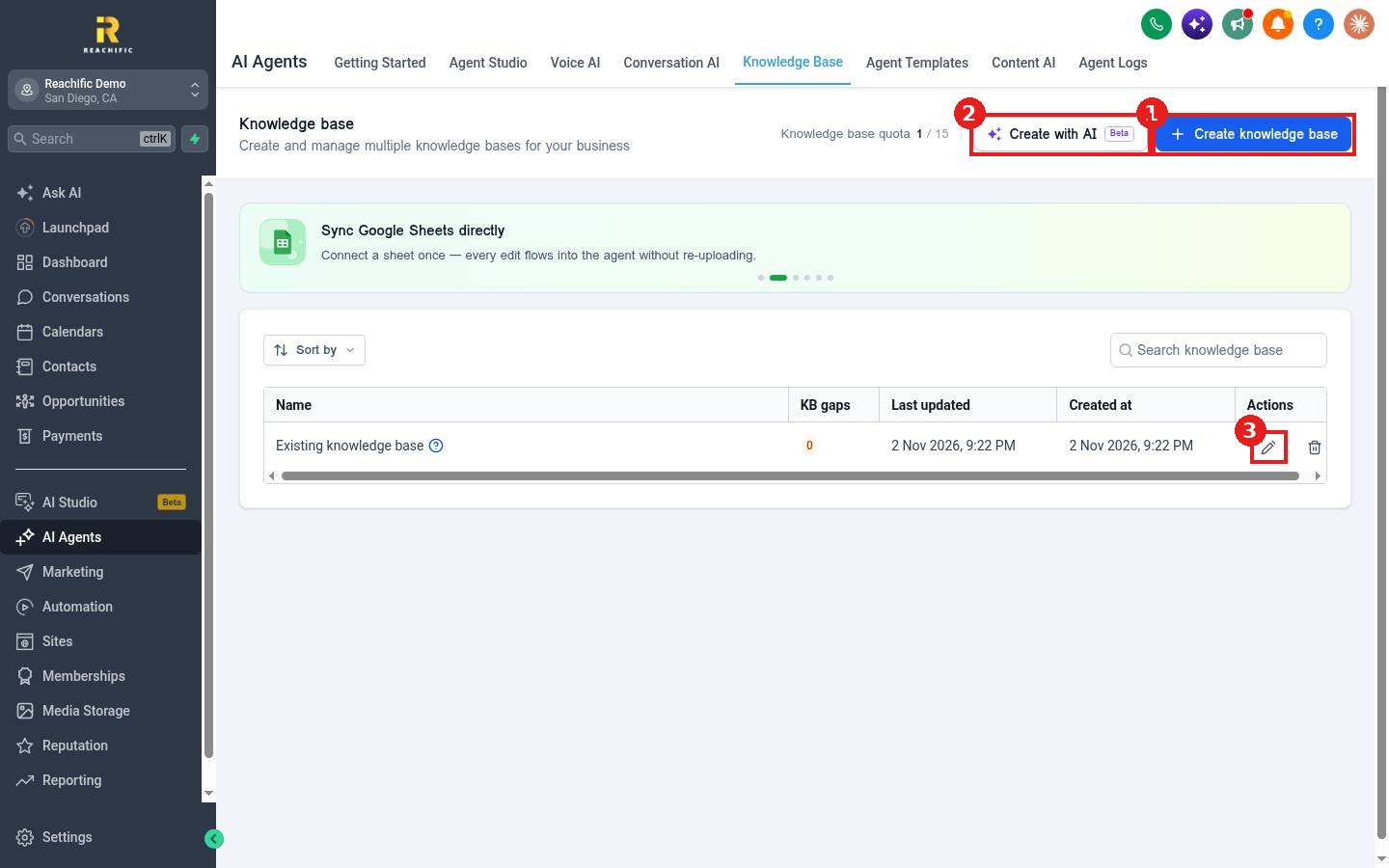
- Click Create knowledge base (1). Create with AI (2) can draft one for you. To add to an existing one, click its pencil icon (3).
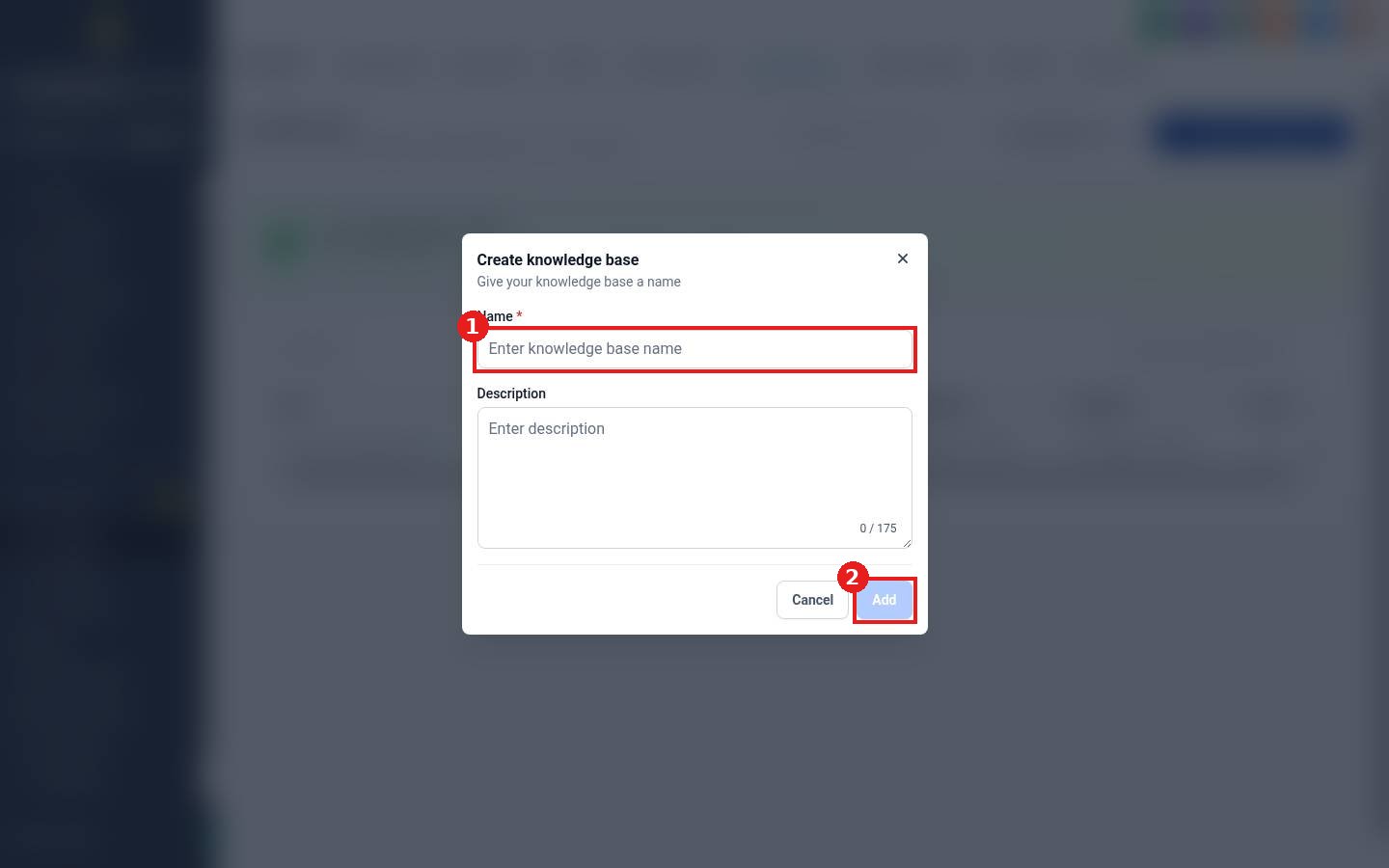
Enter a Name (1) and optional description, then click Add (2).
Step 2: Add knowledge sources
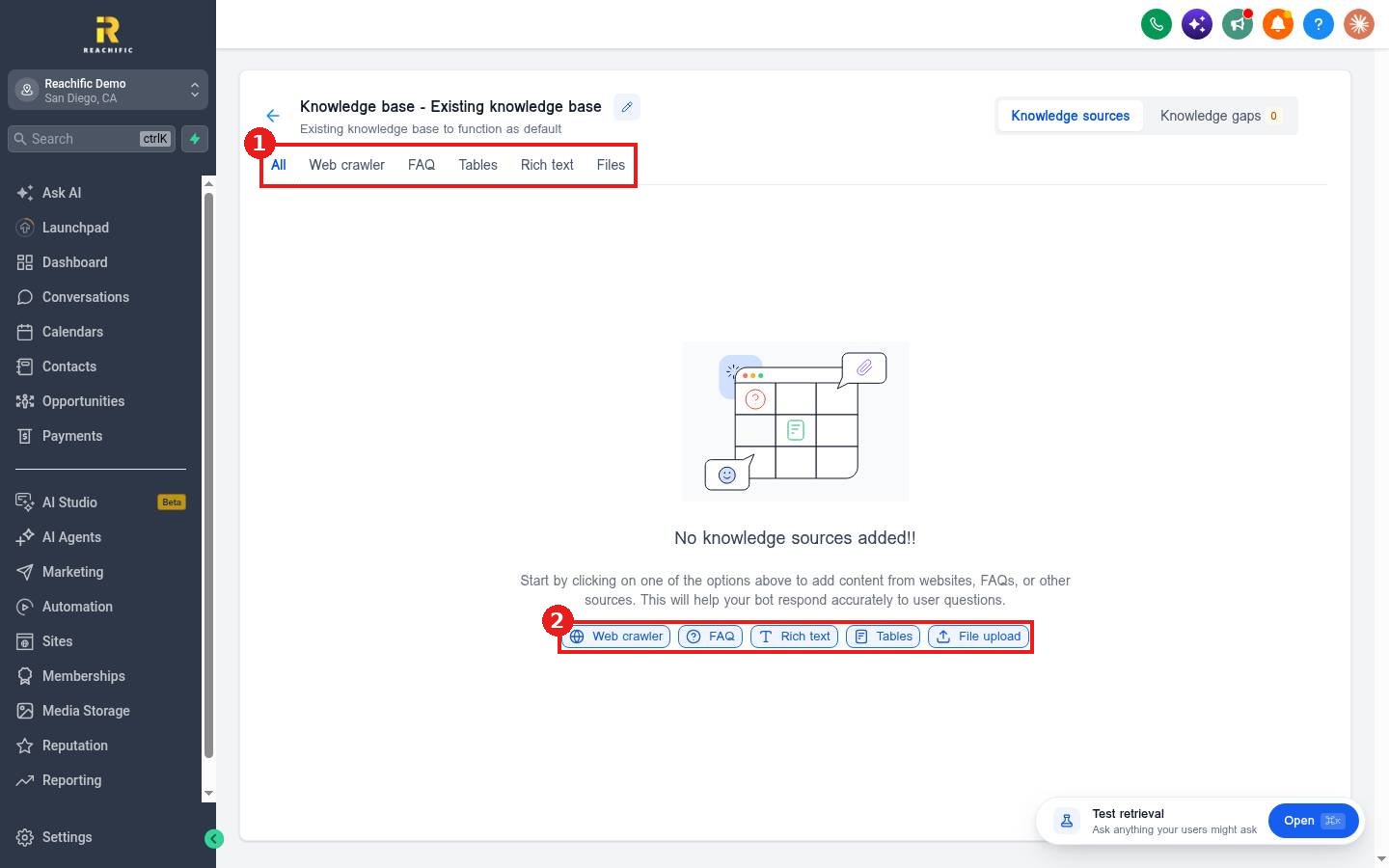
Inside the knowledge base, the tabs (1) are All, Web crawler, FAQ, Tables, Rich text and Files. The quick buttons (2) add each kind of source.
- Web crawler pulls in pages from your website. See How do I add my website to a knowledge base?
- FAQ and Files add question and answer pairs and documents. See How do I upload files and FAQs to a knowledge base?
- Tables and Rich text hold price lists, service areas and longer notes.
Step 3: Test and connect
Click Open on the Test retrieval box at the bottom right and ask a question a customer would ask. Then connect the knowledge base in your Voice AI or Conversation AI agent settings.
FAQ
What are Knowledge gaps?
The Knowledge gaps tab shows questions your agents could not answer, so you know what to add next.
Should I use one knowledge base or several?
One is fine for most businesses. Use separate ones if different agents need different information.
Want us to handle it? Our team can build and maintain your AI knowledge base so your agents always give the right answer. Book a free strategy call and get a free quote.
Related articles
- How do I add my website to a knowledge base with the web crawler?
- How do I upload files and FAQs to a knowledge base?
- How do I set up a Conversation AI bot?
Still stuck? Submit a ticket and our team will help. Need faster answers? See our support plans.
