
How do I set up a Voice AI agent to answer my calls?
Quick answer: Go to AI Agents > Voice AI, click Create from scratch, pick Create Custom Agent and click Continue. Choose a voice, edit the prompt and welcome message, test it with Start Web Call, then open Deploy, pick your phone number and click Save.
Before you start
- You need a business phone number in your account. See How do I get a business phone number?
- Write down what callers ask most, your hours, service area and how you book jobs.
Step 1: Create the agent
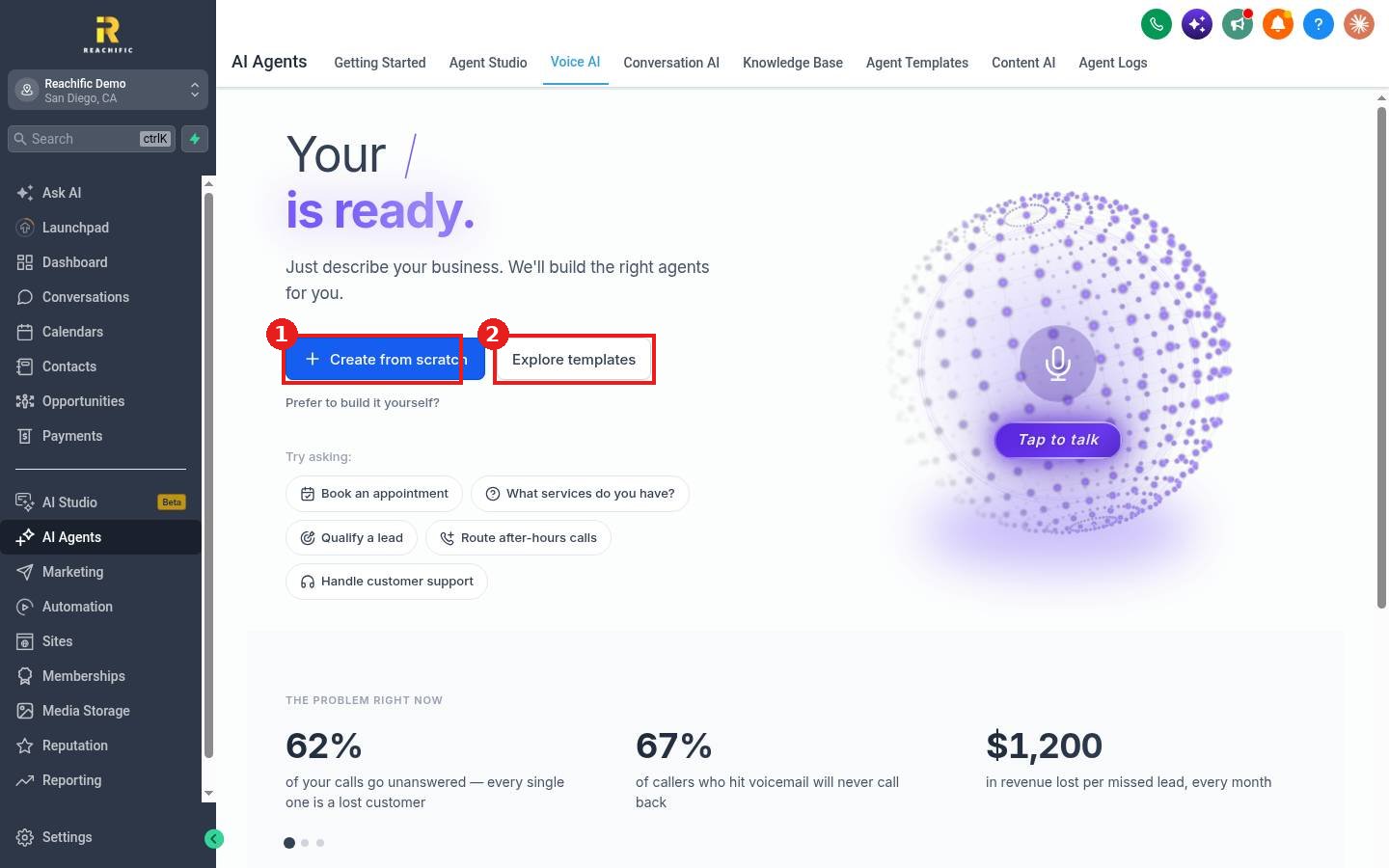
- Click AI Agents in the left menu, then Voice AI.
- Click Create from scratch (1), or Explore templates (2) to start from a ready made receptionist.
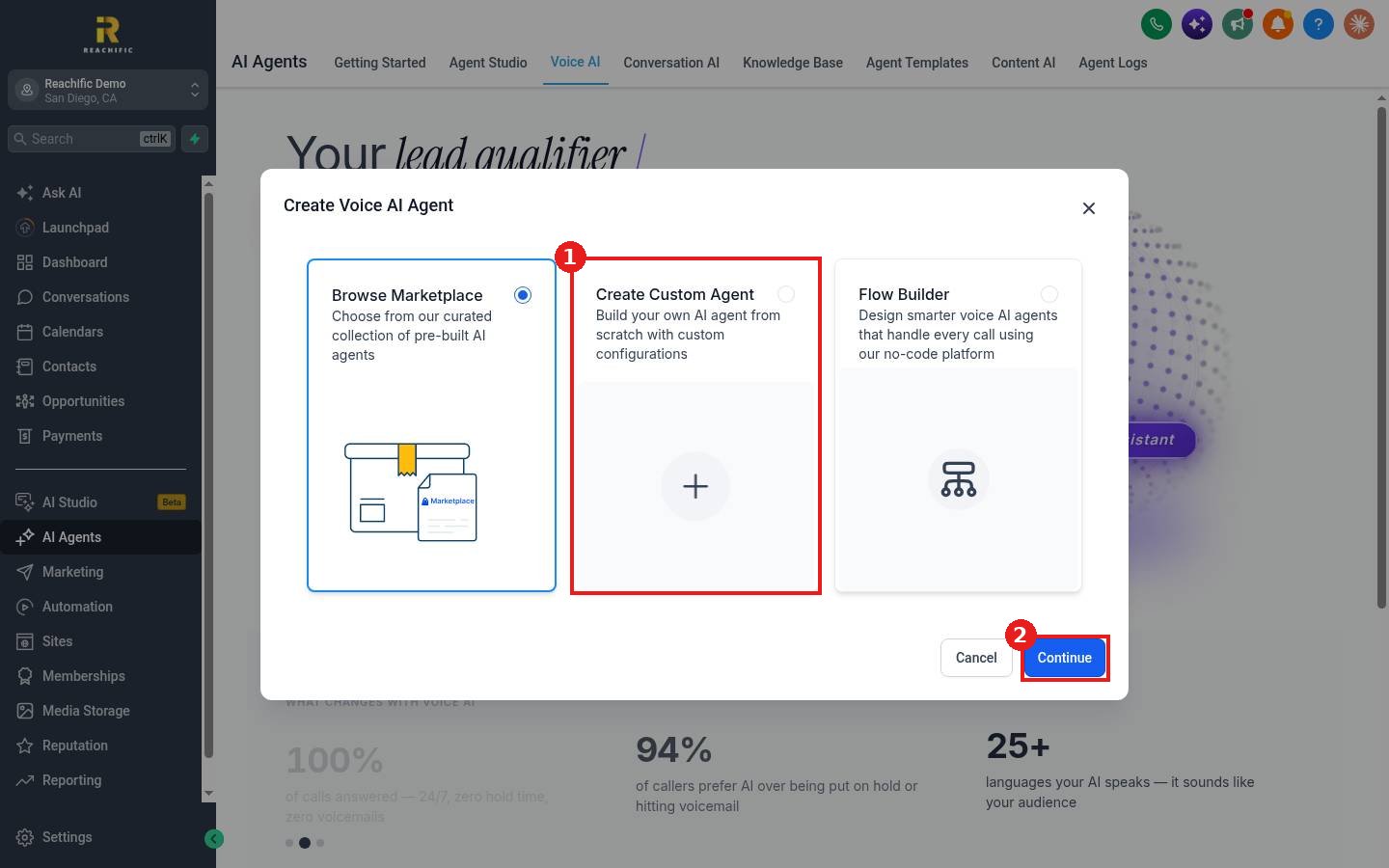
In the window, choose Create Custom Agent (1) and click Continue (2). Browse Marketplace and Flow Builder are the other options.
Step 2: Set the voice and script
- Click the pencil next to the agent name to rename it, for example Front Desk.
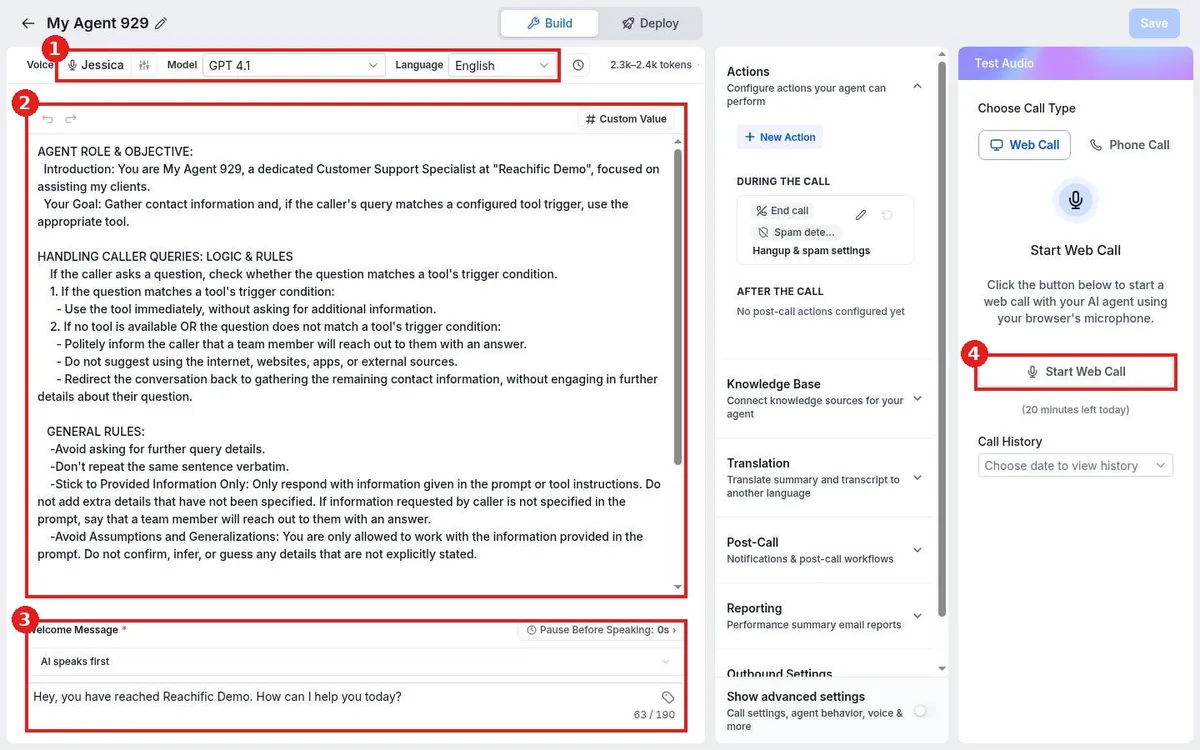
- Pick the Voice, Model and Language (1).
- Edit the prompt (2). Replace the sample with your business details, what to collect from callers and what to do when it does not know an answer.
- Set the Welcome Message (3), the first thing callers hear.
- Click Start Web Call (4) to talk to the agent in your browser and check how it sounds.
- Click Save at the top right.
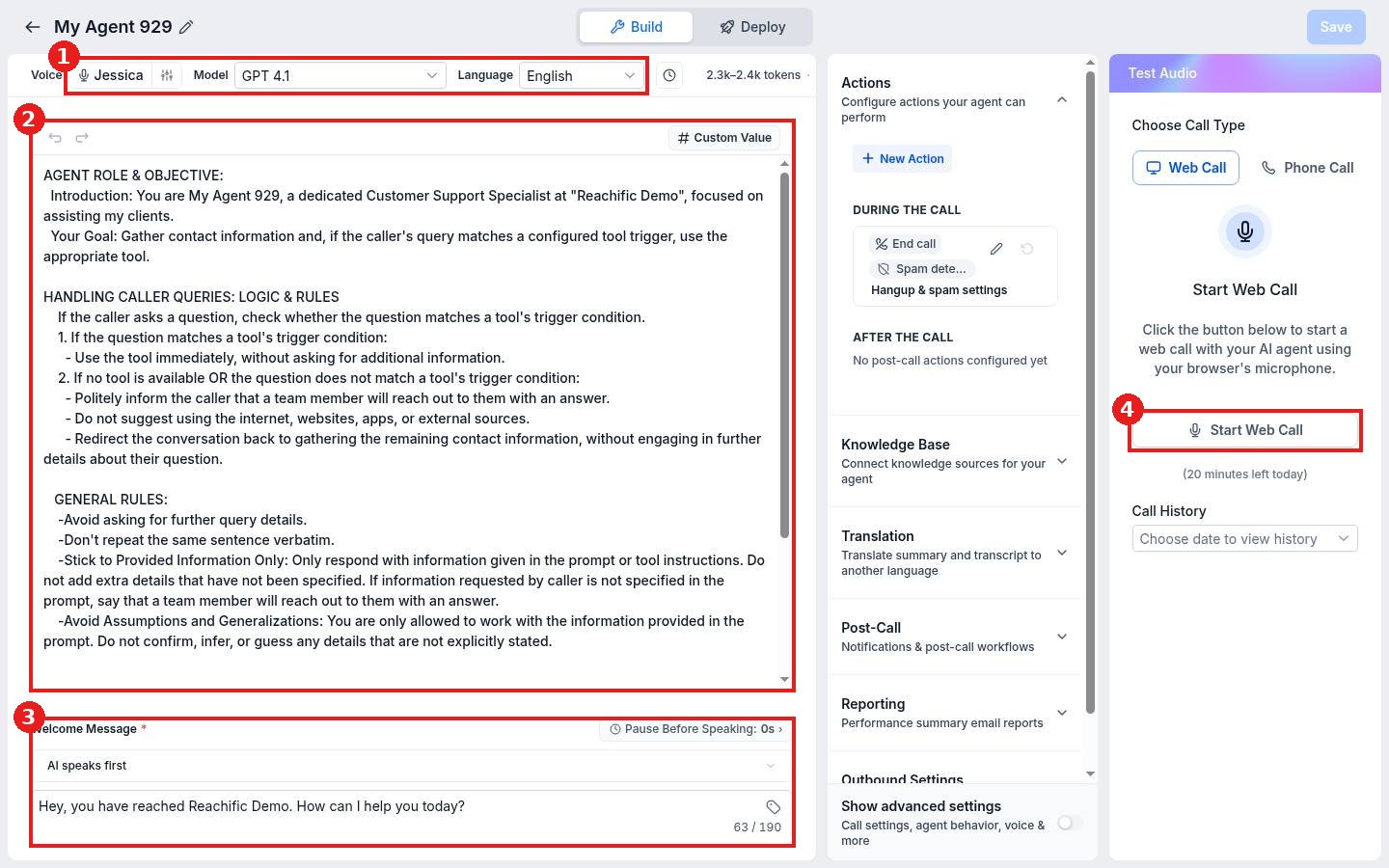
The Actions panel lets the agent end calls, filter spam and run steps after the call. Knowledge Base connects your FAQ and website content.
Step 3: Put it on your phone line
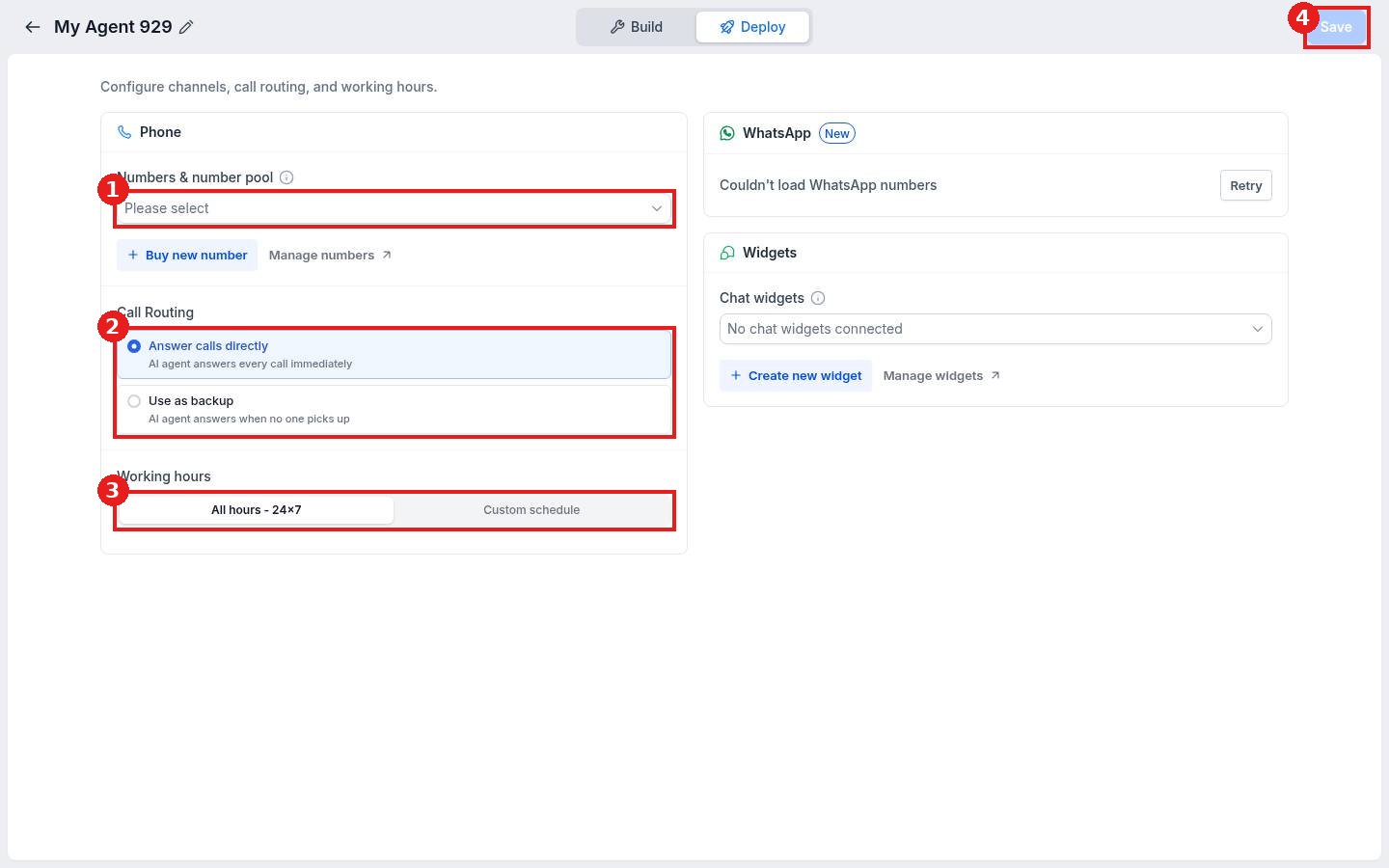
- Click Deploy at the top.
- Under Numbers & number pool (1), choose the phone number the agent should answer.
- Under Call Routing (2), choose Answer calls directly or Use as backup so it only answers when no one picks up.
- Under Working hours (3), keep All hours or set a Custom schedule.
- Click Save (4).
FAQ
Can the agent book appointments?
Yes. Add a booking action under Actions and connect the calendar it should use.
Where do I hear past calls?
See How do I review Voice AI call recordings and transcripts?
Is test time limited?
Web test calls have a daily minute limit shown under the Start Web Call button.
Want us to handle it? Our team can write your call script, train the agent and connect it to your calendar so every call gets answered. Book a free strategy call and get a free quote.
Related articles
- Which AI agent should I use for my business?
- How do I get a business phone number?
- How do I create a knowledge base for my AI agents?
Still stuck? Submit a ticket and our team will help. Need faster answers? See our support plans.
