
How do I build a custom agent in Agent Studio?
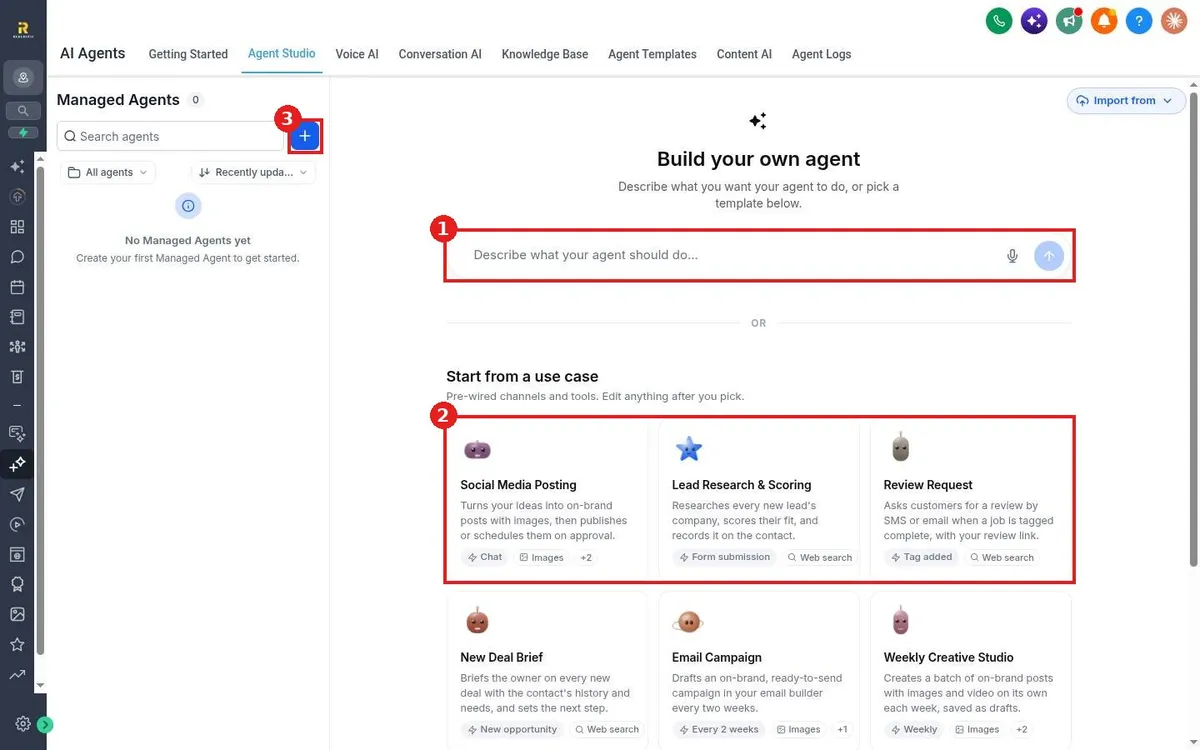
Quick answer: Go to AI Agents > Agent Studio. Type what the agent should do in Describe what your agent should do and press the arrow, or pick a card under Start from a use case. Review the channels and tools it sets up, edit anything, and save.
Before you start
- Agent Studio agents run tasks for you, such as researching leads or drafting social posts. For answering calls or chats, see Which AI agent should I use?
- Be specific: what starts the agent, what it does, and where the result goes.
Step 1: Open Agent Studio
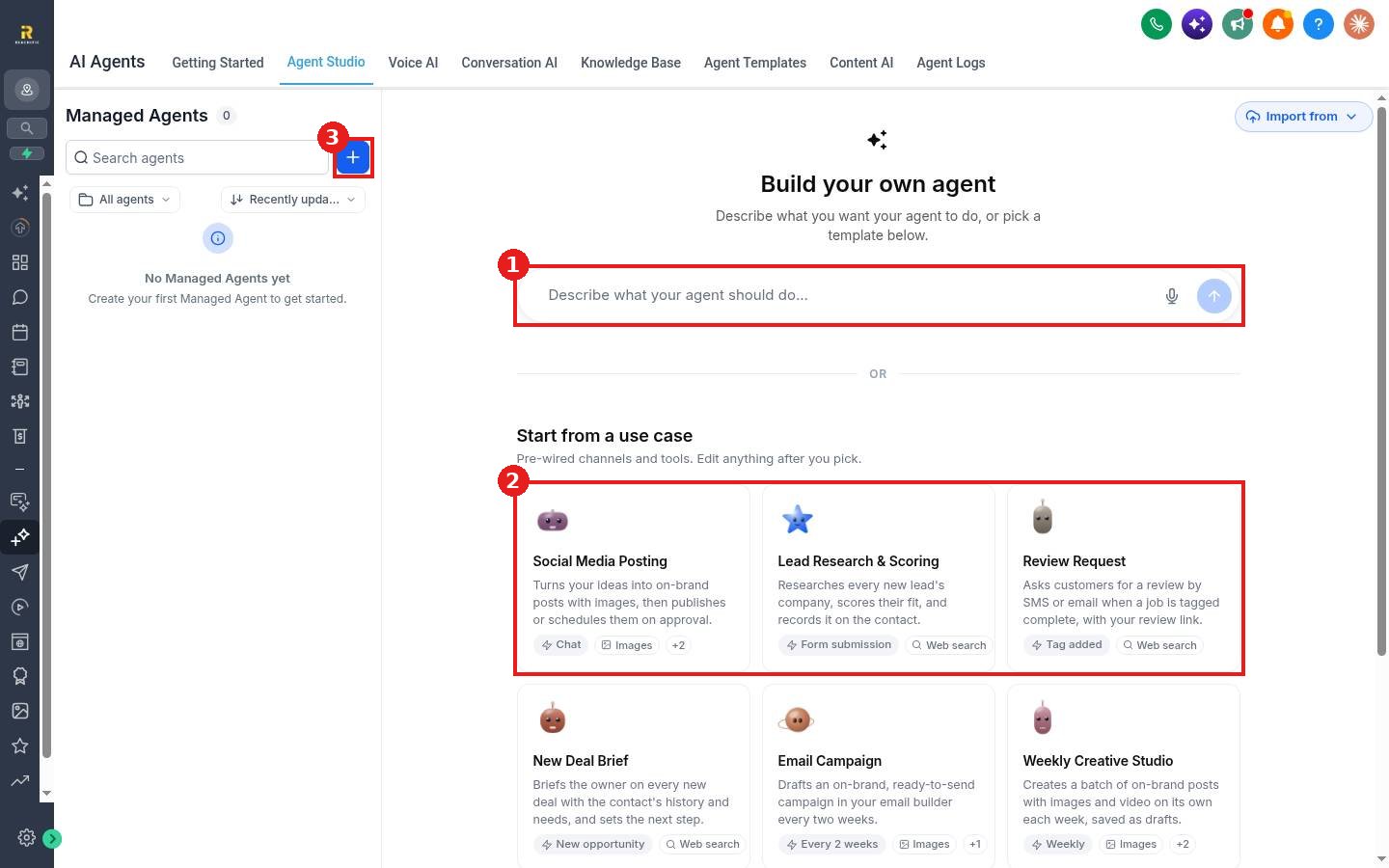
Click AI Agents in the left menu, then Agent Studio. Your agents are listed under Managed Agents on the left. The + button (3) starts a new one.
Step 2: Describe the agent or pick a use case
- Type a plain description in the box (1), for example: When a new lead fills out my form, research their company and add a fit score to the contact. Press the arrow to build it.
- Or choose a card under Start from a use case (2): Social Media Posting, Lead Research & Scoring, Review Request, New Deal Brief, Email Campaign or Weekly Creative Studio. Each comes with its trigger and tools already wired.
Step 3: Review and save
Check what starts the agent (for example Form submission, Tag added or a weekly schedule), which tools it uses (for example Web search or Images), and what it is allowed to do. Edit anything, then save. Use Import from at the top right to bring in an agent you already have.
FAQ
Can I edit a use case agent after I pick it?
Yes. The cards are starting points. You can change anything after you pick one.
Where do I see what the agent did?
See How do I review what my AI agents said?
Want us to handle it? Our team can design custom AI agents that take busywork off your plate. Book a free strategy call and get a free quote.
Related articles
- How do I start from an agent template?
- Which AI agent should I use for my business?
- How do I create my first workflow?
Still stuck? Submit a ticket and our team will help. Need faster answers? See our support plans.
