Home > Help Center

Reachific™ Support

Reachific Help Center

Step by step answers for every part of your Reachific account, with screenshots that show you exactly where to click.

No article on this page matches that yet. Try another word, or submit a ticket.

Newest articles

How do I send an automatic review request after a job?

How do I send an automatic review request after a job?

Sayo Tadashi
Published on: 03/11/2026

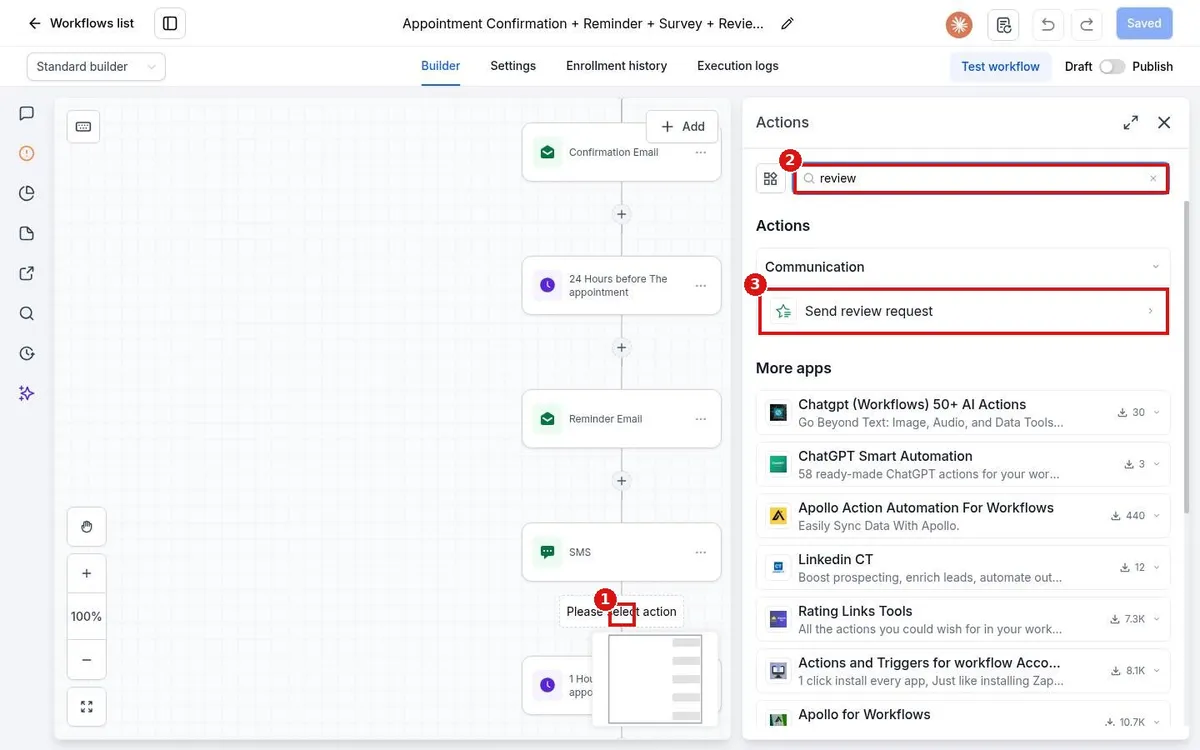
Send review requests automatically in Reachific: build a workflow that starts when a job is marked done, such as Pipeline stage changed, then add the Send review request action, pick SMS or email and publish.

review request automationautomatic reviewsworkflowhelp center
How do I publish and test a workflow?

How do I publish and test a workflow?

Sayo Tadashi
Published on: 03/11/2026

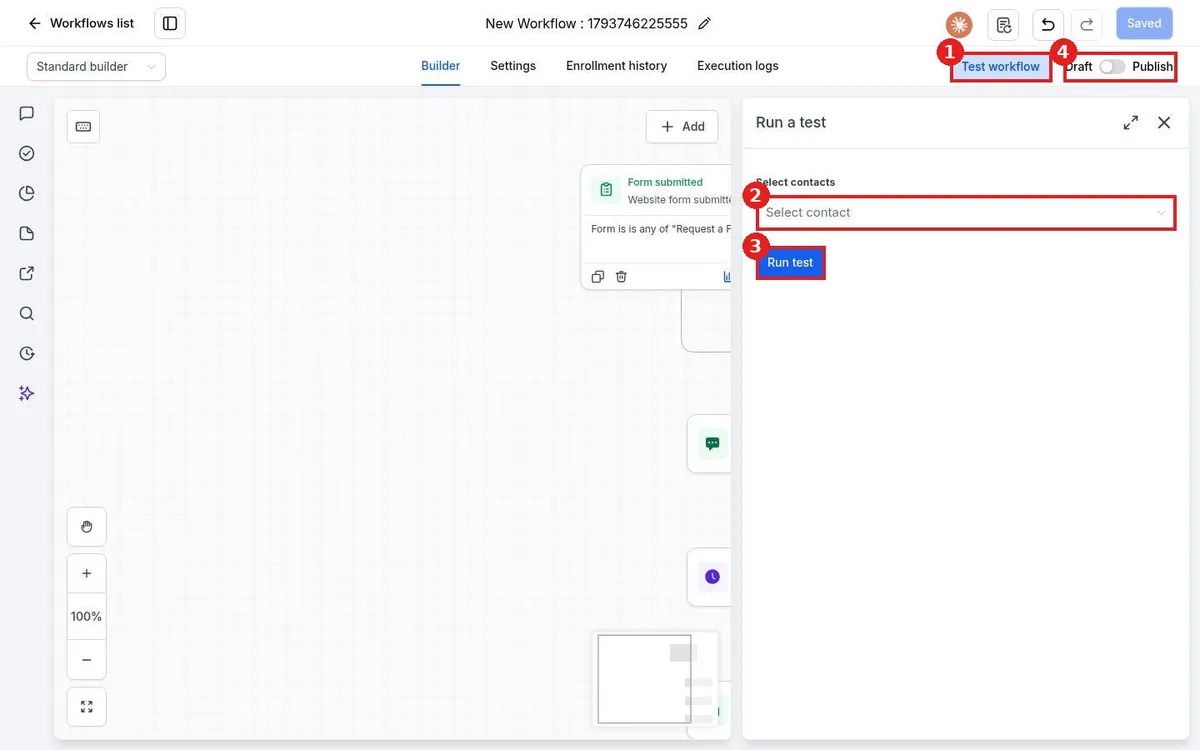
Test and publish a Reachific workflow: click Test workflow, pick a test contact such as yourself, click Run test and check each step, then switch the toggle at the top right from Draft to Publish and save.

publish workflowtest workflowworkflowhelp center
How do I use if/else branches in a workflow?

How do I use if/else branches in a workflow?

Sayo Tadashi
Published on: 03/11/2026

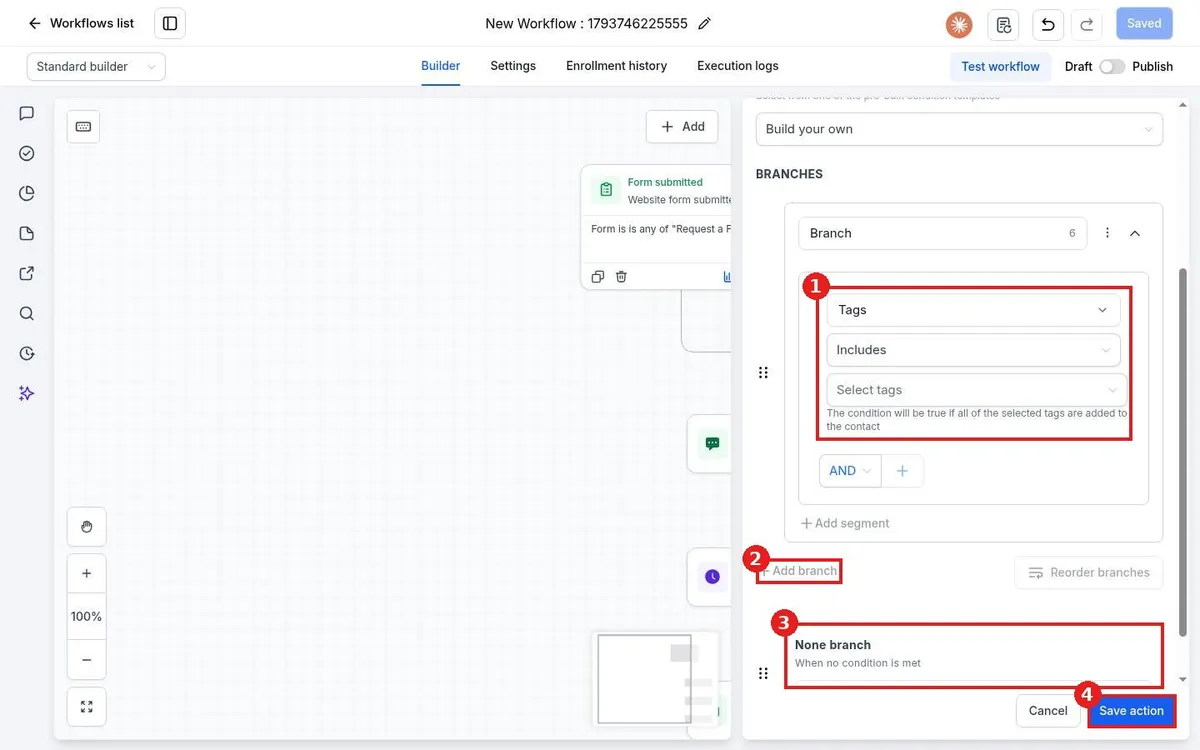
Use if/else in a Reachific workflow: click the plus, search the Actions panel for If / else, set a condition such as Tags includes a tag, add more branches if needed, and the None branch catches everyone else. Save the action and add steps to each path.

if elseconditionbranchworkflowhelp center
How do I add a trigger to a workflow?

How do I add a trigger to a workflow?

Sayo Tadashi
Published on: 03/11/2026

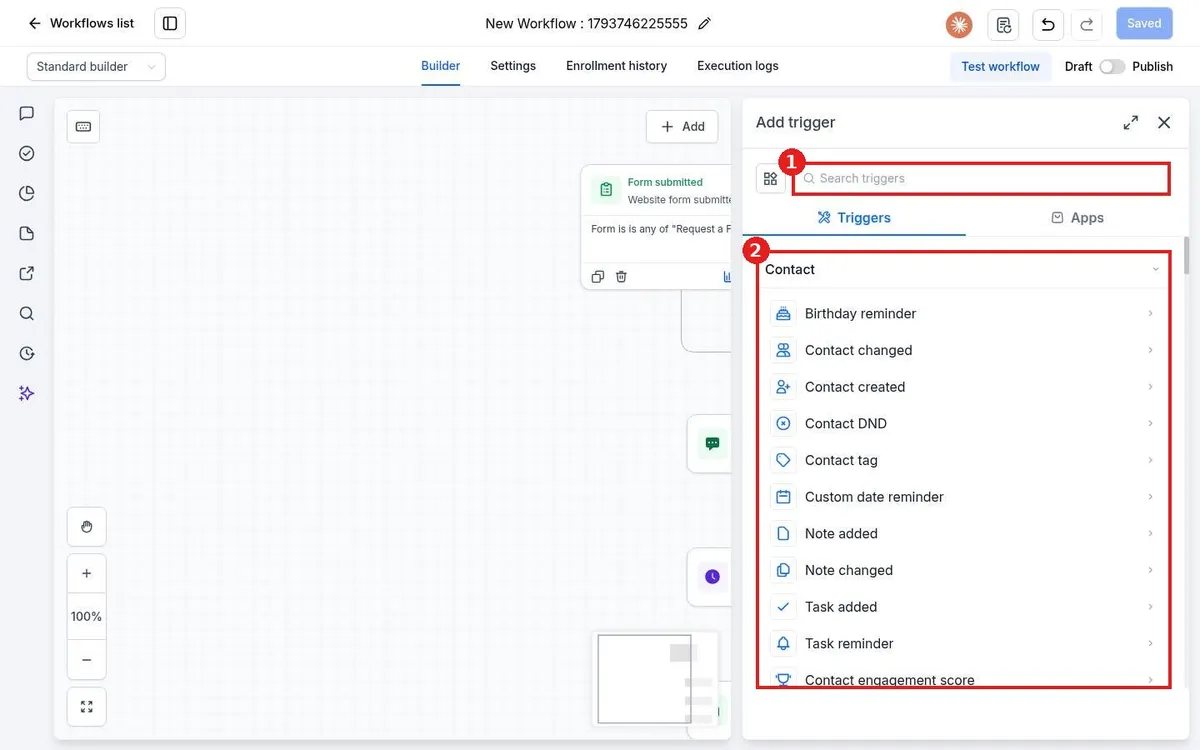
Add a workflow trigger in Reachific: open the workflow, click Add new trigger, pick the event such as Contact tag or Form submitted, add filters so only the right contacts enter, then click Save trigger.

workflow triggerstart automationworkflowhelp center
How do I build a workflow with AI?

How do I build a workflow with AI?

Sayo Tadashi
Published on: 03/11/2026

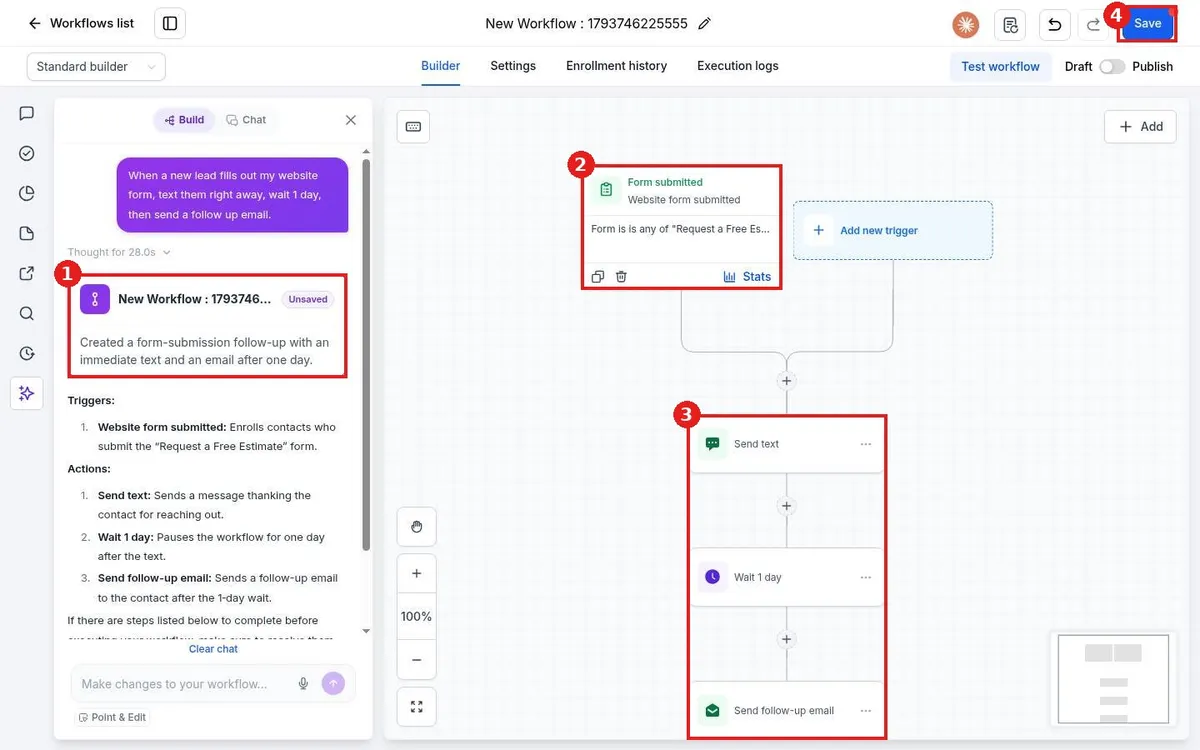
Build a Reachific workflow with AI: open Automation, Workflows, click Build using AI, describe what you want in plain words, review the trigger and steps it creates, then save and test before you publish.

build using AIAI workflowworkflowhelp center
How do I set up a reactivation campaign for old leads?

How do I set up a reactivation campaign for old leads?

Sayo Tadashi
Published on: 03/11/2026

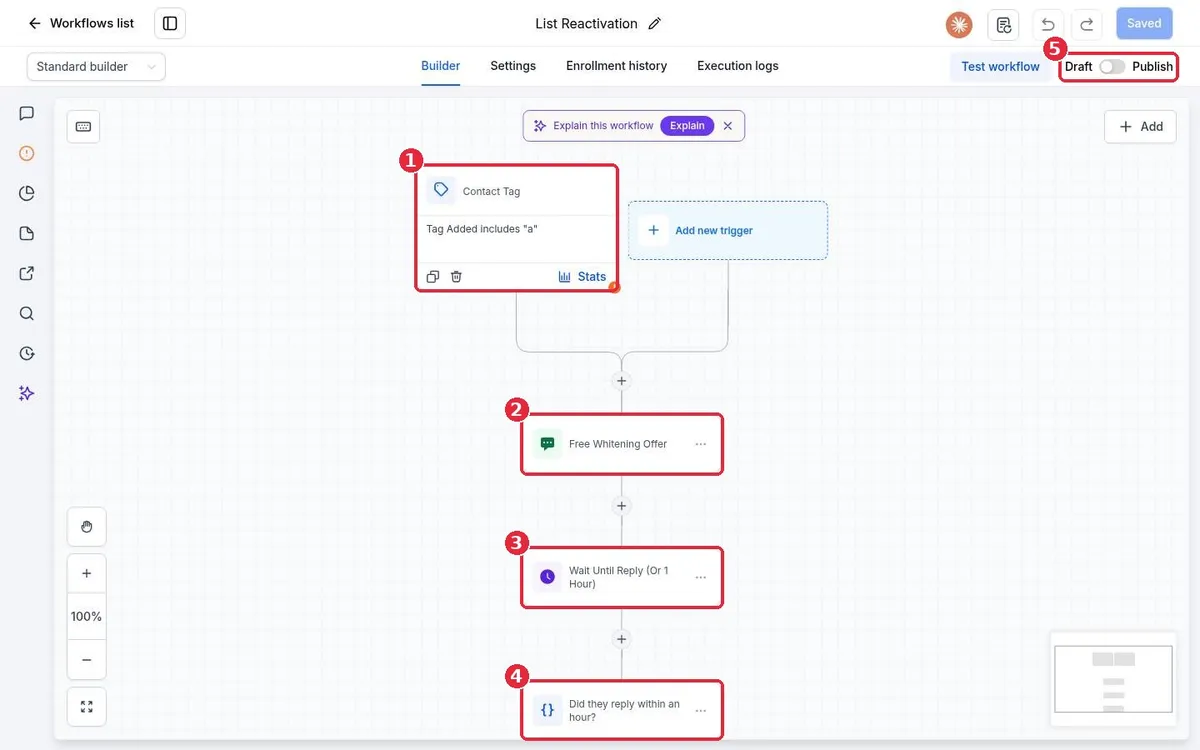
Win back old leads in Reachific: start from the List Reactivation workflow template, rewrite the offer text, set the tag trigger, build a smart list of quiet contacts and tag them to start the campaign.

reactivationwin backdead leadsworkflowsmart listhelp center
How do I set up missed call text back?

How do I set up missed call text back?

Sayo Tadashi
Published on: 03/11/2026

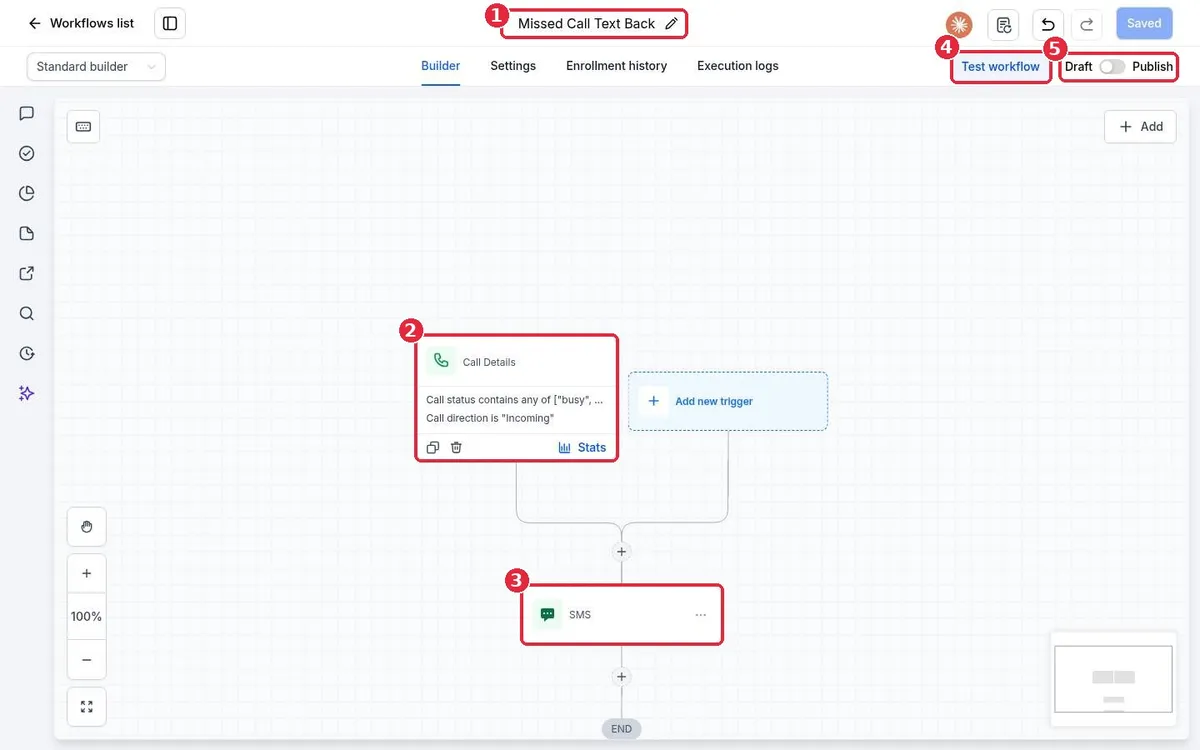
Set up missed call text back in Reachific: build a workflow with the Call details trigger filtered to busy, voicemail and no answer on incoming calls, add a Send SMS action, test it and publish.

missed call text backauto textworkflowautomationhelp center
How do I create my first workflow?

How do I create my first workflow?

Sayo Tadashi
Published on: 03/11/2026

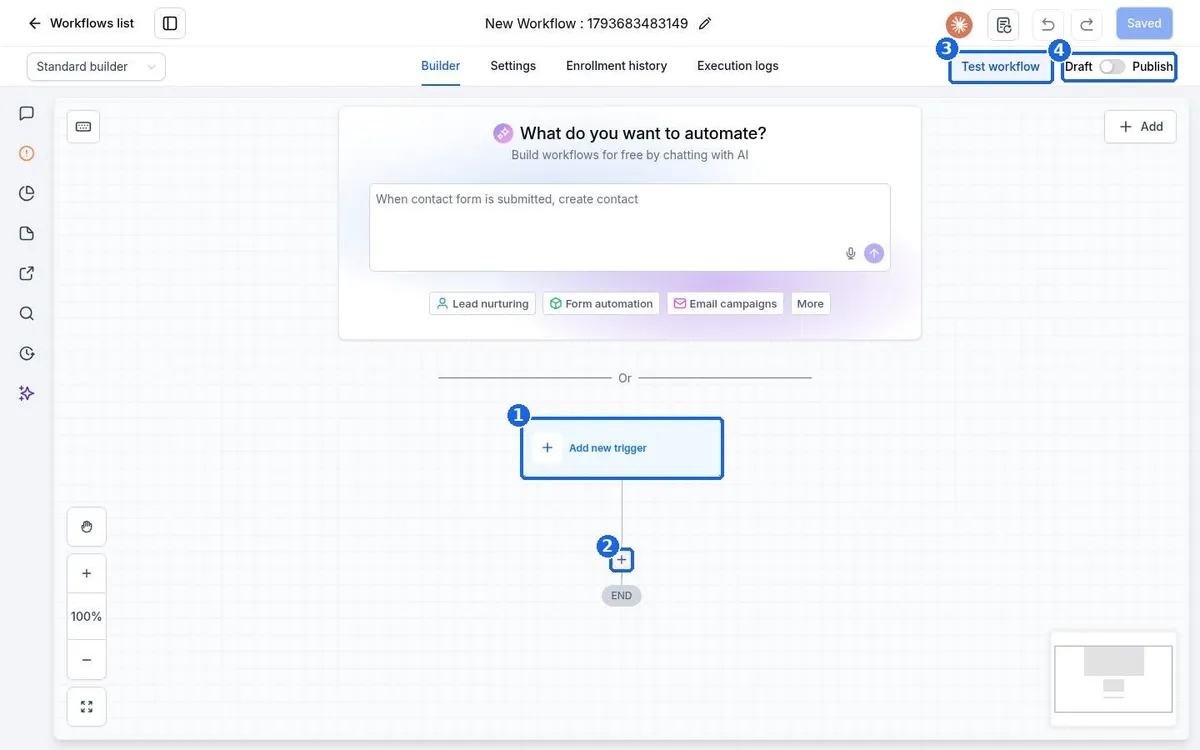
Create your first Reachific workflow: open Automation, Workflows, click Create workflow, add a trigger, add actions like send text and wait, test it, then switch it from Draft to Publish.

workflowautomationcreate workflowhelp center

We are here to help

Still stuck?

Send our support team a ticket and we will walk you through it, or pick a support plan for hands on help.