
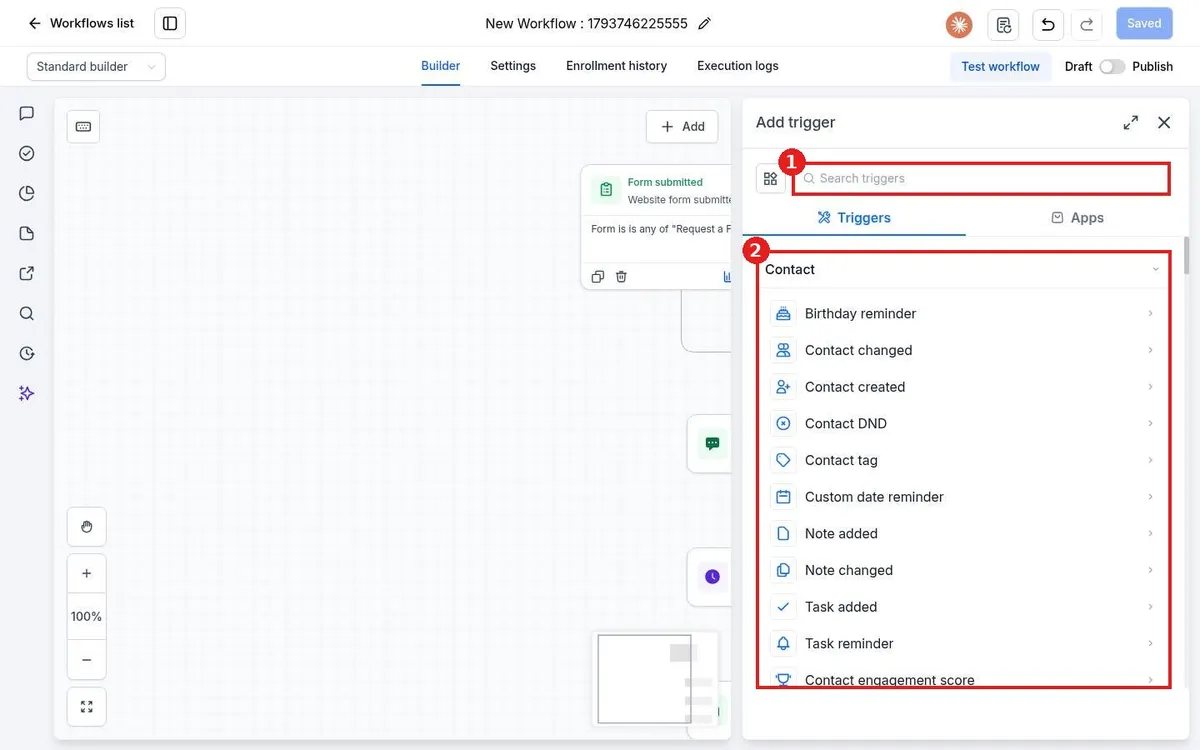
How do I add a trigger to a workflow?
Quick answer: Open the workflow in Automation > Workflows and click Add new trigger. Search for or pick the event that should start the workflow, such as Contact tag or Form submitted. Click Add filters to limit it to the right tag, form or calendar, then click Save trigger.
Before you start
- A trigger is the event that starts the workflow for a contact. A workflow can have more than one trigger.
- Without filters, a trigger fires for every matching event in your account. Filters keep it focused.
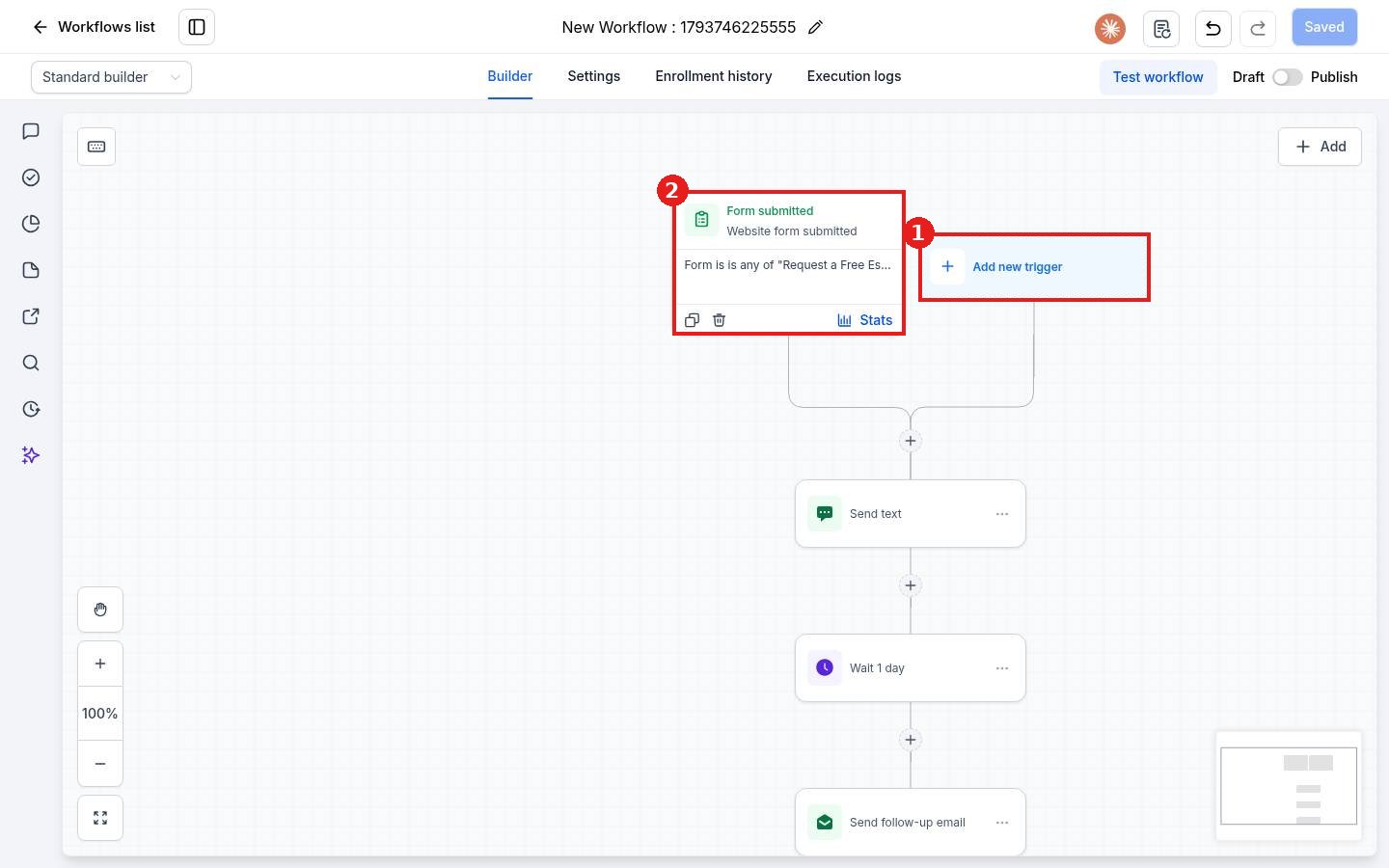
Step 1: Click Add new trigger
Open your workflow. Click Add new trigger (1) at the top of the builder, next to any trigger you already have (2).
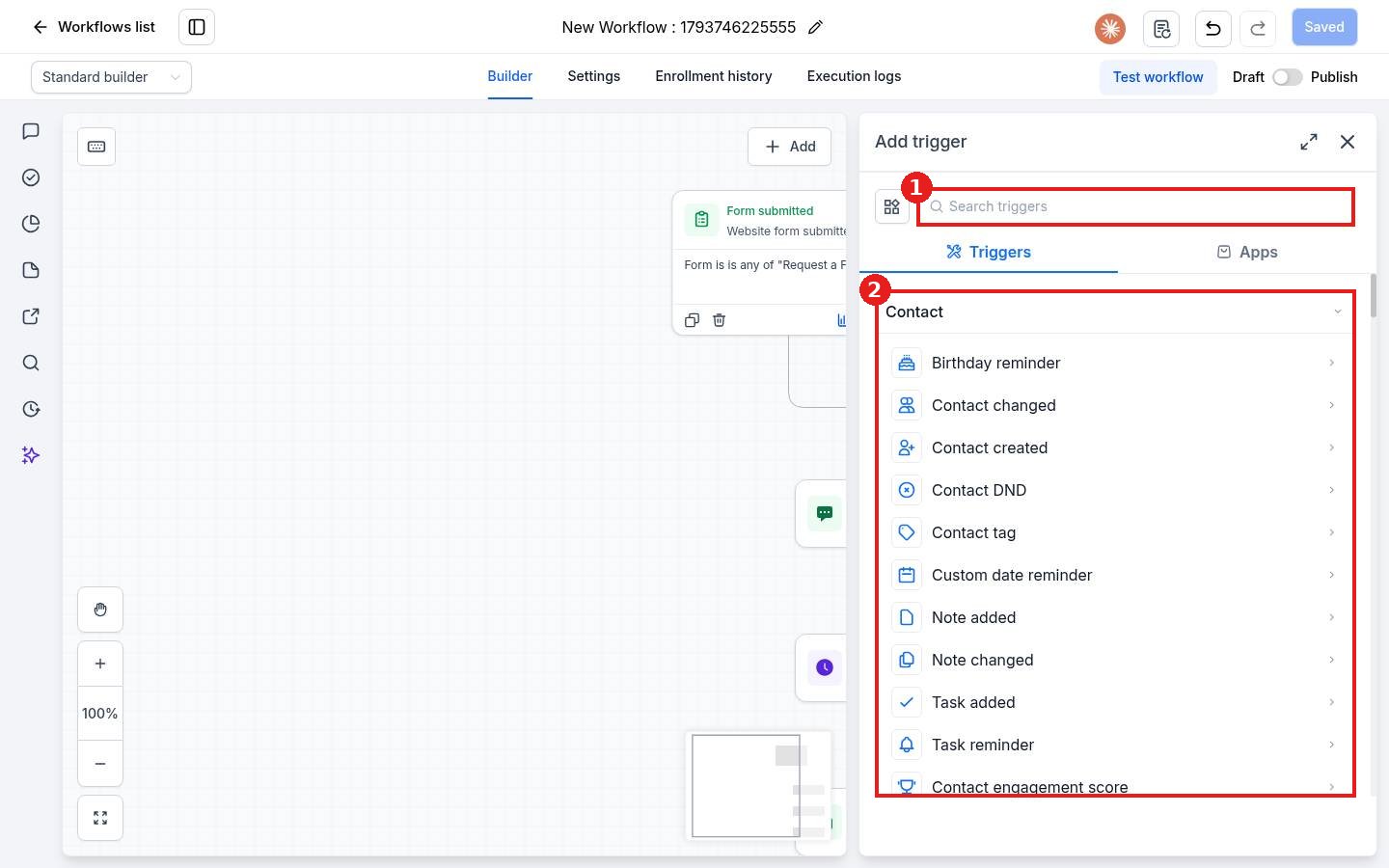
The Add trigger panel opens. Search for a trigger (1) or browse the list by group (2), for example Contact, Events, Appointments and Opportunities.
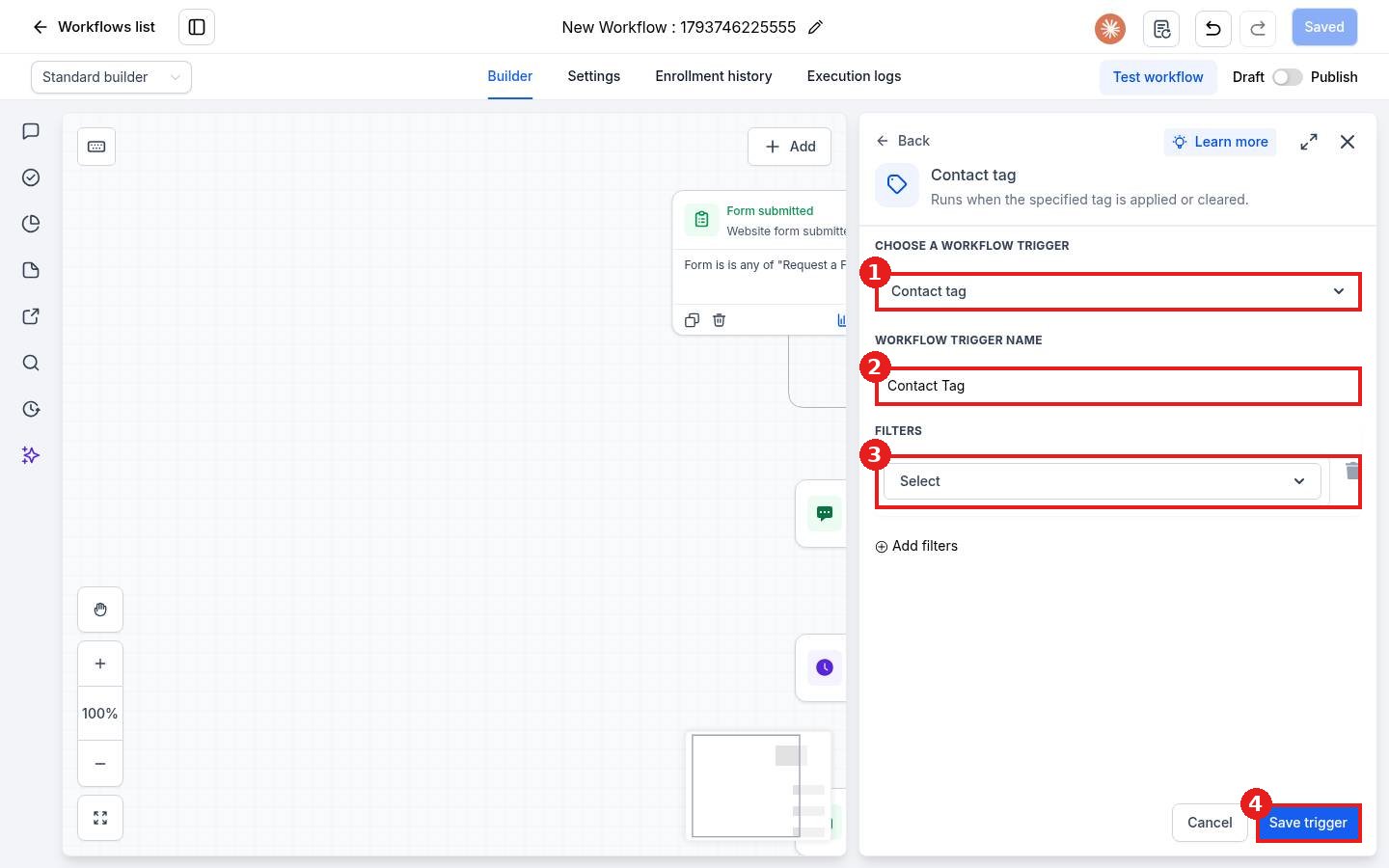
Step 2: Set the trigger details and filters
After you pick a trigger, check the trigger type (1) and give it a clear name (2). Click Add filters and choose a filter (3), for example the tag that should start this workflow. Click Save trigger (4).
Common triggers
- Contact tag: starts when a tag is added or removed.
- Form submitted: starts when someone fills out a form.
- Customer replied: starts when a contact replies by text, email or chat.
- Appointment status: starts when a booking is made, confirmed or cancelled.
- Call details: starts after a call, for example a missed call.
FAQ
Can a workflow have more than one trigger?
Yes. Click Add new trigger again. A contact enters when any one of the triggers fires.
Why is my trigger firing for the wrong contacts?
Open the trigger and add filters, for example the exact tag or form name.
Do triggers work while the workflow is in Draft?
No. The workflow must be published before triggers start enrolling contacts.
Want us to handle it? Our team builds and tests the automations that matter most, like missed call text back, speed to lead and review requests, so they run correctly from day one. Book a free strategy call and get a free quote.
Related articles
- How do I create my first workflow?
- How do I add actions like send text, send email and wait?
- How do I set up missed call text back?
Still stuck? Submit a ticket and our team will help. Need faster answers? See our support plans.
