
How do I send an automatic review request after a job?
Quick answer: Go to Automation > Workflows and create a workflow. Add a trigger that fires when a job is done, such as Pipeline stage changed to your Completed stage or a Contact tag like job done. Click the +, search for Send review request, pick SMS or email, click Save action and publish the workflow.
Before you start
Connect your Google Business Profile so the request links to the right review page.
Decide what marks a job as done in your account: a pipeline stage, a tag, or an appointment status.
The review request message itself is set in Reputation settings.
Step 1: Add the job done trigger
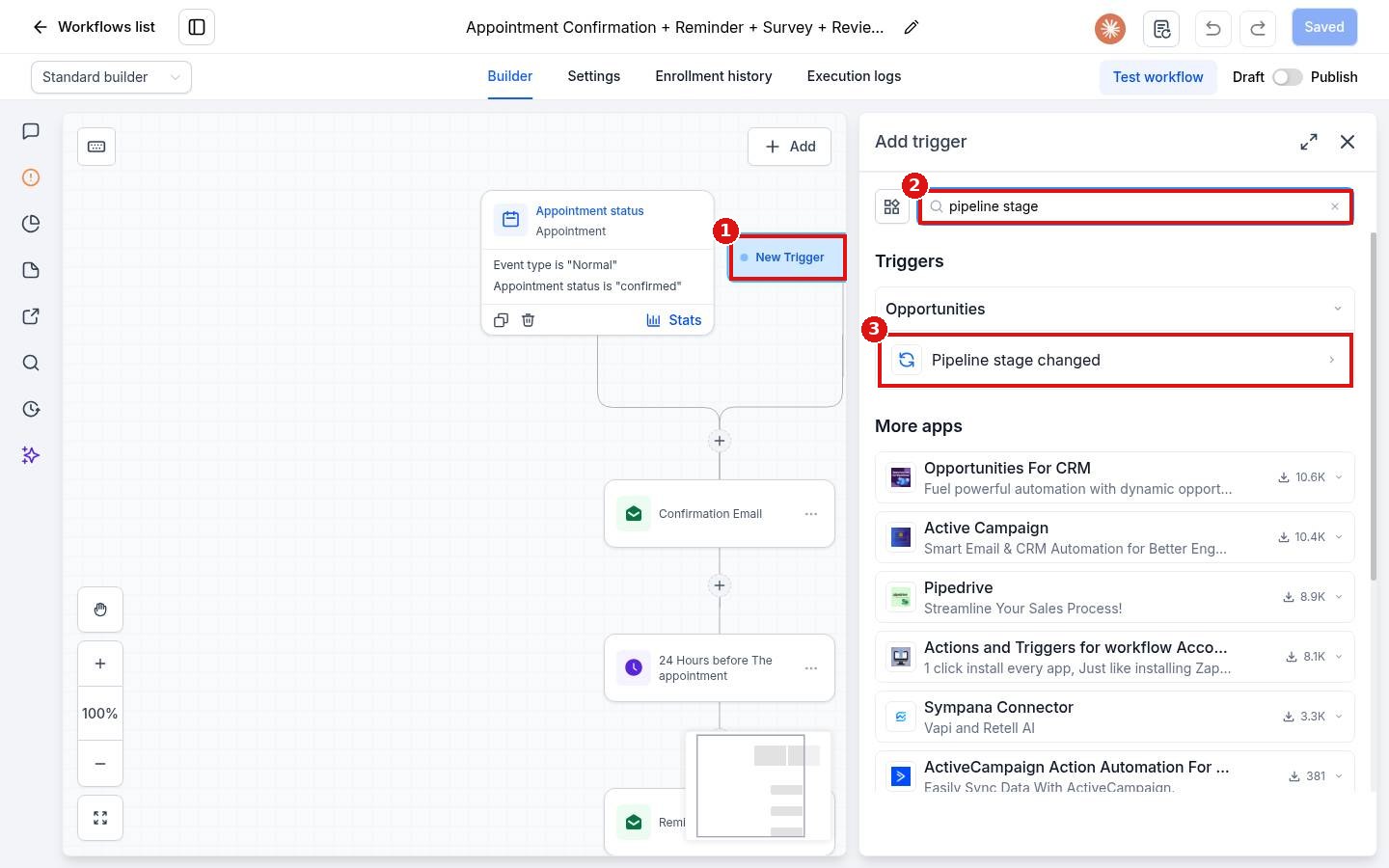
Open your workflow and click Add new trigger (1). Search for the event (2), for example pipeline stage, and pick Pipeline stage changed (3). Add a filter for your pipeline and the stage that means the job is finished, then click Save trigger.
Step 2: Add the Send review request action
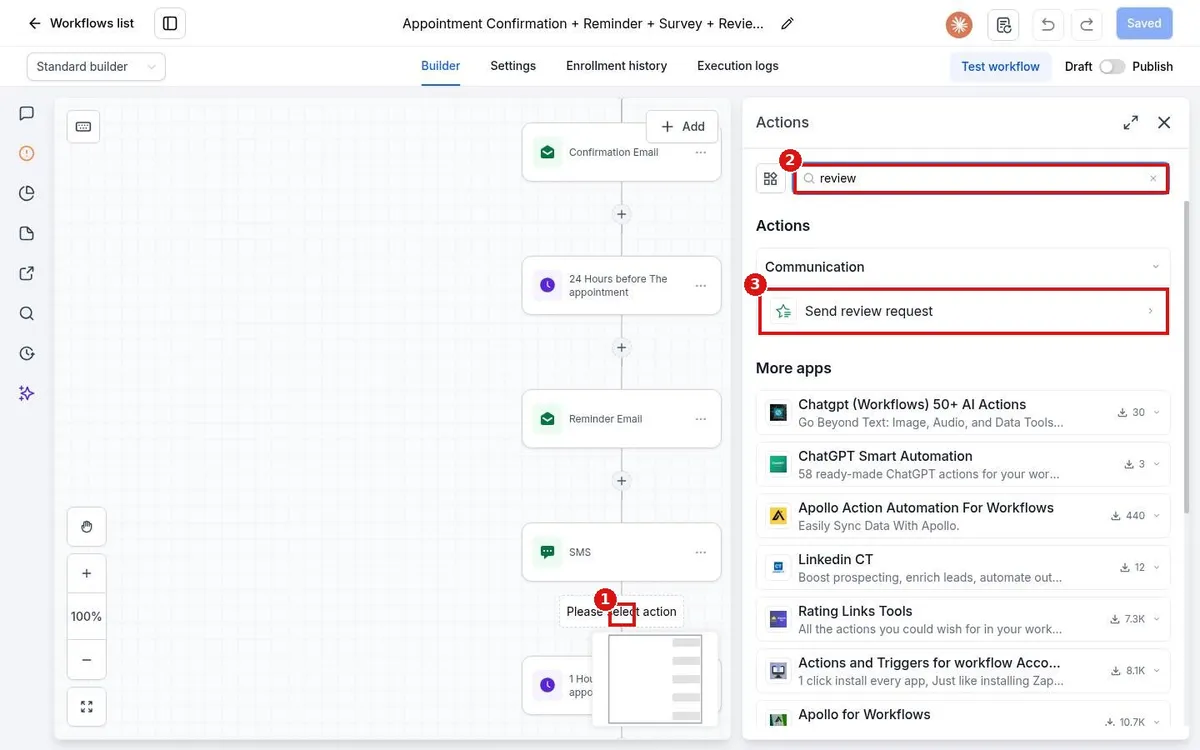
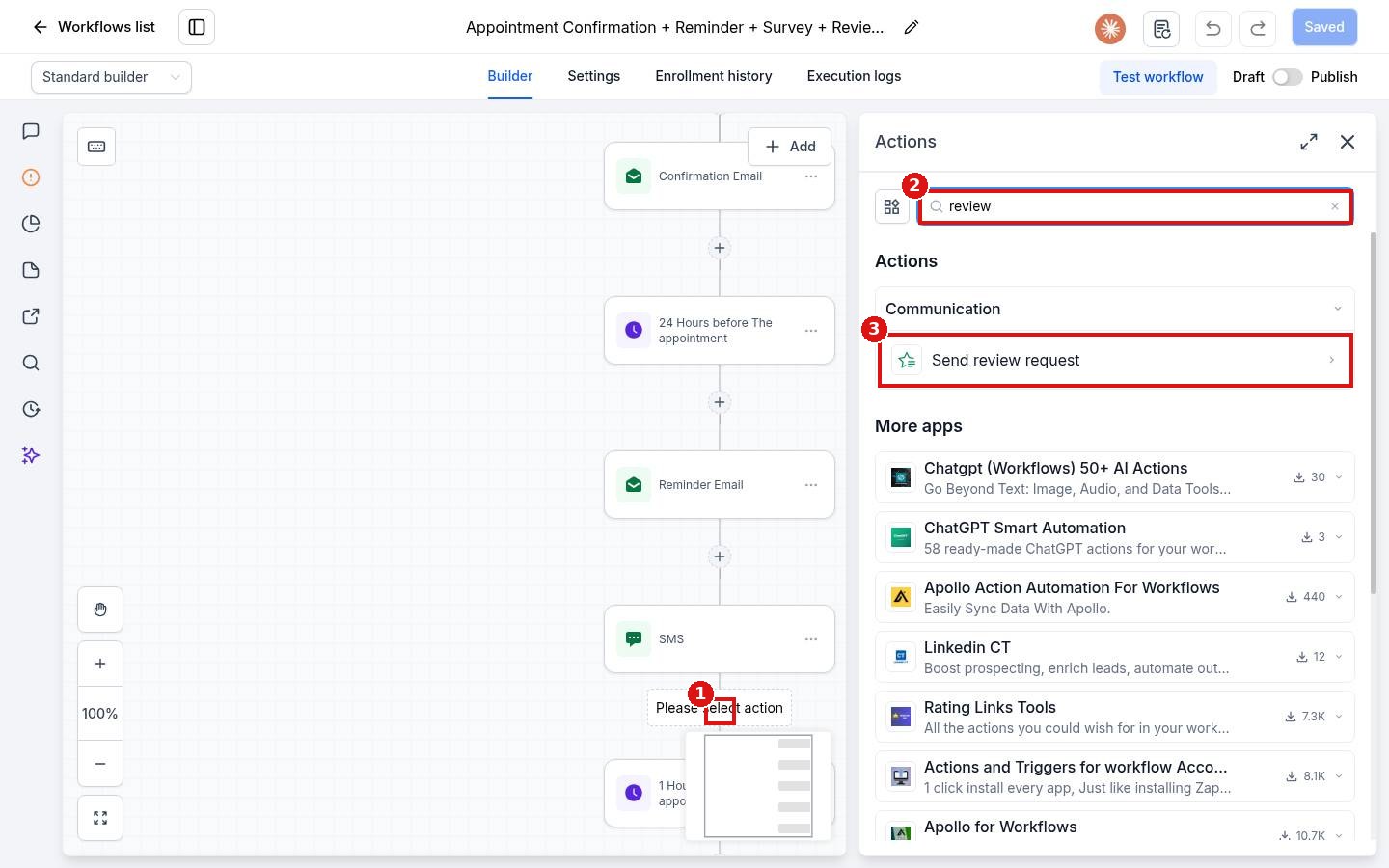
Click the + (1) where the request should go. Type review in the Actions search (2) and click Send review request (3). Tip: add a Wait step first, such as 2 hours, so the request arrives after you have left the job.
Step 3: Pick SMS or email and save
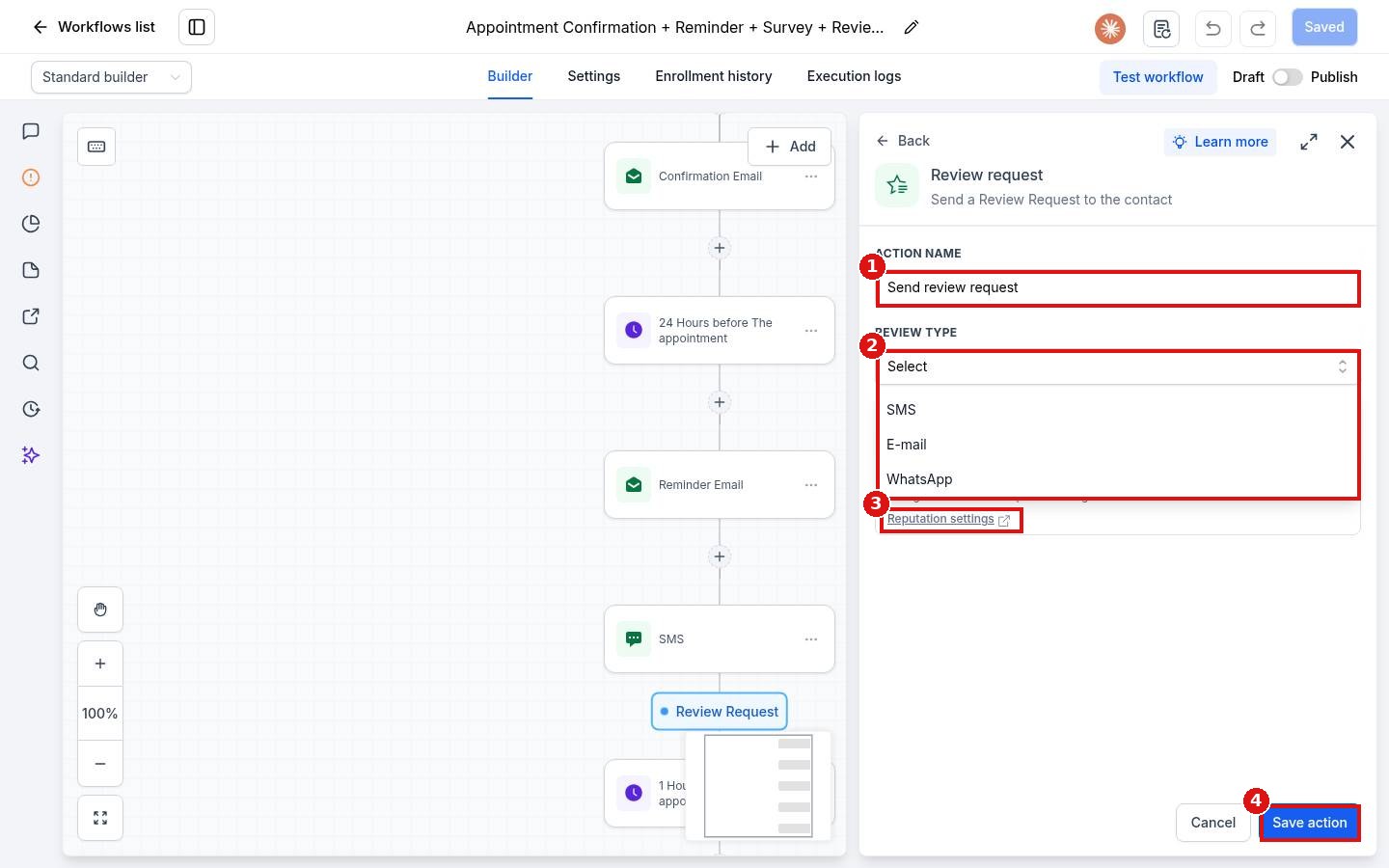
Give the action a clear name (1). Under Review type (2) pick SMS, E-mail or WhatsApp. To change the wording of the message, open Reputation settings (3). Click Save action (4), then save, test and publish the workflow.
FAQ
Will customers get more than one request?
Open the workflow Settings tab. With Allow re-entry turned off, a contact enters only once. Allow multiple opportunities lets each opportunity enter separately, so leave it off if you want one request per customer.
Can I send the request by text and email?
Yes. Add two Send review request actions, one set to SMS and one set to E-mail.
Where do I change the message text?
In Reputation settings. The link sits right inside the action panel.
Want us to handle it? Our team builds and tests the automations that matter most, like missed call text back, speed to lead and review requests, so they run correctly from day one. Book a free strategy call and get a free quote.
Related articles
Still stuck? Submit a ticket and our team will help. Need faster answers? See our support plans.
