
How do I publish and test a workflow?
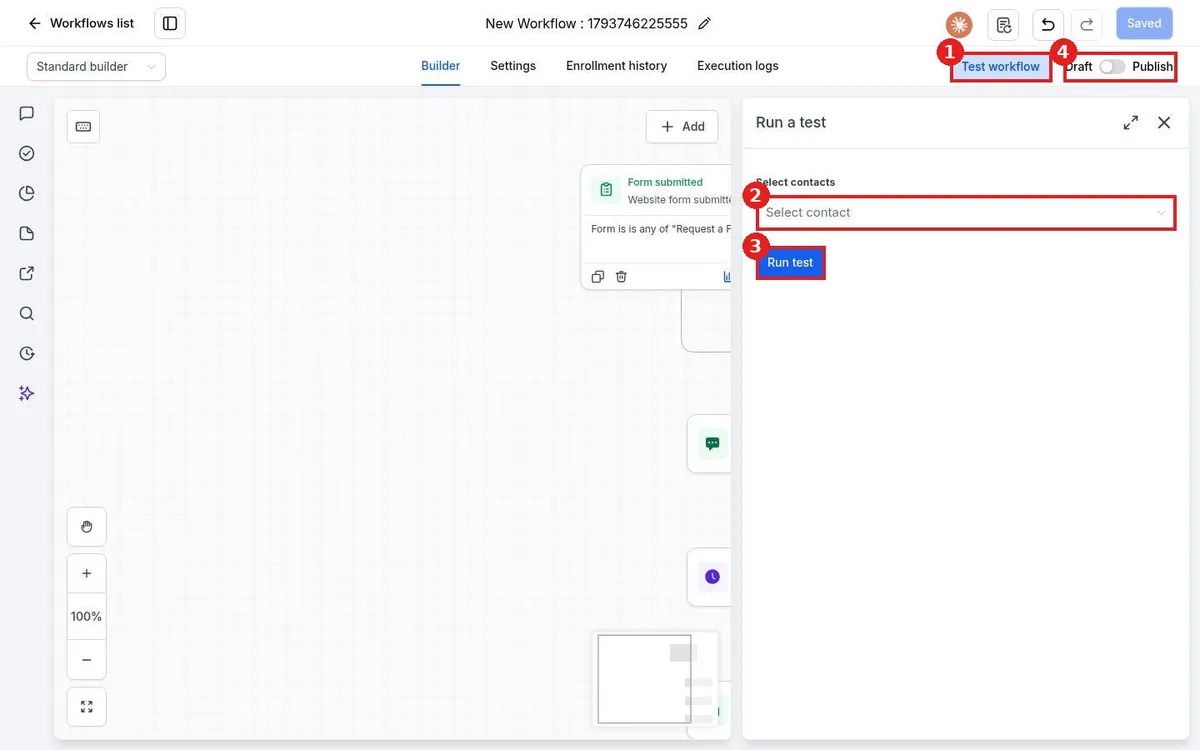
Quick answer: In the workflow builder, click Test workflow, choose a test contact (use yourself), and click Run test. Check that each step did what you expected in Execution logs. Then switch the toggle at the top right from Draft to Publish and click Save.
Before you start
- Make a test contact with your own phone and email, so test texts and emails come to you and not to a customer.
- A test really runs the steps. Messages are sent to the test contact.
Step 1: Run a test
Click Test workflow (1) at the top of the builder. In Run a test, choose your test contact (2) and click Run test (3). Check your phone and inbox, then open Execution logs to see each step and any errors.
Step 2: Publish
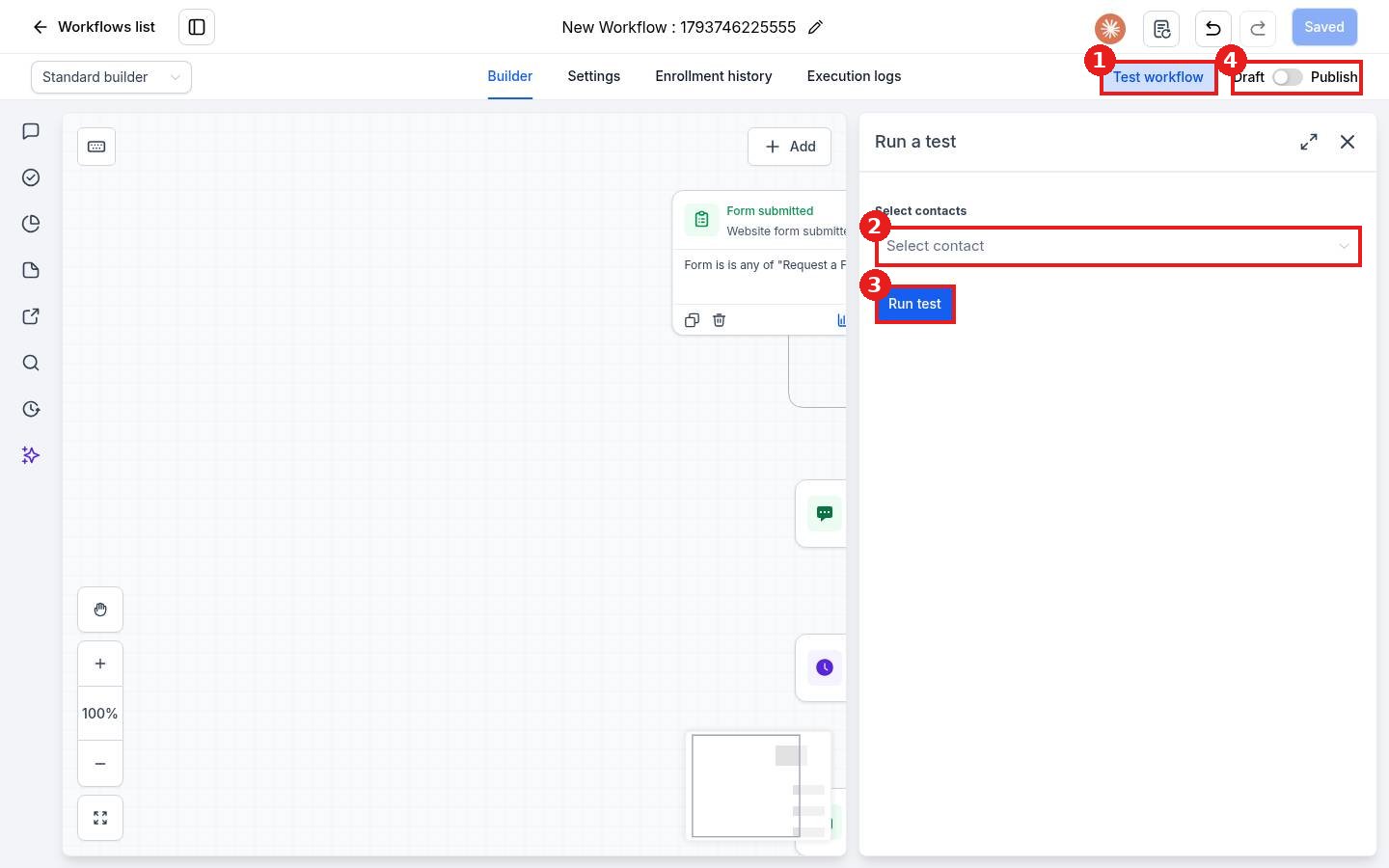
Switch the toggle (4 in the picture) from Draft to Publish and click Save. From now on, contacts who meet the trigger enter the workflow.
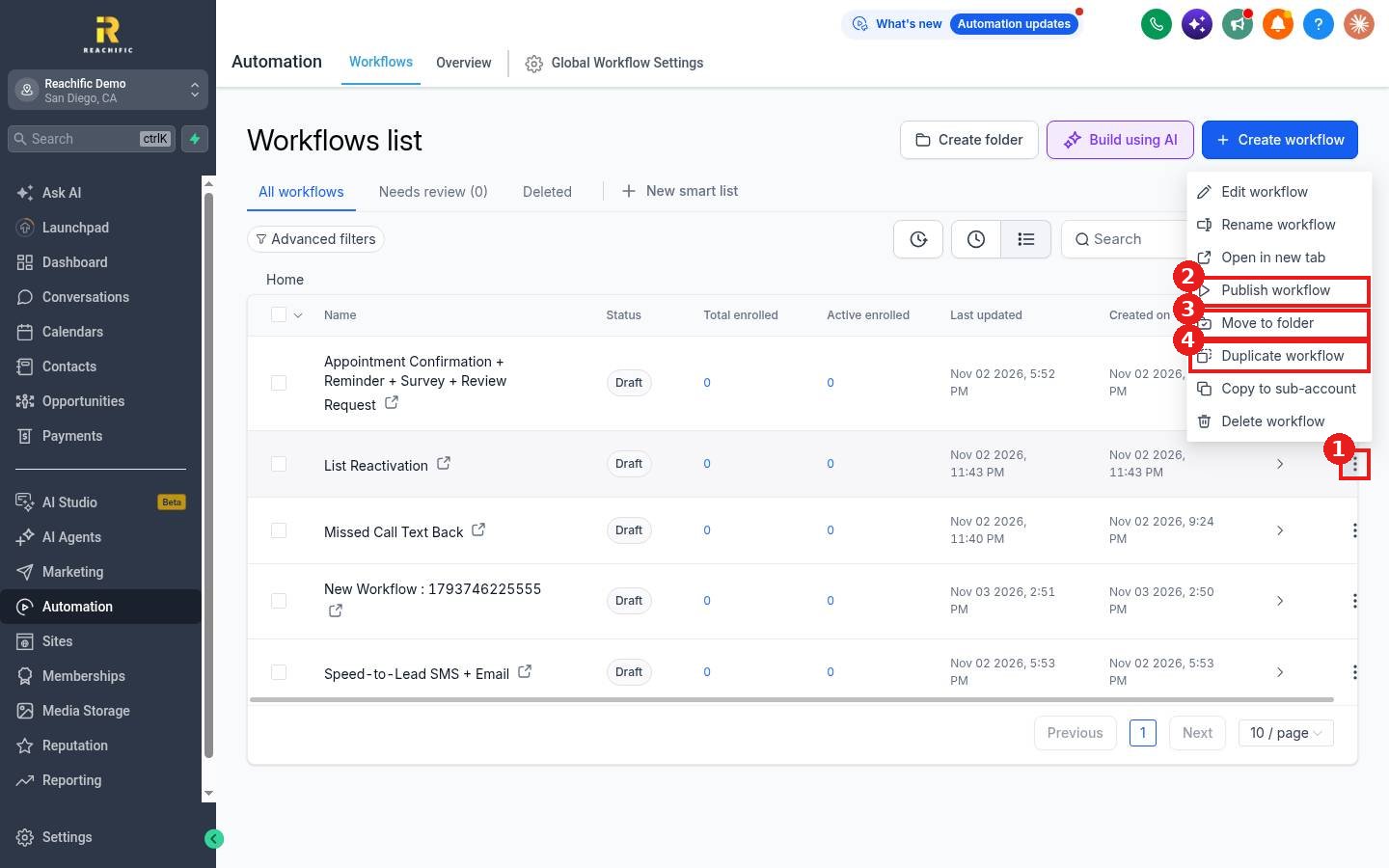
You can also publish from the Workflows list: open the three dot menu on the workflow row and click Publish workflow.
Step 3: Watch the first runs
Open Enrollment history in the builder to see who entered, and Execution logs to see what each step did.
FAQ
Will publishing send to contacts already in my account?
No. Only contacts who meet the trigger after you publish enter, unless you add contacts on purpose.
How do I pause a workflow?
Switch the toggle back to Draft and save. New contacts stop entering.
My test did nothing. Why?
Check that every step is filled in, that the test contact has a phone or email, and look at Execution logs for the error.
Want us to handle it? Our team builds and tests the automations that matter most, like missed call text back, speed to lead and review requests, so they run correctly from day one. Book a free strategy call and get a free quote.
Related articles
- How do I create my first workflow?
- How do I see who is enrolled in a workflow?
- How do I add a trigger to a workflow?
Still stuck? Submit a ticket and our team will help. Need faster answers? See our support plans.
