
How do I use if/else branches in a workflow?
Quick answer: In the workflow builder, click the + where you want the split. Search the Actions panel for If / else. Name the action, set a branch condition (for example Tags Includes VIP), add more branches if needed, and click Save action. Contacts who match no branch follow the None branch.
Before you start
- Decide what you are checking: a tag, a field, whether they replied, an appointment status and so on.
- Branches are checked top to bottom. A contact follows the first branch that matches.
Step 1: Add the If / else action
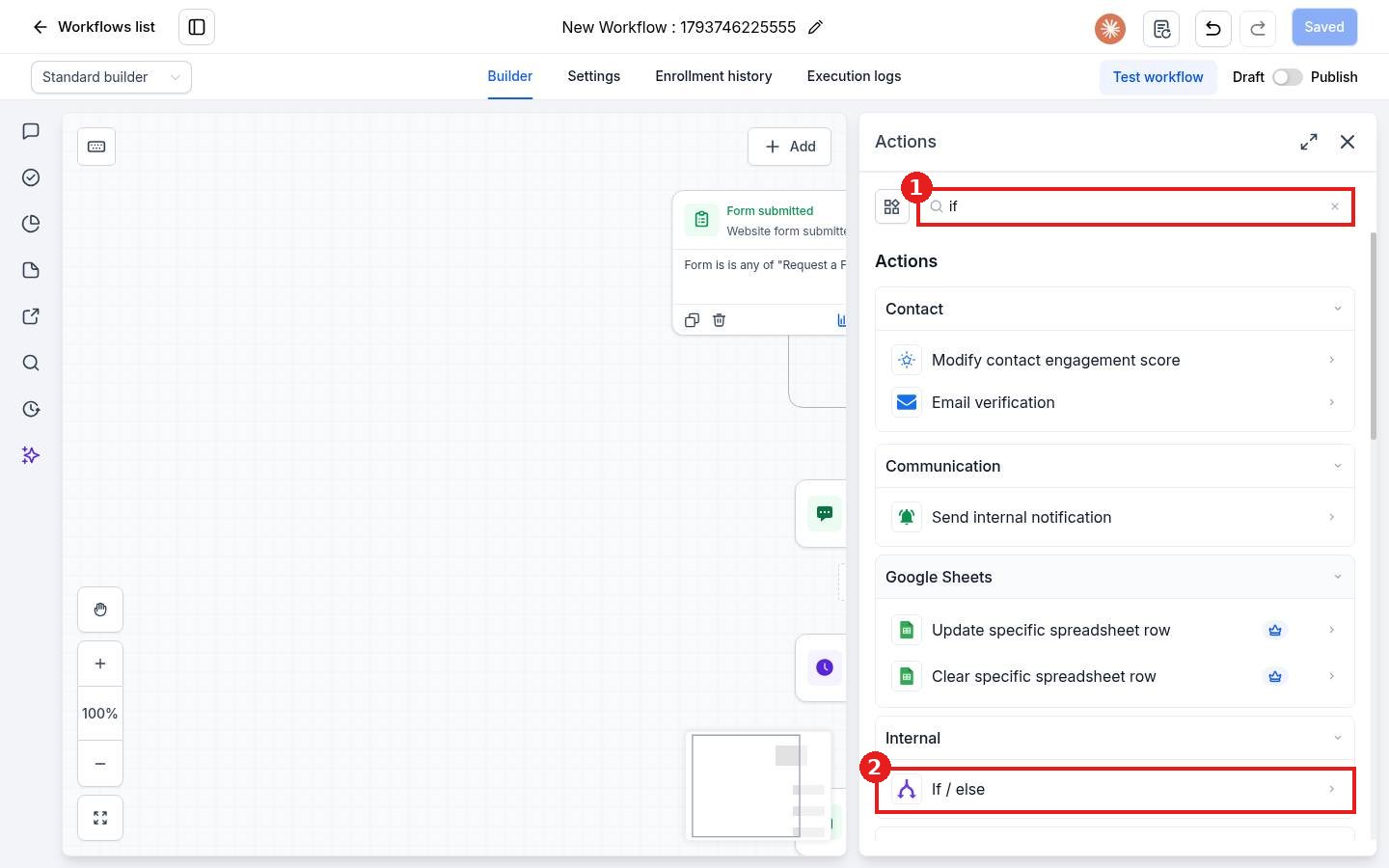
Click the + under the step where the split should happen. Type if in the search box (1) and click If / else (2) under Internal.
Step 2: Name it and pick a recipe or build your own
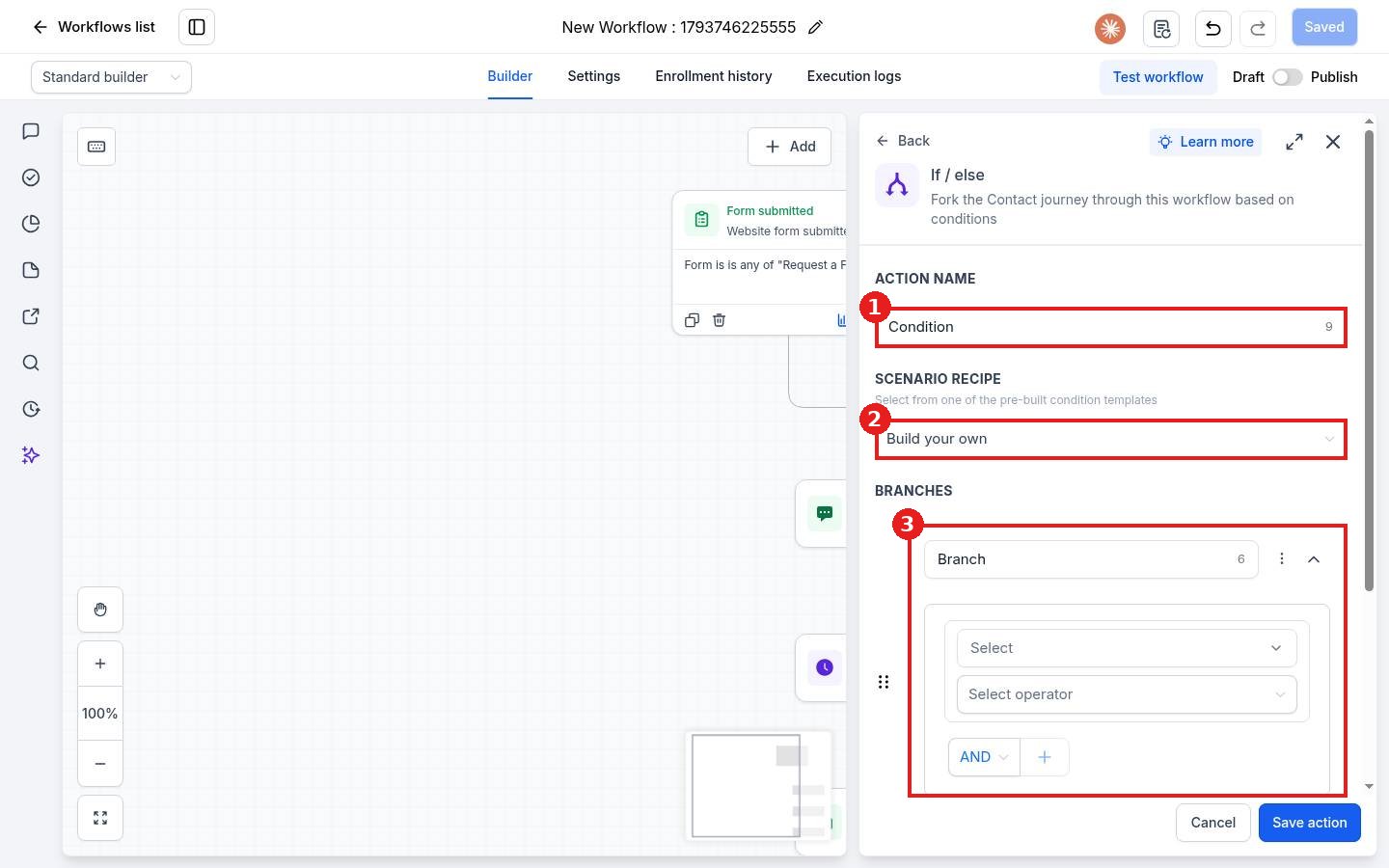
Give the action a clear name (1). Pick a ready made Scenario recipe (2) or leave Build your own. The Branches area (3) holds your conditions.
Step 3: Set the condition and branches
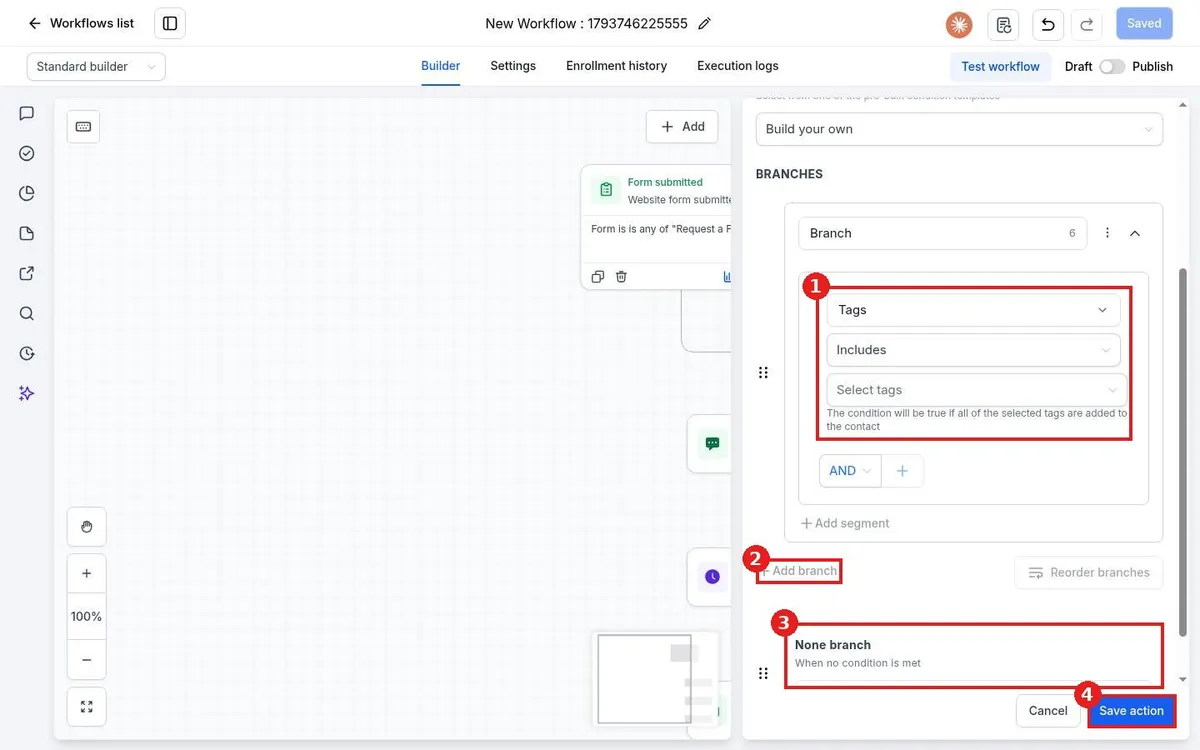
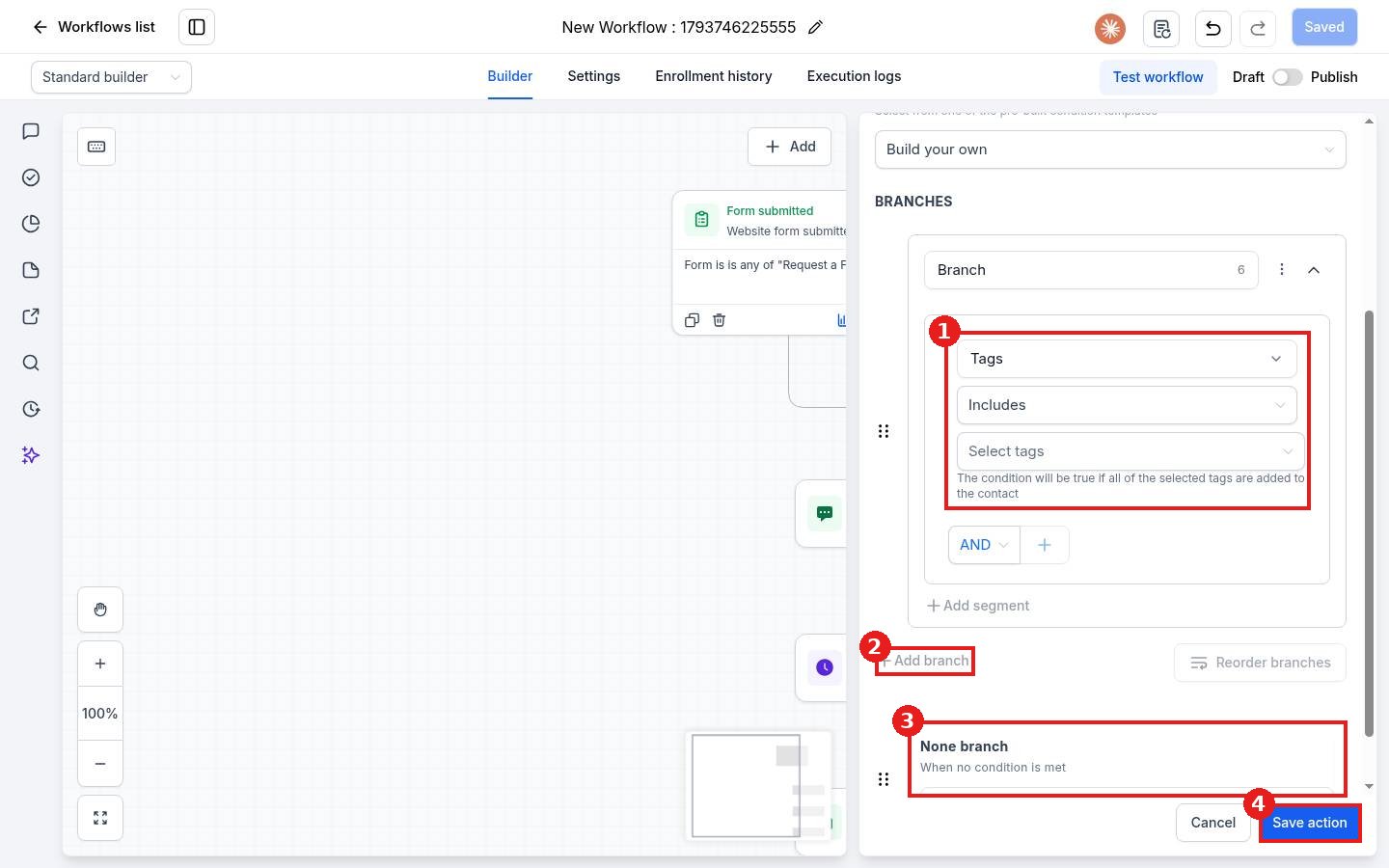
In the branch, pick a field such as Tags, an operator such as Includes, and the value (1). Use AND or OR to add more checks. Click Add branch (2) for another path. Everyone who matches nothing goes down the None branch (3). Click Save action (4).
Step 4: Add steps to each path
Back in the builder, each branch has its own +. Add the steps for each path, for example a VIP text on one side and a standard email on the other. Save, test with a contact that matches each branch, then publish.
FAQ
What happens if a contact matches two branches?
They follow the first matching branch from the top. Use Reorder branches to change the order.
Can I check more than one thing in a branch?
Yes. Add conditions with AND (all must match) or OR (any can match).
Want us to handle it? Our team builds and tests the automations that matter most, like missed call text back, speed to lead and review requests, so they run correctly from day one. Book a free strategy call and get a free quote.
Related articles
- How do I add actions like send text, send email and wait?
- How do I publish and test a workflow?
- How do I create my first workflow?
Still stuck? Submit a ticket and our team will help. Need faster answers? See our support plans.
