
How do I build a workflow with AI?
Quick answer: Go to Automation > Workflows and click Build using AI. Type what you want to happen, for example: when a new lead fills out my website form, text them right away, wait 1 day, then send a follow up email. Click the arrow to send. The AI adds the trigger and actions to a new draft workflow. Check every step, click Save, test it and then publish.
Before you start
- Write your request as one or two plain sentences: what starts it, what happens, and how long to wait between steps.
- The AI builds a Draft. Nothing runs or sends until you publish.
- Have your form, tag or calendar names handy so you can check the AI picked the right ones.
Step 1: Open Build using AI
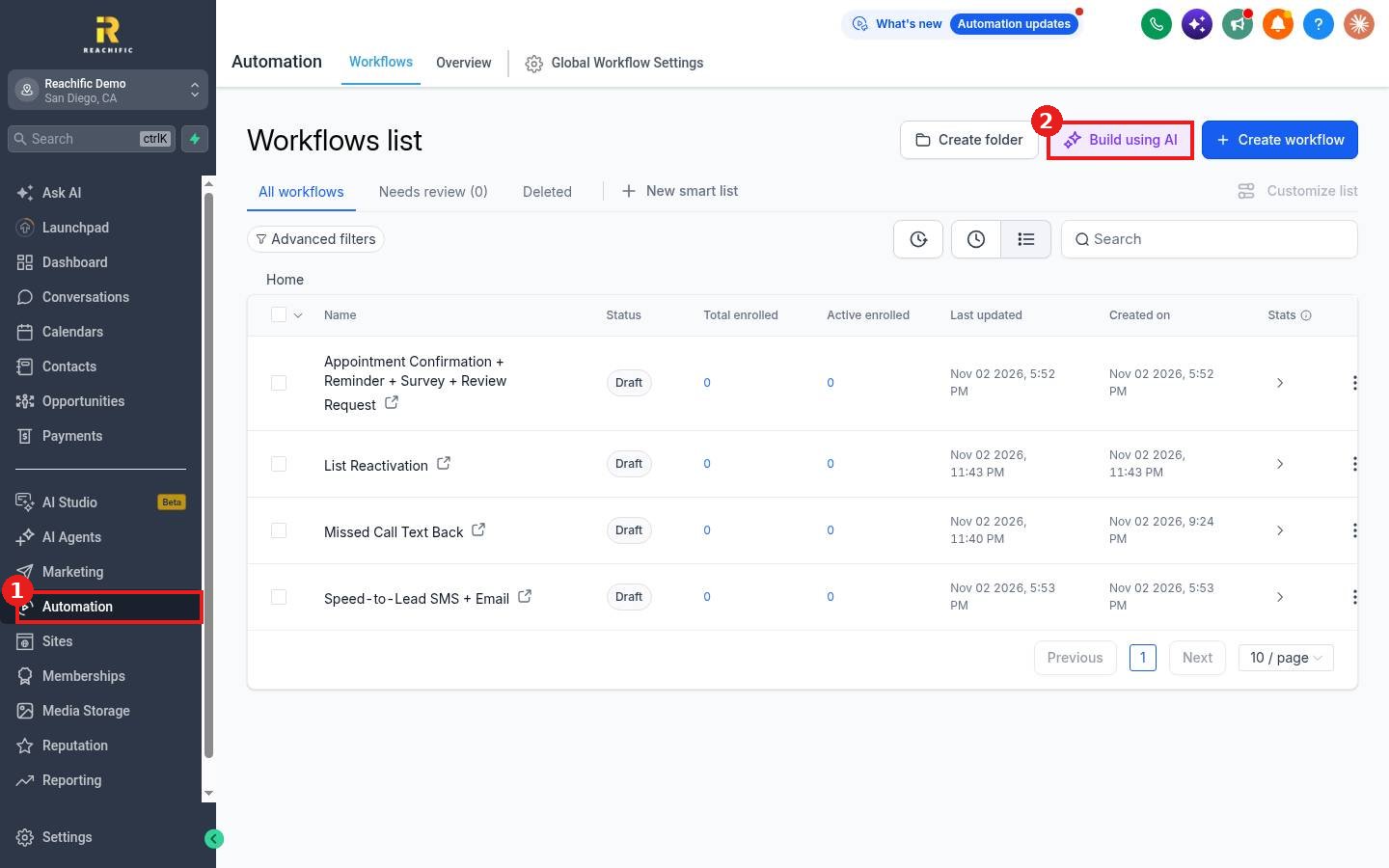
Click Automation in the left menu (1), then click Build using AI (2) at the top of the Workflows list.
Step 2: Describe what you want
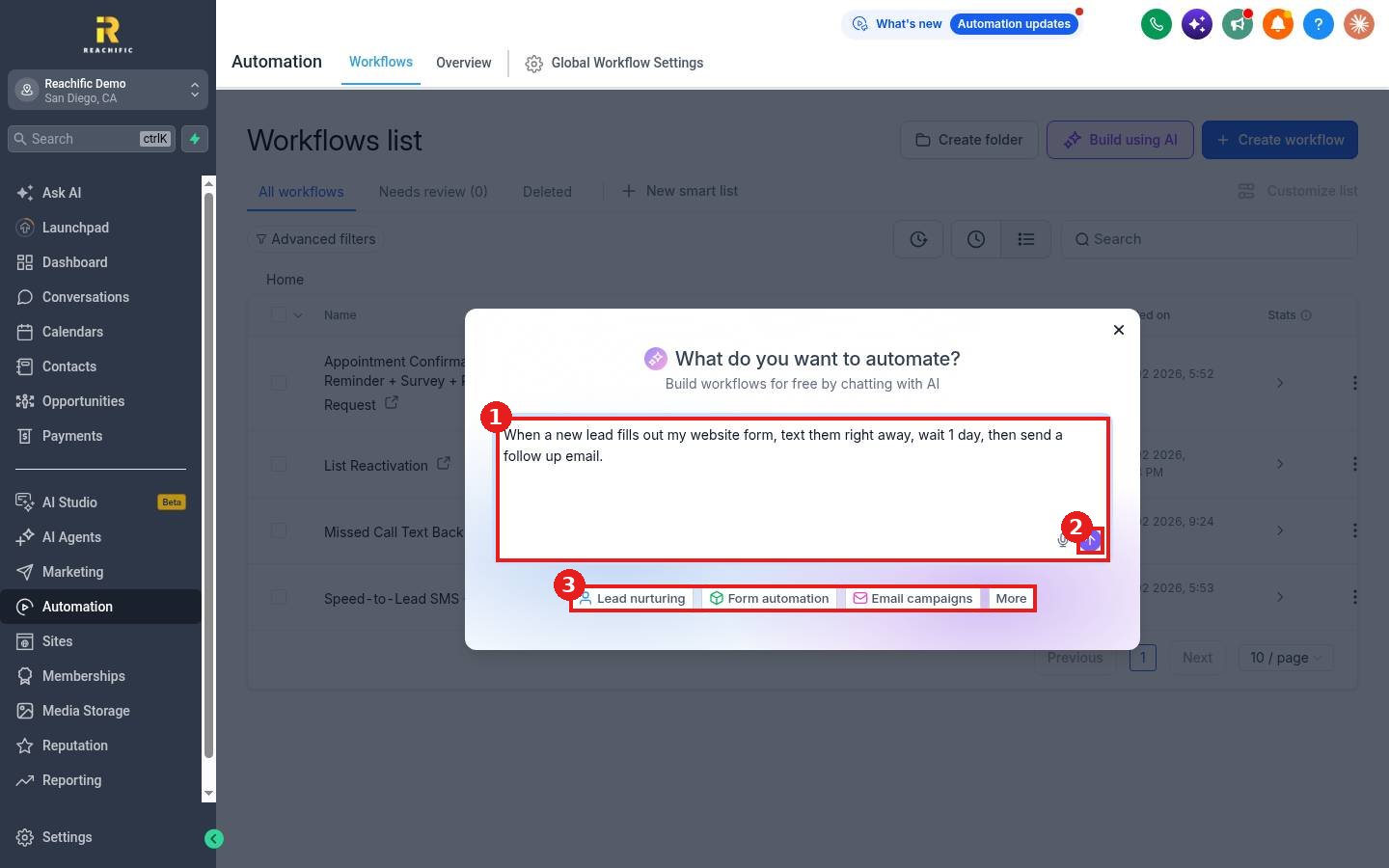
Type your request in the box (1) and click the arrow (2). If you are not sure where to start, click one of the idea chips (3) such as Lead nurturing, Form automation or Email campaigns.
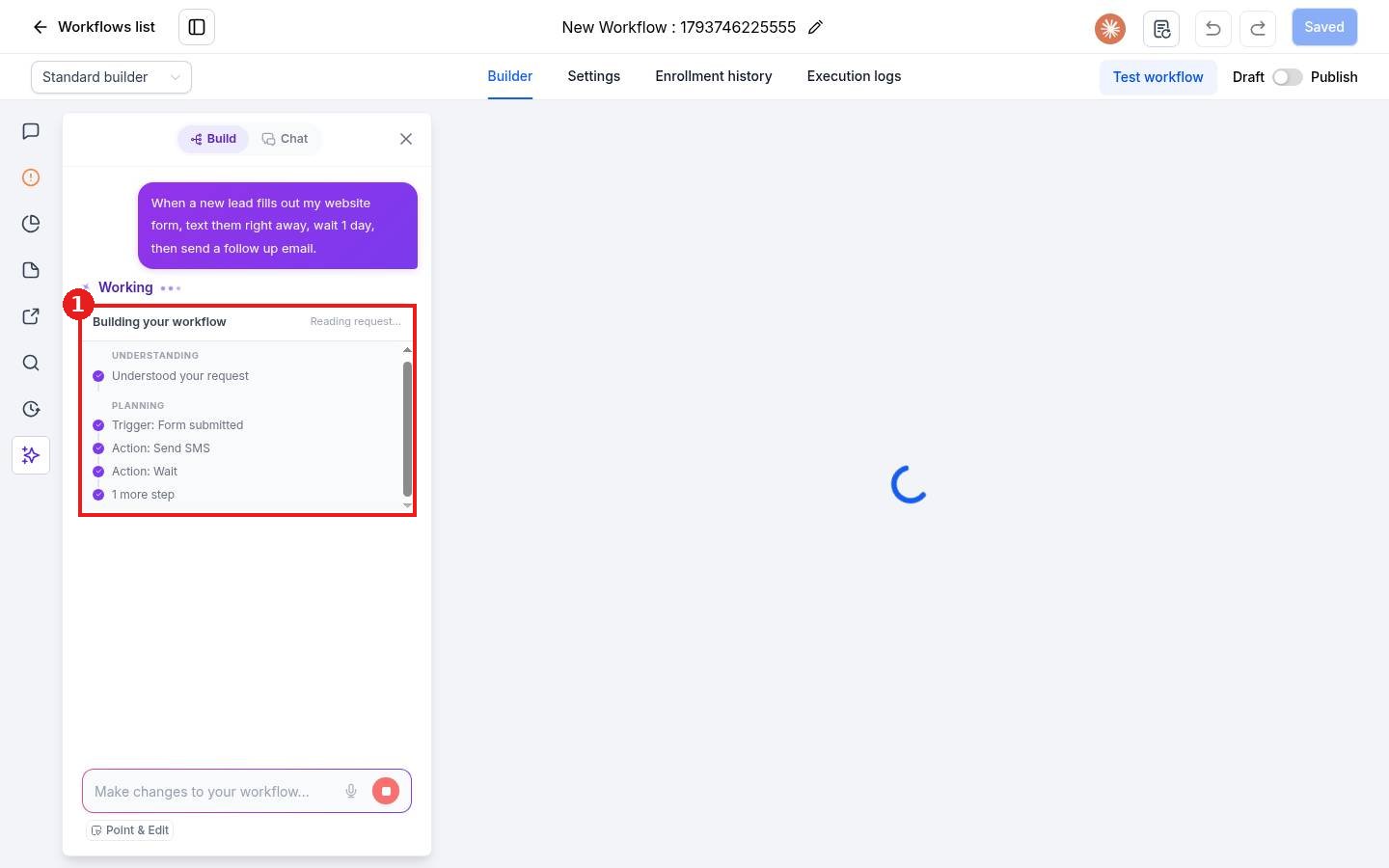
The builder opens and shows the AI working (1): it reads your request and plans the trigger and each action.
Step 3: Review, save and finish the details
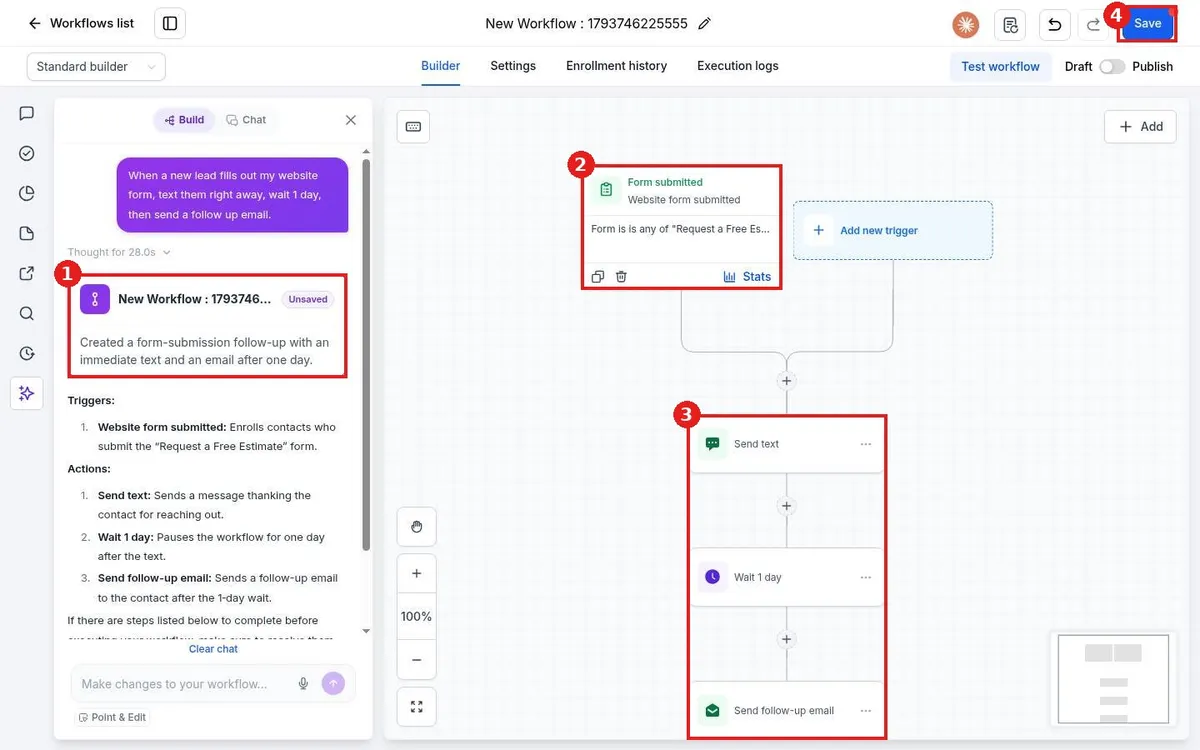
When it is done you see a summary of what was built (1), the trigger (2) and the steps in order (3). Click each step to check the message text, the sender and the wait time. Then click Save (4).
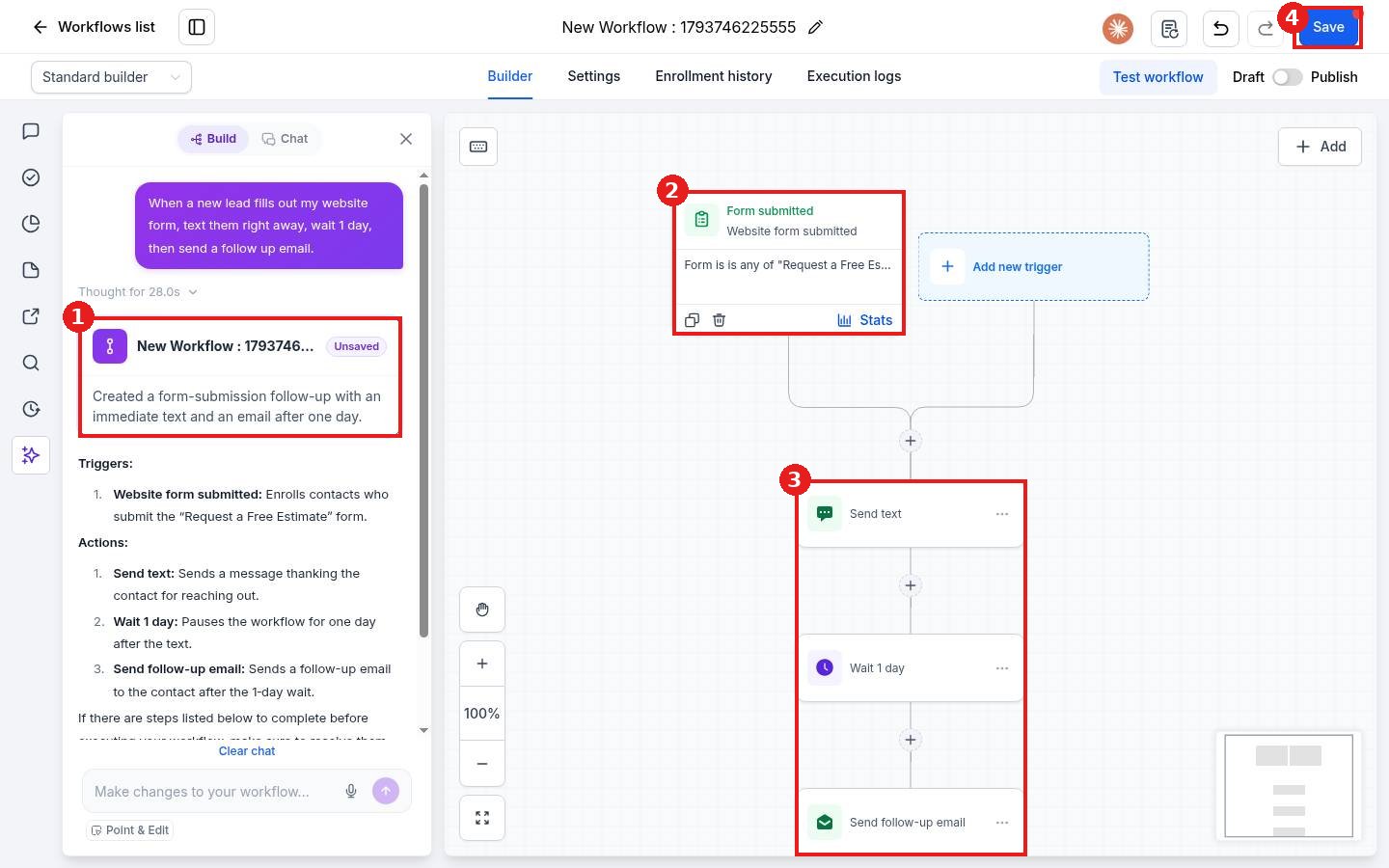
Need a change? Type it in the Make changes to your workflow box at the bottom of the AI panel, for example: change the wait to 2 days. When everything looks right, test the workflow and switch it from Draft to Publish.
FAQ
Does the AI publish the workflow for me?
No. It builds a draft. You review it, save it and publish it yourself.
Can I edit what the AI built?
Yes. Click any step to edit it, add steps with the plus button, or ask the AI panel for a change in plain words.
Why does a step show a warning?
Some steps need details the AI cannot guess, like which phone number or email to send from. Open the step and fill in the missing fields.
Is there a cost to build with AI?
The builder screen says you can build workflows by chatting with AI for free. Messages the workflow sends later are billed as usual.
Want us to handle it? Our team builds and tests the automations that matter most, like missed call text back, speed to lead and review requests, so they run correctly from day one. Book a free strategy call and get a free quote.
Related articles
- How do I create my first workflow?
- How do I publish and test a workflow?
- How do I add actions like send text, send email and wait?
Still stuck? Submit a ticket and our team will help. Need faster answers? See our support plans.
