Home > Help Center

Reachific™ Support

Reachific Help Center

Step by step answers for every part of your Reachific account, with screenshots that show you exactly where to click.

No article on this page matches that yet. Try another word, or submit a ticket.

Newest articles

How do I run a local marketing audit?

How do I run a local marketing audit?

Sayo Tadashi
Published on: 04/11/2026

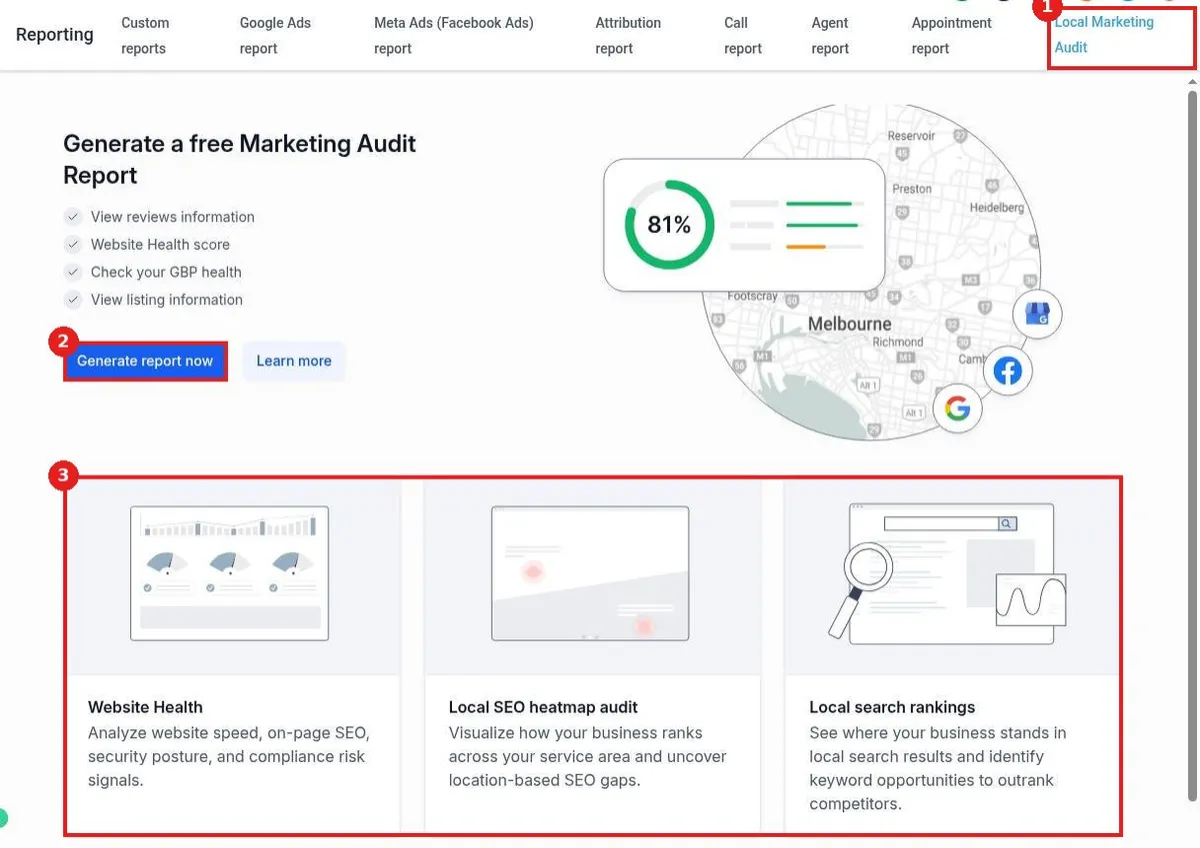
Run a local marketing audit in Reachific: go to Reporting, Local Marketing Audit, click Generate report now, check the business name, address and website, pick your Google Business Profile, then generate the report on reviews, website health, GBP and listings.

local marketing auditSEO auditreportinghelp center
How do I see appointment reports?

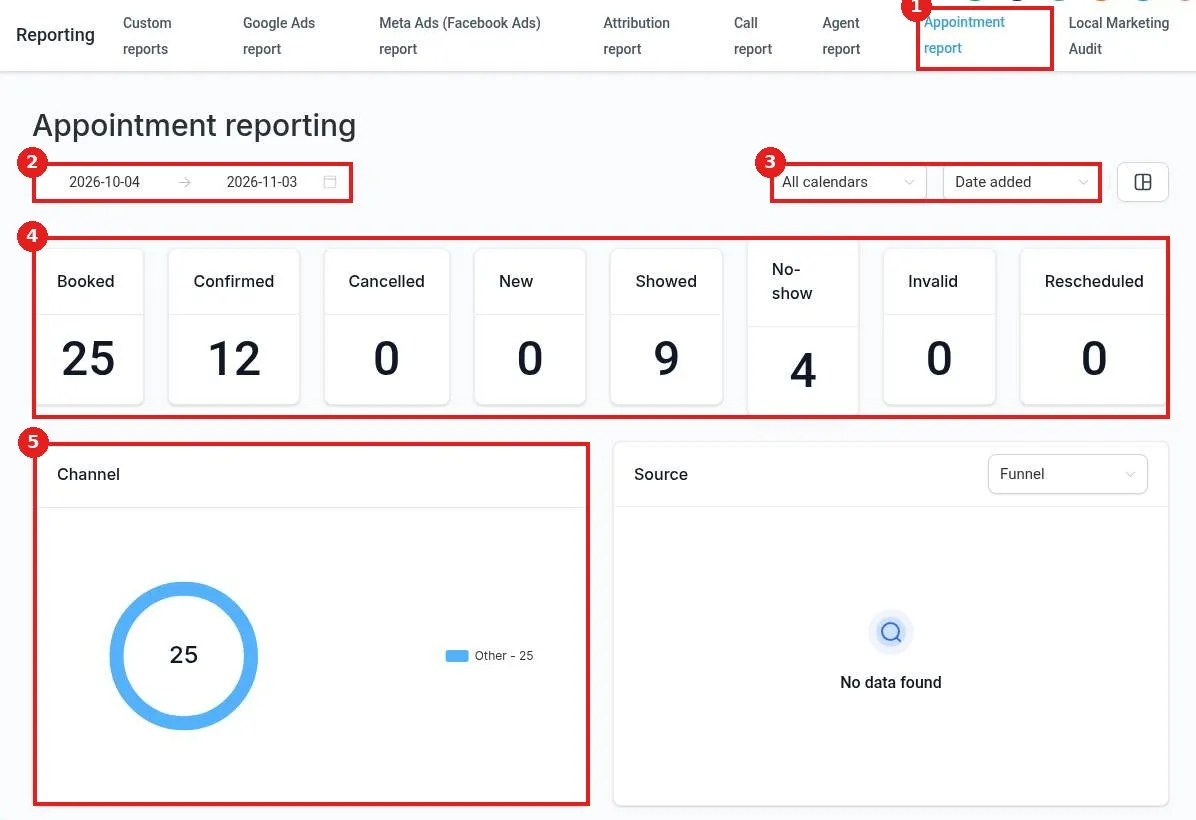
How do I see appointment reports?

Sayo Tadashi
Published on: 04/11/2026

See appointment reports in Reachific: go to Reporting, Appointment report, set the date range, pick a calendar and date type, and review booked, confirmed, cancelled, showed and no show counts plus booking channel and source.

appointment reportshow ratereportinghelp center
How do I see call reports?

How do I see call reports?

Sayo Tadashi
Published on: 04/11/2026

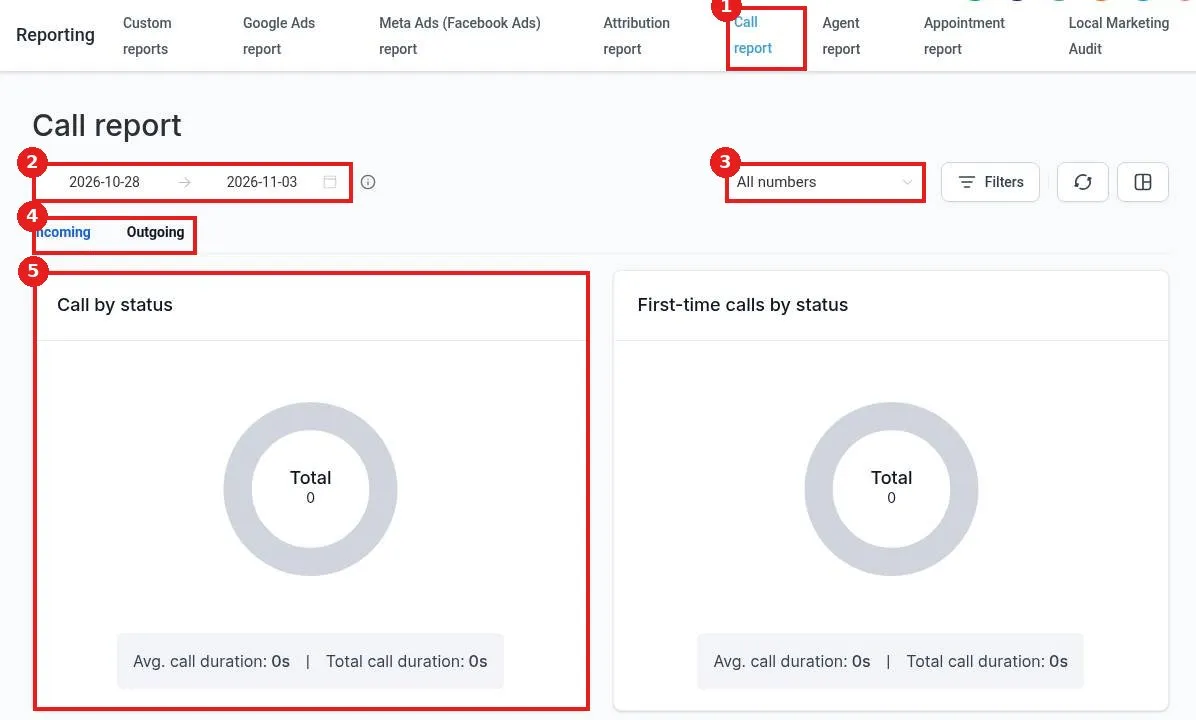
See call reports in Reachific: go to Reporting, Call report, set the date range, pick a number or All numbers, choose Incoming or Outgoing, and review calls by status, first time calls, average duration and top call sources.

call reportcall trackingreportinghelp center
How do I see where my leads come from?

How do I see where my leads come from?

Sayo Tadashi
Published on: 04/11/2026

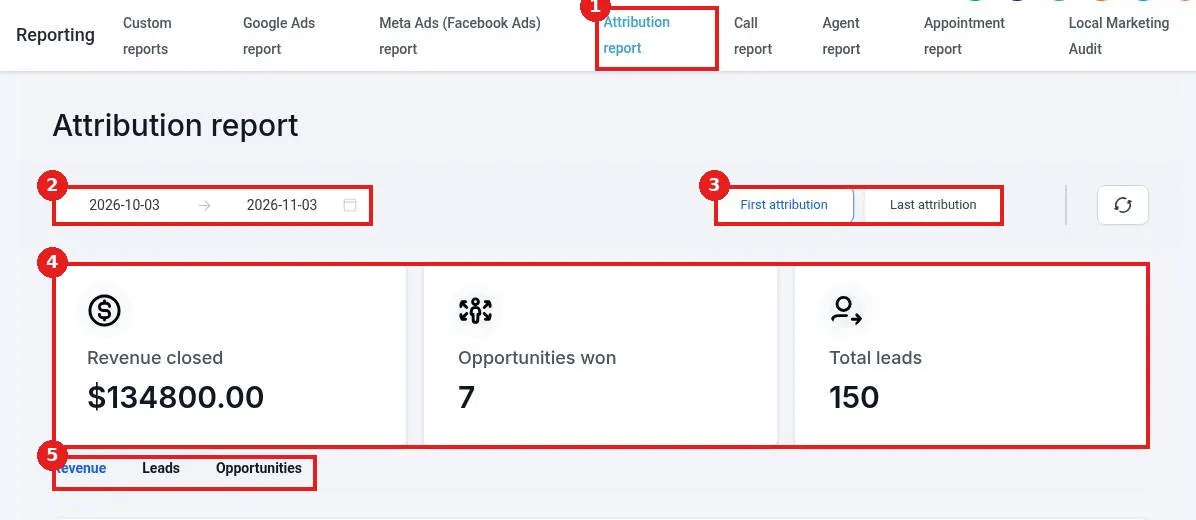
See where your leads come from in Reachific: go to Reporting, Attribution report, set the date range, choose First or Last attribution, and review revenue, opportunities won and total leads, then open the Leads tab for leads by source and medium.

attribution reportlead sourcereportinghelp center
How do I build a custom report?

How do I build a custom report?

Sayo Tadashi
Published on: 04/11/2026

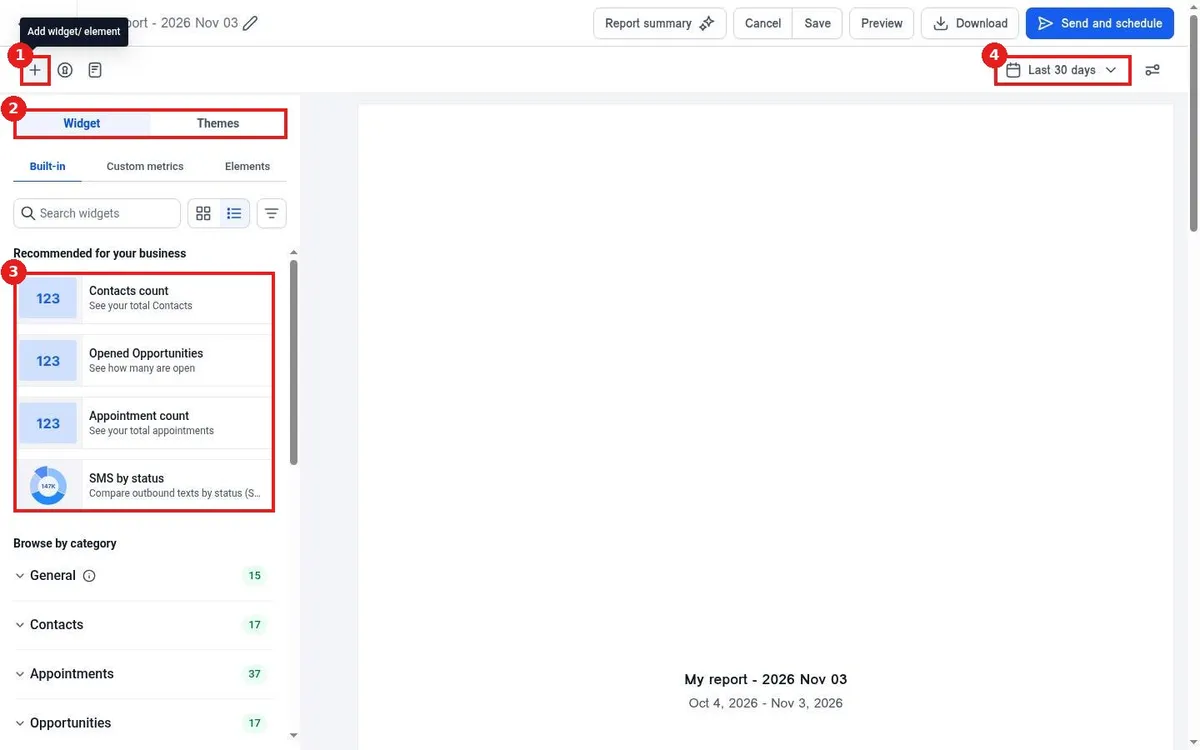
Build a custom report in Reachific: go to Reporting, Custom reports, click Create your first report, choose a blank report, template or clone, add widgets from the left panel, set the date range, then Save, Download or Send and schedule it.

custom reportreport builderreportinghelp center

We are here to help

Still stuck?

Send our support team a ticket and we will walk you through it, or pick a support plan for hands on help.