
How do I see call reports?
Quick answer: Go to Reporting > Call report. Set the date range, pick a number or All numbers, choose Incoming or Outgoing, and review calls by status, first time calls, call duration and top call sources.
Before you start
- Calls are tracked on Reachific phone numbers. Get a number in Settings > Phone System if you do not have one.
Step 1: Open the call report and filter it
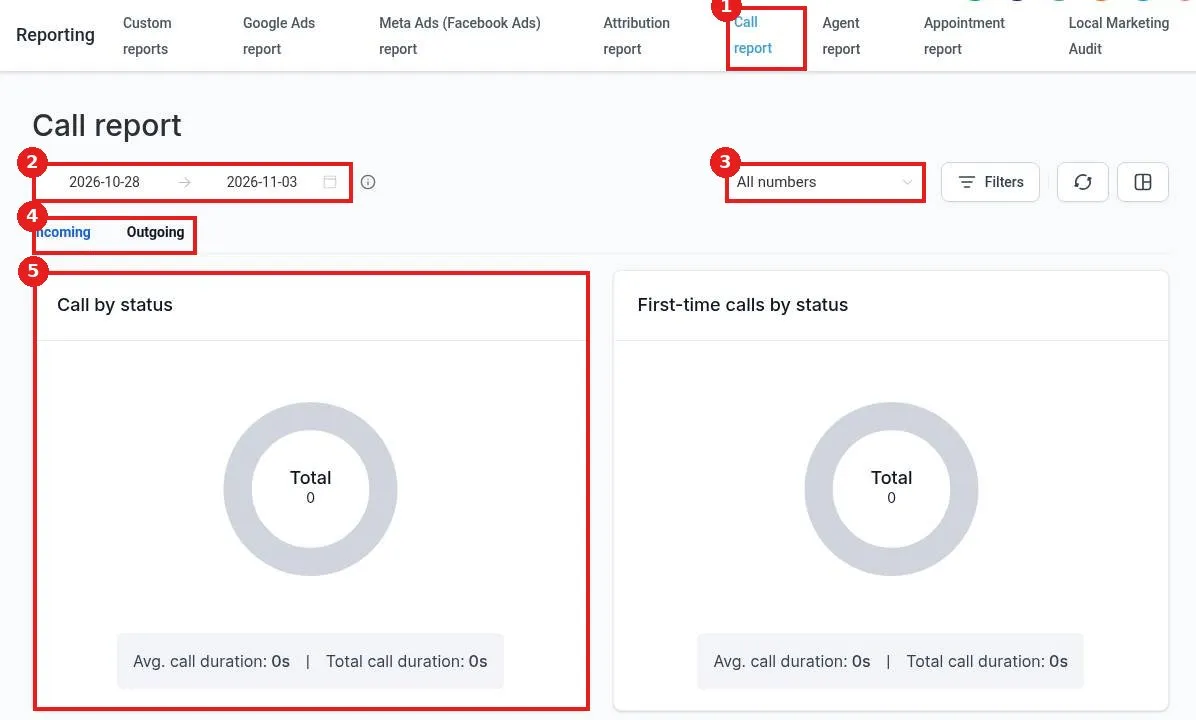
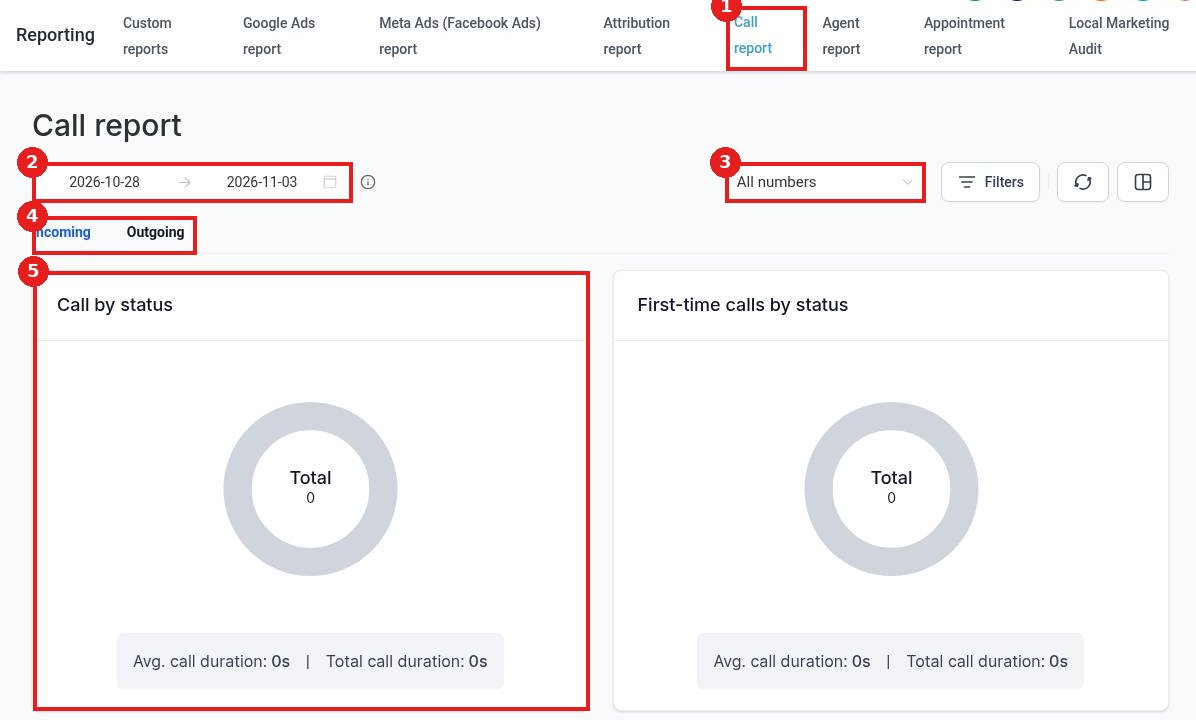
Click the Call report tab (1). Set the date range (2). Pick one number or All numbers (3). Choose Incoming or Outgoing (4). Call by status (5) shows answered, missed and voicemail calls with average and total duration.
Step 2: Read the rest of the report
First-time calls by status shows how many new callers you answered. Scroll down to Top call sources to see which ads, pages or numbers bring in calls and how many turned into won deals.
Step 3: Narrow it down
Click Filters to focus on certain users, sources or call outcomes. Use the layout button to change how the charts are arranged.
FAQ
Why are my numbers zero?
No calls happened in the date range, or the number is not a Reachific number. Widen the dates or check your phone setup.
Can I listen to calls?
Yes, if call recording is on. Recordings are in the contact's conversation.
How do I track which ad made the phone ring?
Use a separate tracking number for each ad or source. The report groups calls by number.
Want us to handle it? Our team builds clear reports and dashboards so you always know what is working. Book a free strategy call and get a free quote.
Related articles
Still stuck? Submit a ticket and our team will help. Need faster answers? See our support plans.
