Home > Help Center

Reachific™ Support

Reachific Help Center

Step by step answers for every part of your Reachific account, with screenshots that show you exactly where to click.

No article on this page matches that yet. Try another word, or submit a ticket.

Newest articles

How do I collect video testimonials?

How do I collect video testimonials?

Sayo Tadashi
Published on: 04/11/2026

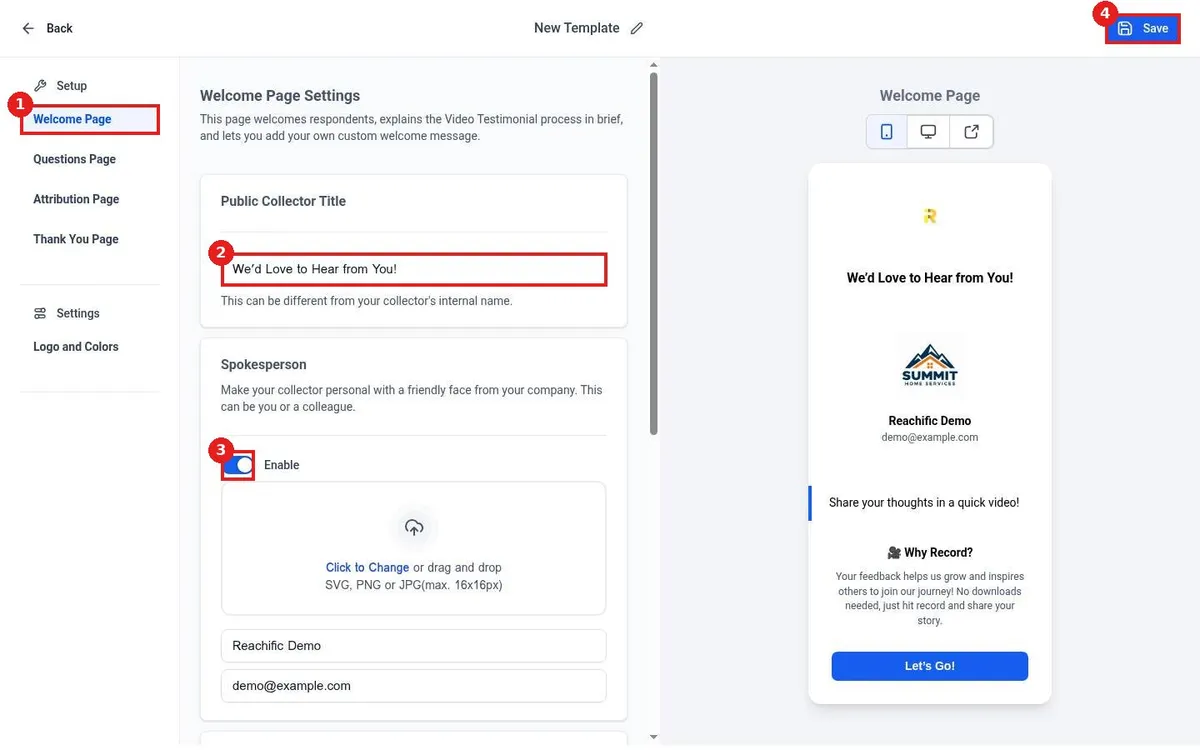
Collect video testimonials in Reachific: go to Reputation, Video Testimonials, click Create Collector, set the welcome page title and spokesperson, add up to 3 questions, choose record or upload, click Save, then send the collector link in a review request.

video testimonialsvideo reviewsreputationhelp center
How do I add a reviews widget to my website?

How do I add a reviews widget to my website?

Sayo Tadashi
Published on: 04/11/2026

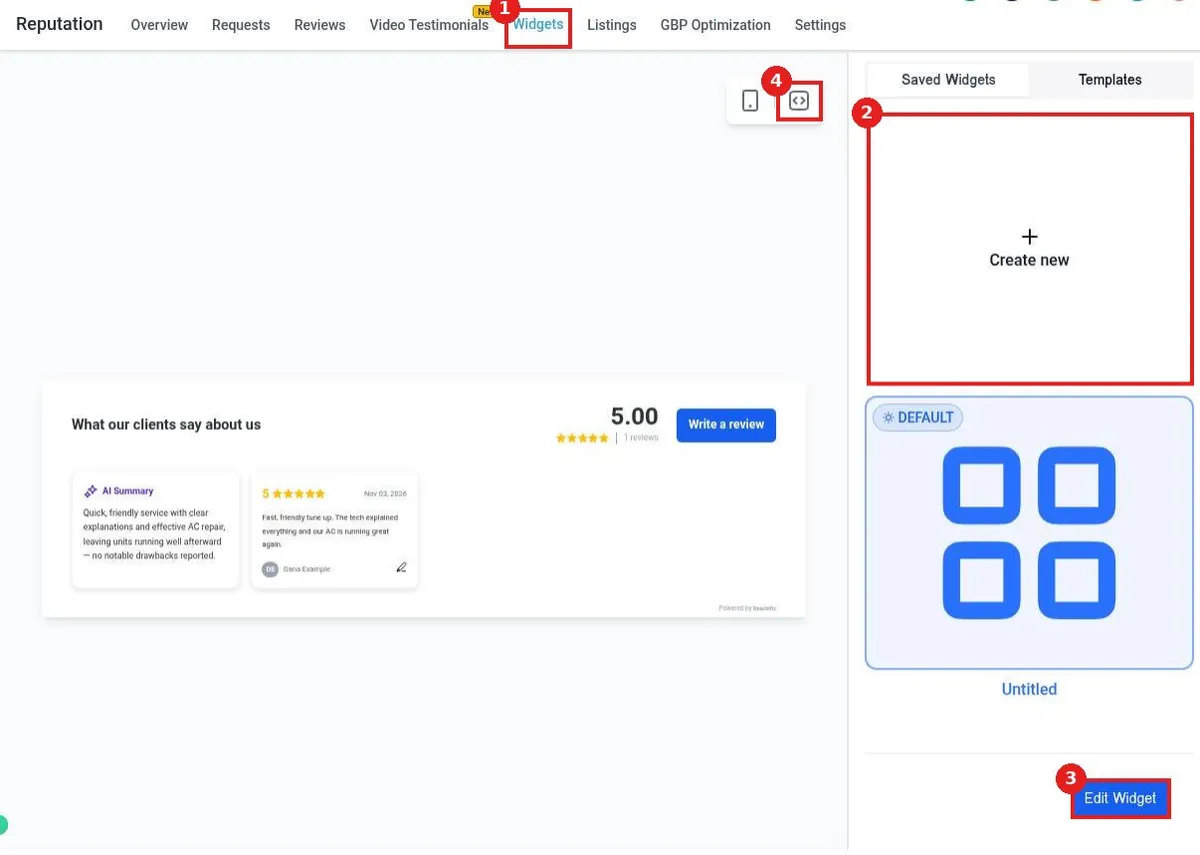
Add a reviews widget to your website with Reachific: go to Reputation, Widgets, pick a saved widget or Create new, choose review source and layout, click Save, then click the code icon, copy the code and paste it into your site.

review widgettestimonialsreputationhelp center
How do I turn on AI review replies?

How do I turn on AI review replies?

Sayo Tadashi
Published on: 04/11/2026

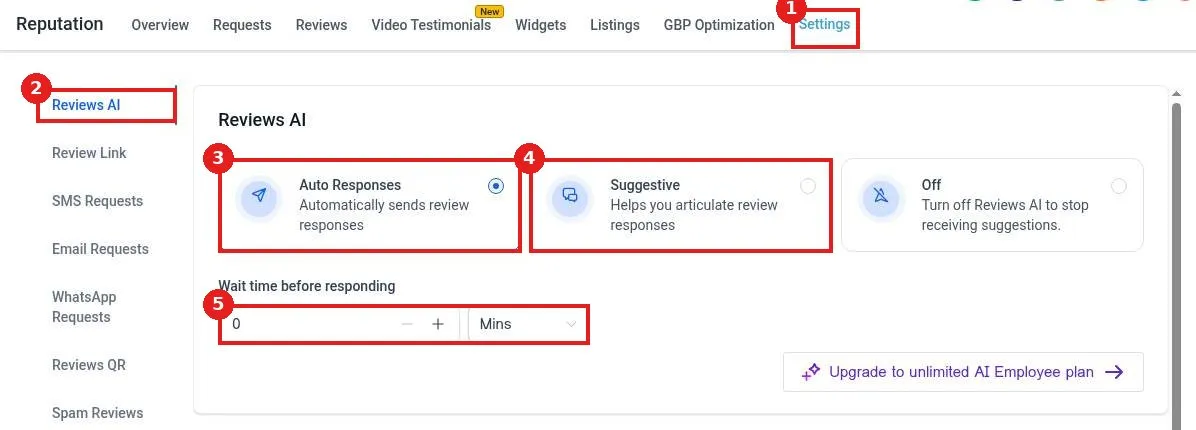
Turn on AI review replies in Reachific: go to Reputation, Settings, Reviews AI, choose Auto Responses or Suggestive, set a wait time, connect your Google Business Profile, and optionally create a Reviews AI Agent with your tone.

AI review replyreviews AIreputationhelp center
How do I send a review request?

How do I send a review request?

Sayo Tadashi
Published on: 03/11/2026

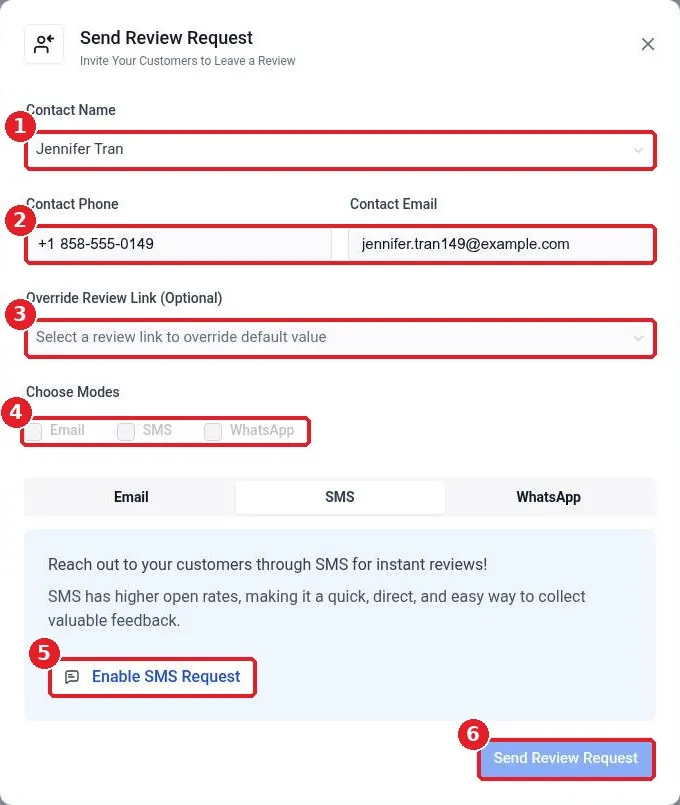
Send a review request in Reachific: turn on SMS or Email Requests in Reputation Settings, then click Send Review Request, pick the contact, choose SMS, Email or WhatsApp and send.

review requestask for reviewreputationhelp center
How do I connect my Google Business Profile for reviews?

How do I connect my Google Business Profile for reviews?

Sayo Tadashi
Published on: 03/11/2026

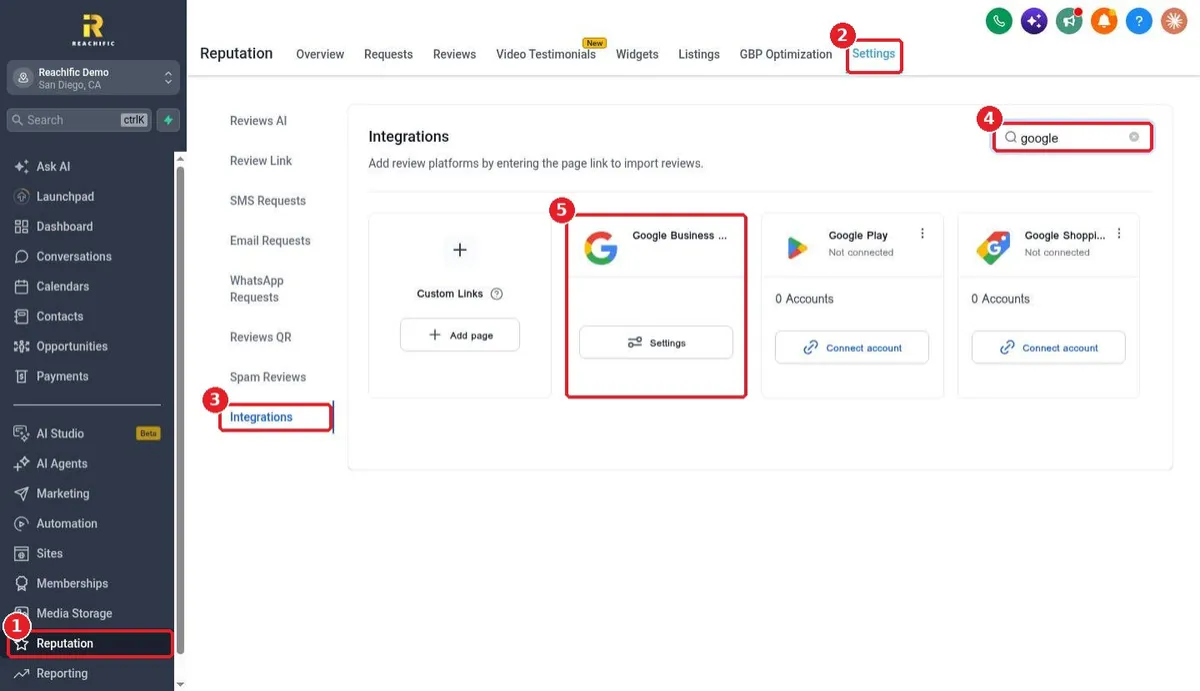
Connect your Google Business Profile to Reachific: open Reputation, Settings, Integrations, search Google, open the Google Business Profile settings and click Connect on Google to sign in and pick your business.

google business profilereviewsreputationhelp center

We are here to help

Still stuck?

Send our support team a ticket and we will walk you through it, or pick a support plan for hands on help.