
How do I collect video testimonials?
Quick answer: Go to Reputation > Video Testimonials and click Create Collector. Set the welcome page, add up to 3 questions, and click Save. Then send customers the collector link so they can record or upload a short video.
Before you start
- Write 2 or 3 short questions, such as what problem you solved and whether they would recommend you.
- Customers can record on their phone. No app download needed.
Step 1: Create a collector
Open the Video Testimonials tab (1) and click Create Collector (2). Use Video Collectors (3) later to see all of your collectors and their links.

Step 2: Set up the welcome page
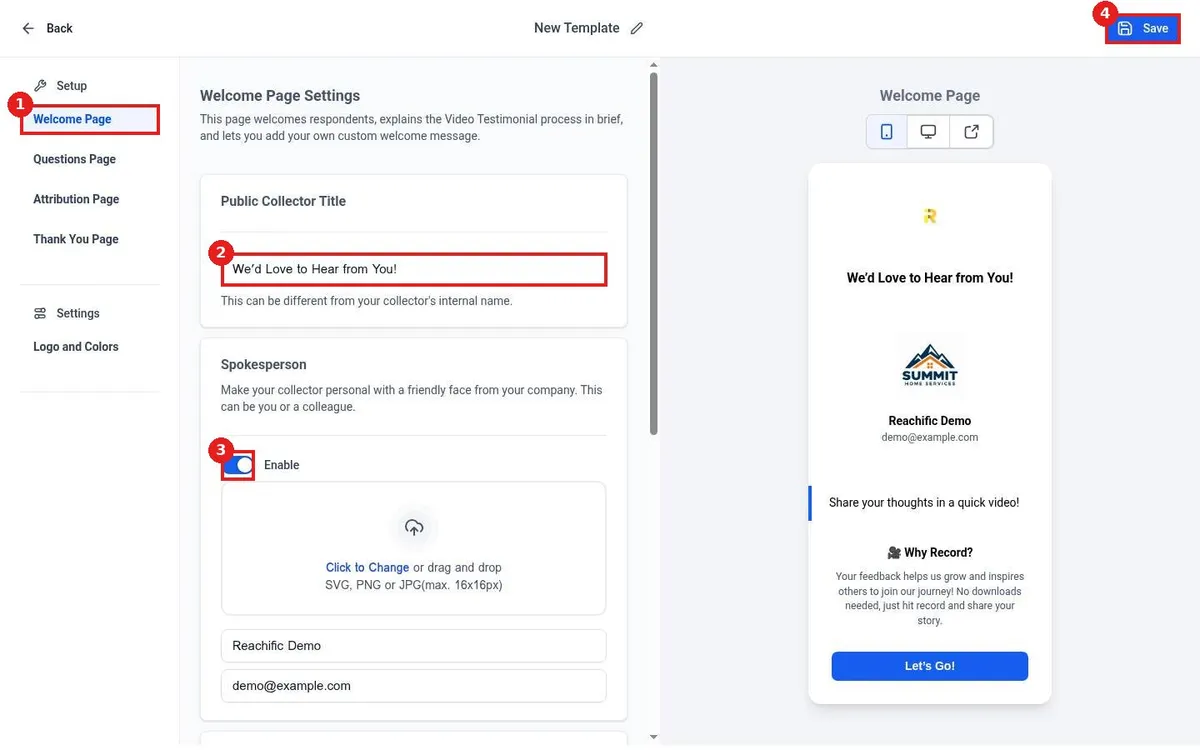
On Welcome Page (1), set the Public Collector Title (2). Turn on Spokesperson (3) to show a friendly face and name from your team. The preview on the right updates as you type. Click Save (4) as you go.
Step 3: Add your questions
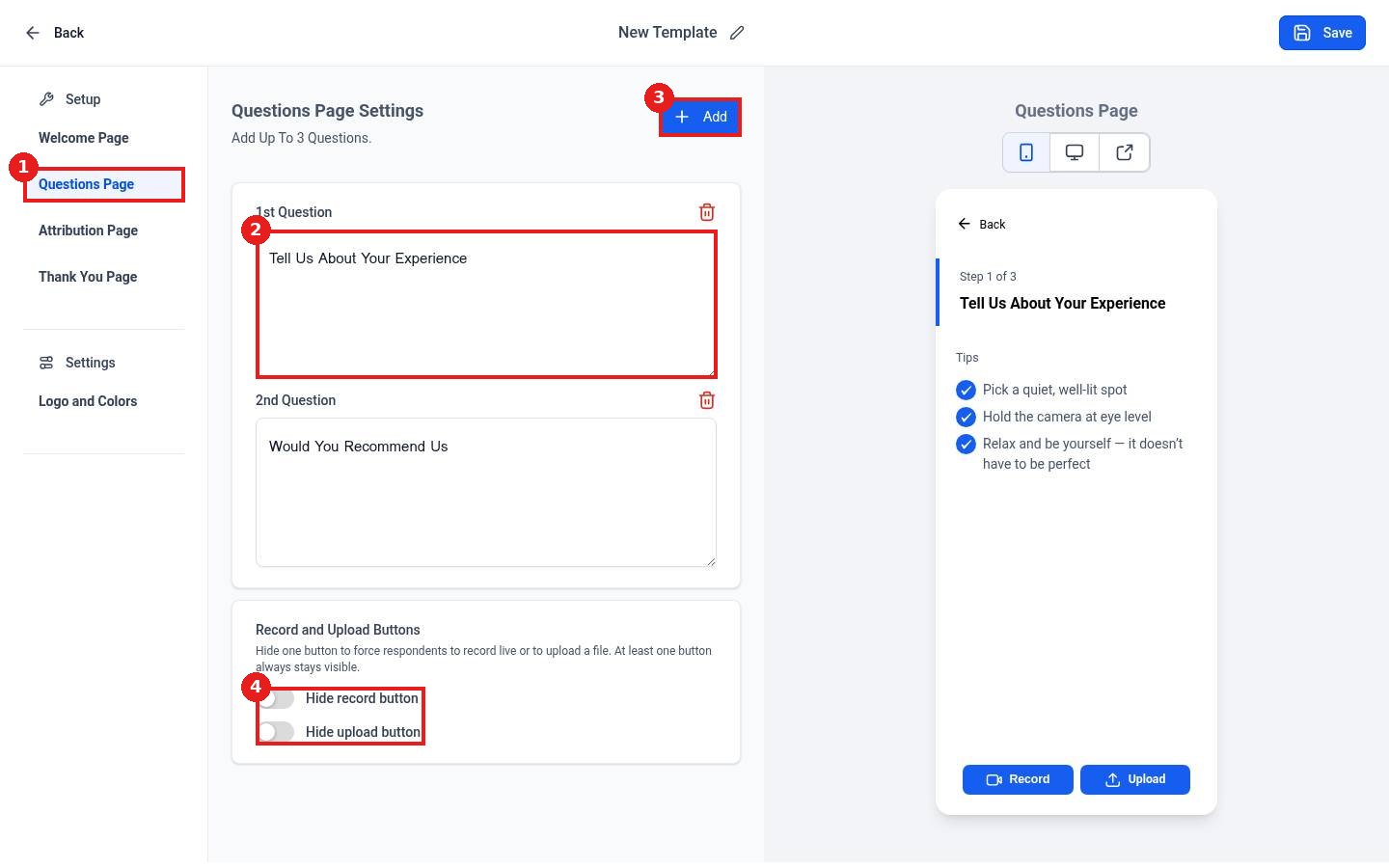
Click Questions Page (1). Edit each question (2) or click Add (3) for up to 3. Use the Record and Upload Buttons toggles (4) to require a live recording or a file upload. Then set up the Attribution and Thank You pages and click Save.
Step 4: Send it to customers
Click Send Review Request on the Video Testimonials page, or copy the collector link from Video Collectors and add it to an email, text or automation. New videos appear under Responses.
FAQ
How long can videos be?
Keep questions short. Most good testimonials are 30 to 90 seconds.
Can I show videos on my website?
Yes. Create a video widget in Reputation > Widgets.
Can customers upload a video they already filmed?
Yes, as long as the upload button is not hidden.
Want us to handle it? Our team sets up review requests, video testimonials and widgets so your reputation grows on autopilot. Book a free strategy call and get a free quote.
Related articles
Still stuck? Submit a ticket and our team will help. Need faster answers? See our support plans.
