
How do I connect my Google Business Profile for reviews?
Quick answer: Go to Reputation > Settings > Integrations and search for google. On the Google Business Profile card, click Settings. On the Integrations page that opens, click Connect on the Google card and sign in with the Google account that manages your Business Profile. Once connected, your Google reviews come into Reputation and you can reply to them from Reachific.
Before you start
Sign in with the Google account that is an owner or manager of your Business Profile. A personal account without access will not show your business.
Make sure your Business Profile is verified on Google.
Allow pop ups for Reachific in your browser so the Google sign in window can open.
Step 1: Open the Reputation integrations
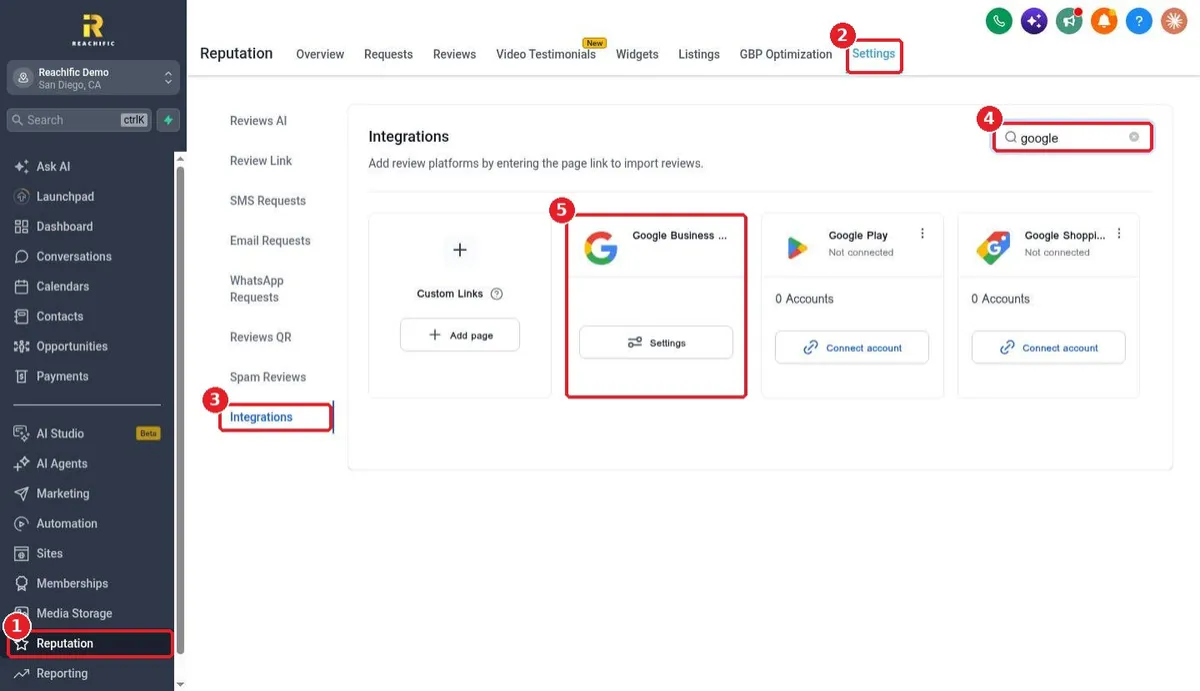
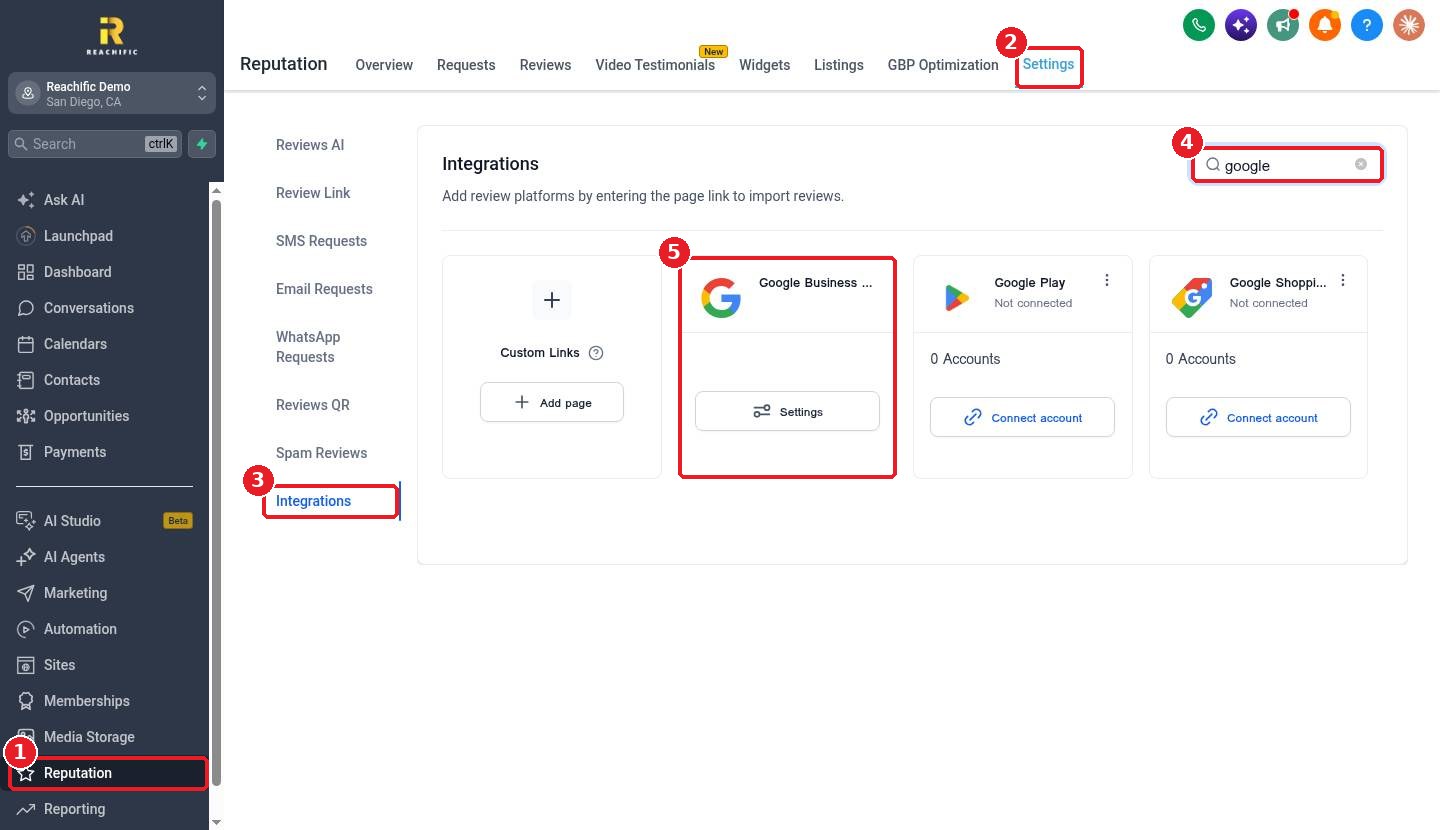
Click Reputation in the left menu (1), then the Settings tab (2). Click Integrations (3) and type google in the search box (4). Find the Google Business Profile card (5) and click its Settings button.
Step 2: Connect your Google account
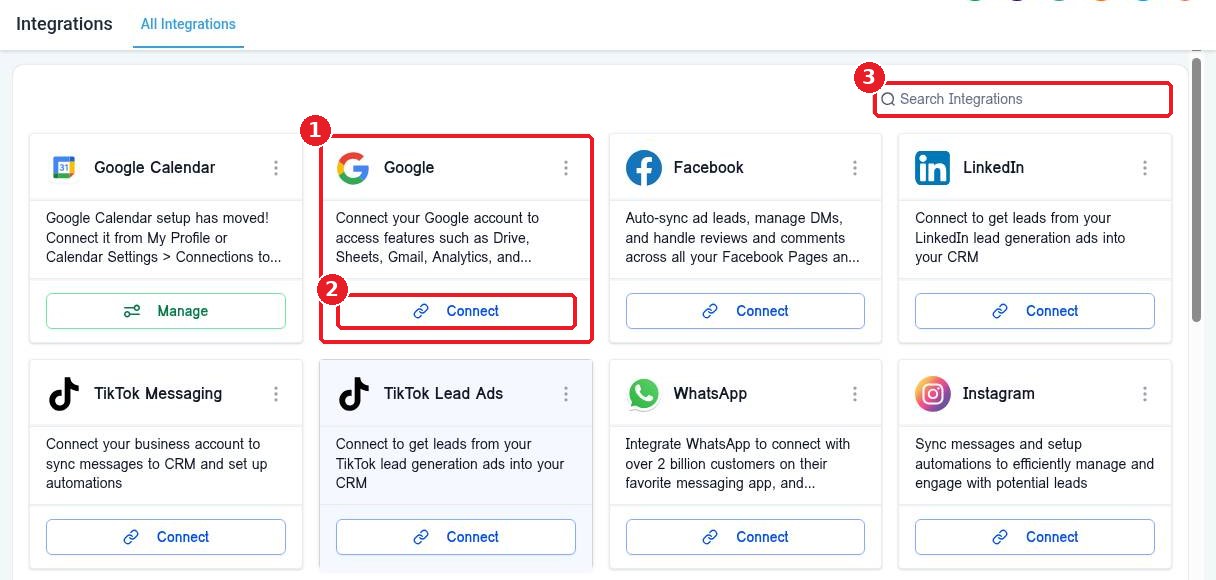
Reachific opens Settings > Integrations. Find the Google card (1) and click Connect (2). You can also search for it with the search box (3). Sign in with your Google account in the window that opens and allow the requested access. Then choose the business location you want to link.
Step 3: Set your review link
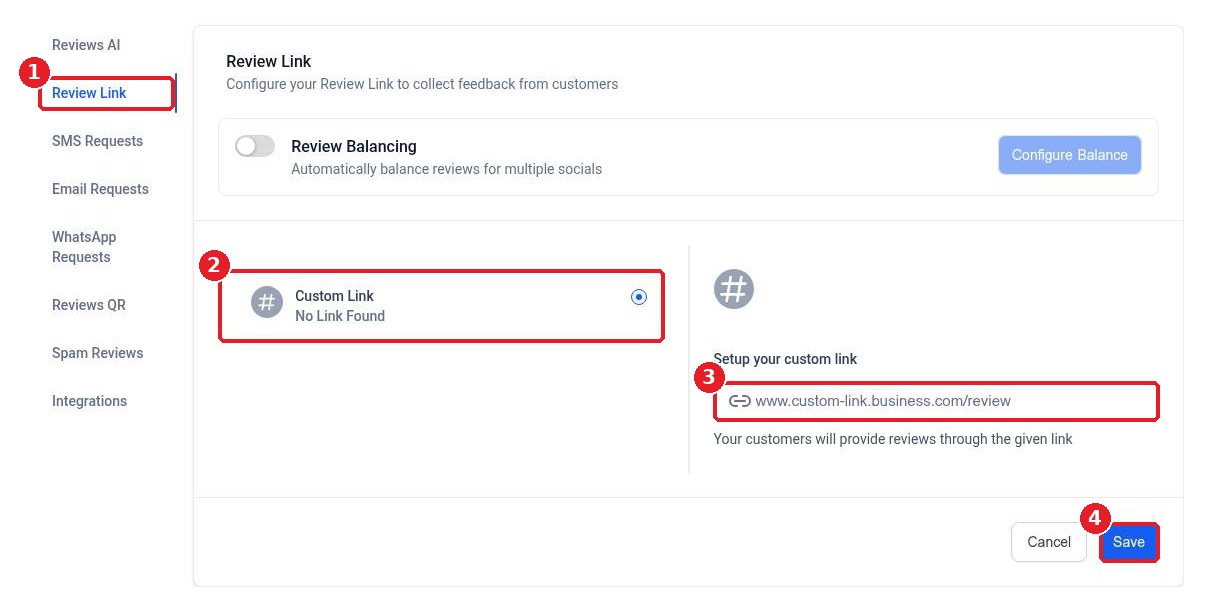
Back in Reputation > Settings, open Review Link (1). This is the link your review requests send customers to. After Google is connected, pick your Google profile here. Until then you can use a Custom Link (2) by pasting a review page address (3). Click Save (4).
Step 4: Turn on review replies (optional)
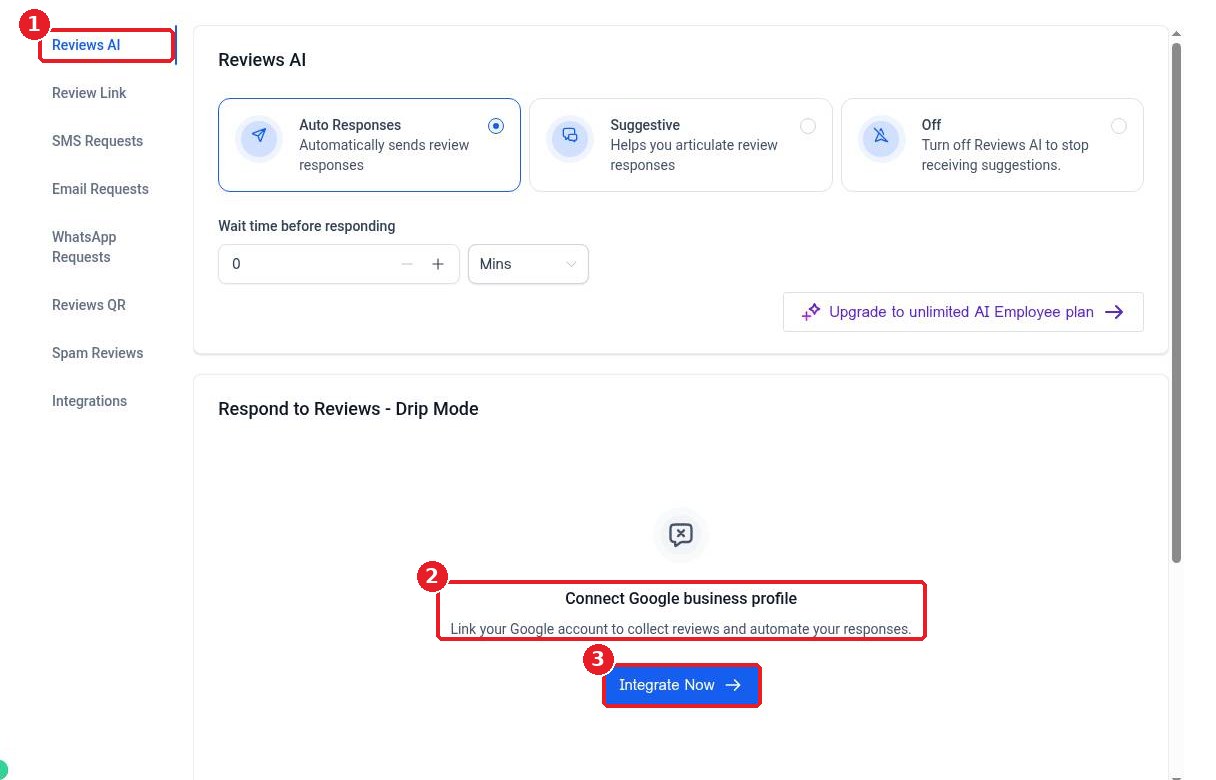
Open Reviews AI (1). If Google is not connected yet, you will see Connect Google business profile (2) with an Integrate Now button (3), which is another way to start the connection. Once connected, choose whether AI replies to reviews automatically or only suggests replies for you to approve.
FAQ
Why don't I see my business after signing in?
The Google account you used probably is not an owner or manager of the Business Profile. Add it as a manager in Google Business Profile, or sign in with the account that owns it.
Can I connect more than one review site?
Yes. The Integrations tab lists many review sites, such as Angi, Better Business Bureau, Airbnb and Amazon. Click Connect account on each one you use, or add any other page with Custom Links.
Will connecting Google change my Business Profile?
Connecting only lets Reachific read your reviews and post the replies you choose to send. Your profile details stay the same unless you edit them.
How long until reviews show up?
Reviews usually start syncing shortly after you connect. Check the Reviews tab in Reputation.
Want us to handle it? Our team can connect your Google Business Profile, set up review requests and turn on smart replies so your rating keeps climbing. Book a free strategy call and get a free quote.
Related articles
Still stuck? Submit a ticket and our team will help. Need faster answers? See our support plans.
