Home > Help Center

Reachific™ Support

Reachific Help Center

Step by step answers for every part of your Reachific account, with screenshots that show you exactly where to click.

No article on this page matches that yet. Try another word, or submit a ticket.

Newest articles

How do I start a community group?

How do I start a community group?

Sayo Tadashi
Published on: 04/11/2026

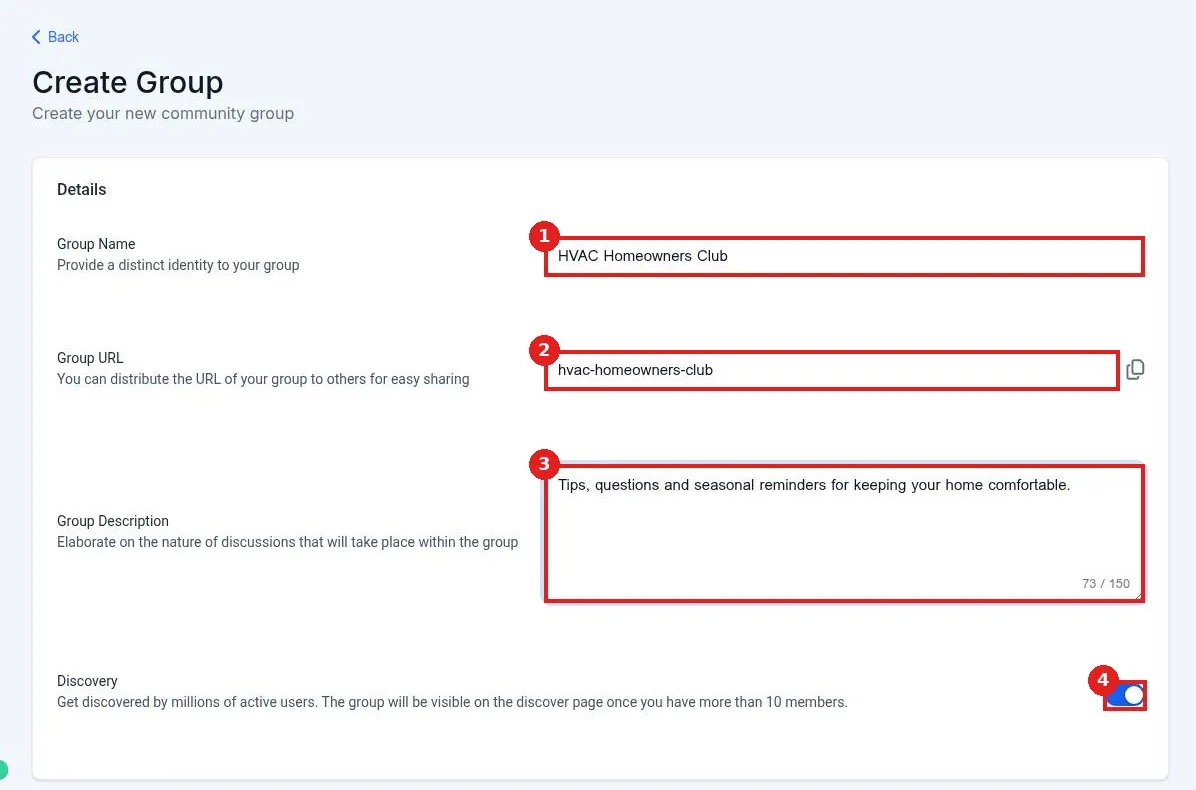
Start a community group in Reachific: go to Memberships, Communities, Groups, click Create a Community, add a group name, URL and description, choose discovery, upload a cover image and logo, then click Create Group.

communitygroupmembershipshelp center
How do I set up my client portal?

How do I set up my client portal?

Sayo Tadashi
Published on: 04/11/2026

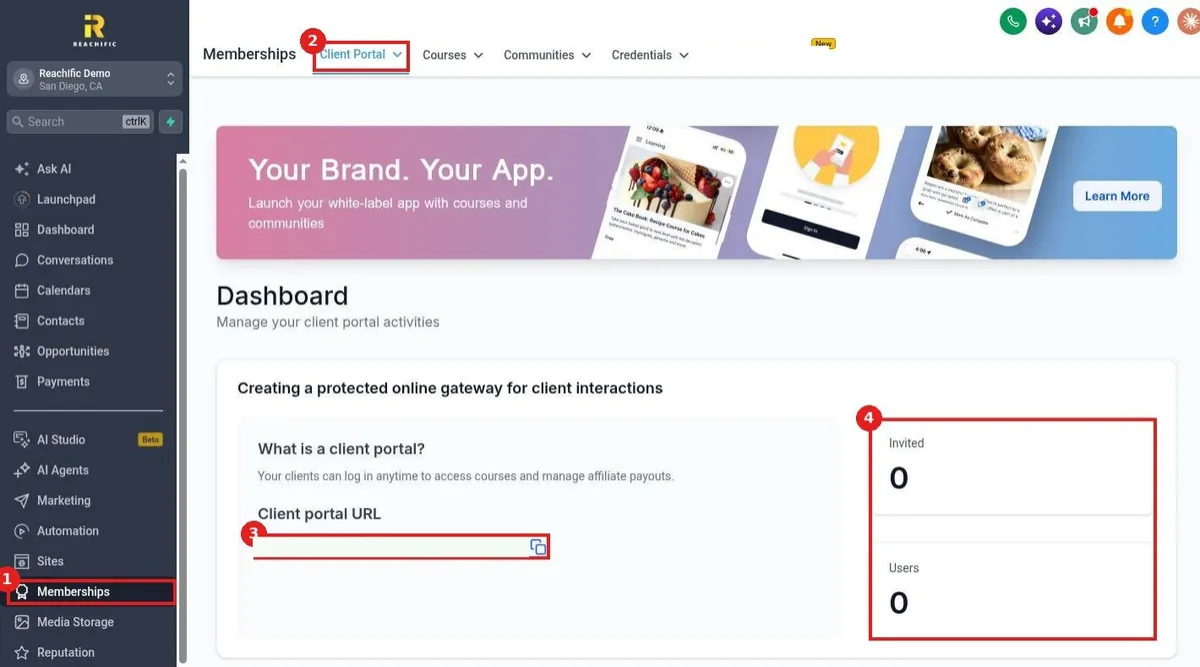
Set up your Reachific client portal: go to Memberships, Client Portal, Dashboard to copy your portal URL and see invited users, then use Settings for domain, branding, app permissions and emails, and invite your first client.

client portalmember loginmembershipshelp center
How do I add lessons and videos to a course?

How do I add lessons and videos to a course?

Sayo Tadashi
Published on: 03/11/2026

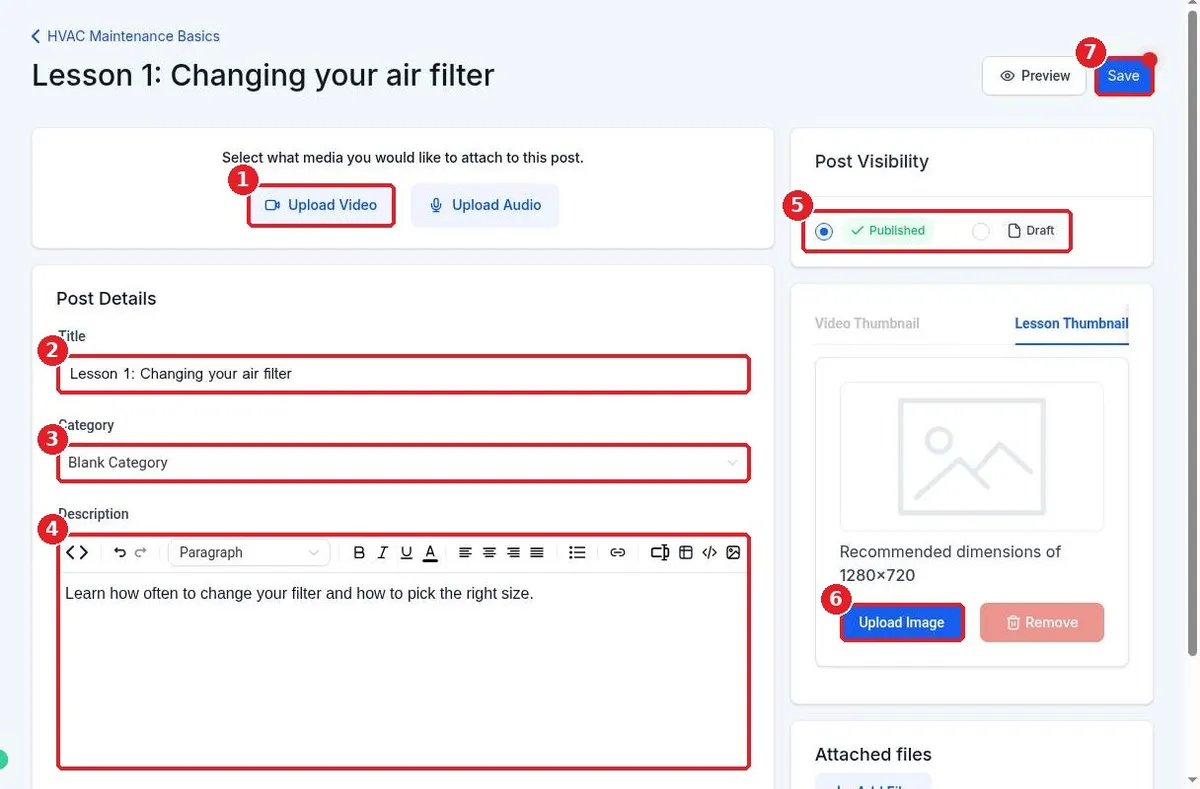
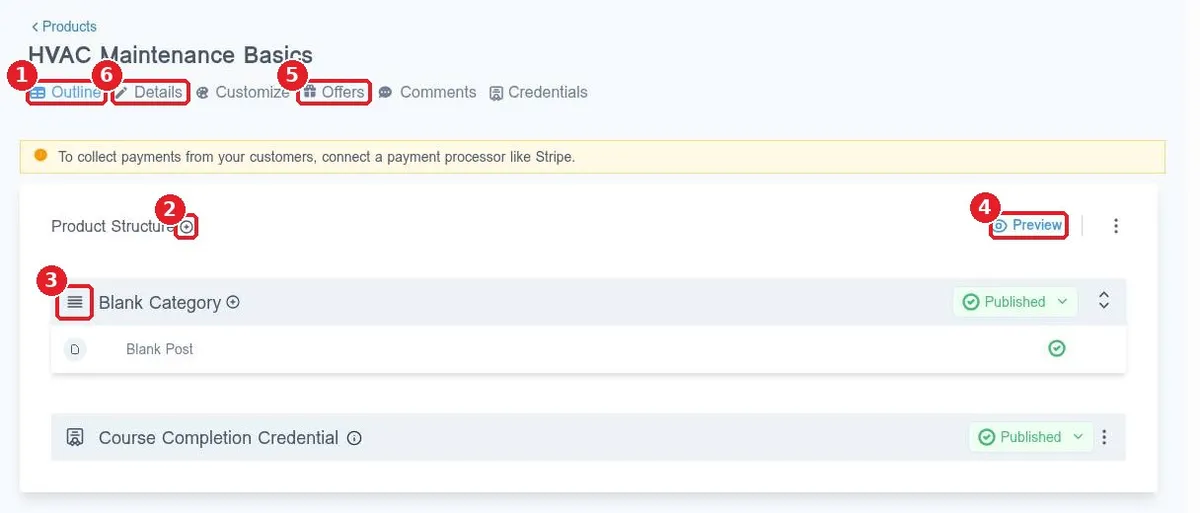
Add lessons and videos to a Reachific course: open the course Outline, click the plus next to a category, choose Add Lesson, enter the title and description, click Upload Video to add your video, then Save.

course lessonsvideo uploadmembershipshelp center
How do I create an online course?

How do I create an online course?

Sayo Tadashi
Published on: 03/11/2026

Create an online course in Reachific: open Memberships, Courses, click Create Product, pick a course template, name it, build the outline and add a description and thumbnail on the Details tab.

online coursemembershipscourseshelp center

We are here to help

Still stuck?

Send our support team a ticket and we will walk you through it, or pick a support plan for hands on help.